
SFTP User Management allows account administrators to create and maintain SFTP credentials for automated uploads and downloads. Each SFTP user can be restricted to specific folders or given access to all folders within the SFTP root. This provides flexibility for sharing access with different teams, departments, or automated integrations.
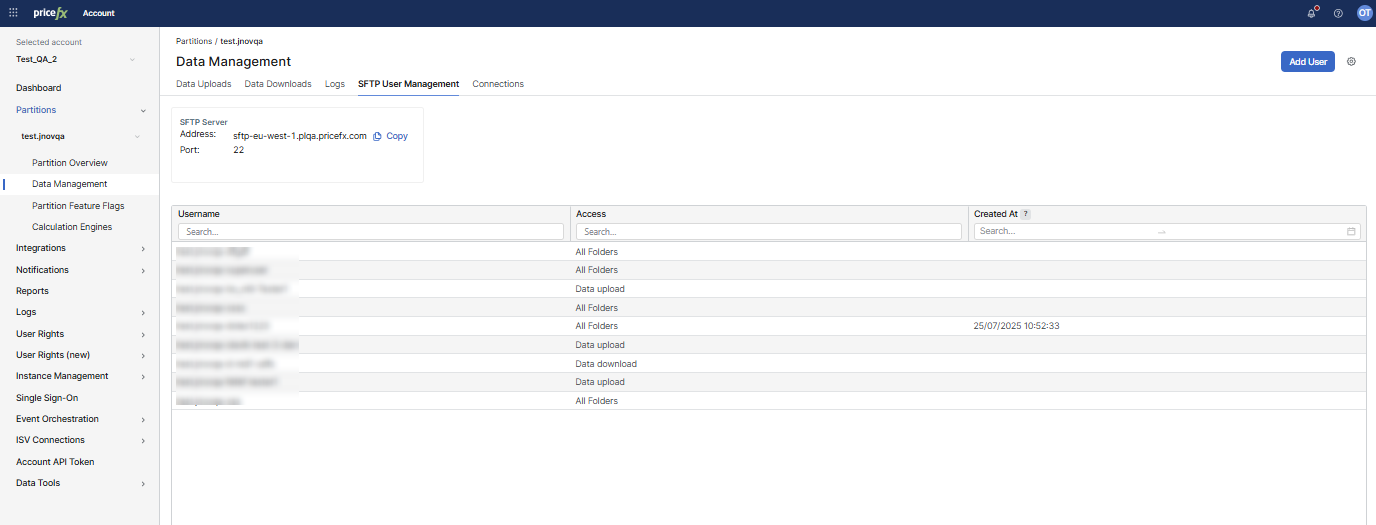
SFTP User Management is available under:
Account > Partitions > {Partition} > Data Management > SFTP User Management tab
Prerequisites
Managing SFTP users under Data Management requires the Partition Data Management – edit permission.
Reference
Server details widget
-
Address: SFTP hostname for the partition’s Data Management SFTP endpoint (copy button available).
-
Port: SFTP port.
User list (table)
-
Username: SFTP account identifier.
-
Access: Access scope (All folders, Data upload, Data download).
-
Created at: Date/time when the SFTP user was created.
-
Row actions (3-dot menu): Edit, Delete.
All SFTP accounts are isolated per partition. A user created in one partition cannot access another.
Authentication Methods
SFTP users can now authenticate using different methods. The available authentication methods are:
-
Username + Password: Traditional method using a username and password. A password needs at least 10 characters. It must include a lowercase letter, a capital letter, a number, and one of these special characters:
*&#@,?.:_-!()+/%=. -
Username + SSH Key: Uses SSH public key for authentication.
Note: In Data Management, the SFTP user can have either a password or an SSH key as the authentication method (not both at the same time). This rule also applies in ISV Connections. In Integrations, the SFTP user can use the combination of a password and an SSH key. All existing SFTP users with the combination of a password and SSH key are migrated to a single authentication option (SSH key).