
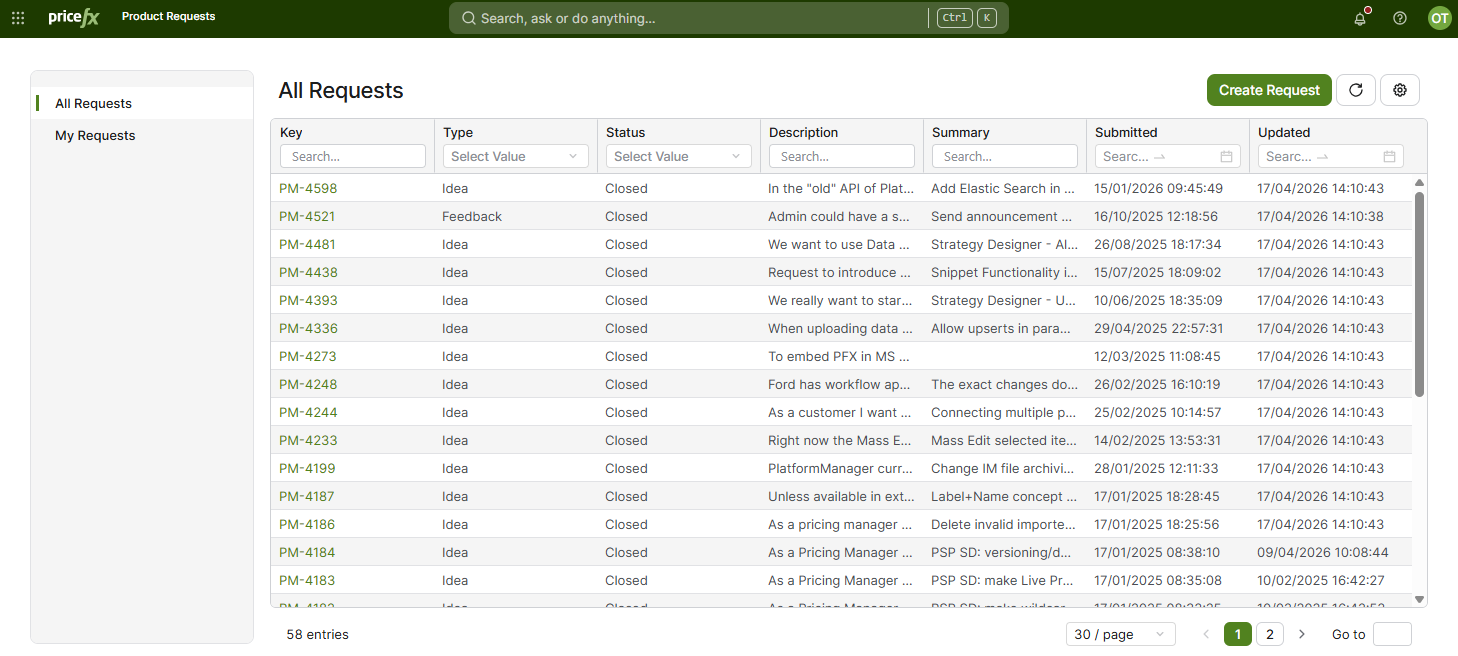
In this section, you will find an overview of ideas and improvement requests submitted for the Pricefx applications. The table shows the key, type, status, description and summary of each request, and when it was submitted and last updated. The type is Idea or Feedback. To view the full information, click the Detail option in the row menu.
The following actions are available here:
-
You can submit your product ideas, including attachments, for both the Pricefx application and the PlatformManager. The Pricefx Product Team regularly reviews the ideas received. After the review, the Product team can publish your request in the 'All Requests' table. A request published for all users is visible to all PlatformManager users. A request published for specific customers is visible only to the users who have access to the accounts of these customers. You may receive an email notification when the status of your request changes.
-
You can see all requests you submitted, including the new ones that have not been reviewed yet, in the 'My Requests' table.
Requests in the New status are not displayed in the 'All Requests' table until the Product team reviews them.
States and Their Meaning
Each request has one of these statuses. You can filter the table by them in the Status column.
-
New – A newly submitted request that has not been reviewed by the Product team yet.
-
Acknowledged – Your idea has been acknowledged.
-
Parked (Not in Scope) – After review, we’ve determined that this idea is not within our current strategic focus and will not be pursued at this time.
-
Declined (Not in Scope) – After review, we’ve determined that this idea is outside our current focus and will not be moved forward.
-
Closed – This idea has been recorded for potential future reference, but no further action will be taken.