
This section lists all approval workflows in PlatformManager.
Approvals are defined for the following actions.
-
For a single account:
-
Create a new partition.
-
Copy/move a partition.
-
Delete a partition.
-
Assign a specific permission.
-
Request creation/modification of Calculation Engine.
-
Eng support user request
-
SAML SSO approval
-
Event Orchestration approval
-
-
For all accounts:
-
Create a new partition.
-
Assign a specific permission.
-
Delete a partition.
-
Delete an instance.
-
Delete an IM instance.
-
Request creation/modification of Calculation Engine.
-
Eng support user request
-
SAML SSO approval
-
Event Orchestration approval
-
In this section:
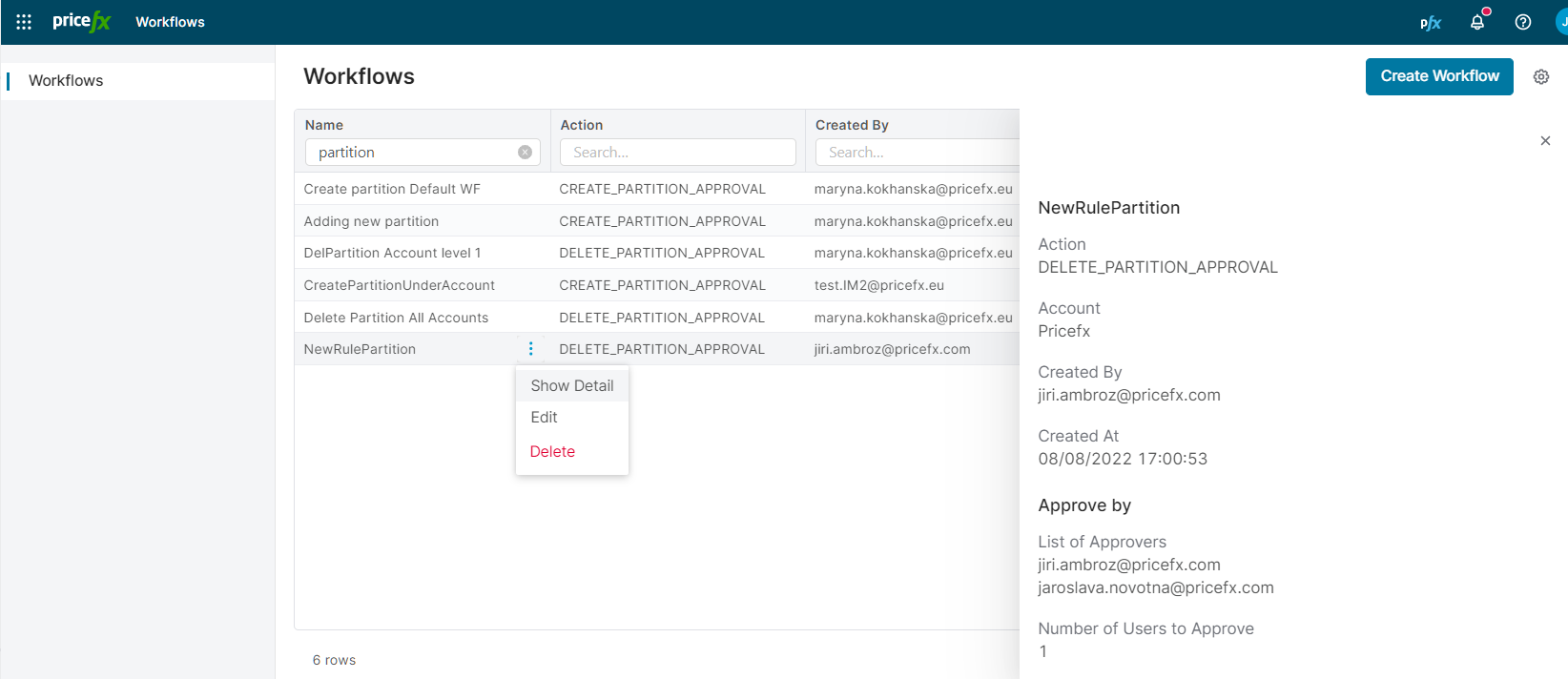
Workflow Options
There are the following options in the row menu:
-
Edit a workflow. Some of the options are locked for editing.
-
If you have the global permission Edit default workflow, you can also edit the global workflows (valid for all accounts).
-
-
Delete a workflow.
See also how to create a new workflow.
Workflow Execution
When the workflow is triggered (i.e. a user request a new partition or wants to assign a given permission), the user is notified about it by a popup message and an email. The approvers are notified by an email too. All their pending approvals are listed in the My Approvals section in the user account menu. In this section they can approve/reject the request.
When there several global asset class workflows generated for the same user and their approvers and number of approvals are the same, the workflows are merged.
After the request is approved, the user is informed by an email and the requested action is completed automatically.
When a user receives an approval email, the Approve and Deny links open a confirmation page in PlatformManager. The page displays Approve and Deny buttons and does not execute any action until you click one of them. After you confirm, the page shows a success message, or an error if the link is invalid or expired.
Workflow Expiration
If a workflow is in an unfinished state for a certain period of time, these actions happen:
-
After 10 days with no action, 2nd email is sent to contacts who did not yet act.
-
After 20 days with no action, an email is sent to all participants that the workflow will become REJECTED after 10 days.
-
After 30 days the workflow ends up as REJECTED.
Deletion of Users/Groups Involved in Workflow
When it comes to deleting users or user groups which are included in workflow definition as approvers, the following rules apply:
-
If a user/group is deleted from PlatformManager, they are deleted from the workflow definition as well.
-
When a user runs a workflow which has no user/group assigned (they were deleted), an error message is displayed.
-
Already running workflows are not affected (the fallback here is that the workflow will eventually time out).
Logging
In Activity Log, there is a record whenever there is a new approver added to a workflow or an existing one is deleted. This record includes who added/deleted the approver, name of the workflow, name of the account and other details.