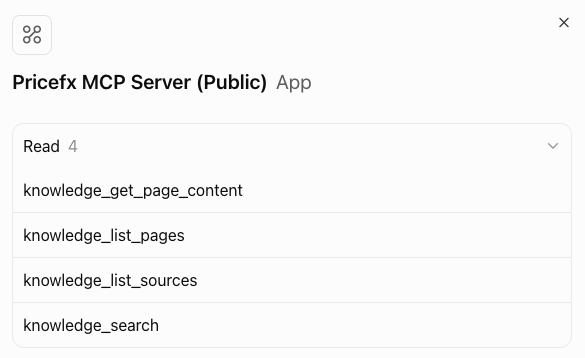
This page explains how to integrate the Knowledge Base Tool with ChatGPT using an MCP Server configured public connection (without authorization). It outlines the essential setup steps required to establish a seamless, direct connection.
Requirements
-
ChatGPT subscription
-
ChatGPT Pro Plan or or any higher-tier plan
Pricefx MCP Server
The Pricefx MCP Server is available using the following URL:
https://mcp.pricefx.com/mcp
Create Connection
-
Open ChatGPT in your browser.
-
Go to Plugins.
-
Click Add > Add custom MCP server.
-
In the Add custom MCP server menu:
-
Enter the Name.
-
Enter a Description (optional).
-
Enter
https://mcp.pricefx.com/mcpinto the Connection.
MCP Domain URL (
https://mcp.pricefx.com) -
Select No Authentication in Authentication.
-
In the Custom MCP servers introduce risk section:
-
Select I understand and want to continue.
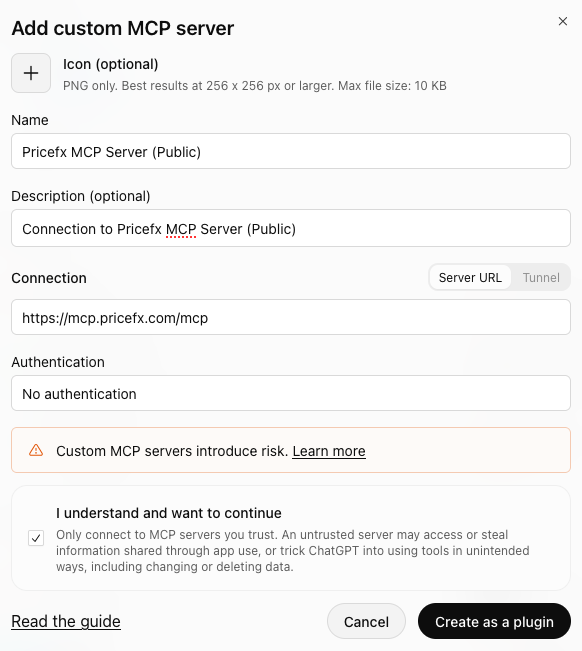
Add custom MCP server dialog with the name, connection URL, and OAuth authentication filled in and the risk acknowledgment selected.
-
-
Click Create as a plugin.
-
-
In the Connection consent dialog, click Continue.
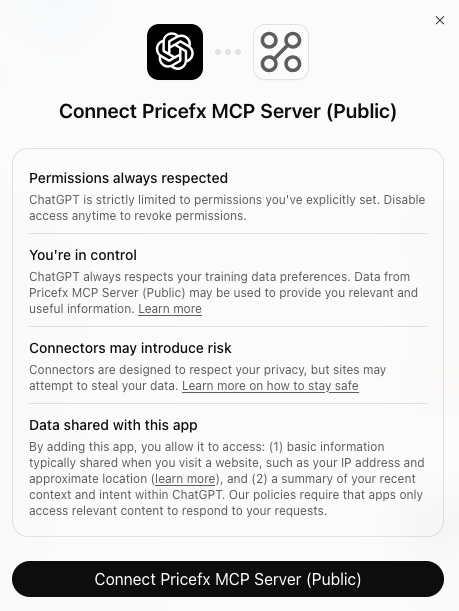
Connect dialog in ChatGPT with permission and data-sharing notices and the Continue button.
The Pricefx plugin opens and lists the available Pricefx tools with their descriptions.