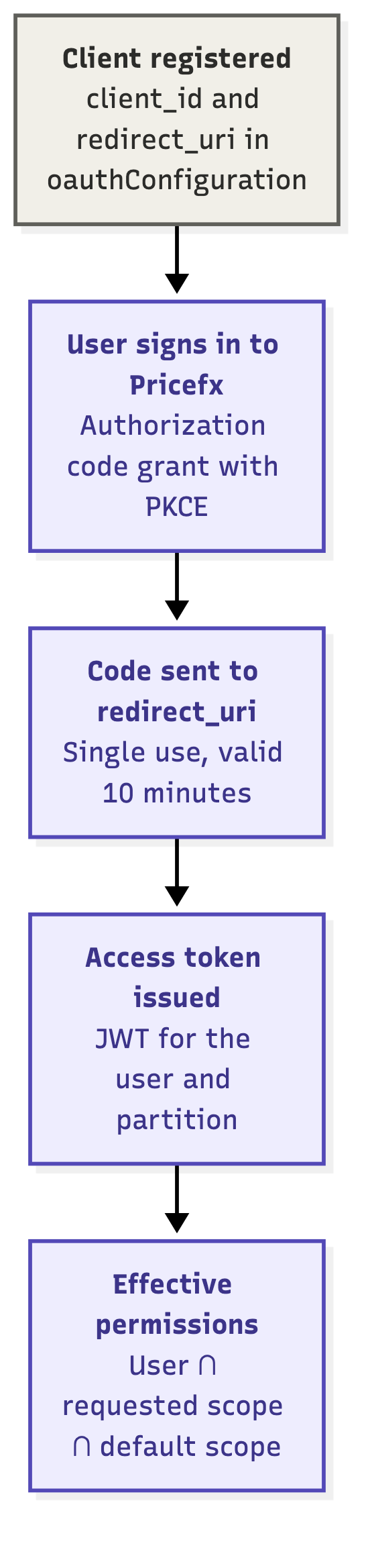
The Pricefx MCP Server uses OAuth delegation to authorize AI clients.
The authorization runs in two steps:
-
AI client to MCP Server – The AI client registers with the Pricefx MCP Server automatically and authorizes against it.
-
MCP Server to Pricefx – The Pricefx MCP Server authorizes against your Pricefx partition on the user's behalf. It uses the OAuth Authorization Code Grant with PKCE.
MCP Server Registration
The Pricefx MCP Server must be registered as an OAuth client in each target Pricefx partition. This registration is defined in the oauthConfiguration Advanced Configuration Option.
Prerequisites
You need permission to manage Advanced Configuration Options in the target Pricefx partition.
Register the MCP Server
-
Log in to your Pricefx partition.
-
Go to Administration > Configuration > System Configuration > Advanced Configuration Options.
-
Click Add.
If theoauthConfigurationoption already exists, edit it instead and add thepricefx-mcp-serverentry toknownClients. -
In the Add Option menu:
-
Enter
oauthConfigurationinto Name. -
Enter the following JSON code into Value.
-
{
  "knownClients": {
    "pricefx-mcp-server": {
      "redirect_uri": "https://mcp.pricefx.com/<instance>/<partition>/auth/callback"
    }
  }
}
Example:
https://mcp.pricefx.com/mint-stable.pricefx.com/copilot-discretefx/auth/callback
-
Click Add.
Client Configuration Properties
|
Property |
Value |
Required |
Description |
|---|---|---|---|
|
|
pricefx-mcp-server |
Yes |
The key of the |
|
|
https://mcp.pricefx.com/<instance>/<partition>/auth/callback |
Yes |
The Pricefx MCP Server callback URL for the partition. |
AI Client Registration
AI clients register with the Pricefx MCP Server automatically through Dynamic Client Registration (DCR) or a Client ID Metadata Document (CIMD). You do not need to add AI clients to oauthConfiguration.
|
AI Client |
Authentication Setting |
|---|---|
|
Claude |
Keep the detected option. Both CIMD and DCR are supported. |
|
ChatGPT |
Select OAuth. |
|
Copilot Studio |
Select OAuth 2.0 and the Dynamic discovery type. |
API Endpoints
|
Endpoint |
URL |
|---|---|
|
MCP server |
|
|
OAuth callback |
|
Authorization Flow
When a user connects an AI client to the Pricefx MCP Server, they go through three pages:
-
Allow Access – The Pricefx MCP Server asks the user to allow the AI client to access the partition. Some AI clients appear under a different name.
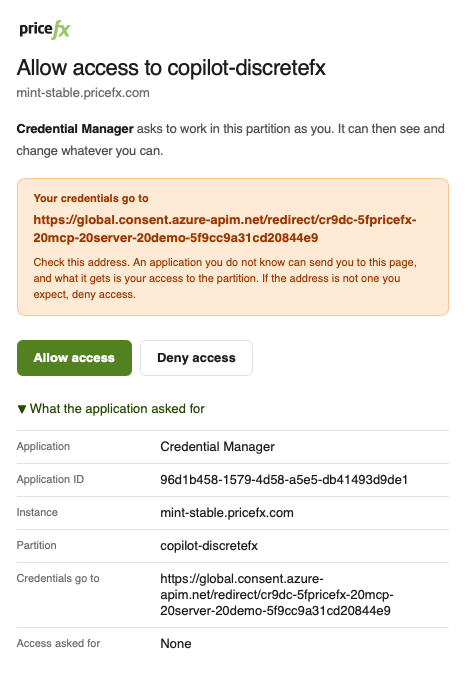
Allow access dialog asking to grant access to the partition, with the Allow access and Deny access buttons. -
Pricefx Login – The user signs in with their Pricefx credentials for the target cluster and partition.
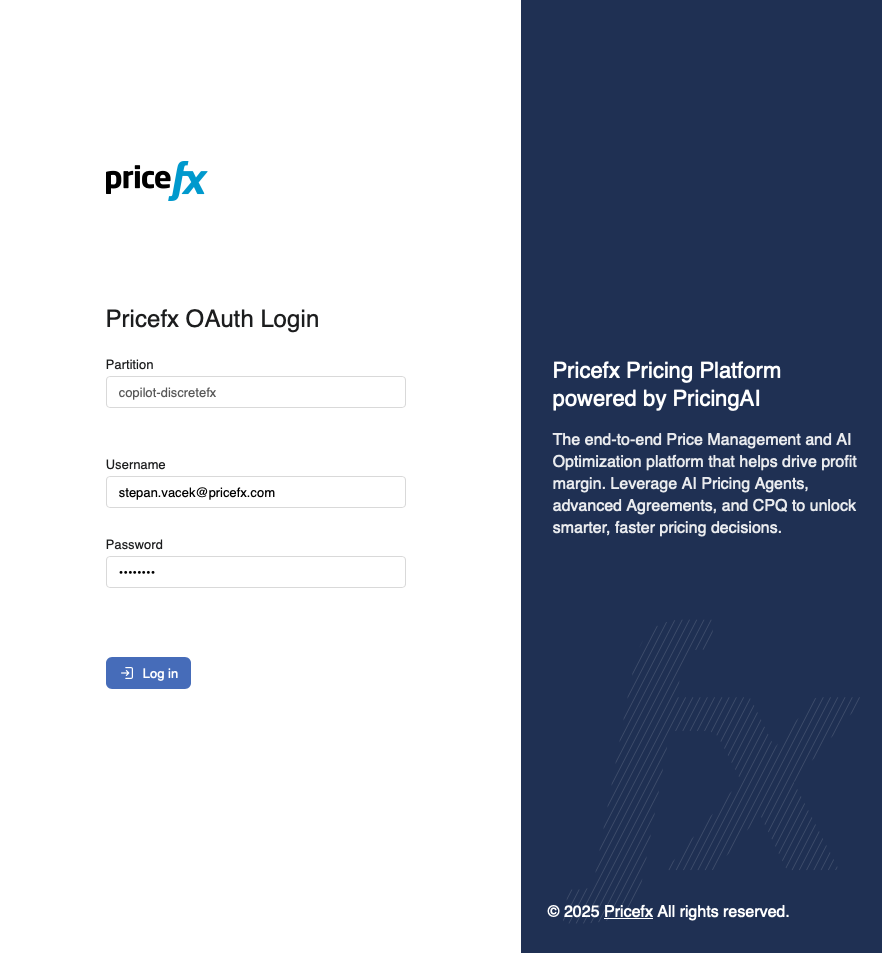
Pricefx OAuth Login page with the Partition, Username, and Password fields and the Log in button. -
Grant Access – Pricefx asks the user to grant the Pricefx MCP Server access with the listed permissions.
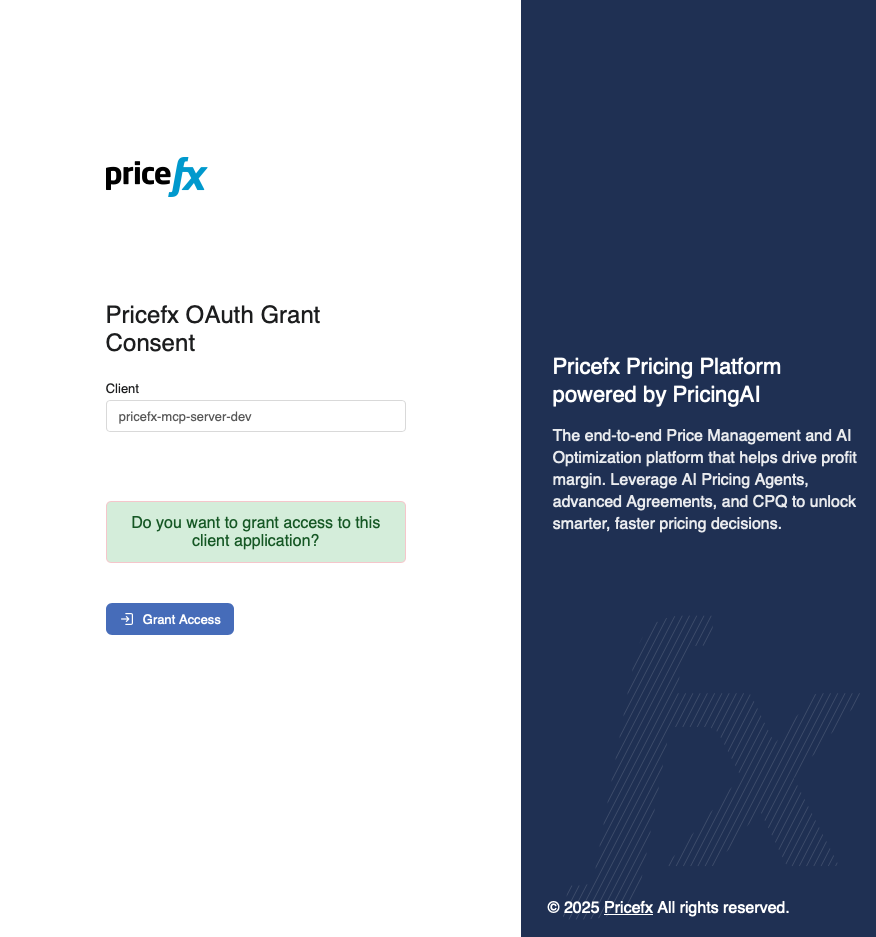
Pricefx OAuth Grant Consent page showing the client application name and the Grant Access button.
OAuth / Authorize
This endpoint implements OAuth authorization as per the specification. At the end of the authorization flow, it returns a code value via the configured redirect_uri.
This code must be consumed within 10 minutes and can be used only once.