
Once data is ready, create the configuration that defines how the Insights Dashboards will use your Datamarts.
-
Go to partition.
-
Go to Company Processes > Insights Configuration.
-
Click Create New Insights Configuration.
-
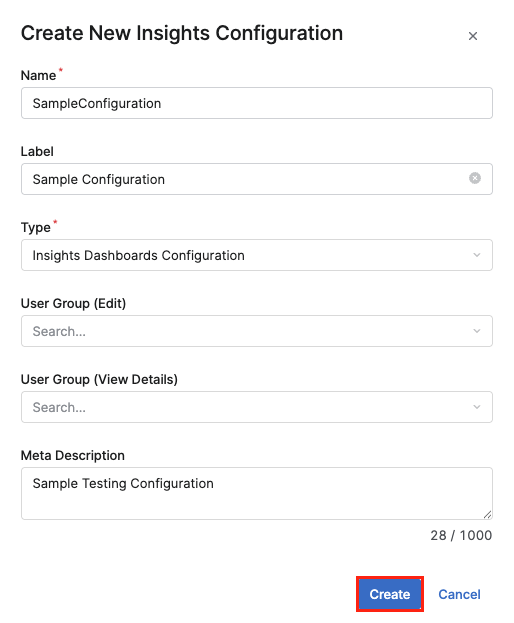
In the Create New Insights Configuration menu:
-
Enter a Name.
-
Enter a Label (optional).
-
In the Type select
Insights Dashboards Configurationoption. -
Enter Meta Description (optional).
-
Click Create.
-
From here, follow the listed steps to map your transactions, product, and customer data.