
Once your model is defined you also need to define currency. Currency should match the base currency of your source datamart.
Multiple currencies are not yet supported.
-
Go to Optimization > Models > Model.
-
Click

-
Click Tables.
-
Click Parameter Tables.
-
Click Currency.
-
Click Add Record.
-
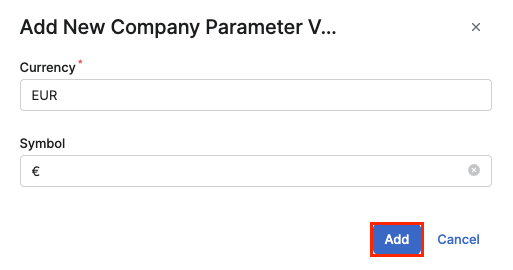
In the Add New Company Parameter menu:
-
Enter Currency.
-
Enter Symbol.
-
Click Add.
-