
To keep dashboards up to date, configure a recurring schedule for the Insights Dashboards model.
-
Go to partition.
-
Go to Company Processes > Insights Configuration.
-
Choose the model you want to schedule.
-
Click the

-
Click Schedules.
-
In the Calculation Schedules screen:
-
Click Add Schedule.
-
In the Add Schedule menu:
-
Enter Name.
-
Select Action:
-
Insights Dashboards Data Calculation Action (Draft MO Only)
Runs the calculation logic only for configuration models that are currently in the Draft status. Use this option when you want to test configuration changes on draft models without affecting dashboards that rely on Approved models.
-
Insights Dashboards Data Calculation Action (Approved MO Only)
-
-
Select Start Date.
-
Enter Interval.
-
Enter Period.
-
Click Add.
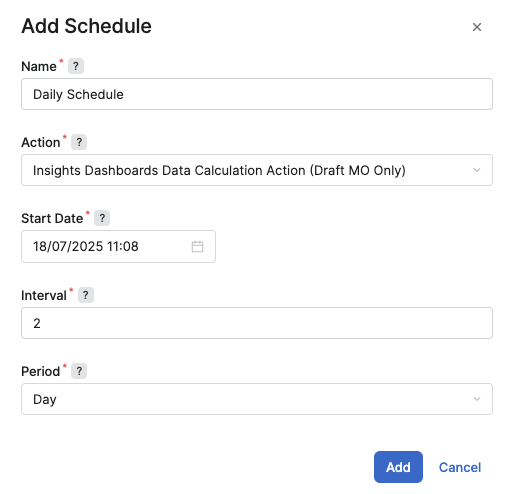
Add Schedule Menu
-
-
For more information see Calculation Schedules (Insights Dashboards).