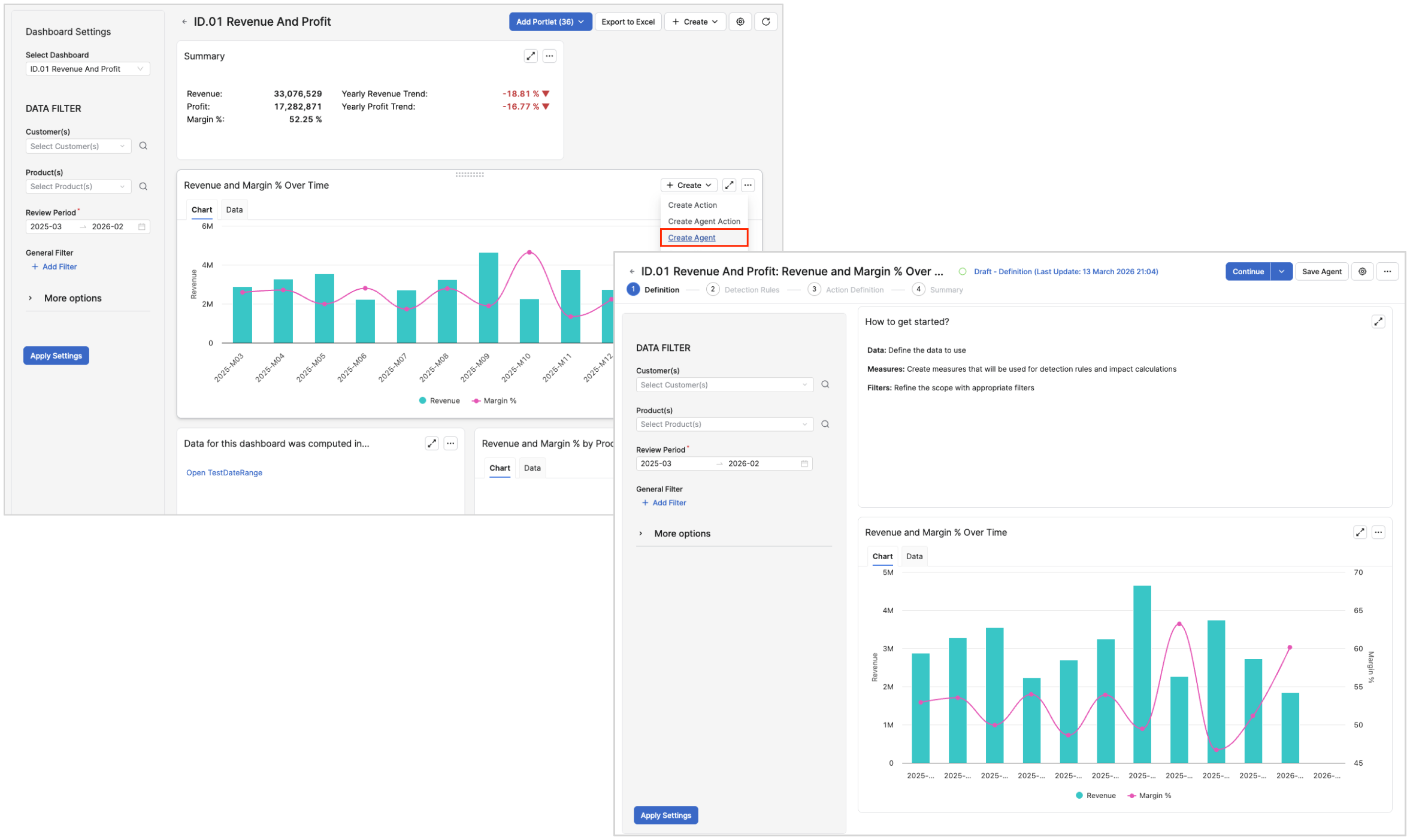
Both Insights Dashboards and Agents are built on your Transactional and Master Data. Insights Dashboards aggregate this data into KPIs and charts that highlight trends, outliers, and opportunities. Agents use the same data foundations (Datamarts and related models) to continuously monitor for conditions and to generate recommended Actions. When Agents are installed, Insights Dashboards support four related creation patterns, available either directly from the dashboards.
The exact labels and availability depend on your configuration and role permissions.
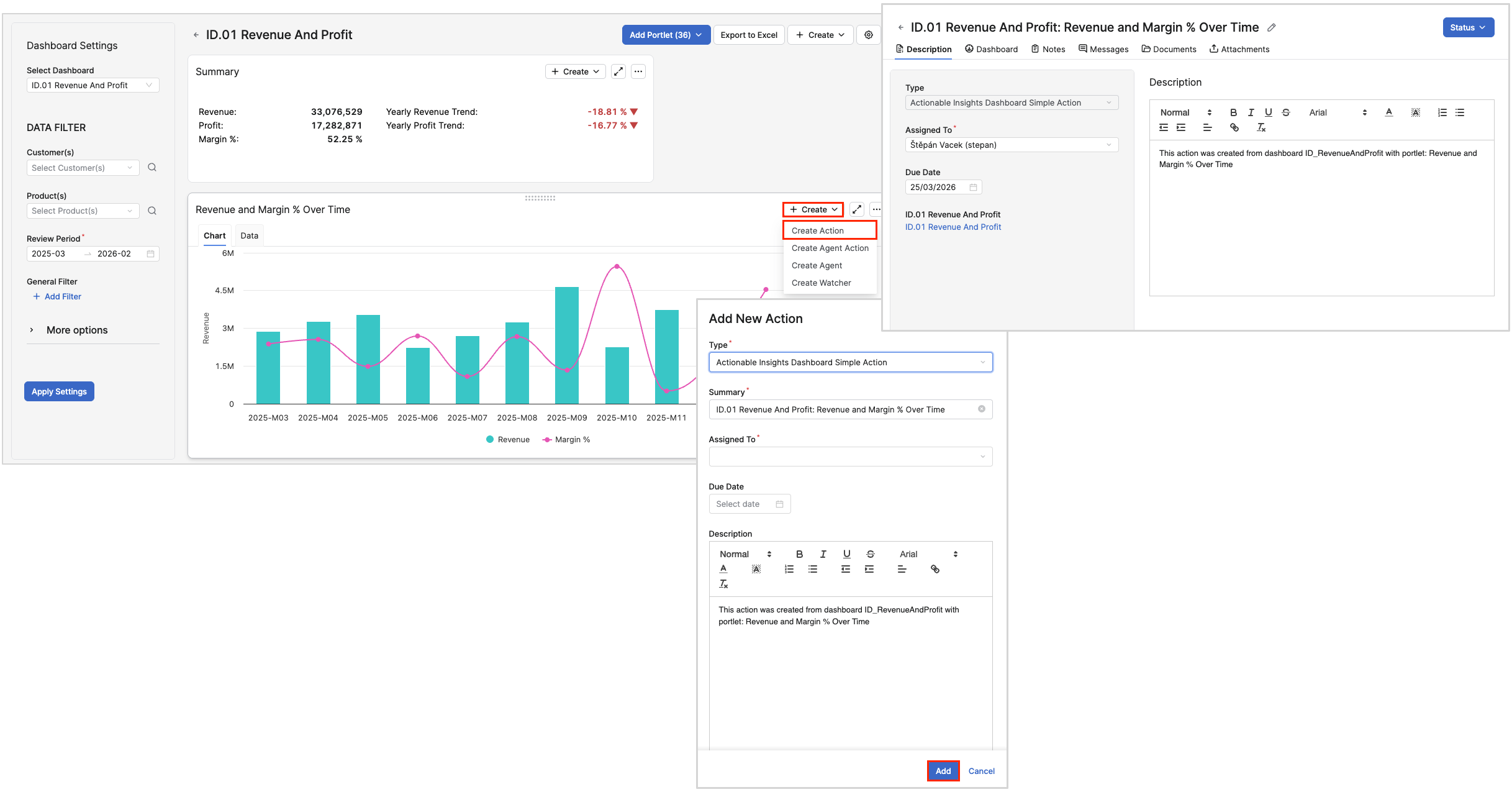
Create Action
Use Create Action (Manual Action from Dashboard Context) when you have identified a specific situation in a dashboard that needs human follow‑up, regardless of whether you already have an Agent for it.
Typical Use Cases
-
A segment in the Revenue and Profit or Customer Performance dashboards is underperforming and you want a structured follow‑up task.
-
A subset of products or customers in a chart (for example, low‑margin, low‑revenue quadrant) should be reviewed by a pricing or sales owner.
Behavior and Outcomes
-
You initiate Create Action from a relevant chart, table, or dashboard portlet.
-
The Action captures the scope implied by your current view (such as filters for customer, product, time period) so that assignees understand exactly what needs to be analyzed or changed.
-
Created Actions can be grouped into an Action Plan and later used as input to downstream workflows.
Create Agent Action
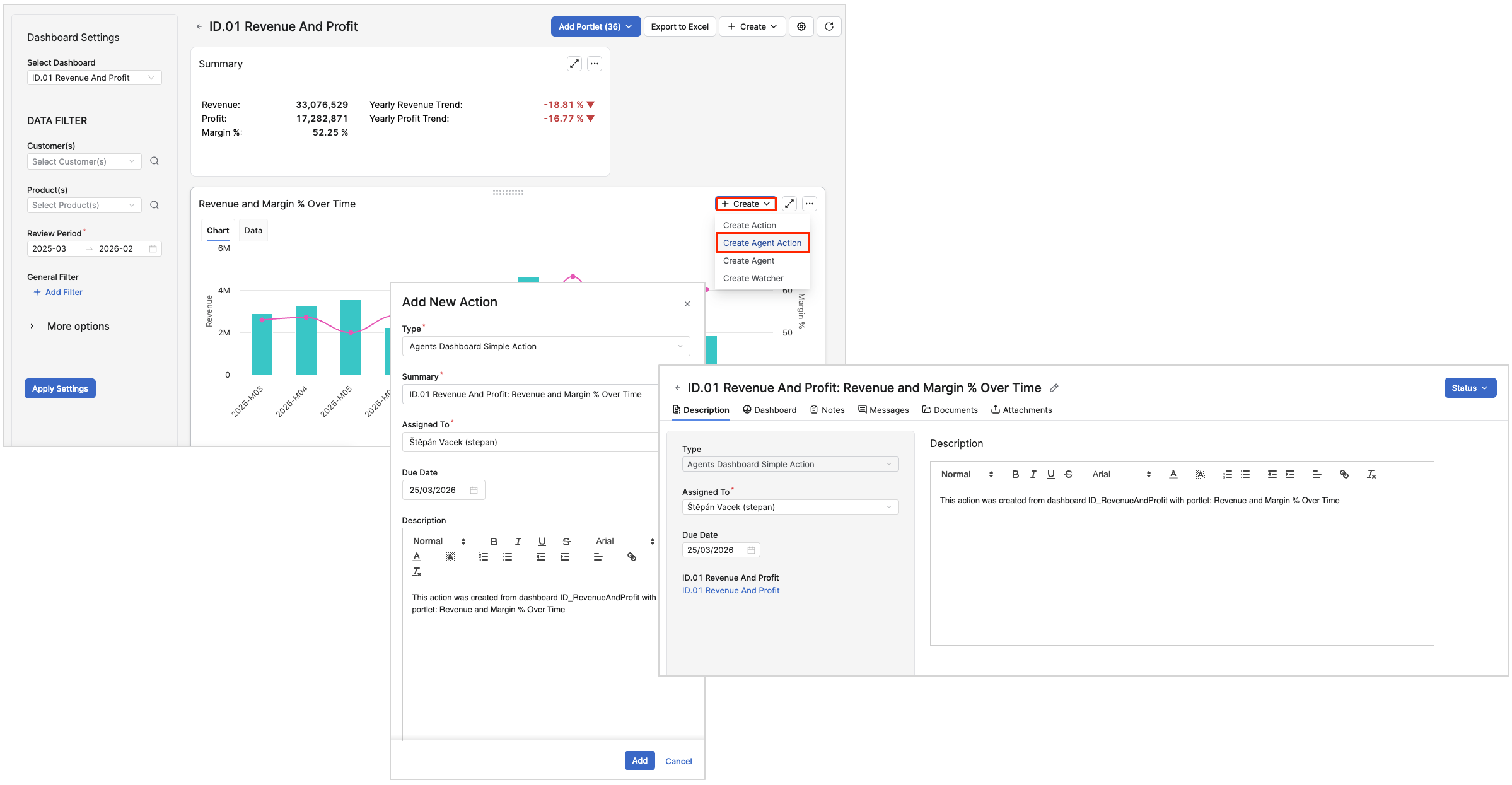
Use Create Agent Action (Action Created by a Specific Agent) when you want an Agent‑driven recommendation or follow‑up for the situation visible in a dashboard. An Agent Action is an Action created by a specific Agent run, governed by that Agent’s detection rules and prioritization logic.
Typical Use Cases
-
You already have an Agent that monitors a segment and, from a dashboard view filtered to that segment, you want the Agent to generate prioritized Actions for items that now violate its rules.
Behavior and Outcomes
-
Actions created this way inherit the Agent’s business logic and can benefit from capabilities such as smart action grouping and transparent handling of not‑created Actions.
-
These Agent Actions appear alongside other Actions in queues and dashboards, preserving a single view of all work items.
Create Agent
Use Create Agent (New Monitoring Agent from Insights Context) when you discover a recurring pattern or risk in an Insights Dashboard and want it continuously monitored rather than addressed as a one‑off task.
Typical Use Cases
-
In the Customer Performance dashboard you see that a specific customer segment repeatedly shows declining margin over several review periods, and you want an Agent to continuously watch that segment and create Actions whenever margin drops below an agreed threshold.
Behavior and Outcomes
-
You transform observed patterns in dashboards into always‑on monitoring, reducing reliance on ad‑hoc analysis.
-
Newly created Agents integrate into the same ecosystem of Actions, Action Plans, and dashboards, and their impact can be tracked over time.