
This section shows all connections configured for the selected IM instance.
Instance Repository
This tab shows a list of already deployed connections. When you want to apply changes to an already deployed connection, you need to first create a local copy, edit it and then deploy it.
For easier troubleshooting, you can also see here invalid connections and their definitions (i.e. connections which had issues during deployment).
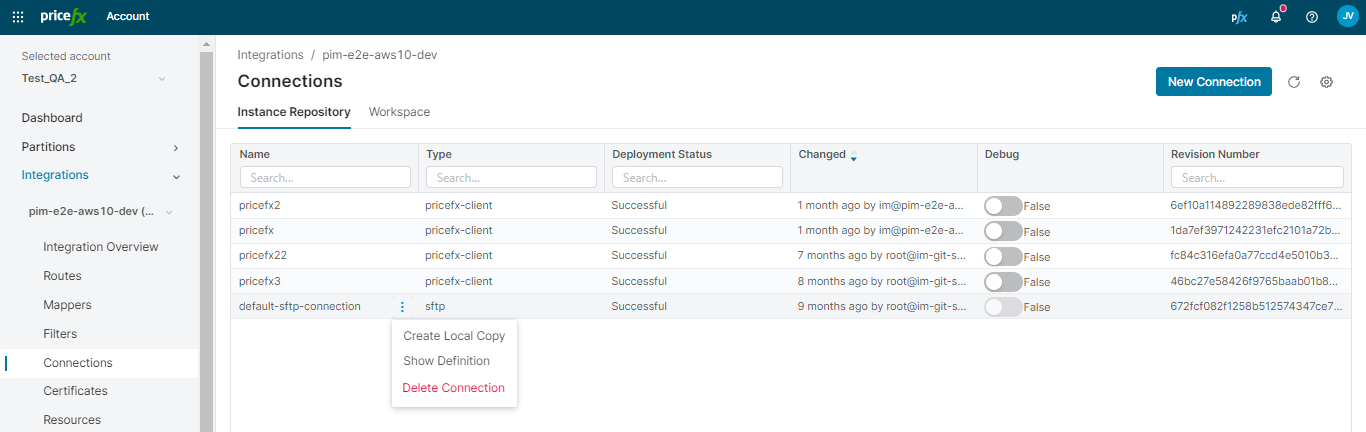
Available options:
-
Create Local Copy – Allows you to edit already deployed connection; see below.
-
Show definition.
-
Delete a connection.
-
Debug – A column in the Connections table that allows you to enable/disable debugging for deployed Pricefx connections.
Workspace
This tab shows new or locally edited connections that have not been deployed yet.
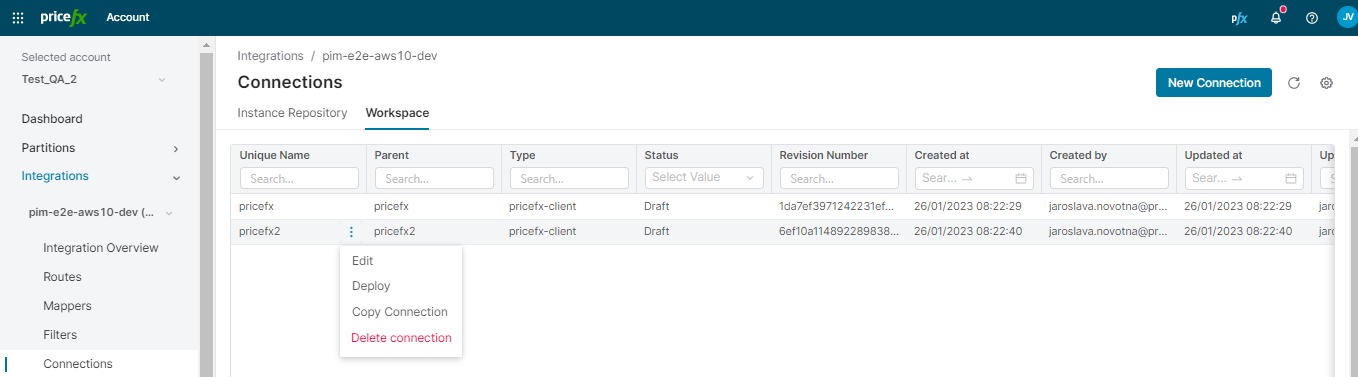
Available options:
-
Add/edit a connection – There are the following fields to fill in:
-
Name – Connection name of your choice.
-
Connection type – Select from:
-
Pricefx Client – Allows you to connect to a partition.
-
Pricefx Client OAuth – Connects to a partition with OAuth credentials instead of a user name and password. See How to Create Pricefx Client OAuth Connection.
-
REST Basic
-
REST JWT – For details see the pfx-rest Component in IntegrationManager.
-
REST OAuth2
-
REST Public
-
SFTP – Connection of this type is automatically created for any new IM instance (since 1.50).
-
Salesforce OAuth2 (deprecated)
-
Salesforce Session (deprecated)
-
-
URI – Address of the system/partition.
-
Partition – Specifies the partition to connect to.
-
Username / Password – Credentials for the given system/partition.
-
Certificate - When using self-signed SSL certificate for the connection, select its name. The certificate must be defined in the Certificates section and deployed in advance.
-
-
Deploy a connection.
-
Copy a connection.
-
Delete a connection.