
|
Aim of this article |
Explains how to create a connection for MS Dynamics. This is needed when working with Integration Templates intended for MS Dynamics. |
|---|---|
|
Related sections |
|
|
Required permissions |
Integration Instance - Edit |
Steps:
-
Go to PlatformManager > Account > Integrations > <integration-name> > Connections.
-
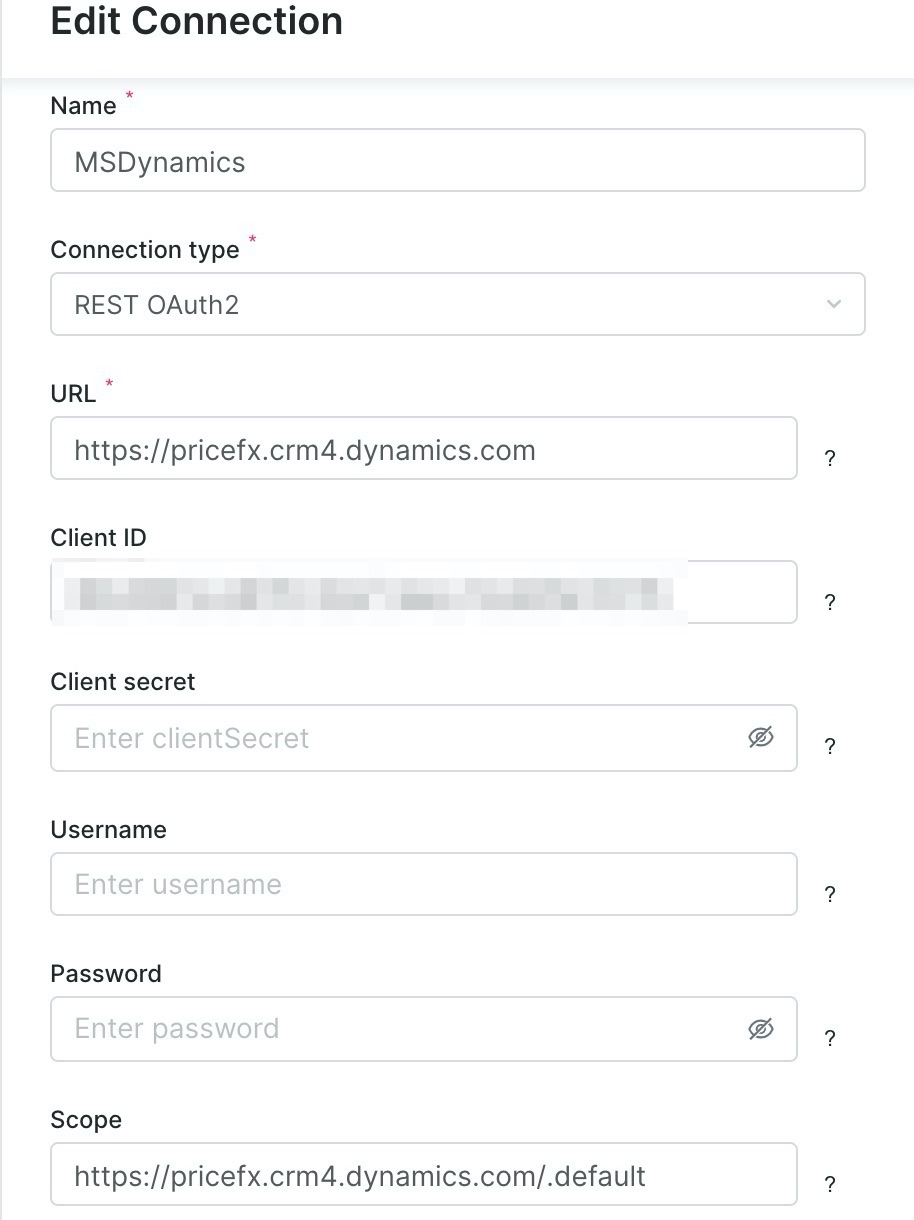
Create a new REST OAuth2 connection.
-
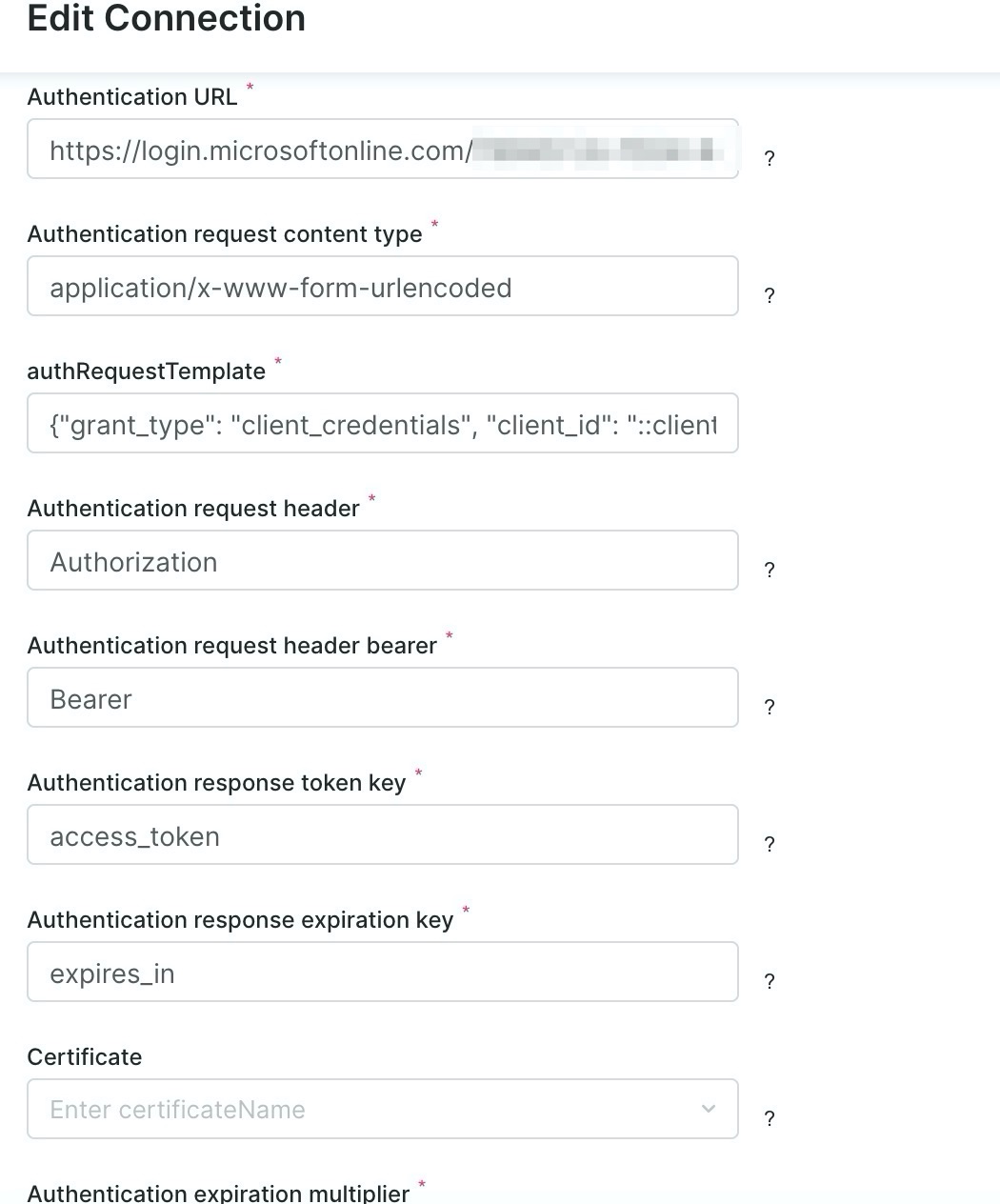
Fill in the fields as follows:
|
|