
The Queries enables joining data from multiple Analytics module (PA) sources, and introduces the concept of reusable queries that can be visualized in various ways or used as data sources for other queries, all defined using the QueryAPI.
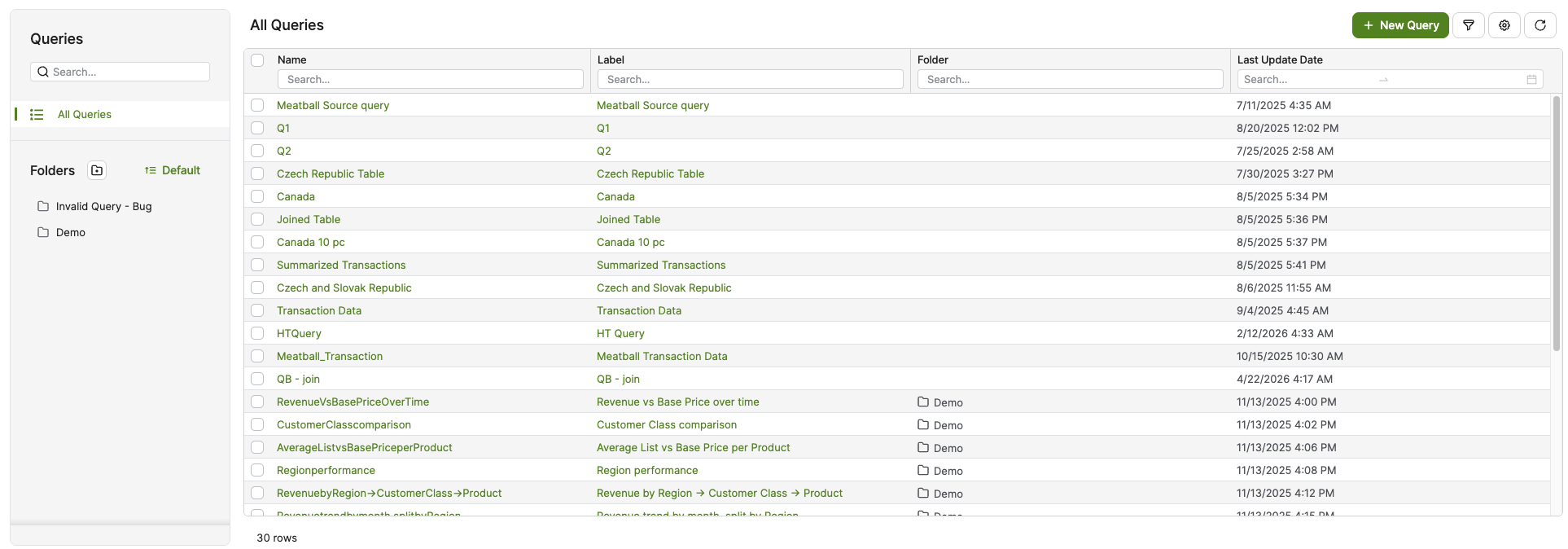
Columns
Name – Indicates the name of the Query. Mandatory, unique identifier used in configuration and dependencies.
Label – Short, user-facing title, shown in the application and used as the source for translations across locales.
Folder – Displays the folder (or sub-folder path) in which the query is organized. This column is shown by default alongside the other identifying columns and reflects the folder assignment. You can sort and filter the Queries table by this column, which makes it easier to locate Queries that belong to a particular folder when the folder structure grows large.
Last Update Date – Reports the date of the most recent modification to the Query.
ID – The unique identifier of the Query. This column is hidden by default but can be displayed using the Table Column Options and saved as a Preference.
Meta Description – Describes the Query, as provided by the user during creation. Optional metadata text (up to 1000 characters) used by the Pricefx Copilot to better understand the item’s meaning. (Hidden by default)
Created – Displays the date when the Query was initially created. (Hidden by default)
Created By – Shows the user who created the Query. (Hidden by default)
Last Updated By – Displays the user who made the last change to the Query. (Hidden by default)
Folders
You can organize your Queries into folders. By default, only the All Queries folder is available. To create a custom folder, click on Create Folder icon. For more information see Manage Folders.
Supported Data Sources
Since the release of Paloma 17.1, the following Data Sources are supported:
New Query
To create a New Query, click on the New Query button. For more information see How to Create a Query.