You can combine data from multiple Datamarts. Two types of joins are available:
-
Inner Join
-
Left Outer Join
Following the steps from How to Create a Query. Here are the steps to join data in a query.
-
In the Join Data section:
-
Click on the

-
Select the join type
-
Select the Data Source for joining from Join with drop-down menu.
-
Select Column or multiple Columns in the Select Column(s) drop-down menu.
-
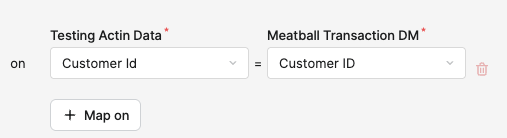
Select the Joining Key.
-
Click Save.

-
In the Save Query menu:
-
Enter a Label.
Title used for display and translations.
-
Enter a Name.
-
In the Save to Folder section, select the folder where the query will be saved.
-
Click Save.
-
When you return to the Query List screen, the query will be saved in the selected folder.
Example
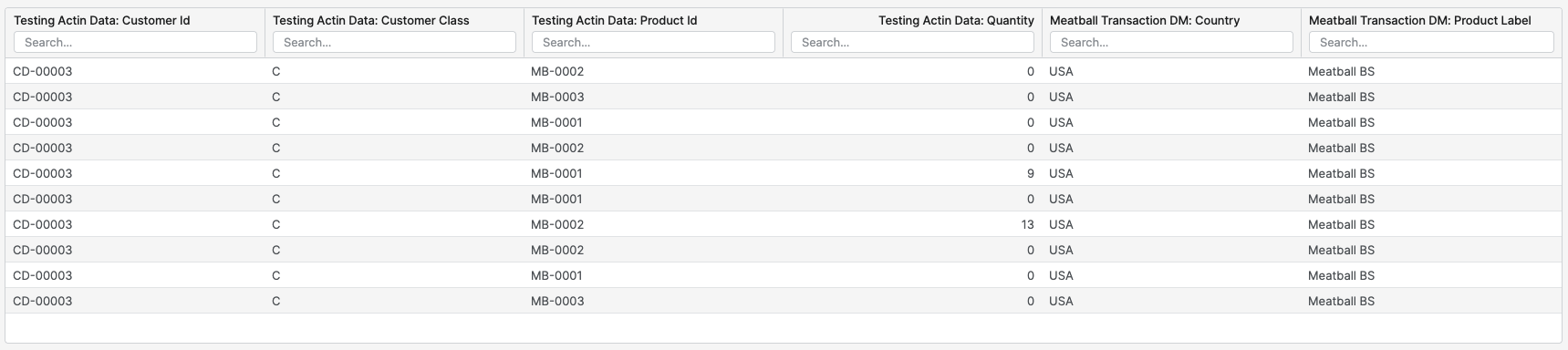
In our example we are joining the following two Datamarts:
-
Testing Actin Data
-
Meatball Transaction DM
Field Selection
-
Testing Actin Data
-
Customer Id
-
Customer Class
-
Product Id
-
Quantity
-
-
Meatball Transaction DM
-
Country
-
Product Label
-