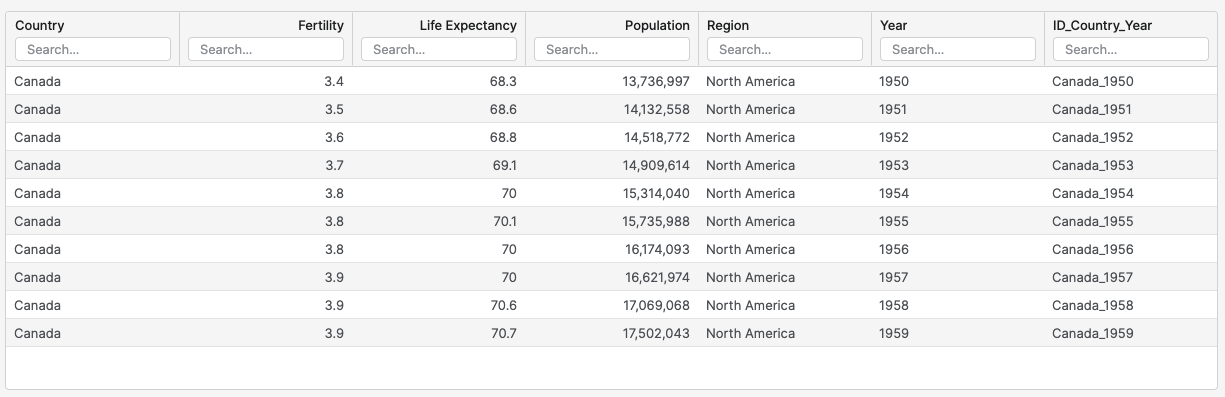
In case you want to filter out some specific data, you can do it in the Filter Data section. Following the steps from How to Create a Query. Here are the steps to filter data in a query.
-
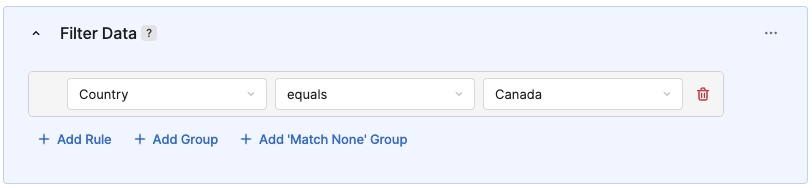
In the Filter Data section:
-
Click Add Rule.
-
Select Column for filtering condition.
-
Select Condition type.
-
Select Value.
-
-
Click Save.
-
In the Save Query menu:
-
Enter a Label.
Title used for display and translations.
-
Enter a Name.
-
In the Save to Folder section, select the folder where the query will be saved.
-
Click Save.
-