
-
Go to Dashboards.
-
Click New Dashboard.
-
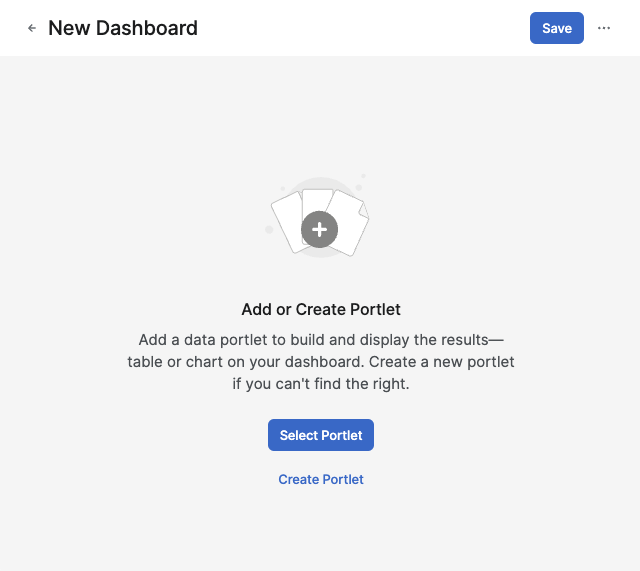
In the New Dashboard screen:
-
Select one of the following options:
-
Select Portlet
-
Create Portlet (For more information see How to Create a Portlet.)
-
-
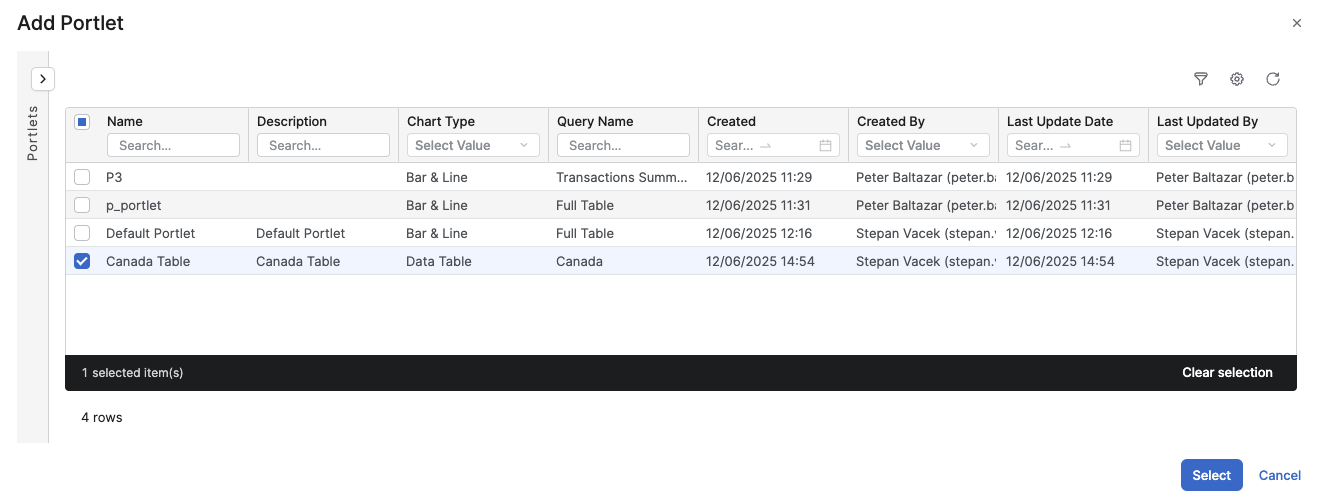
In the Select Portlet screen:
-
Select the portlet(s) from the portlet list.
-
Click Select.
-
-
-
Click Save.
-
In the Save Dashboard menu:
-
Enter a Dashboard Name.
Note that there are following restrictions applied on the Name field:
-
Cannot start with a number.
-
No special characters.
-
Allowed characters: A-Z, a-z, 0-9.
-
-
Enter a Label (optional).
-
In the Save to Folder section, select the folder where the dashboard will be saved.
-
-
Click Save.