
Exporting is a simple, but powerful function that allows you to export the data, from Data Tables or image files of charts directly from within a Dashboard.
⚠️ If you have a specific need for chart data, then you will need to use the export functionality from the Analytics > Data Analyzer.
All our how-to guides and video tutorials contain screenshots of our demo system. The information you see will differ depending on your organizational configuration and the version of Pricefx software that you are running.
-
Go to Dashboards. Select the Dashboard you want.
-
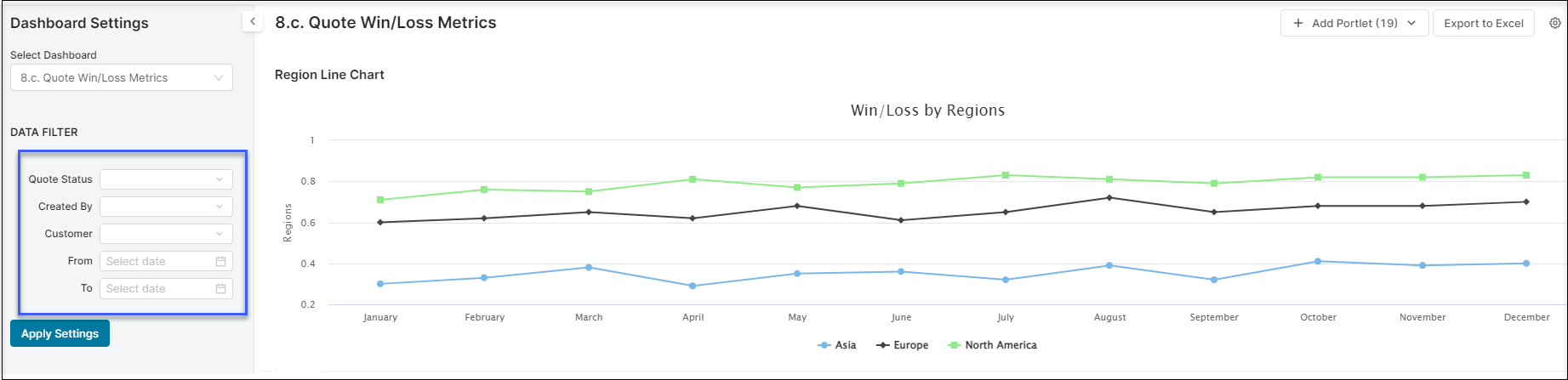
Ensure that you have the pre-set filters the way you want them and the data displayed is correct.
-
Click on the Export to Excel button and a window pops up with the options for export. You can select to export individual components of the dashboard or export all of them.
-
Click on the Export.
Once the Excel file has been opened, the charts are displayed as images and the data tables as data.
To export at a higher resolution, first open the dashboard in Dialog > Export and choose preferred format.
See Also
-
How to Export Dashboard Content - video tutorial