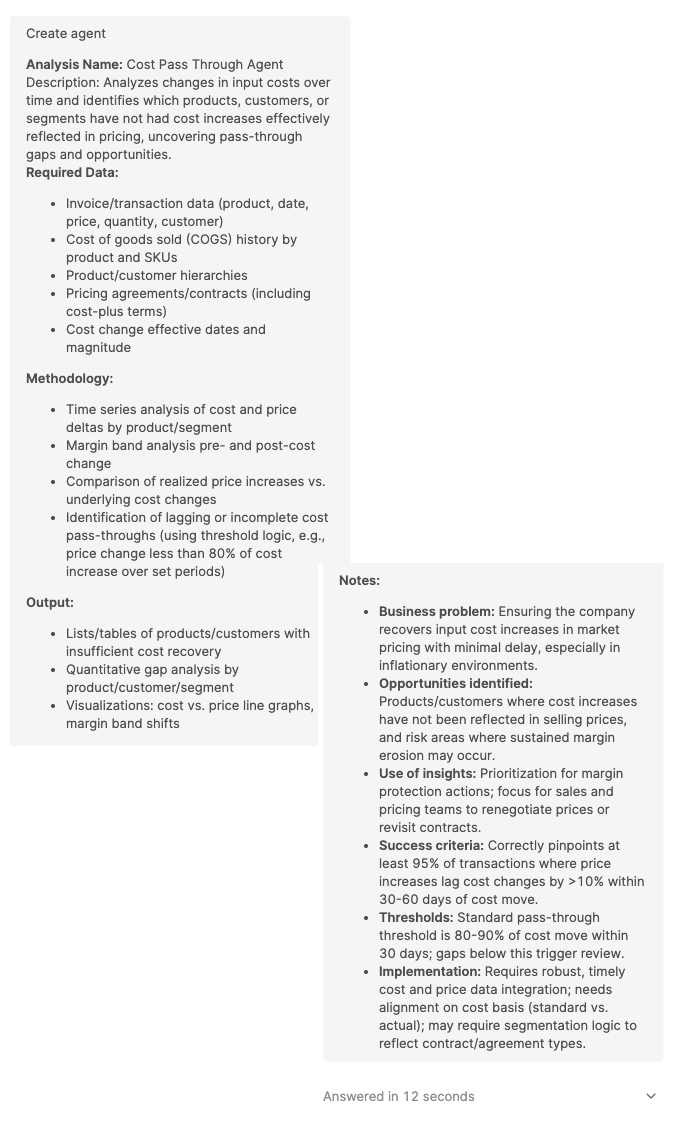
Pricefx Copilot provides a rich text input area that allows you to maintain structural clarity when drafting complex prompts. This ensures that the context and organization of your request are preserved from the input stage through to the processing of the prompt.
Context and Purpose
In Pricefx Copilot, the text input field is designed to keep the formatting of the content you enter. This is particularly important when providing detailed business objectives, structured data requirements, or multi-step methodologies that require specific visual organization to be readable and effective.
How It Works
When you type or paste content into the Prompt input area, the interface retains structural elements such as line breaks and spacing. This behavior allows you to organize your input into logical sections, such as:
-
Analysis Name – The specific title for your request.
-
Description – A detailed explanation of the business problem.
-
Required Data – Bulleted or listed items representing necessary data points.
-
Methodology – Sequential steps or logic for the Copilot to follow.
-
Output – The expected format of the results.
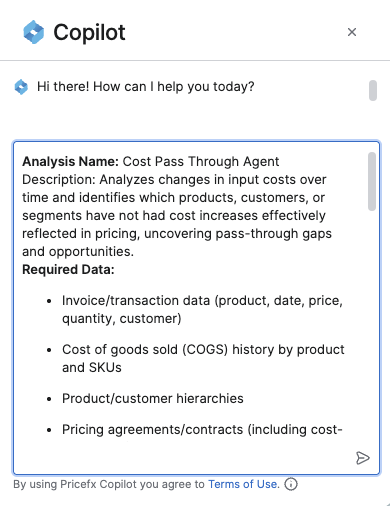
By keeping the formatting in the text input, the system ensures that the visual hierarchy you establish is maintained. This helps the underlying GenAI models better parse the different components of a long or complex prompt.
Currency Inference and Symbols
Copilot intelligently determines which currency symbol to display based on the available context. It follows a specific fallback logic to ensure money values are presented accurately:
-
Tool Output – Copilot first looks for currency symbols provided directly in the output of an MCP tool. If a tool returns values formatted with a specific symbol (e.g., €, $), Copilot preserves and displays that symbol.
-
Conversation Context – If the tool output does not contain a symbol, Copilot checks the preceding conversation history for mentions of a specific currency.
-
Universal Fallback – If no currency information is found in the tool output or the conversation context, Copilot defaults to the universal currency symbol (¤).
To ensure the best user experience, developers should configure MCP tools to include the appropriate currency symbol in the returned string values.
Key Benefits
-
Readability – Large blocks of text are easier to review and edit when broken into paragraphs or lists.
-
Precision – Explicitly separating sections like Business Problem, Success Criteria, and Thresholds reduces ambiguity in the prompt.
-
Efficiency – You can paste structured content directly from other documents without losing the original layout.
While the input field preserves visual formatting like line breaks, the final output from Copilot is also influenced by the specific Agent or model configuration being used.