
The Pricefx Copilot can now be launched from any page in the application using a new button in the top header. This improvement makes the Pricefx Copilot easier to access.
-
Go to Administration > Configuration > Advanced Configuration Options.
-
Click Add.
-
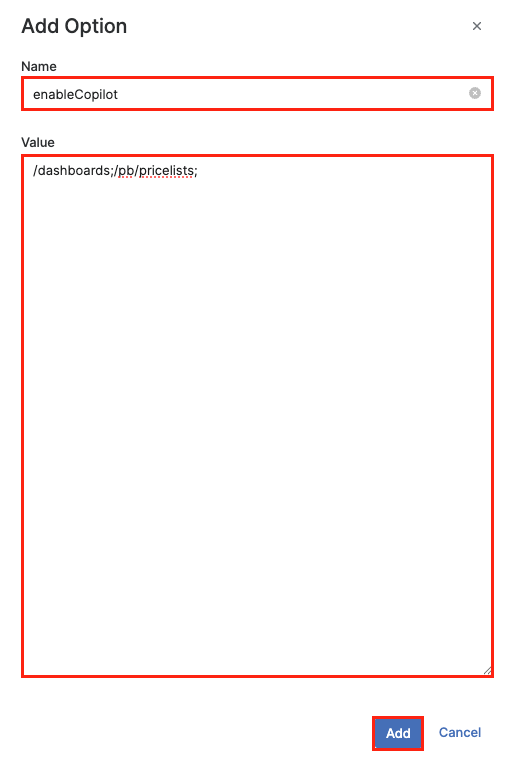
In the Add Option menu:
-
Enter
enableCopilotin the Name field. -
Enter the list of pages where you want the Pricefx Copilot to be active in the Value field, separating each page with a semicolon (e.g.,
/dashboards;/pb/pricelists;).
-
-
Click Add.
Once completed, the Pricefx Copilot icon 
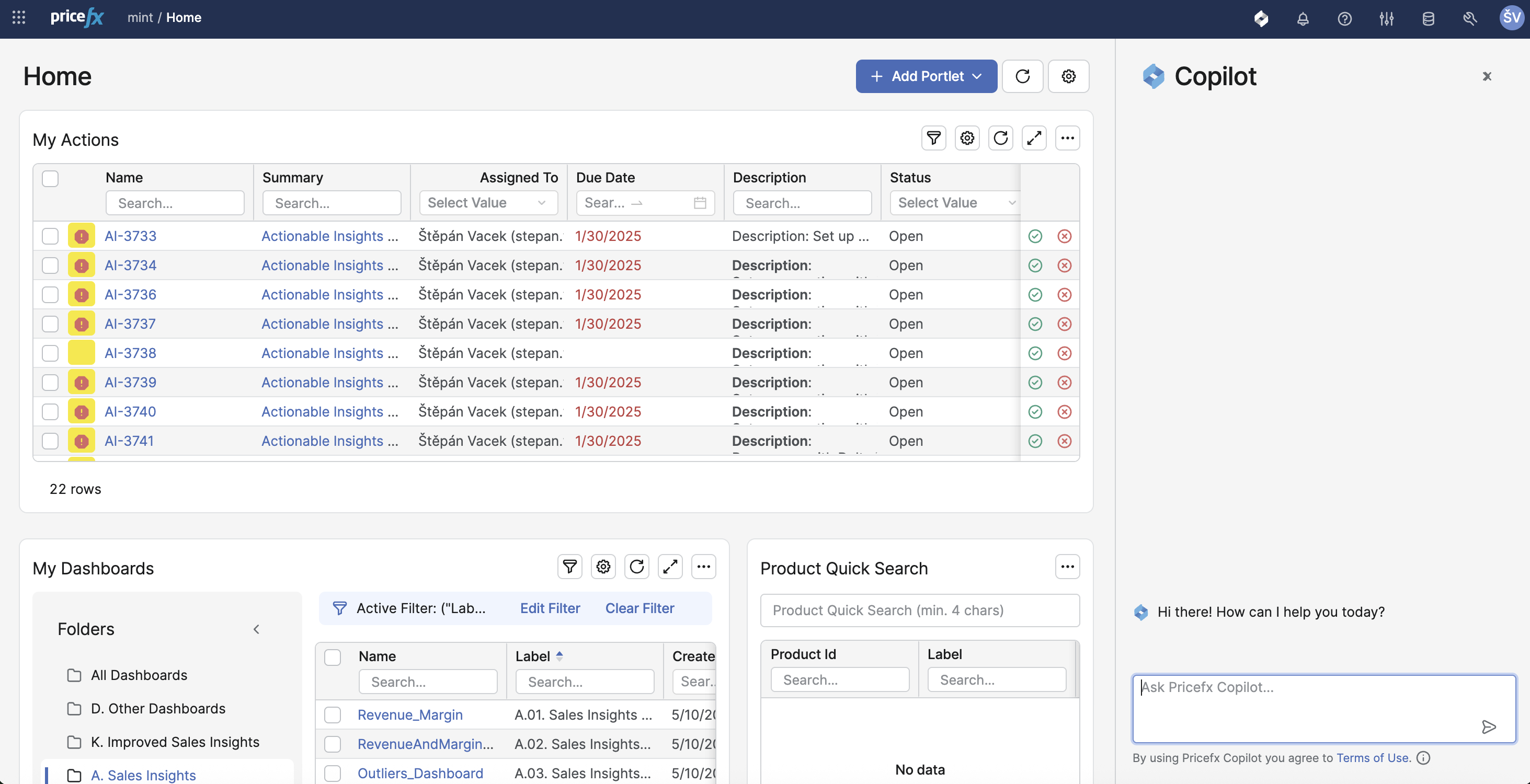
The enableCopilot option must be specified, and at least one page must have the Value field filled in. Otherwise, the Pricefx Copilot will not be available.
Enabling the Pricefx Copilot to be launched from any page in the application only affects where you can open the Pricefx Copilot. It does not grant the Pricefx Copilot access to read or interpret the content of those pages. Copilot’s assistance remains constrained to the data and capabilities described in the Limitations.
List of Pages
|
Page |
URL |
Section |
|
Dashboards |
|
|
|
Data Sources |
|
Analytics |
|
Datamarts |
|
Analytics |
|
Data Feeds |
|
Analytics |
|
Data Loads |
|
Analytics |
|
Rollups |
|
Analytics |
|
Data Analyzer |
|
Analytics |
|
Quotes |
|
Quoting |
|
Price List |
|
Price Setting |
|
Live Price Grids |
|
Price Setting |
|
Calculation Grids |
|
Price Setting |
|
Products |
|
Master Data |
|
Product Extensions |
|
Master Data |
|
Customers |
|
Master Data |
|
Customer Extensions |
|
Master Data |
|
Condition Records |
|
Master Data |
|
Company Parameters |
|
|
|
Rebate Records |
|
Rebates |
|
User Admin |
|
Administration |
|
Dashboards Admin |
|
Administration |
|
Home |
|
|
|
User Settings |
|
|
Path Prefix Rule
Including any top-level path prefix (for example, /user, /pb, /pa, /qc) in the enableCopilot Value enables the Pricefx Copilot on all pages whose URL path begins with that prefix (for example, /user/settings, /pb/pricelists, /pa/data-analyzer/datamarts, /qc/quotes).