
|
Aim of this article |
This section shows how to create a workflow for various actions in PlatformManager, such as creating a new partition or assigning specific permissions. |
|---|---|
|
Related sections |
Workflows Tab (Reference Manual) |
|
Required permissions |
Workflow - Default workflow - edit (global permission) |
Steps:
-
Go to the Workflows tab.
-
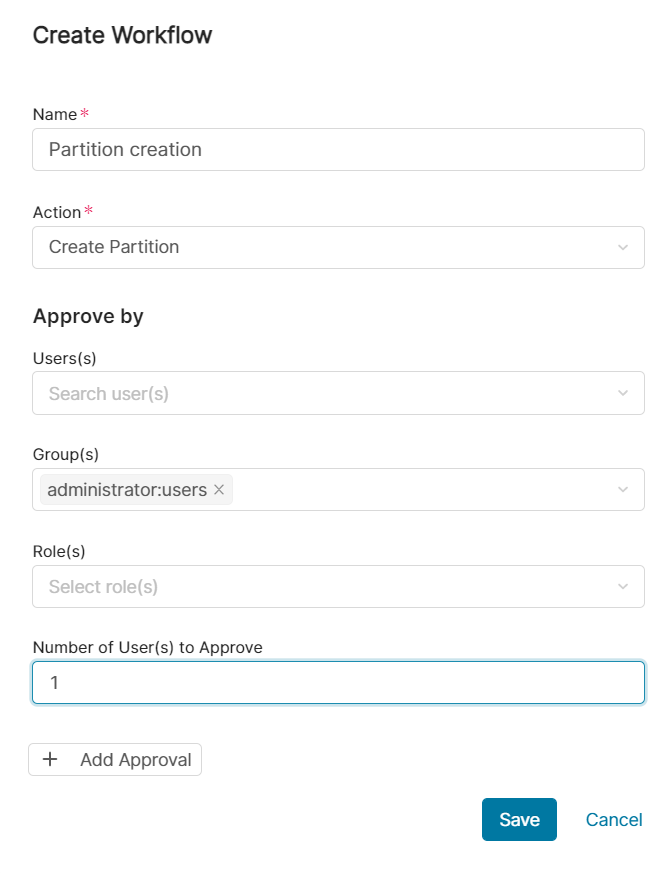
After you click the Create Workflow button, there are the following fields to fill in:
-
Name – Name of your choice.
-
Account – Select either a specific account or All Accounts.
-
Action – Select one of these values:
-
Create Partition
-
Copy/Move Partition
-
Delete Partition
-
Permission Assignment – You can run an approval, if one of the following permissions is being assigned:
-
Alerts - edit
-
Partition - allow create/delete
-
Global asset class
-
-
Calculation Engine Request
-
Eng Support User request
-
Event Orchestration approval – Sets approval workflow for creating, editing, and deleting workflows and schedulers within Event Orchestration.
-
If All Accounts is selected, there are additional options:
-
Delete instance
-
Delete IM instance
-
-
-
Approvers – Defines who should approve the request – either individual users or user groups or roles.
-
Number of users to approve – Sets what the minimal number of approvals is.
-
Add Approval – Allows you to add another step to the approval. The step is added using the AND condition.
-
-
Click Save.
When the workflow is triggered by a specified action, it will appear under Profile > My Approvals.