|
Aim of this section |
Shows how to request an upgrade for your instance. |
|---|---|
|
Related sections |
|
|
Required permissions |
Instance Upgrade (account level) |
Steps:
-
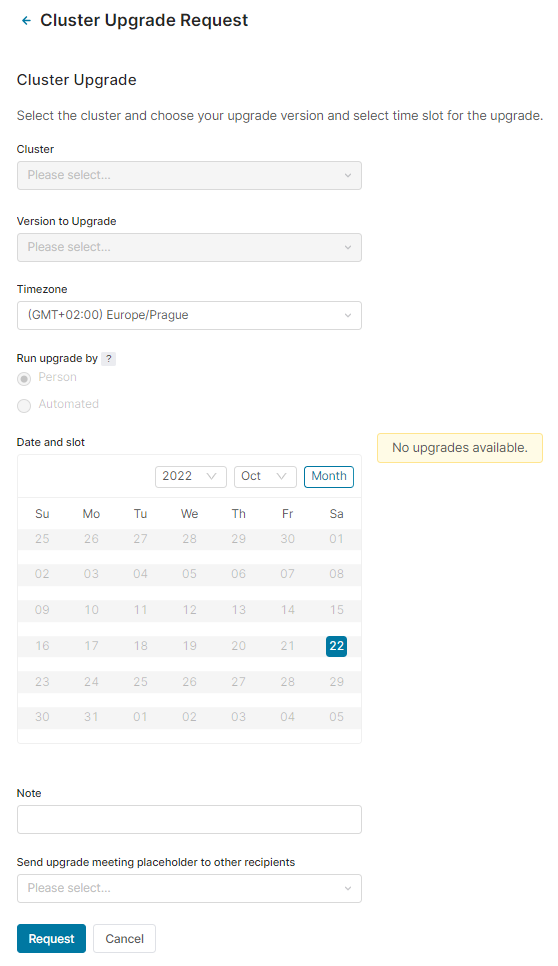
Go to Account > Instance Upgrade and click Request Upgrade.
-
Select the instance.
-
Select version to which this instance should be upgraded.
Note: It is also possible to downgrade a partition by choosing a lower minor version. However, this applies only to minor versions (e.g. from 9.1 to 9.0). For major versions, the following statement applies.
It is not possible to schedule an instance upgrade for version 15 or higher for instances running on bare metal.
-
Select your time zone to align the scheduling options.
-
If you and the instance are eligible for an automated upgrade, you can select one of the options for Run upgrade by:
-
Person: Manual upgrade. Always available.
-
Automated: This type of upgrade is only available:
-
For Pricefx Tech Ops team to use on any cluster in Kubernetes.
-
If the release version selected does not have the Requires MAJOR_UPGRADE procedure checkbox ticked. If the checkbox is ticked, the Automated option will be disabled, and the upgrade must be scheduled manually.
Note: The Requires MAJOR_UPGRADE procedure checkbox is displayed when creating or editing a release version in Administration > Constants > Release Versions. If the checkbox is enabled, database changes are likely required, and a manual upgrade is necessary.
-
-
-
Select a preferred time slot for the upgrade.
Note: During the upgrade the partition will be unavailable. -
Add a note, if needed.
-
Optionally, specify other recipients who will receive a meeting placeholder for the upgrade event, so that the event appears in their calendars.
-
Click Request.
When the instance upgrade is scheduled and your integration is running there, you get a notification (in the form of a meeting invitation stretching across the whole maintenance window). It is sent to contacts with titles "Integration Engineer - Primary" and "Integration Engineer - Secondary" (defined in Contact Management); a copy is also sent to integration@pricefx.com. This applies only to instances which have working integrations with partitions. Account Owner is notified too in case of a scheduled upgrade.
After the upgrade is completed, the upgrade requestor and other recipients mentioned in the upgrade request are notified by email.