|
Aim of this article |
This section shows how to set up a new report which provides regular information on processed batches or integration statistics. |
|---|---|
|
Related sections |
Account Reports (Reference Manual) |
|
Required permissions |
Reports - edit |
Steps:
-
Go to Account > Reports.
-
Click Schedule Report.
-
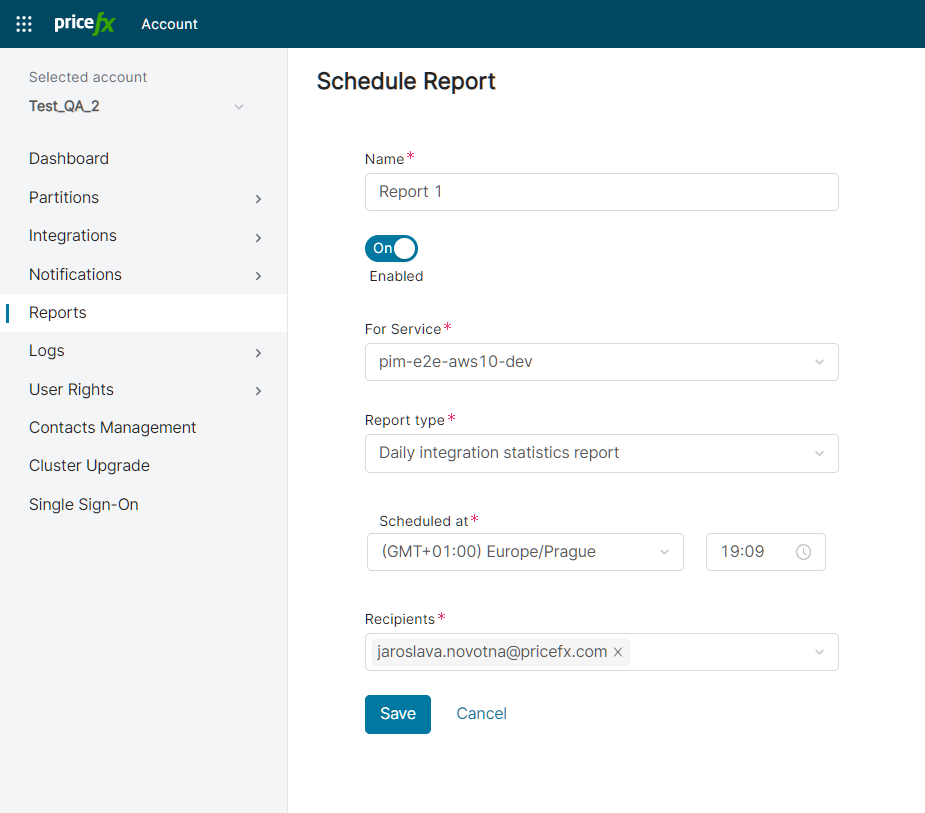
Set the following options:
-
Name – Enter a name of your choice.
-
Service – Select which partition or integration should be monitored.
-
Report type – Currently, there is just one report type available: Daily integration statistics.
-
Scheduled at – Set when the report generation should be triggered.
-
Recipients – Enter one or more email addresses where the report should be sent.
-
-
Click Save.