
|
Aim of this article |
This section explains how to get Webhook URL which is needed when you want to get your alerts/notifications coming to MS Teams or Slack channels. |
|---|---|
|
Related sections |
Account Notifications (Reference Manual) |
|
Required permissions |
Alerts - edit |
MS Teams
-
In the MS Team channel, click the three dots button for more options.
-
Select Connectors.
-
Find the Incoming Webhook connector.
-
Click the Configure button.
-
Provide a name for the webhook, customize its logo if needed and click Create.
-
An URL is generated. Copy it and use in PlatformManager.
-
Click Done.
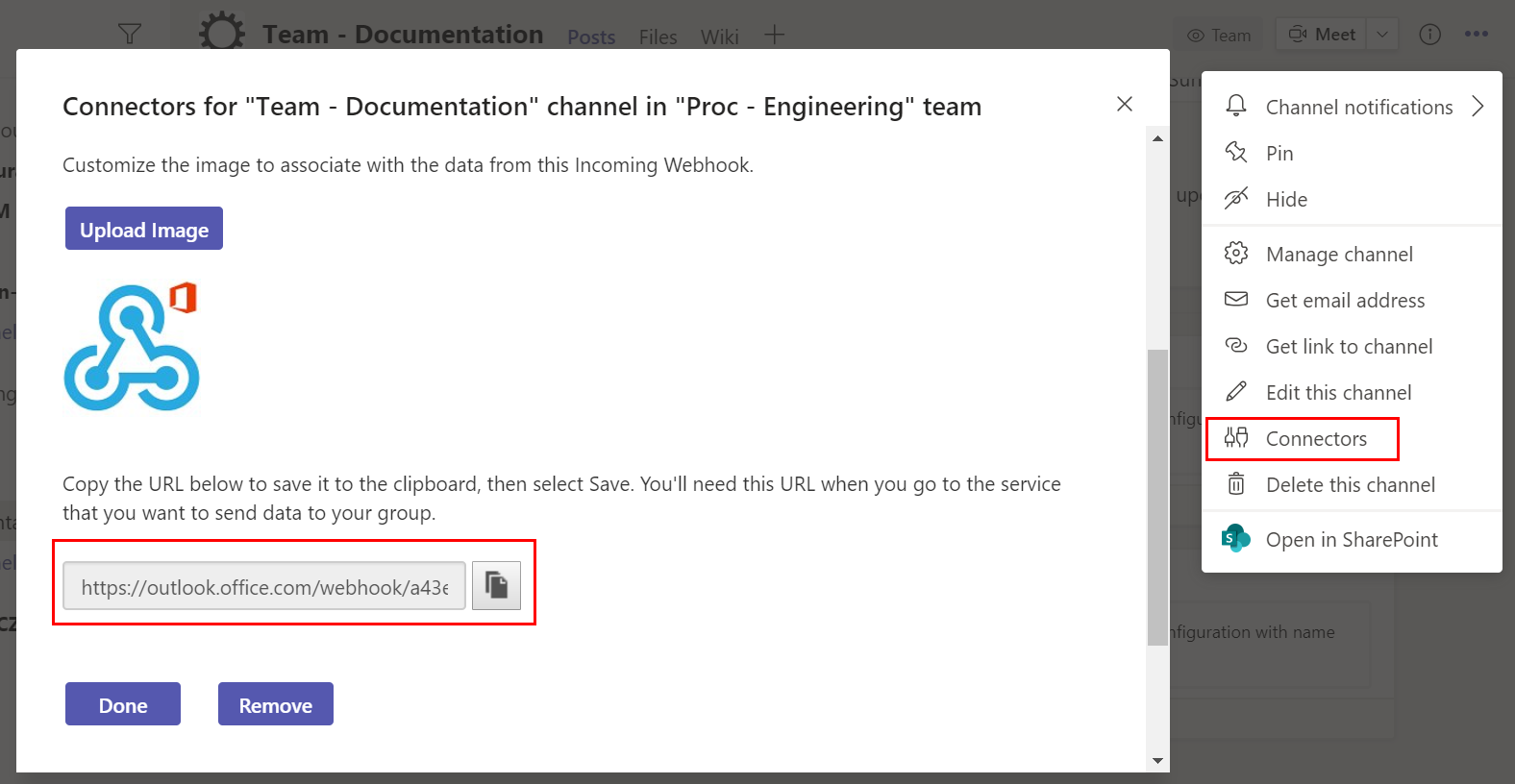
For more details see https://docs.microsoft.com/en-us/microsoftteams/platform/webhooks-and-connectors/how-to/add-incoming-webhook.
Slack
For detailed instructions see https://slack.com/intl/en-cz/help/articles/115005265063-Incoming-webhooks-for-Slack.