
The Pricefx Copilot allows you to create complex Agents through natural, multi-turn business conversations. Instead of providing a single, perfectly formatted technical prompt, you can describe your objectives incrementally. The Pricefx Copilot uses multiple user chat inputs to create an Agent, extracting relevant details from the entire conversation history.
Context and Capability
In previous versions, only the last message sent by a user triggered the agent generation service. With the current iterative approach, the Pricefx Copilot summarizes and extracts relevant information from the conversation to build a comprehensive Agent Plan. This allows you to refine your requirements, ask questions about your data, and then request an agent based on those specific insights.
Iterative Creation
Iterative conversation reduces the need for you to use precise technical terminology in a single message. You can:
-
Explore Data First – Ask questions about customer churn or margin shortfall to identify the right business logic.
-
Refine Objectives – Start with a broad goal and add specific filters or measures in subsequent messages.
-
Reduce Errors – Pricefx Copilot uses the context of the whole session to ensure the generated agent aligns with the discussed business objective.
How Iterative Generation Works
When you interact the with Pricefx Copilot, the system maintains a session history. When you trigger the agent creation process, the following steps occur:
-
Context Extraction – The system analyzes chat messages since the last start of the agent role to identify the Business Objective, Measures, and Filters.
-
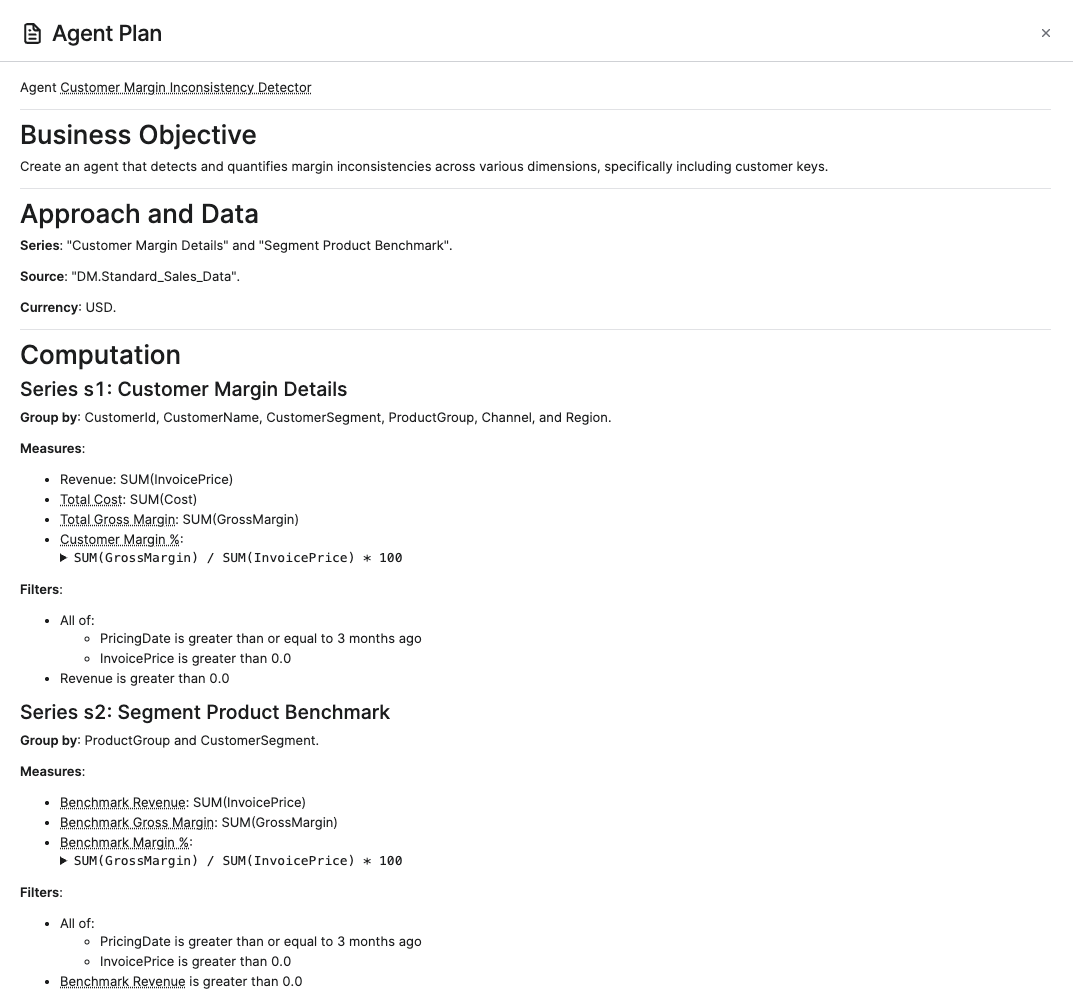
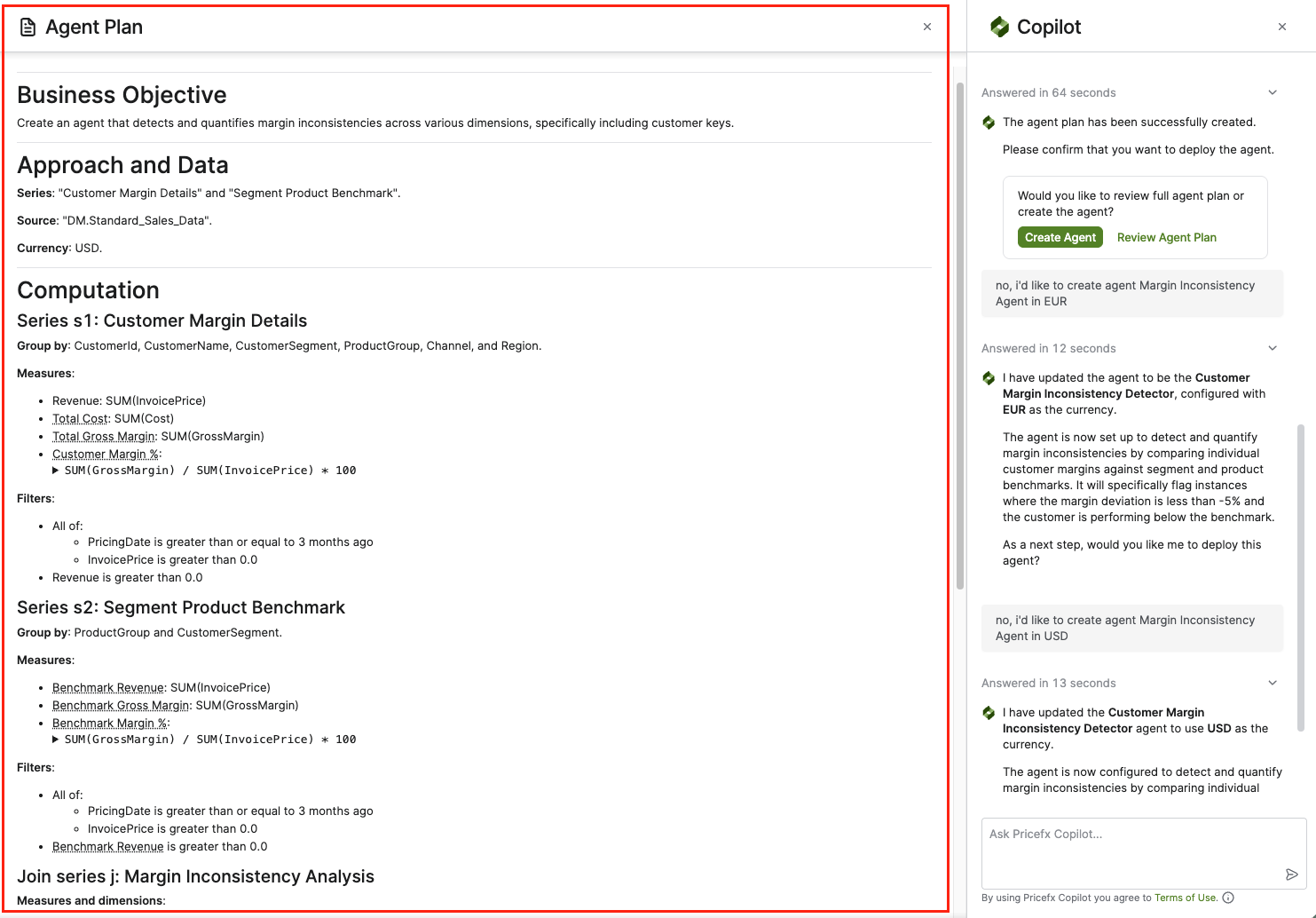
Draft Generation – The Pricefx Copilot generates an Agent Plan (visible in the Agent Plan side panel) which includes the approach, data sources, and computation series.
-
User Review – You can review the full agent plan or request changes to an agent draft using plain language directly in the chat.
-
Deployment – Once satisfied, you confirm the draft to create the agent on the partition.
Example Workflow
You can build an agent by following a conversational path similar to this:
-
User: "How can I detect if a client is about to leave?"
-
Copilot: Explains various metrics like declining revenue or margin compression.
-
User: "I want to focus on margin compression. Can we look at cases where costs rose but prices did not?"
-
Copilot: Confirms the logic and identifies relevant Datamarts like Standard Sales Data and Product Costs.
-
User: "Please create an agent for that."
The Pricefx Copilot then generates a Product Cost Change Misalignment Agent draft based on all the preceding steps.
Key Application Elements
When creating agents, you will interact with these elements in the Copilot and Agent Plan panels.
-
Create Agent Plan – A button in the chat to initiate the drafting process based on the conversation.
-
Create Agent – A button to deploy the agent after reviewing the plan.
-
Review Agent Plan – Opens the side panel showing the technical structure of the proposed agent.
-
Agent Plan Panel – Displays the Business Objective, Approach and Data (including Currency and Source), and Computation details.
The agent summary is typically limited to one sentence to ensure it is easy to scan in the agent list.