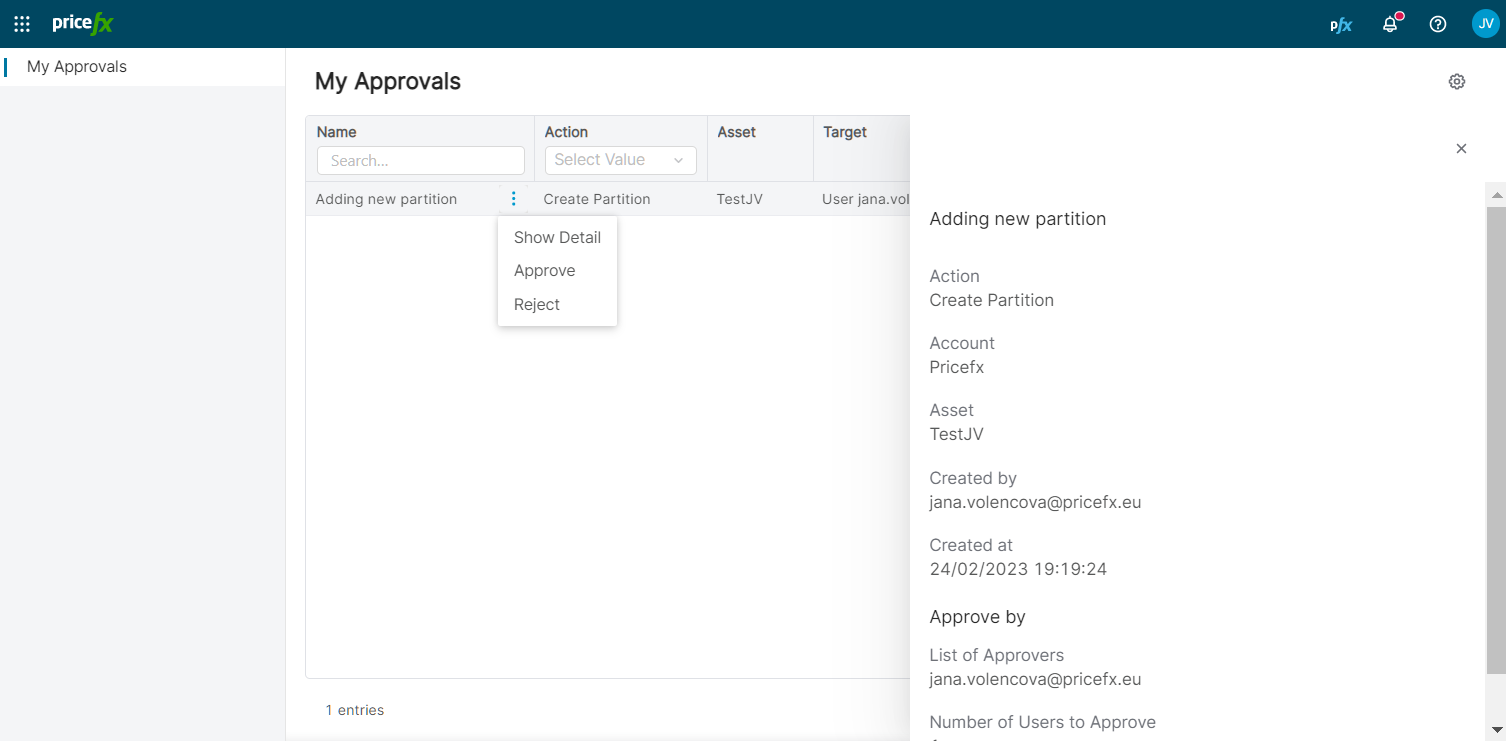
This section lists all of the approvals of the logged-in user.
Approvals are triggered according to definitions in the Workflows tab and they relate either to creation of a new partition, permissions assignment, or changes in Event Orchestration workflows, schedulers, and mass listeners that require approval.
To work with the requests, use the options in the row menu:
-
Show detail of the request (shows who else is an approver, how many approvals are needed, when the request was created and by whom, etc.).
-
The Approval Request Review detail page includes a Request Overview section showing the Action, Account, Asset, Target, Created by, and Created at fields, along with an Approve by section listing the List of Approvers and Number of Users to Approve.
The Target field is displayed directly on the detail page for all workflow types (for example, New Partition, Add Permission, Copilot, Calculation Engine, SSO Approval, Delete Partition, or Event Orchestration Approval), so you do not need to return to the My Approvals list to see it when opening the request from an email link. -
For Event Orchestration Approval requests, the detail screen also contains a Review Changes tab which provides a user‑friendly summary of all changes (Old Value/New Value diff) in the Workflow / Scheduler / Mass Listener so that you can review the impact before approving or rejecting.
-
-
Approve the request.
-
Reject the request.
To submit a decision on the detail page, go to the Approval section, select APPROVE this request or REJECT this request under Decision, and click Submit. Use Cancel to discard the decision.