
The Accounts page lists all customer and partner accounts available in PlatformManager. Account data is synchronized from Salesfx and displayed in PlatformManager for visibility and administration purposes.
For each account, the page shows key attributes provided by Salesfx, such as parent account, account owner, account type, account status, territory, and the time of the last change.
Required Permissions
This page is visible only to users with the global permission Account List – read.
Accounts table
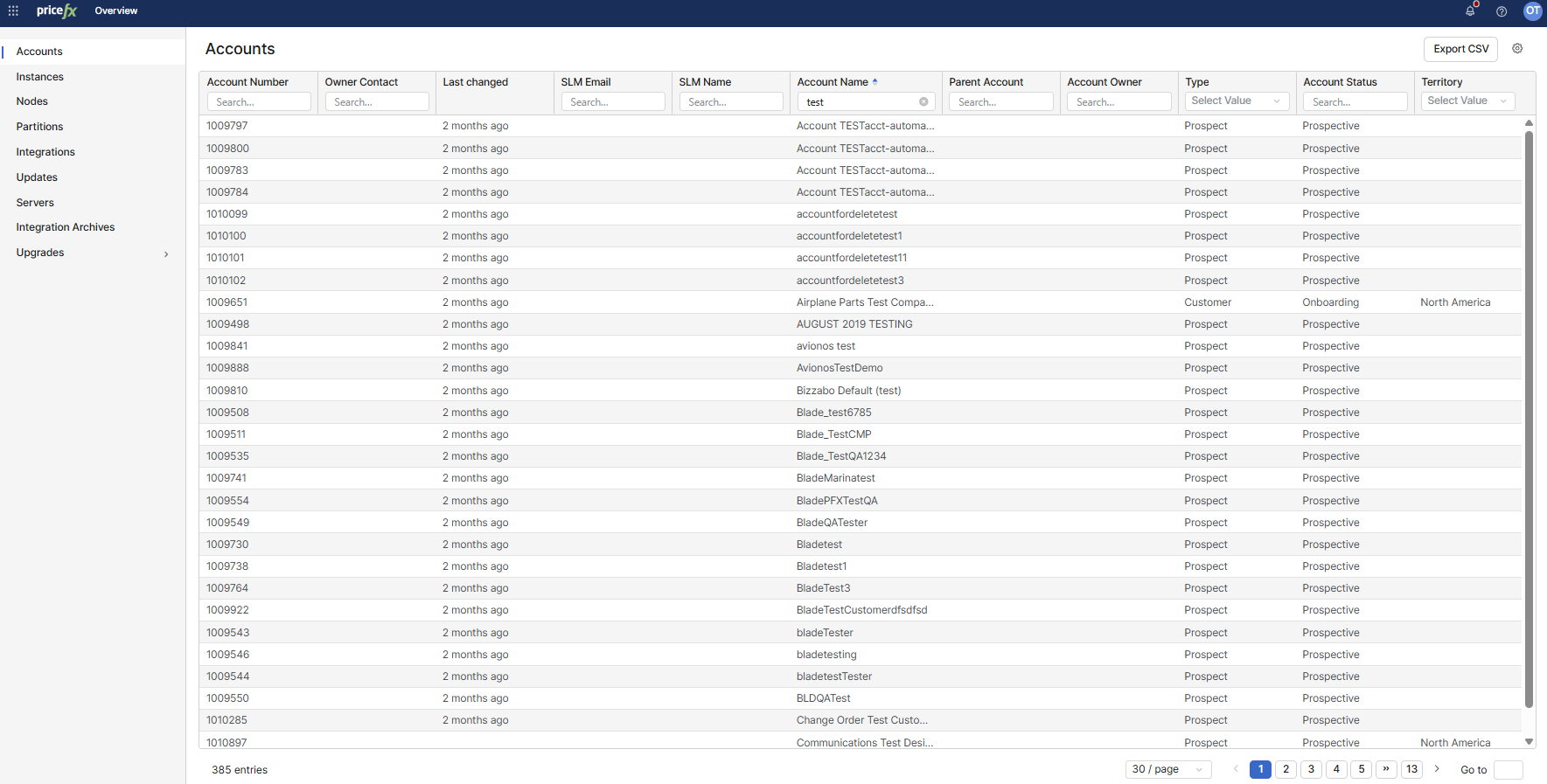
The Accounts table contains the following columns:
-
Account Number
-
Owner Contact
-
Last changed
-
SLM Email
-
SLM Name
-
Account Name
-
Parent Account
-
Account Owner
-
Implementation Partner
-
Type
-
Account Status
-
Territory
All values in the table are read-only and originate from Salesfx.
Filtering and sorting accounts
A filter row is displayed below the column headers:
-
Enter text into search fields to filter results for most columns (for example, Account Number or Account Name).
-
For Type, Account Status, and Territory, select a value from the drop-down list.
To sort the table, click a column header. The current sort direction is indicated next to the column name.
Export accounts
To download the list of accounts currently displayed in the table, click Export CSV.