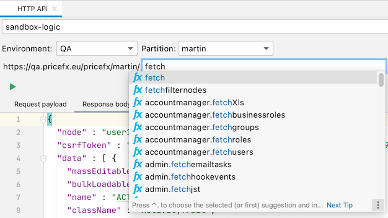
To test PFX HTTP API calls, navigate to Tools > HTTP API Console.
-
Select the environment and partition.
-
Type the remaining part of the URL (API name + parameters optionally). Auto-completion will help you find the desired API name.
-
Put the request content into the Request Payload tab.
-
Click the Execute button to call the API.
-
The response will appear in the Response Body tab.