
Overview
⚠️ This article aims to highlight the critical changes and steps that you must take to ensure smooth operation, particularly concerning auto-completion features.
The new Studio version (15.0) is designed to support the new back-end release, Southside 15.0, and includes essential libraries for auto-completion functionality.
These libraries will no longer be bundled directly with the studio itself; instead, they will be included in a new Maven artifact called the Price FX Studio SDK.
Key Changes to Library Management
Previously, the Groovy API library, which provided core interfaces and classes necessary for auto-completion, was integrated within the studio environment. However, it has now been extracted to function as an independent artifact. This change allows for greater flexibility and modularity, enabling you to manage dependencies more effectively through Maven.
Dependency Management
To ensure that auto-completion features continue to function seamlessly, you must perform a step after downloading the new studio version. Upon opening a project, you will be prompted with a dialogue indicating that your POM XML script will be migrated. Click OK, although we recommend to regenerate the POM XML file and re-add any necessary dependencies.
<dependency>
<groupId>net.pricefx</groupId>
<artifactId>pricefx-studio-sdk</artifactId>
<version>RELEASE</version>
</dependency>
This migration process is essential, particularly for those who have customized their repository configurations.
The updated POM XML will now include two primary dependencies: one for the studio SDK and another for the TDD 4C framework.
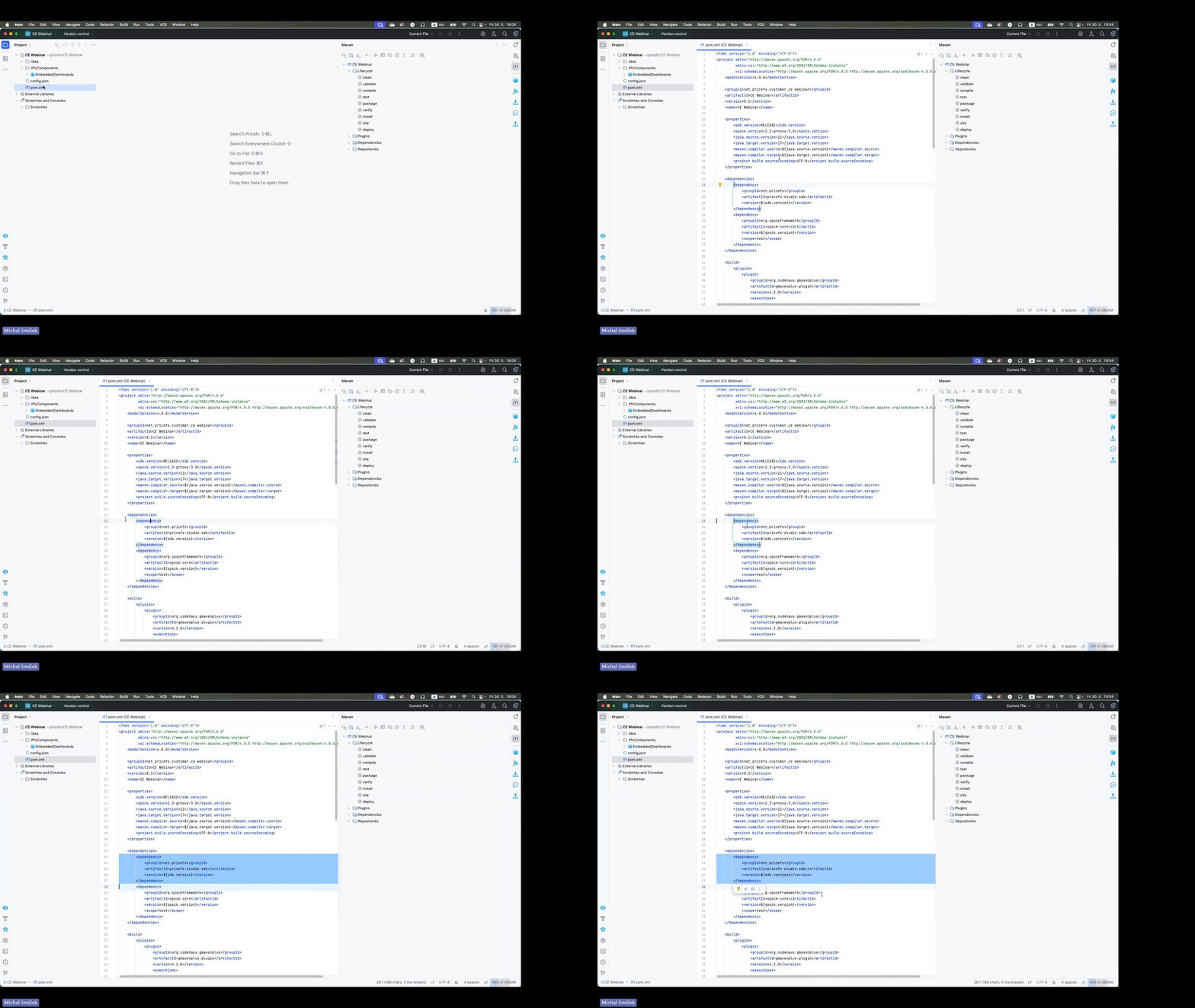
This integration will ensure that all required libraries, such as auto-completion libraries, Javadoc, and Groovy, are deployed alongside the studio SDK.
We recommend that once you have regenerated POM XML, commit it to GitLab so it is also available for your colleagues.
Legacy way → Studio: groovy-api
New way → Maven: net.pricefx.pricefx-studio-sdk
Version Control and Flexibility
One of the advantages of this new structure is the ability to work across multiple projects with varying API versions. For instance, you can maintain a project on Version 14 while simultaneously working on another project utilizing Version 15. By default, projects will use the latest available version of the libraries. However, if a specific older version is needed, you have the option to specify this in your POM XML dependency.
Once Version 15.0 is released, you can easily switch back to older versions if necessary, ensuring that legacy projects continue to function without disruption. To do this, click Reload All Maven Projects.
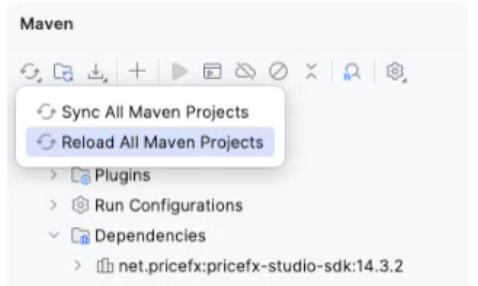
To access a previous API version, set the version you want: e.g. <version>14.3.2</version>. You can also use Ctrl+Space or Cmd+Space to get a list of available versions you can choose from. Currently, 14.3.2 is the earliest you can access.
It is worth mentioning that we plan only to release major versions (e.g. 15.0, 16.0 etc) as there are no API changes in minor changes.