This feature is available starting with Agents 1.8.
The Update Live Price Grid Action Task (Based on Capability Mapping) is an Agents feature that lets an Action write Agent-recommended values directly into a Live Price Grid, without the Price Setting Dependency Level binding used by the Price Setting Accelerator-based task. Capability Mapping links the fields the Action Task writes to the actual fields defined on a Price Grid Type, using a guided configurator called Capability Mapping: PG Discovery. This reference describes the fields available in the Action Task section of the Action Definition step and in the Capability Mapping: PG Discovery wizard.
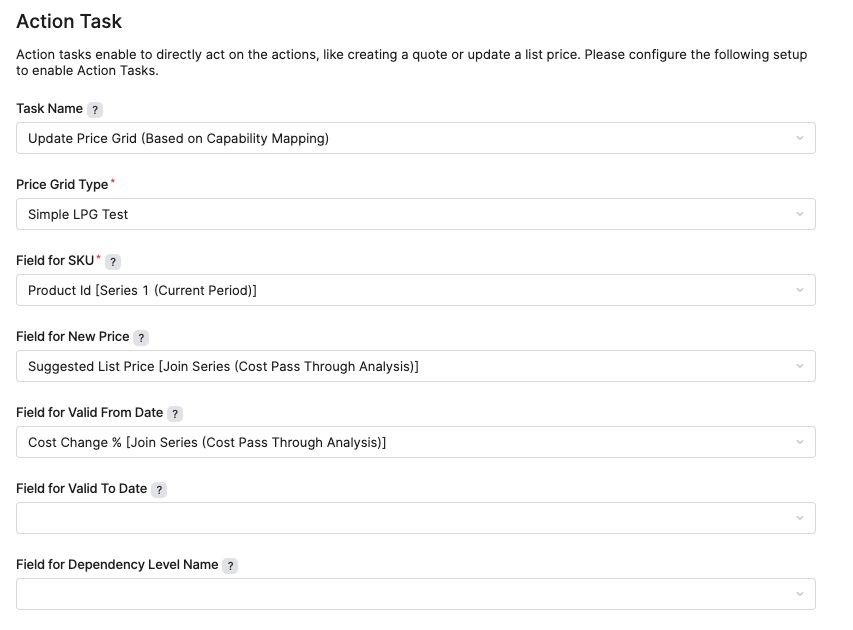
Action Task Section
The Action Task section appears within the Action Definition step of the Agent configuration wizard. To use this task, set the Task Name option to Update Price Grid (Based on Capability Mapping). The fields available for this task come from the Capability Mapping defined for the selected Price Grid Type, so the exact set of fields differs per Price Grid Type.
|
Field |
Description |
|---|---|
|
Price Grid Type |
Specifies the Price Grid Type whose Live Price Grids the task updates. This field is required. |
|
Field for |
Maps the Agent column that identifies the product of each detected item, usually the SKU, to the matching Live Price Grid field. This field is required, because the product identifier matches each detected item to a Live Price Grid item. |
|
Field for New Price |
Maps the Agent column whose value is written as the new price of the matched Live Price Grid item. This field is always available and optional. If left empty, the task writes only the other mapped fields. |
|
Field for |
Maps an Agent column to a Live Price Grid field that the Capability Mapping marks as editable. The value is written as a manual override, so the field must allow manual overrides in the Live Price Grid calculation logic. One such field appears for every field the Capability Mapping marks for update. These fields are optional. |
|
Field for |
Maps the Agent column that pre-filters the Live Price Grids offered in the update wizard. Available only when the Capability Mapping defines a grid-matching field (the PG dimension). One task run handles a single value of this field. This field is optional. |
|
Matrix secondary key column |
Maps the Agent column that holds the matrix secondary key. Available and required only when the selected Price Grid Type is a matrix type. |
Capability Mapping: PG Discovery Wizard
The Capability Mapping: PG Discovery wizard (Company Processes > Configuration Wizards) reads a sample Live Price Grid of the selected Price Grid Type and shows the Capability Mapping as a configurator. An existing mapping Advanced Configuration Option is loaded and pre-fills the configurator in edit mode. Your selections generate the mapping JSON. Apply validates the mapping, generates the corresponding mapping JSON, and provides instructions for creating or updating the Advanced Configuration.
The Capability Mapping is stored under pfxAcc_AG_CapMap_Mapping__PriceGrid__<Price Grid Type> in the Advanced Configuration Options (Administration > Configuration > System Configuration > Advanced Configuration Options). Applying the mapping again replaces the current Advanced Configuration value, including any manual edits.
Wizard Entry Fields
|
Field |
Description |
|---|---|
|
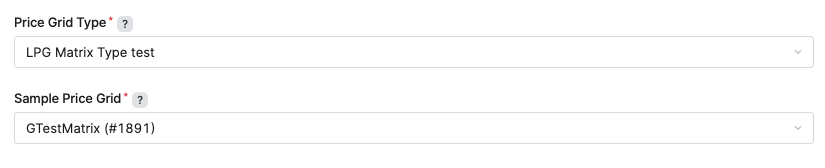
Price Grid Type |
Specifies the Price Grid Type for which you build the Capability Mapping. Selecting No Type discovers legacy Live Price Grids that carry no Price Grid Type and reveals the LPG Logic (legacy grids) field. This field is required. |
|
LPG Logic (legacy grids) |
Available only when Price Grid Type is set to No Type. Specifies the default pricing logic used to group legacy grids, since they carry no Price Grid Type of their own. This field is required when it is shown. |
|
Sample Price Grid |
Specifies an existing Live Price Grid of the selected Price Grid Type (or legacy logic) that the wizard reads to discover available fields. The list shows only the 20 most recent grids. This field is required. |
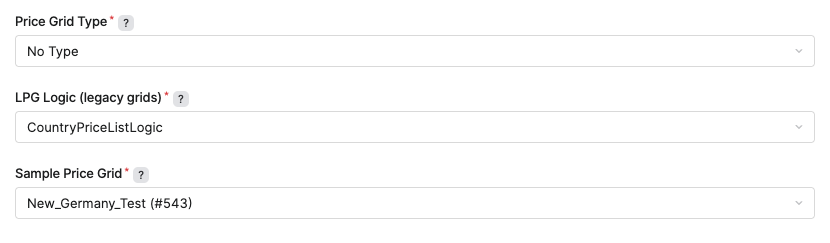
Legacy Live Price Grids without a Price Grid Type are grouped only by their pricing logic. If grids calculated by the selected logic use more than one header logic, the wizard warns that their header fields may differ from grid to grid, so one Capability Mapping may not fit them all. This does not block setup, because Action Tasks do not change header-level values. The resulting mapping is stored as pfxAcc_AG_CapMap_Mapping__PriceGrid__NoType-<logic>.
For a matrix Price Grid Type (items keyed by SKU and a secondary key), discovery produces the simple product-keyed template only. The secondary key is not represented in the mapping. Set Matrix secondary key column to the Agent column that holds the secondary key values when you configure the Update Price Grid Action Task for that Type.
Page 1 — Field Selection
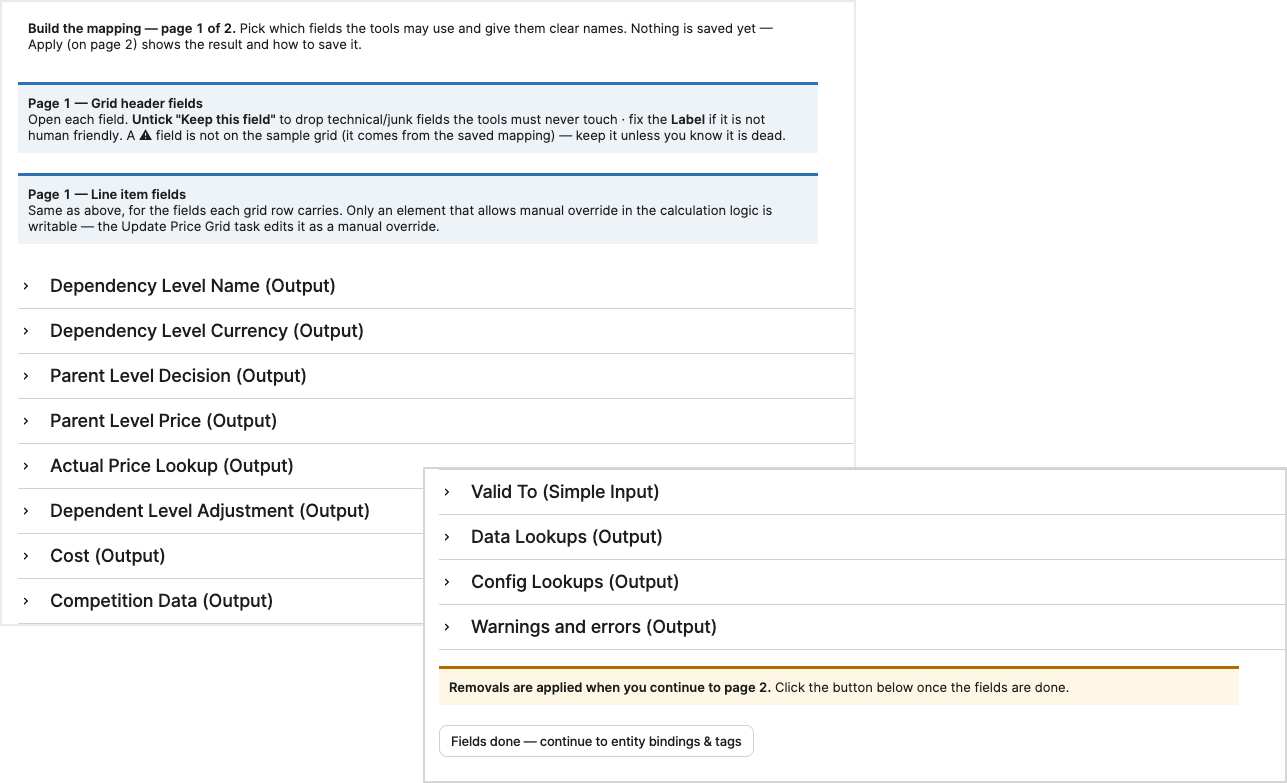
Page 1 lists the header-level and line-level fields discovered from the sample Live Price Grid. It defines which fields are included in the mapping and their displayed labels. Changes made on Page 1 are not saved until the mapping is applied on Page 2.
-
Grid Header Fields – Lists header-level fields discovered on the sample Live Price Grid.
-
Line Item Fields – Lists line-level fields discovered on the sample Live Price Grid. Only a line-item field that allows manual override in the Price Grid Type's calculation logic can later be selected as editable by the Update Price Grid Action Task; other line-item fields stay available in the mapping for reference, for example for grid matching, but cannot be written.
The following options define how each field is included in the mapping.
-
Keep this field – Specifies whether the field is included in the mapping. A cleared option excludes the field from the mapping.
-
Label – Specifies the display label for the field.
A warning triangle indicates that the field exists in the saved mapping but is not present on the sample Live Price Grid. The field remains available in the mapping so that existing configuration is not removed unintentionally.
-
Fields Done — Continue to Entity Bindings & Tags – Applies the Page 1 field selections, including removals, and proceeds to Page 2.
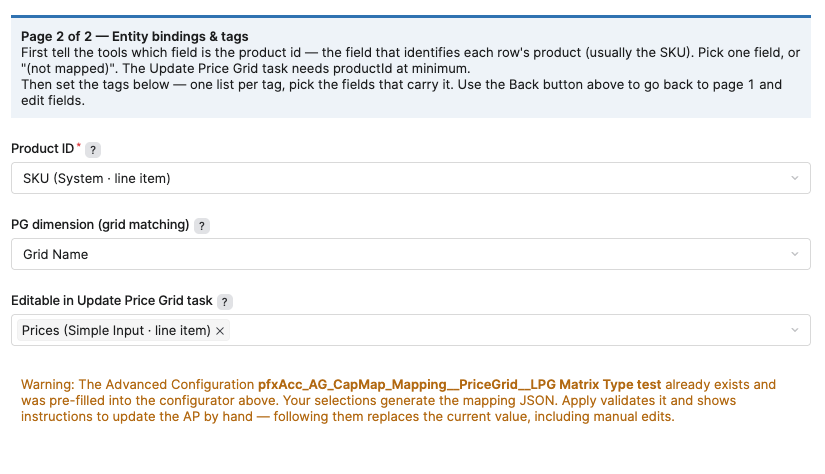
Page 2 — Entity Bindings and Tags
Page 2 maps Live Price Grid fields to the entity bindings and tags used by the Update Price Grid Action Task.
|
Field |
Description |
|---|---|
|
Product ID |
Binds the line-item field that identifies each row's product, usually the SKU, for example SKU (System · line item). This binding is required. The Update Price Grid Action Task cannot run without it. |
|
PG dimension (grid matching) |
Binds the header field that tells Live Price Grids of the selected Price Grid Type apart, for example Grid Name. Set to (no dimension — every grid of the Type is offered) when every grid of the Type should be offered. The Update Price Grid Action Task matches grids by this field, and one task run handles one value of it. |
|
Editable in Update Price Grid task |
Selects one or more line-item fields the Update Price Grid Action Task may write as manual overrides, for example Prices (Simple Input · line item). Only fields that allow manual override in the Price Grid Type's calculation logic are offered. Set to (not mapped) when no field is assigned. |
The Update Price Grid Action Task always writes the recommended value into the Live Price Grid's system price override, regardless of the Editable in Update Price Grid task selection. If no field is picked, the task can only change the price.
If the pfxAcc_AG_CapMap_Mapping__PriceGrid__<Price Grid Type> Advanced Configuration exists, the wizard loads its current mapping into the configurator. Applying the mapping generates the corresponding mapping JSON. Updating the Advanced Configuration with the generated JSON replaces its current value, including any manual changes.