
Technical Grouping Controls
-
Group Actions by – Detected Items are grouped based on the fields defined in this configuration option. The Group Actions by setting controls how Detected Items are aggregated into a single Action. The list of available fields is derived from the fields defined in the Group By configuration option in the Definition step.
-
Keep Top Actions – Only Detected Items with the highest potential impact, based on the first impact defined in the Impact Definition are considered. There is a system-enforced maximum limit of 500 Actions. If the configured value exceeds this limit, it is automatically reset to 500. The default limit is 20 Actions.
-
Ranking Based on Impact – When Actions are limited, the system retains the Actions with the highest impact, allowing users to focus on the most critical issues first. The resulting Actions are stored in the Actions Datamart Table. Detected Items that do not result in an Action being created are removed.
Action Assignment
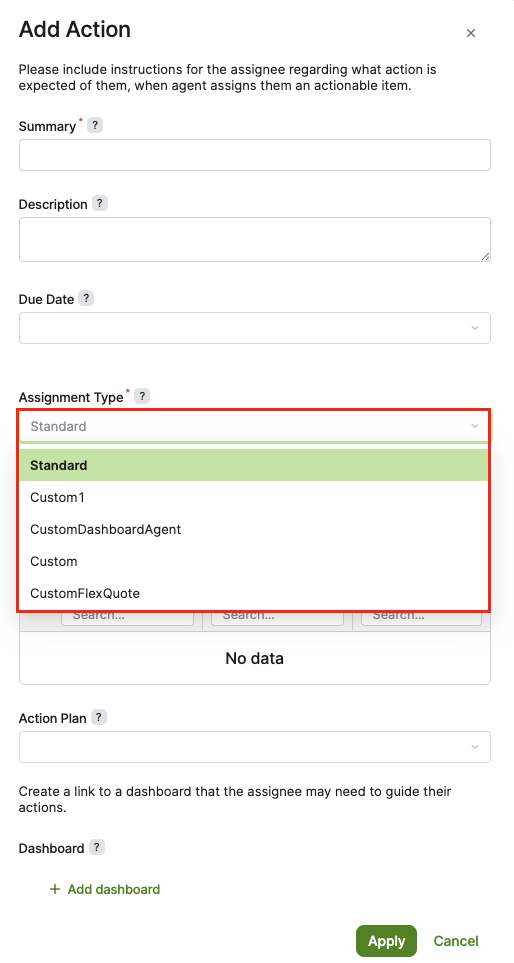
Action Assignment is performed by the Assignment Fields in the Action Definition Step. You can choose between standard rule-based assignment or advanced dynamic assignment using the Assignment Type dropdown.
-
Standard – This is the default behavior. It uses the current configurator logic to assign actions based on dimension-based rules with a fallback to a specific user. When selected, the following fields are available:
-
Assign to – The fallback assignee who receives the Action if no dimension-based rules match.
-
Assign to per Dimension – Allows for dimension-driven routing where specific values in a dimension (e.g., Product Line) determine the assignee. Mappings are derived from Definition dimensions and constrained by Group Actions by.
-
-
Advanced/Custom – If a custom assignment type is defined in the system, selecting it may display a different configurator or logic based on the extension point implementation. This allows for dynamic user assignment based on complex business logic defined by a Configuration Engineer (CE).
Configuring Advanced Assignment
To implement custom assignment logic beyond the Standard type, a Configuration Engineer must:
-
Locate (or create) the Advanced Configuration Option
pfxAcc_AG_Assignment_Types_Extension(Administration > Configuration > System Configuration > Advanced Configuration Options).
The
pfxAcc_AG_Assignment_Types_Extensionoption is not deployed by default. -
Define the custom logic and the corresponding UI configurator within this extension point.
-
Once defined, the new type will appear in the Assignment Type dropdown in the Add Action or Edit Action dialog.
Role‑based Permissions on Actions and Action Plans
Who can create, view, edit Actions and Action Plans is depending on the Agent Business Roles.