
Component: Customer Insights, Sales Insights
Dashboard: Globally Accessible
Portlet: Globally Accessible
Type: Product
Use Case Type: Performing Actions
Role: Product Manager, Pricing Manager, Sales Manager
Update the '[Product Id or Product Name]' in the LPG '[ID or Label]' to [Value].
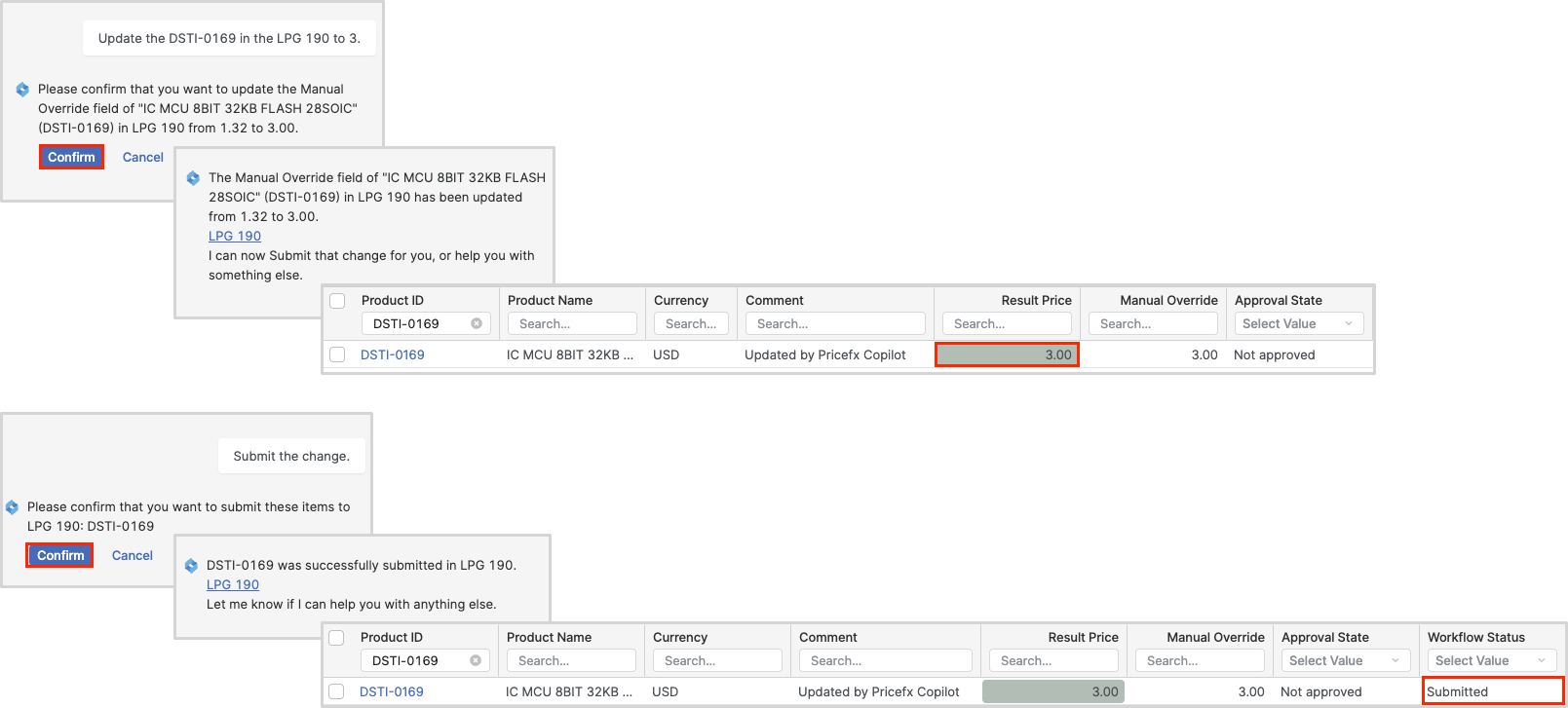
Submit Change
You can submit the change within the Pricefx Copilot by entering simple prompt Submit the change.
Update Item by Relative Value or Multiplier
The Pricefx Copilot is capable of differentiating between absolute values (e.g., "update from 100 to 120") and relative values (e.g., "update by 20%").
Absolute
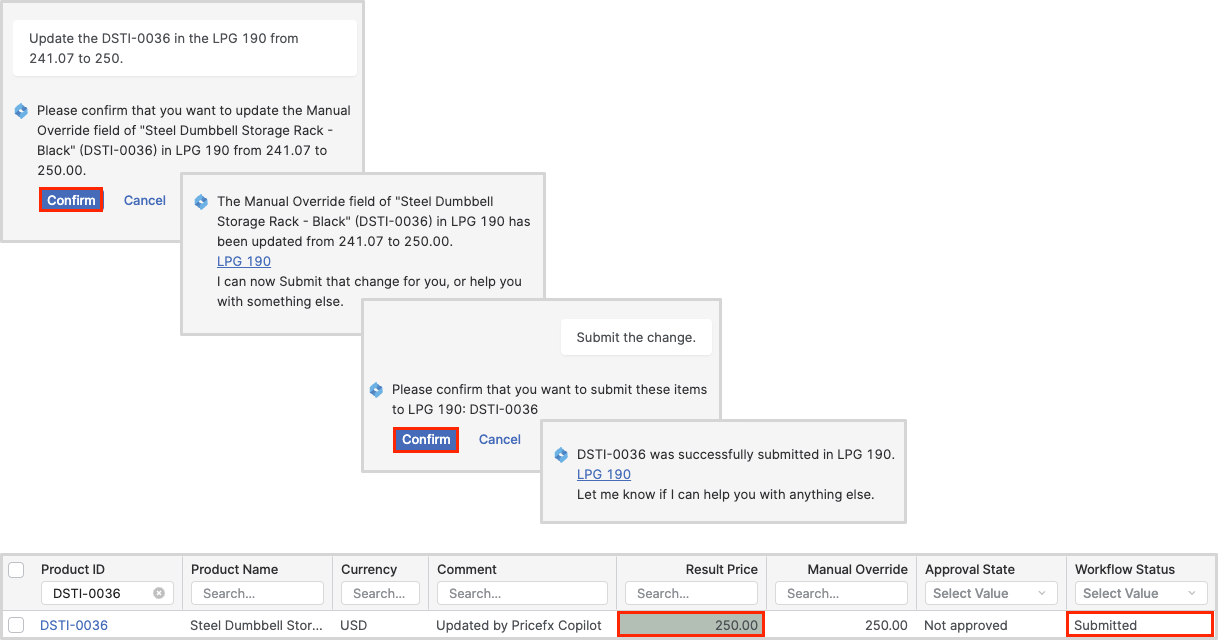
Update the '[Product Id or Product Name]' in the LPG '[ID or Label]' from [Value] to [Value].
Relative
Increase the price [Value] of the '[Product Id or Product Name]' in the LPG '[ID or Label]' by [Value]%.
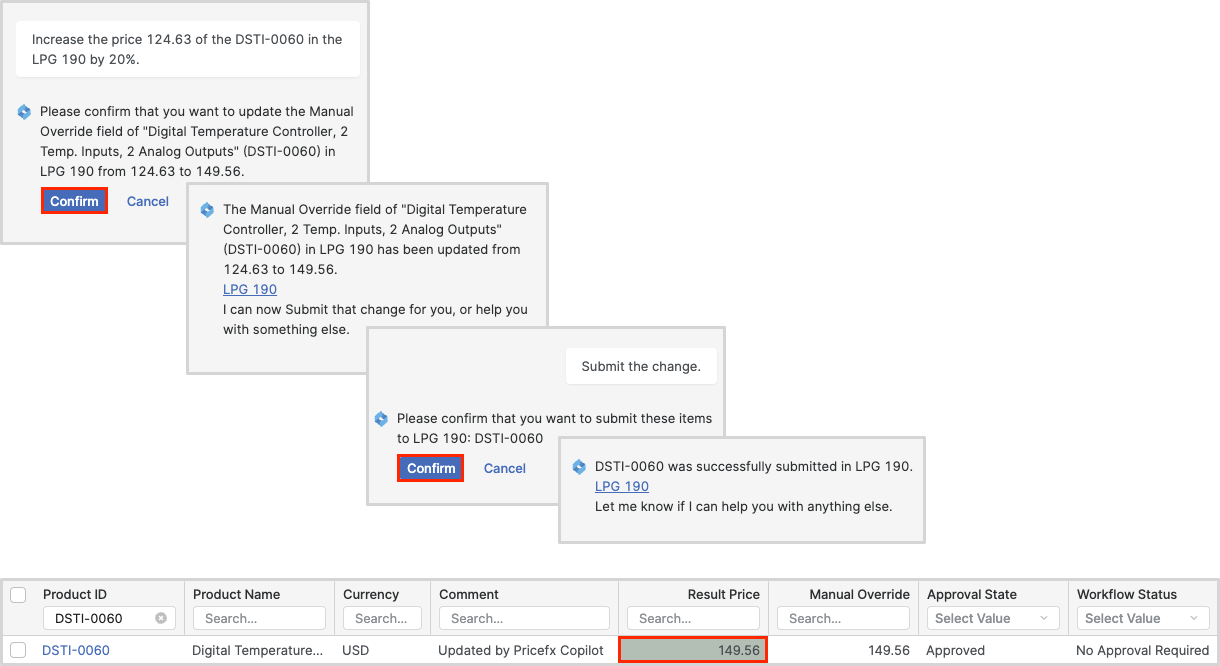
In a similar way you can decrease the price value.
Arithmetic Operations
The Pricefx Copilot is able to apply a simple arithmetic operation to update to the price.
Add
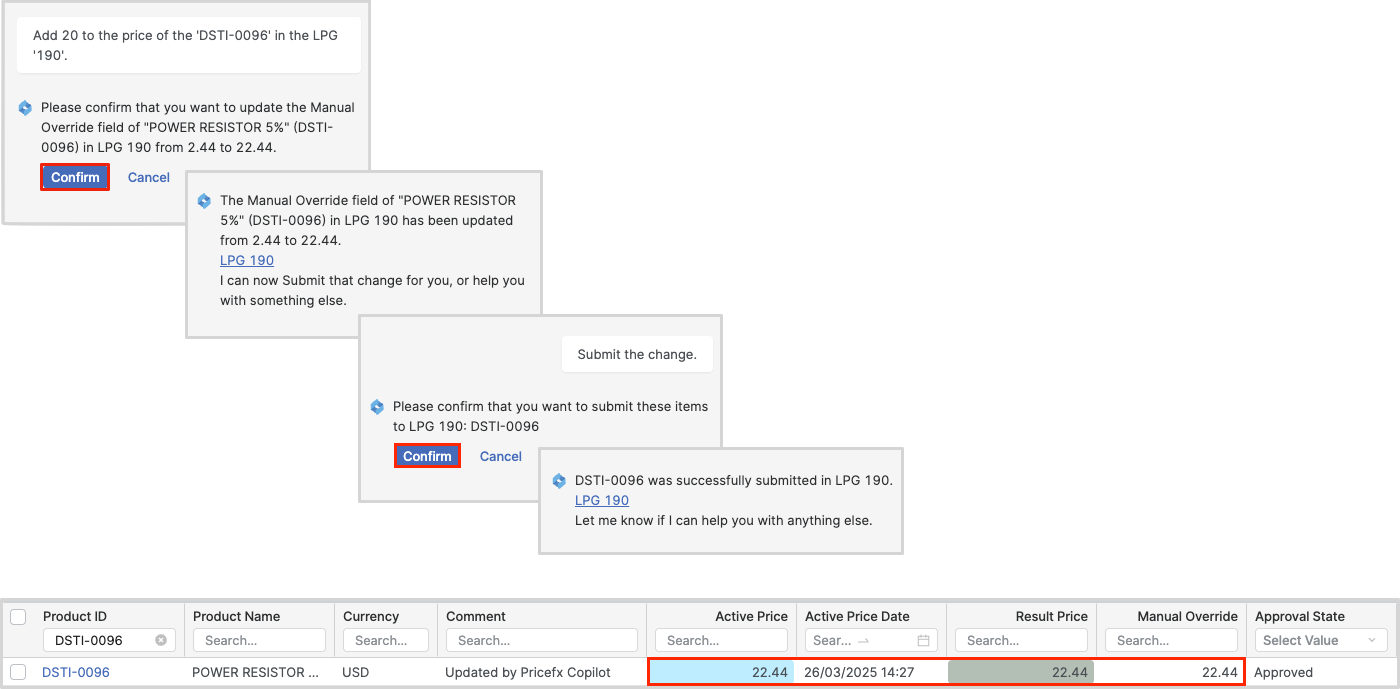
Add [Value] to the price of the '[Product Id or Product Name]' in the LPG '[ID or Label]'.
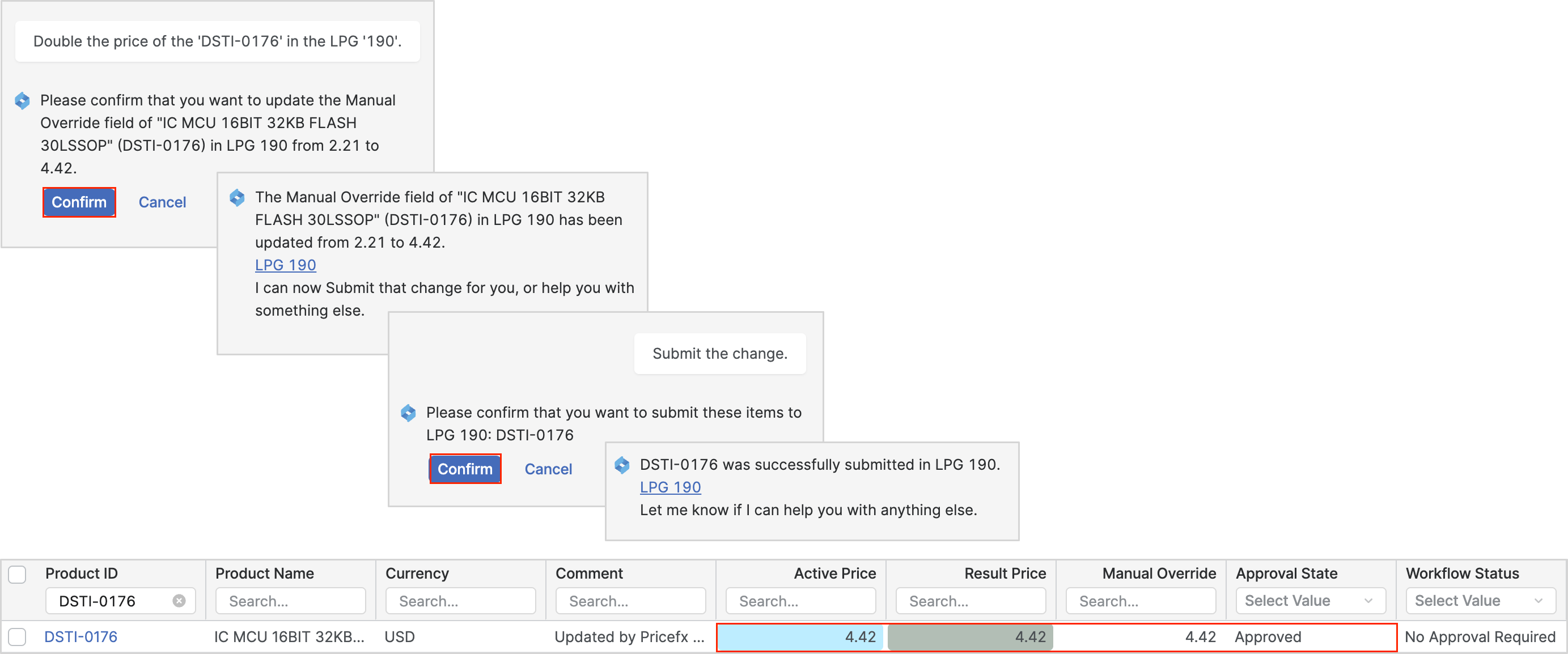
Multiply
Double the price of the '[Product Id or Product Name]' in the LPG '[ID or Label]'.
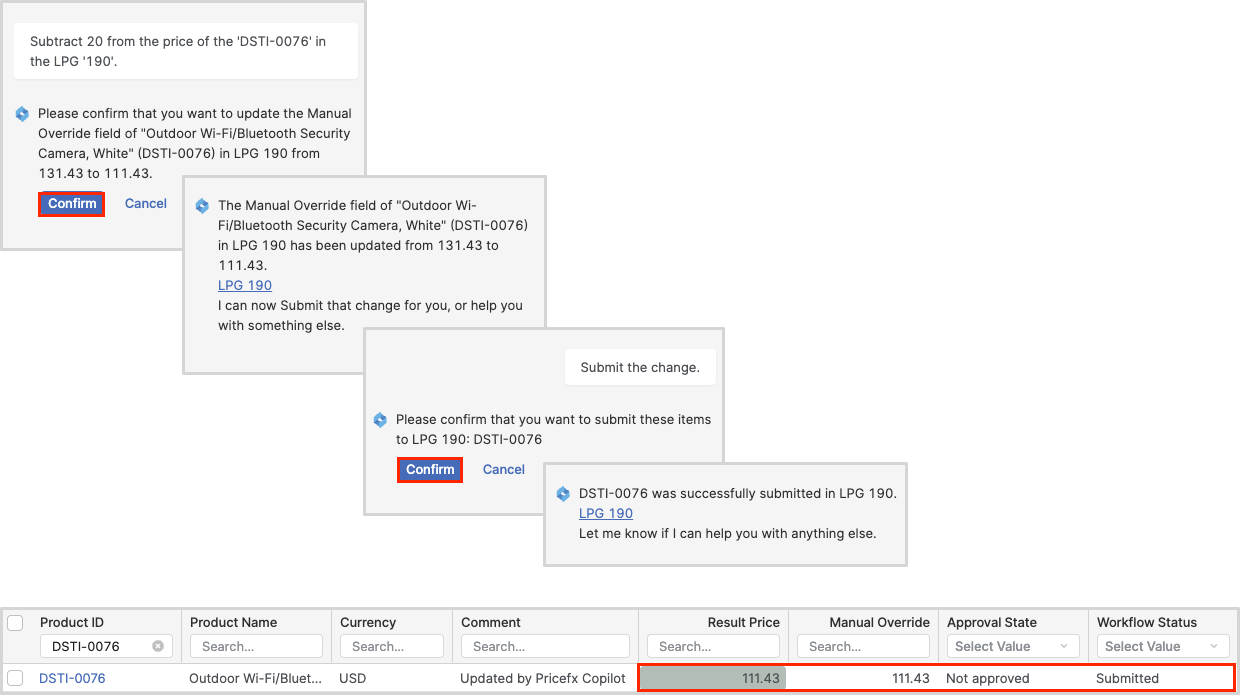
Subtract
Subtract [Value] from the price of the '[Product Id or Product Name]' in the LPG '[ID or Label]'.
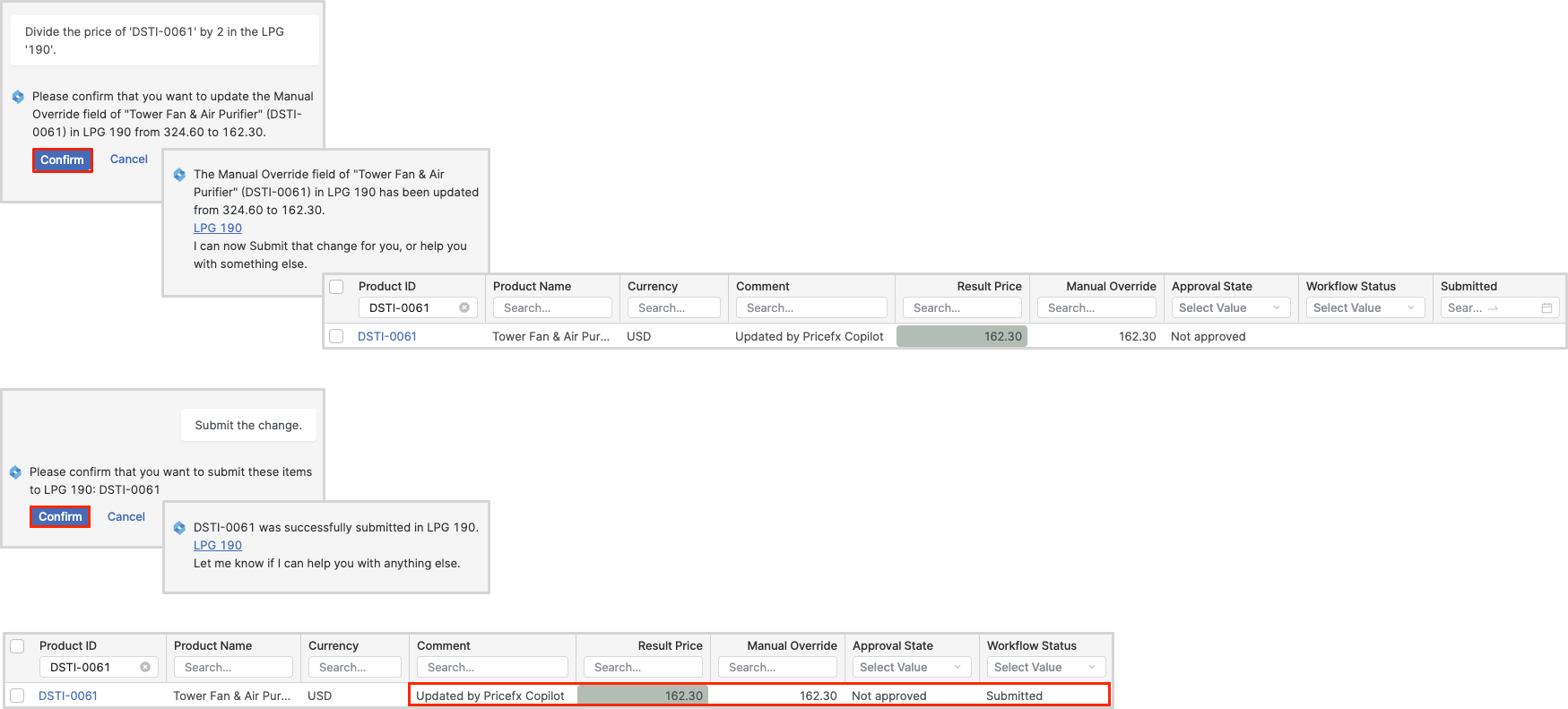
Divide
Divide the price of '[Product Id or Product Name]' by [Value] in the LPG '[ID or Label]'.
Limitations
Update the LPG Override
The Pricefx Copilot currently allows updates to any overridable fields. The following data types are supported:
-
NUMERIC(including its subtypes, e.g.,MONEY_EUR) -
MONEY -
INTEGER
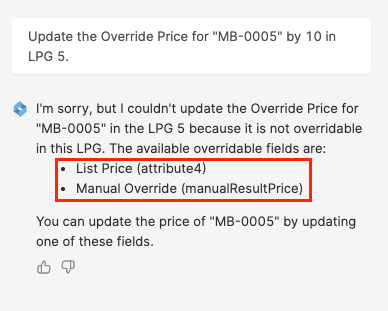
If the field specified for update is not overridable, Pricefx Copilot will provide the list of overridable fields.
If you do not specify an existing field or if you simply request a price update, the Pricefx Copilot will use the Manual Override, provided that the 'price' is not designated as a specific overridable field.
For more information see the Manual Override in the Live Price Grid Detail.
Supported Live Price Grid Type
In the CD2 Iteration 2 release, we introduced the capability to update the Live Price Grids with the MATRIX Live Price Grid type. Some limitations still exist. Currently, only the system secondary key key2 is supported; logic-defined secondary keys are not yet supported.
Update Live Price Grid
Supported Actions
-
Users can request to update a specific (product, secondary key).
-
If only one variant of the product exists in the Live Price Grid, the user can omit the secondary key.
Not Supported Actions
-
Users cannot request to update all variants of a specific product.
-
Users cannot request to update all products for a specific key (e.g., increase all by a certain percentage).
Submit Live Price Grid
Supported Actions
-
Users can request to submit a specific set of (product, secondary key).
-
If only one variant of a product exists in the Live Price Grid, the user can omit the secondary key.
Partially Supported Actions
-
Users can request to submit all variants of a product (variants must be present in chat history).
-
Users can request to submit all products for a specific key (variants must be present in chat history).
Update Multiple Items
Currently it is not possible to update multiple items.
Check the Actual Price
It may be beneficial to verify the actual price before updating to a new one. However, it is not yet possible to check the actual price using the Pricefx Copilot.
Entering ID or Name
When entering a specific value for the Product, Customer, or Live Price Grid, it is important to use either the ID or the Name exclusively, and not to combine the two. Additionally, it is highly recommended to enclose these values in apostrophes (') or quotation marks (").