
This article shows how to create a custom field which contains Customer ID from a Pricefx partition. This field can then be used for customer lookups in SAP C4C.
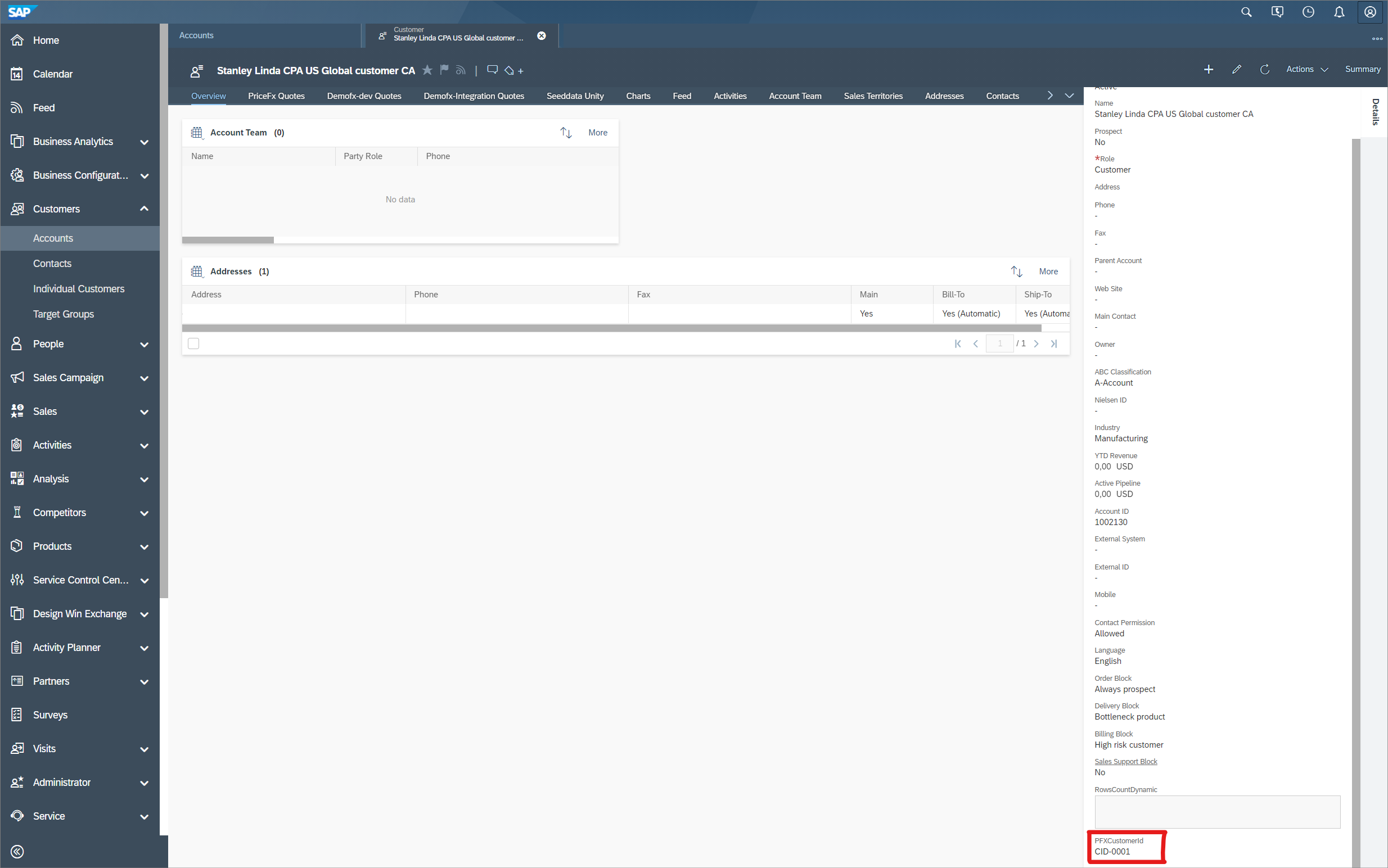
Example of a custom field with a value:
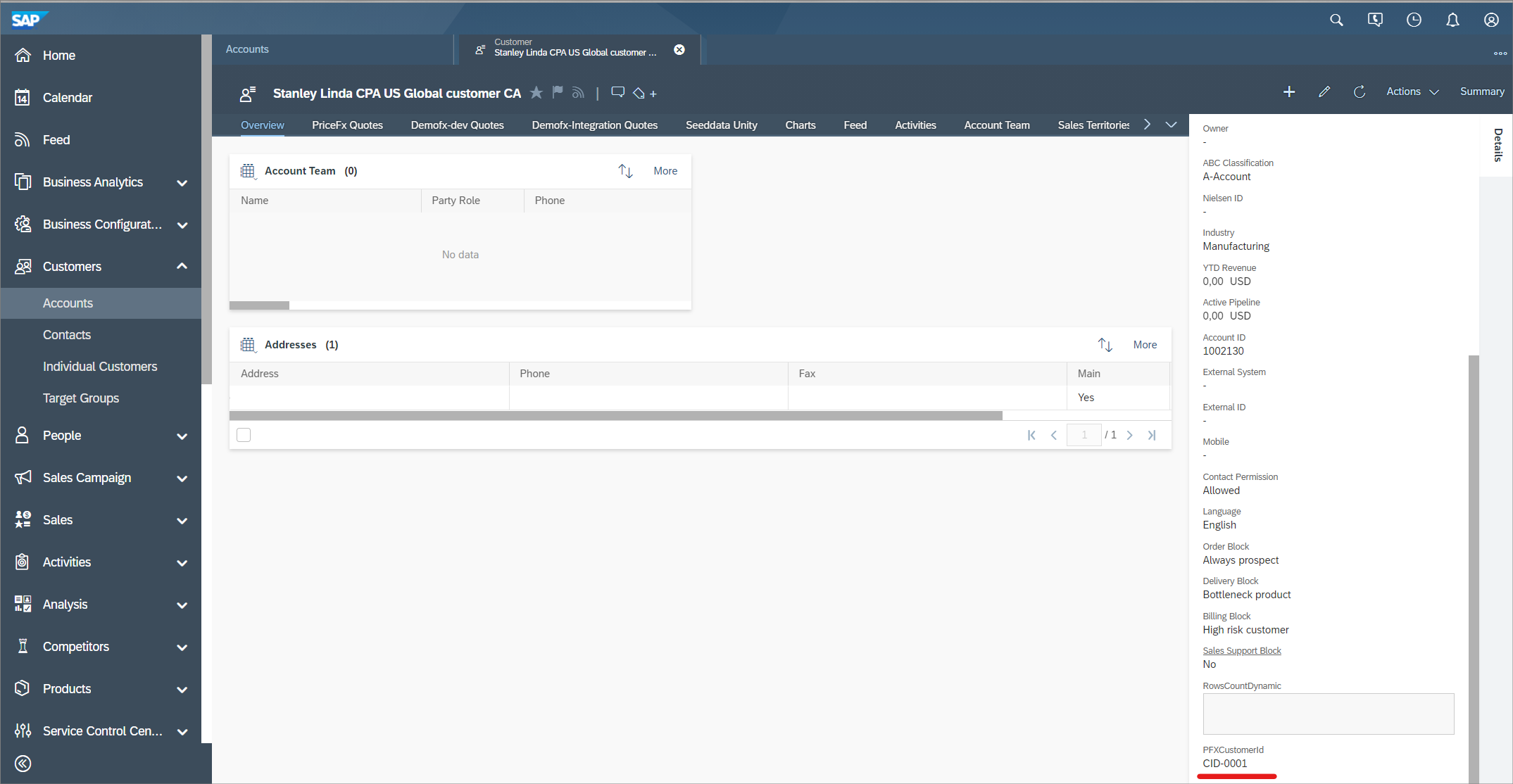
Steps:
-
Log into SAP Cloud Application Studio.
-
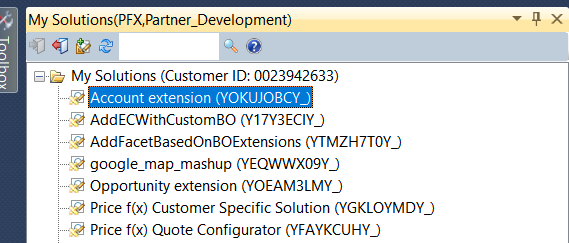
Select solution where you want to add a new field (in our case Account).
-
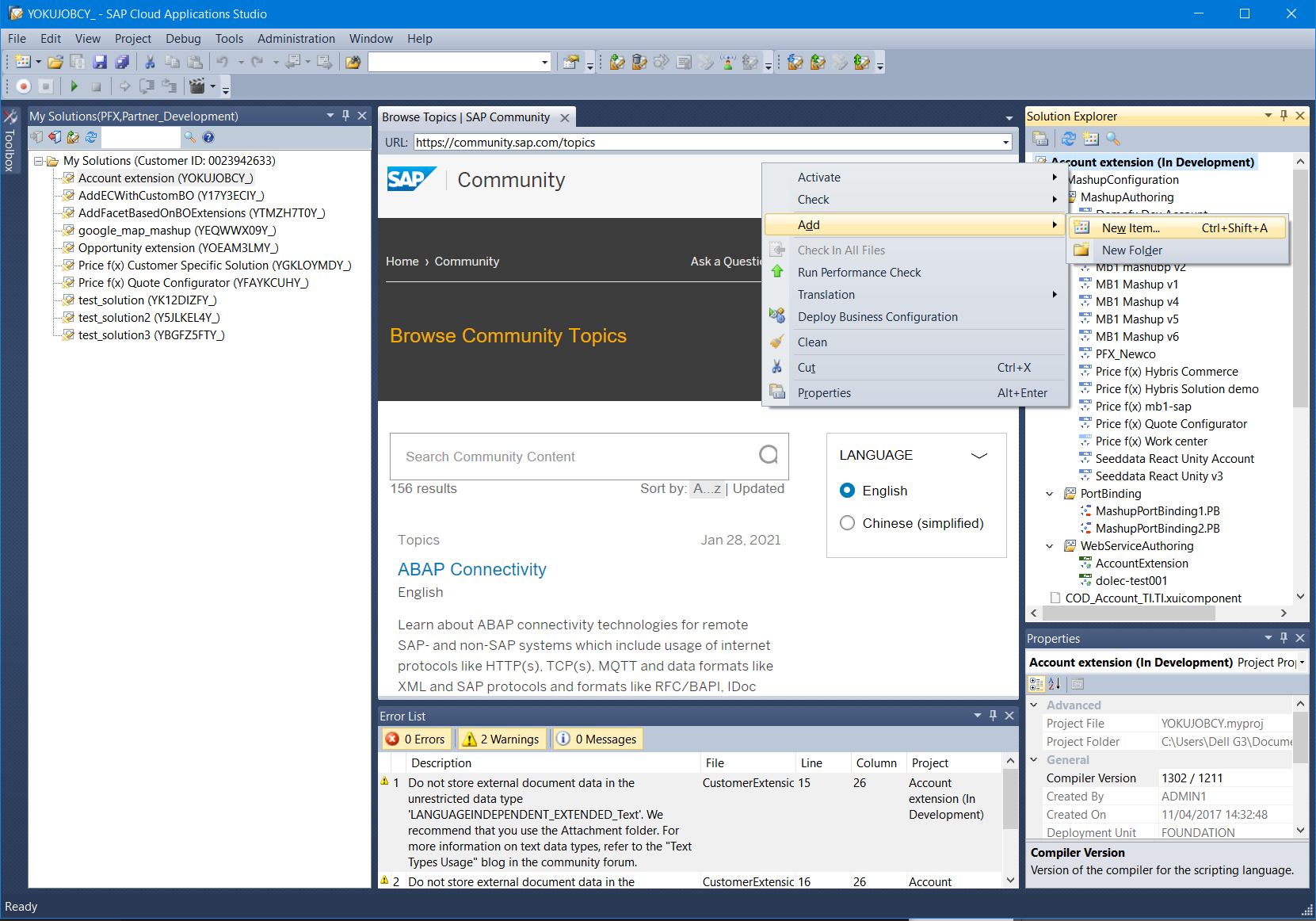
Right click the top node and select Add > New Item.
-
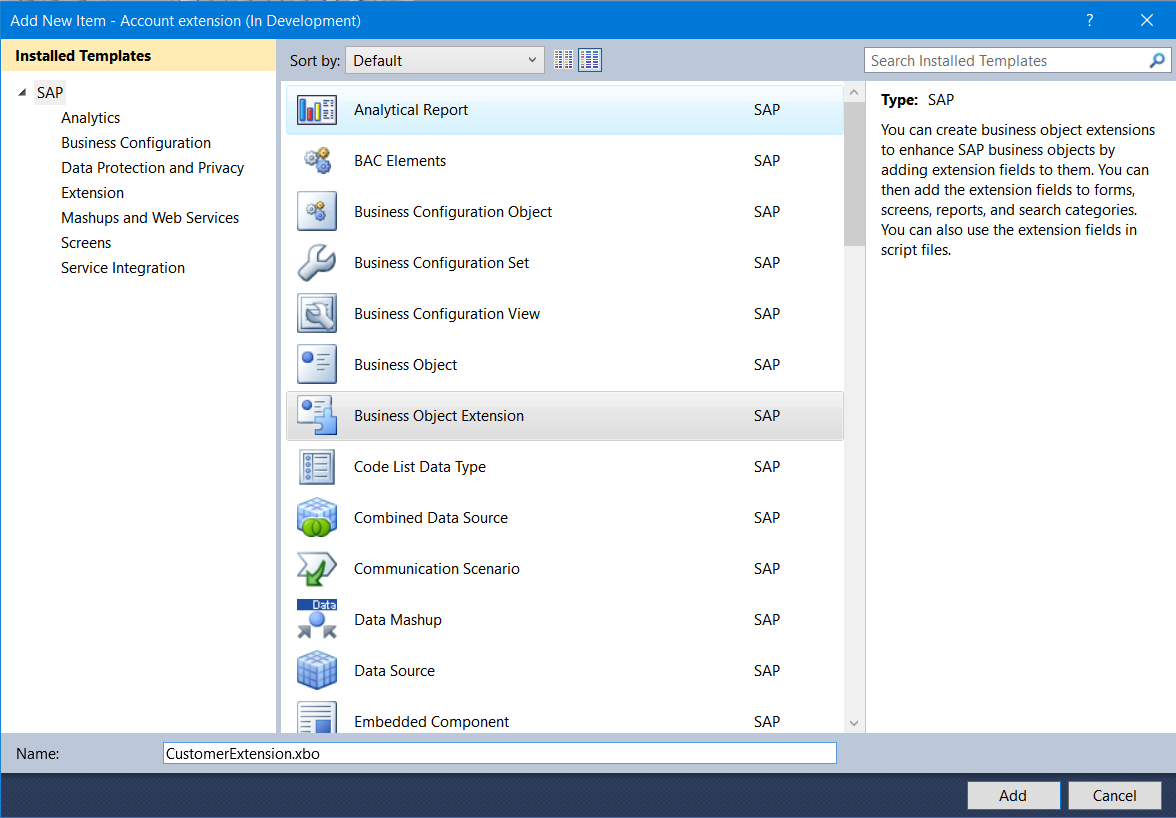
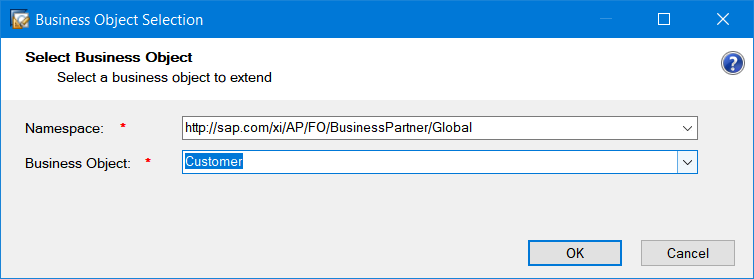
Select Business Object Extension.
-
Select a space in which you want to have your field.
-
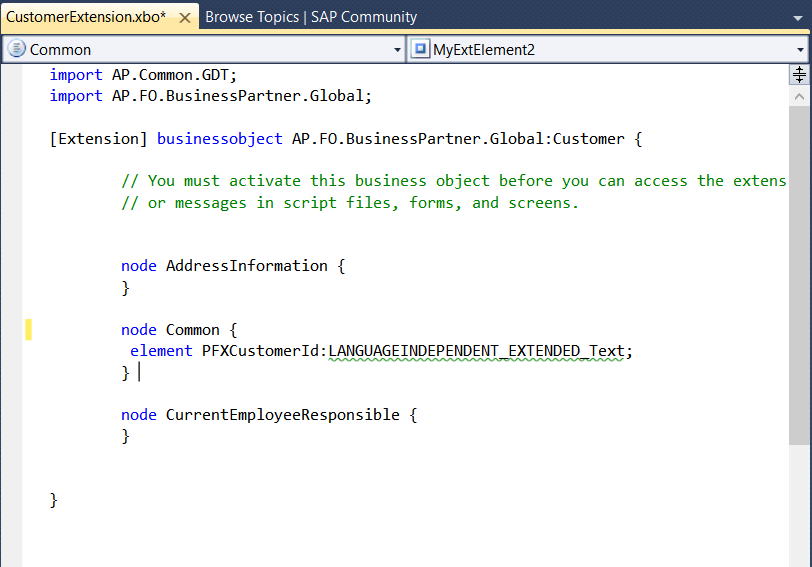
Define your field (PFXCustomerId in our case).
-
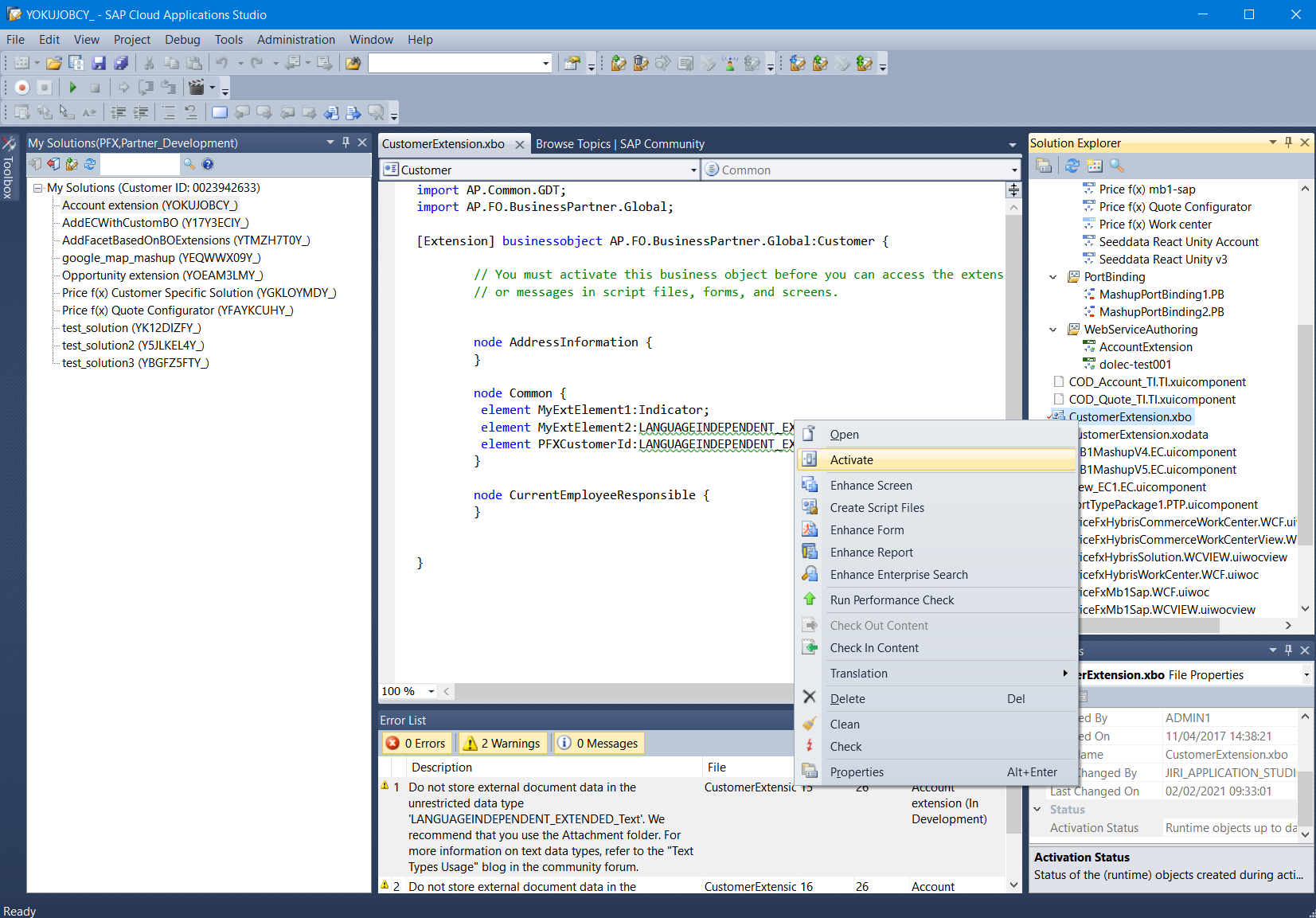
When done, right click the object and select Activate.
-
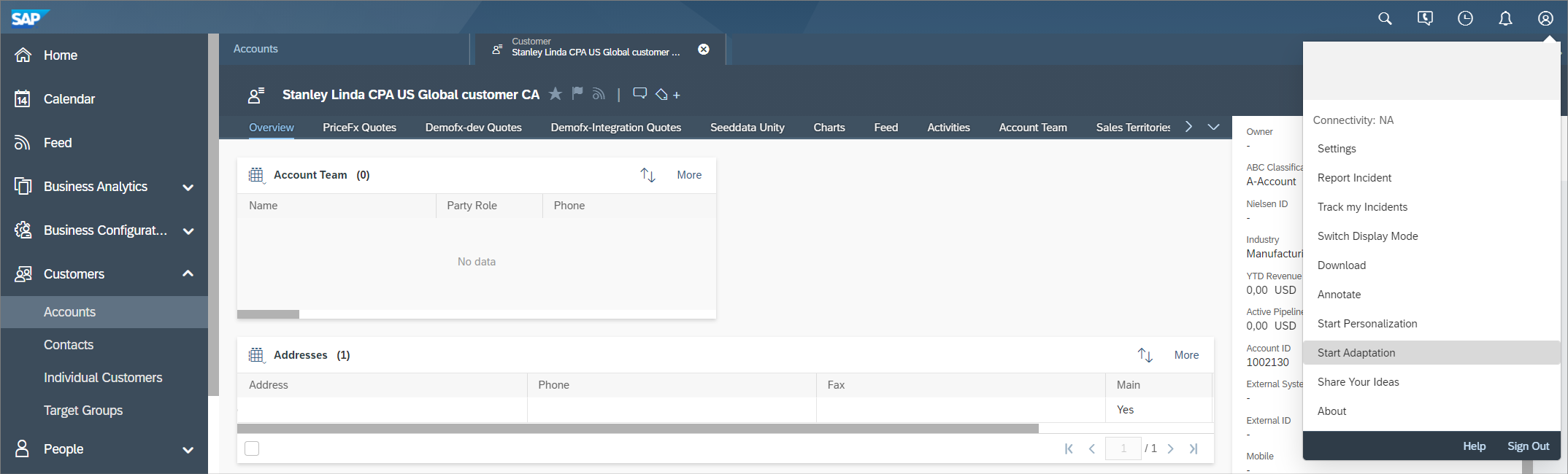
Go to C4C and navigate to the intended location, enter Adaptation mode (our case, Accounts section).
-
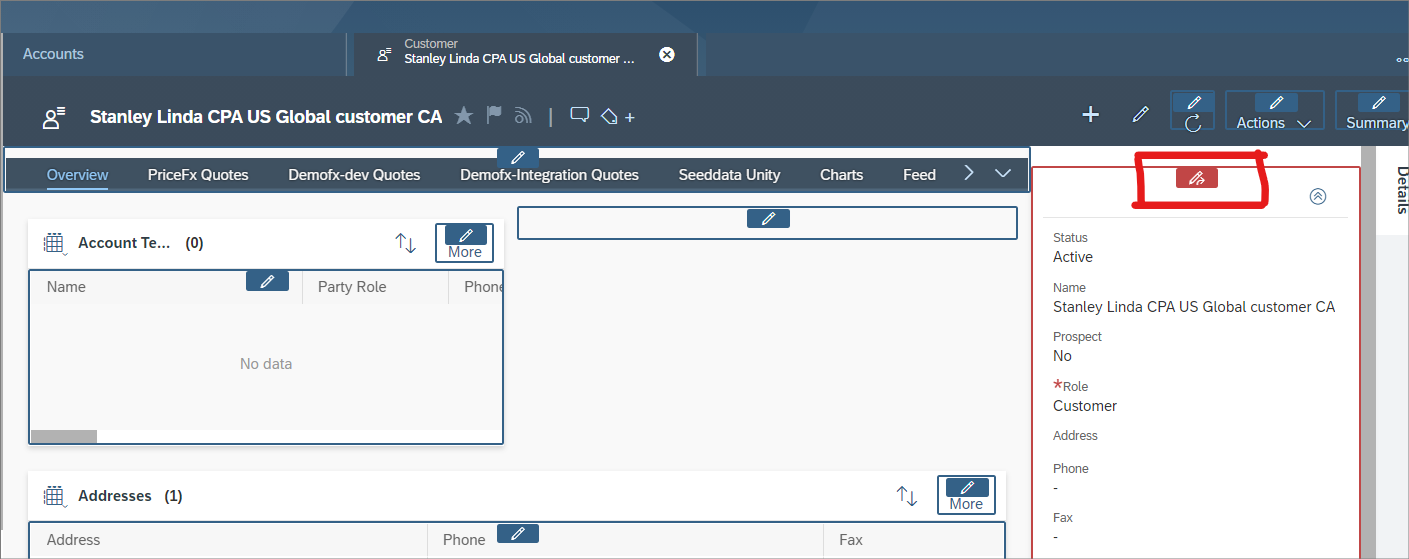
Select form where the field needs to be added (Account details in our case).
-
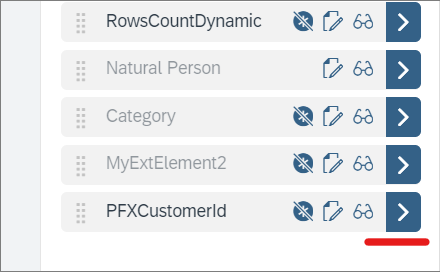
Drill down your field.
-
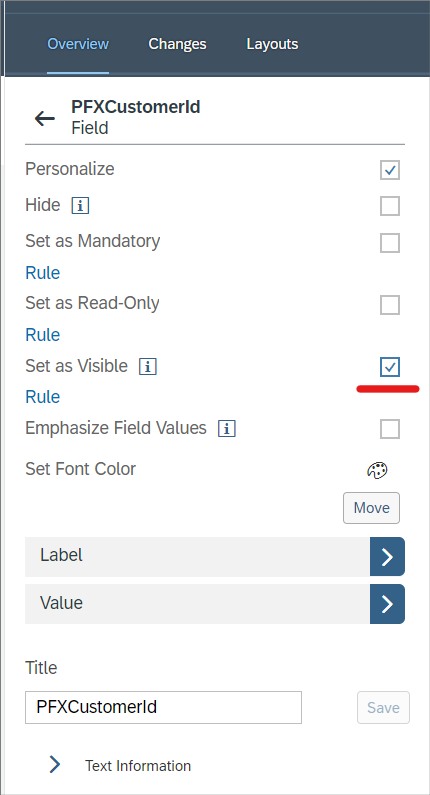
Make the field visible.
-
The field is added to the page.
For details how to make this field accessible via OData see SAP C4C - Make Custom Field Accessible via OData.