
|
Aim of this article |
Shows how to create/update user accounts at a partition using Data Upload. |
|---|---|
|
Related sections |
Users (Reference Manual) |
|
Required permissions |
Partition Data Upload - import users |
Steps:
-
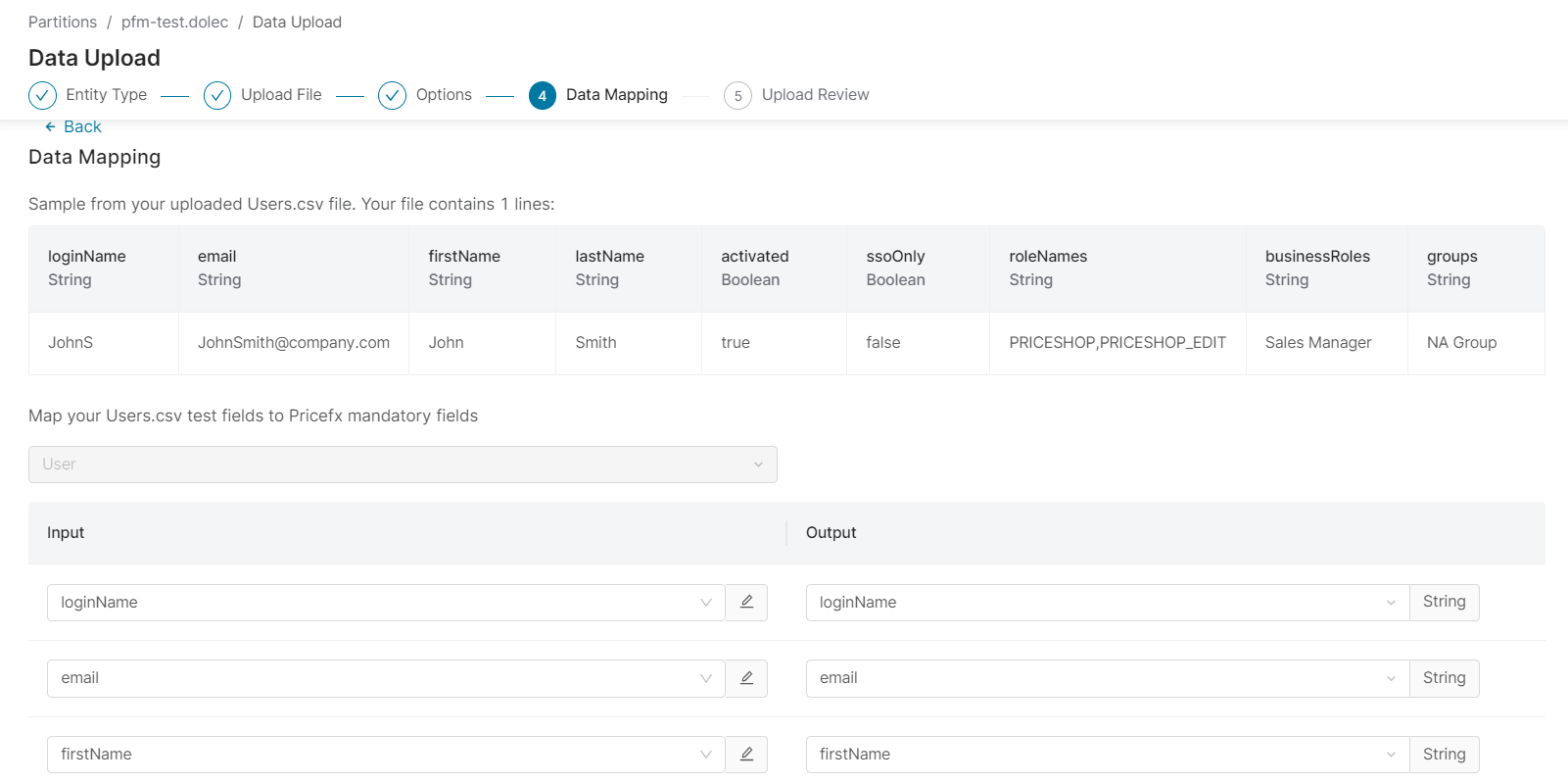
Prepare the user data in CSV format. Sample:
loginName,email,firstName,lastName,activated,ssoOnly,roleNames,businessRoles,groups
JohnS,JohnSmith@company.com,John,Smith,true,false,"PRICESHOP,PRICESHOP_EDIT","Sales Manager","NA Group"
Currently, it is not possible to directly use the CSV file exported from a partition. It contains the user role names as shown in the UI, whereas for the upload in PlatformManager you need to use their code name. The mapping can be found here.
-
Start a Data Upload as described here.
-
In the Data Mapping step, map your fields to the user account fields at the partition.
-
Follow the wizard to complete users upload.