
This article describes how SAP Integration Suite can enable product master synchronization between S/4HANA and Pricefx using event-driven approach.
Steps:
Step 0: Pricefx Setup and SAP S/4HANA Events Setup
Pricefx Setup
-
Configure the product master table in Pricefx to store the necessary fields from SAP S/4HANA.
-
Optionally, configure any Product Extension tables in Pricefx to store the necessary fields from SAP S/4HANA.
-
Optionally, configure any Price Parameter tables in Pricefx to store the necessary fields from SAP S/4HANA.
SAP S/4HANA Events Setup
-
Configure SAP S/4HANA to publish product updates events to SAP Event Mesh.
-
Configure a queue in SAP Event Mesh to subscribe to these events.
For more details, see SAP Event Mesh Configuration.
See: Product Master Management | Listen to SAP S/4HANA Product Events from SAP Event Mesh
Step 1: Aggregate Messages from SAP S/4HANA and Write to Pricefx
See: Product Master Management | Aggregate SAP S/4HANA Product Events from SAP Event Mesh
Step 2: Get Updated Entities from SAP S/4HANA from Entity IDs List
See: Product Master Management | Get Updated Products from SAP S/4HANA from Product IDs List
Step 3: Write Product Updates From SAP S4HANA To Pricefx, Multicast product response to all product entities in Pricefx
The updates are then published to another process which multicasts the updates to product master and other tables. You should build your own multicast process according to your needs.
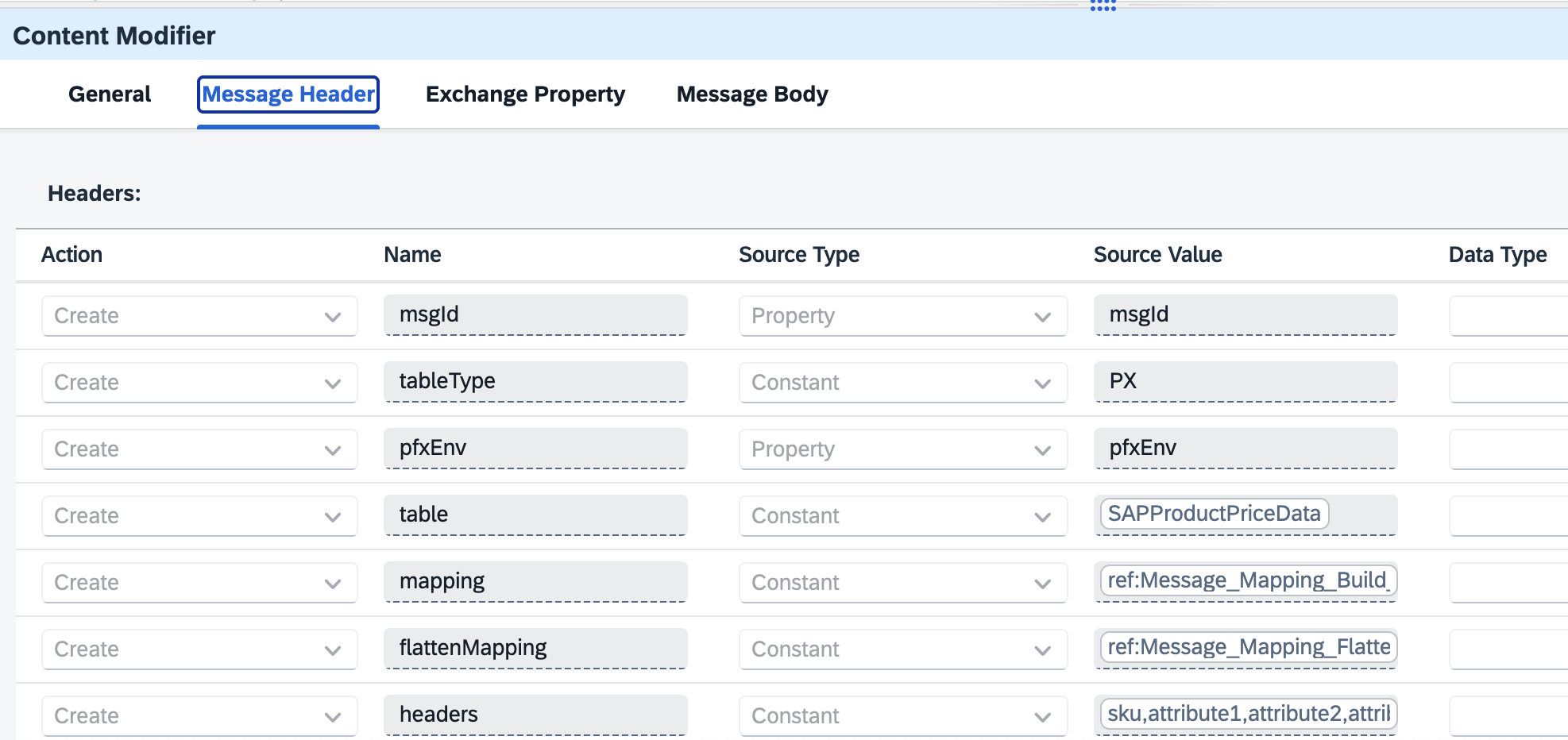
The multicast invokes the reusable process - Write Records to Pricefx Tables. Set the required mappings, table names, environment, table type as headers.
See Sample package
Step 4: Write Records to Pricefx Tables
See Set up Integration Flows - Event-driven | Step 4: Write Records to Pricefx.