
This article describes how SAP Integration Suite can enable data synchronization from S/4HANA to Pricefx by polling. These steps apply to all entities, such as Products, Customers, Product Extensions, Customer Extensions, Price Parameters and Data Feeds.
In this section:
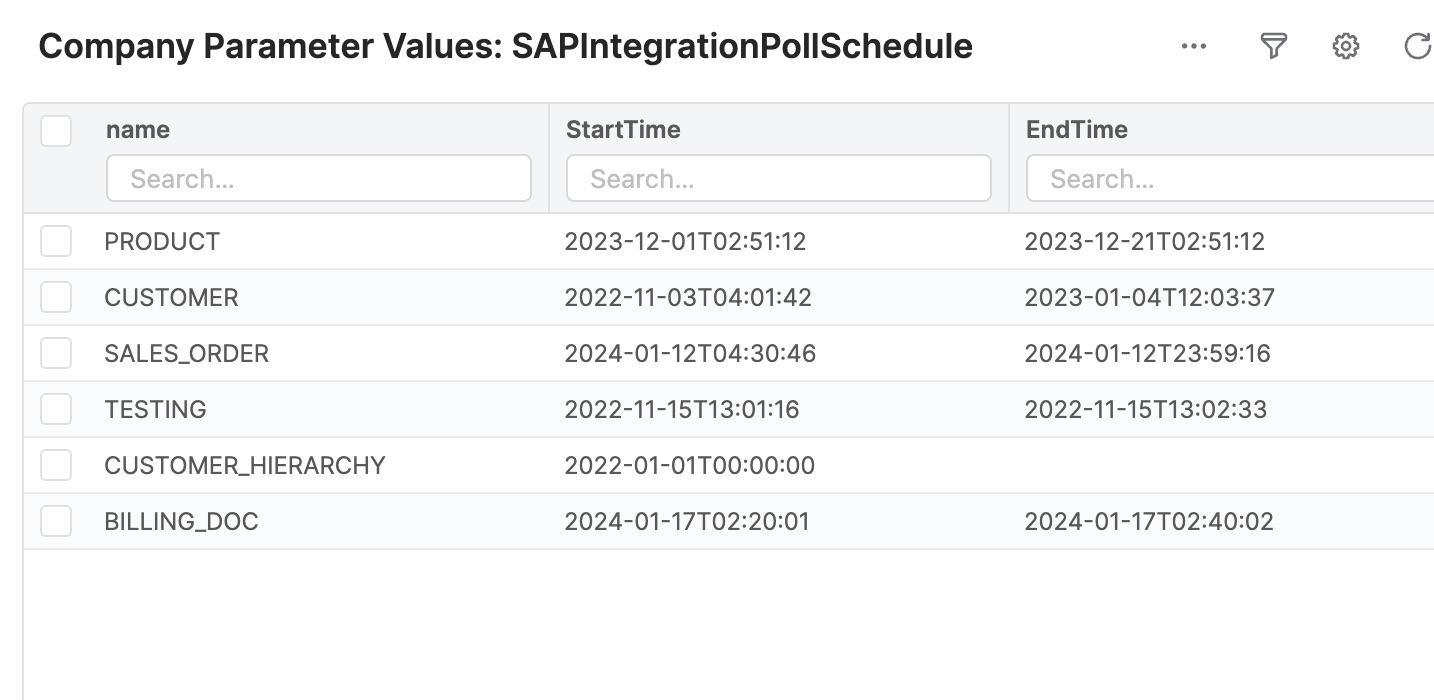
Step 0: Set up Polling Schedule in Pricefx Price Parameter
The integration flows read the polling schedule from a Price Parameter table in Pricefx. Add an entry of the entity which requires polling to the table.
Step 1: Build an Integration Flow to Poll Updates from SAP S/4HANA
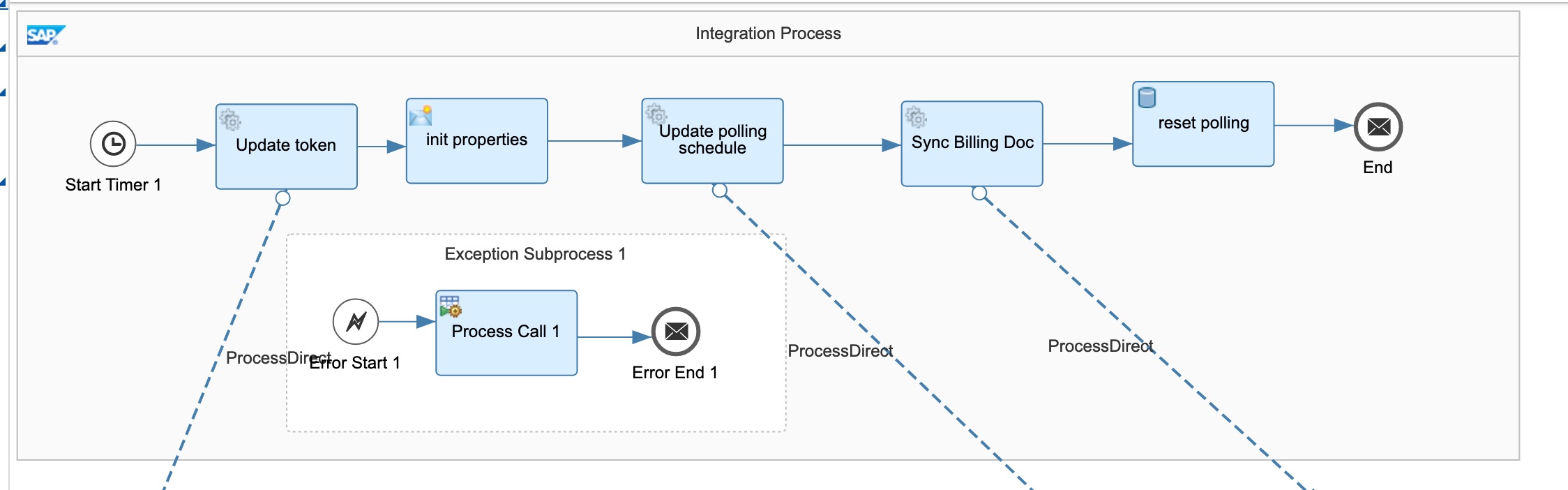
A sample integration flow Get latest updated data by polling at intervals is included in the package “Sample artifacts for SAP S/4HANA Integration with Pricefx”.
The sample integration flow runs periodically to synchronize Billing Documents. You can either duplicate this flow if you have to synchronize other entities or simply duplicate the branches if the schedule is the same.
Sub-steps:
-
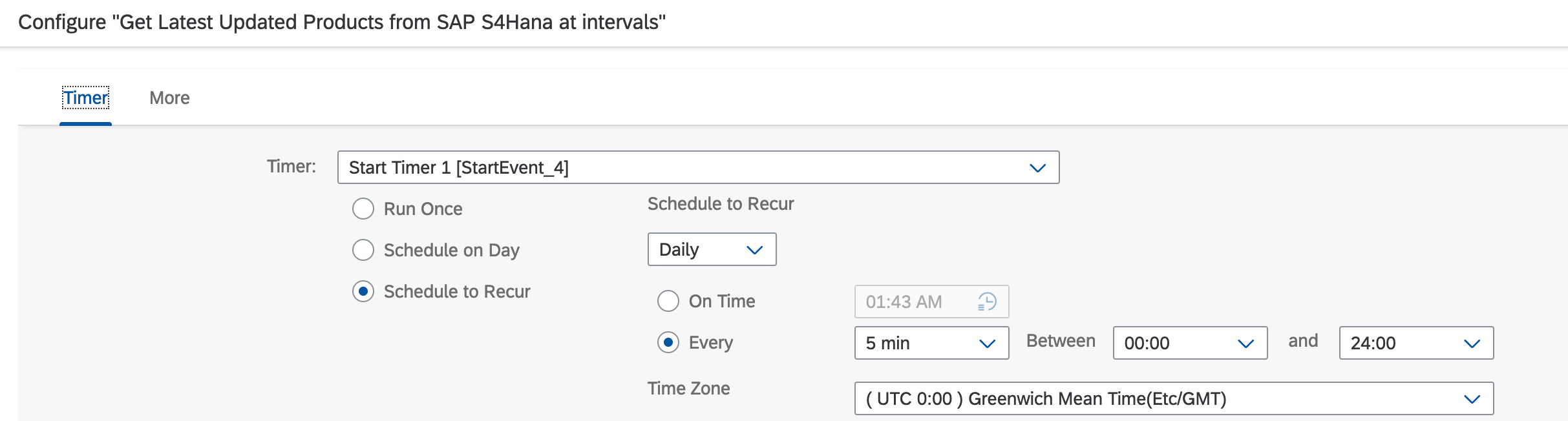
Configure the Start Timer.
-
Force run the refresh token process if required. Polling process can take long time to finish. Refreshing token in advance might reduce the chance of refreshing token during the process execution. Using a separate token of a different Pricefx integration user as other real time processes is recommended.
-
“Update polling schedule” calls Update polling schedule process from “Reusable Artifacts for SAP S/4HANA Integration with Pricefx” package. You should deploy all utilities from this package as well.
-
“Sync billing document” calls the main integration flow of billing document data synchronization. For other entities, a similar flow can be found in the package used for synchronizing the entities. See the next step “Get Latest Updated Entities from SAP S/4HANA“.
Step 2: Get Latest Updated Entities from SAP S/4HANA
These integration flows are duplicated or modified from Get Latest Updated Entities from SAP S/4HANA and write to Pricefx from the “Sample artifacts for SAP S/4HANA Integration with Pricefx” package. You can copy and modify your own flows to another package if you have a different set of entities, such as Price Parameters.
A loop is required to fetch all updated entities from SAP S/4HANA OData API by pages. If there are records returned from the API, the message will be sent to the next integration flow for further processing.
Configure the SAP S/4HANA OData connection properties and queries. You can update the filter and selected fields in query options. Copy the default query options from the integration flow and paste them to the configuration if you do not have your own.
For explanation and configuration of this integration flow, see Get Latest Updated Entities from SAP S/4HANA and write to Pricefx.
Step 3: Multicast Response to All Entities in Pricefx
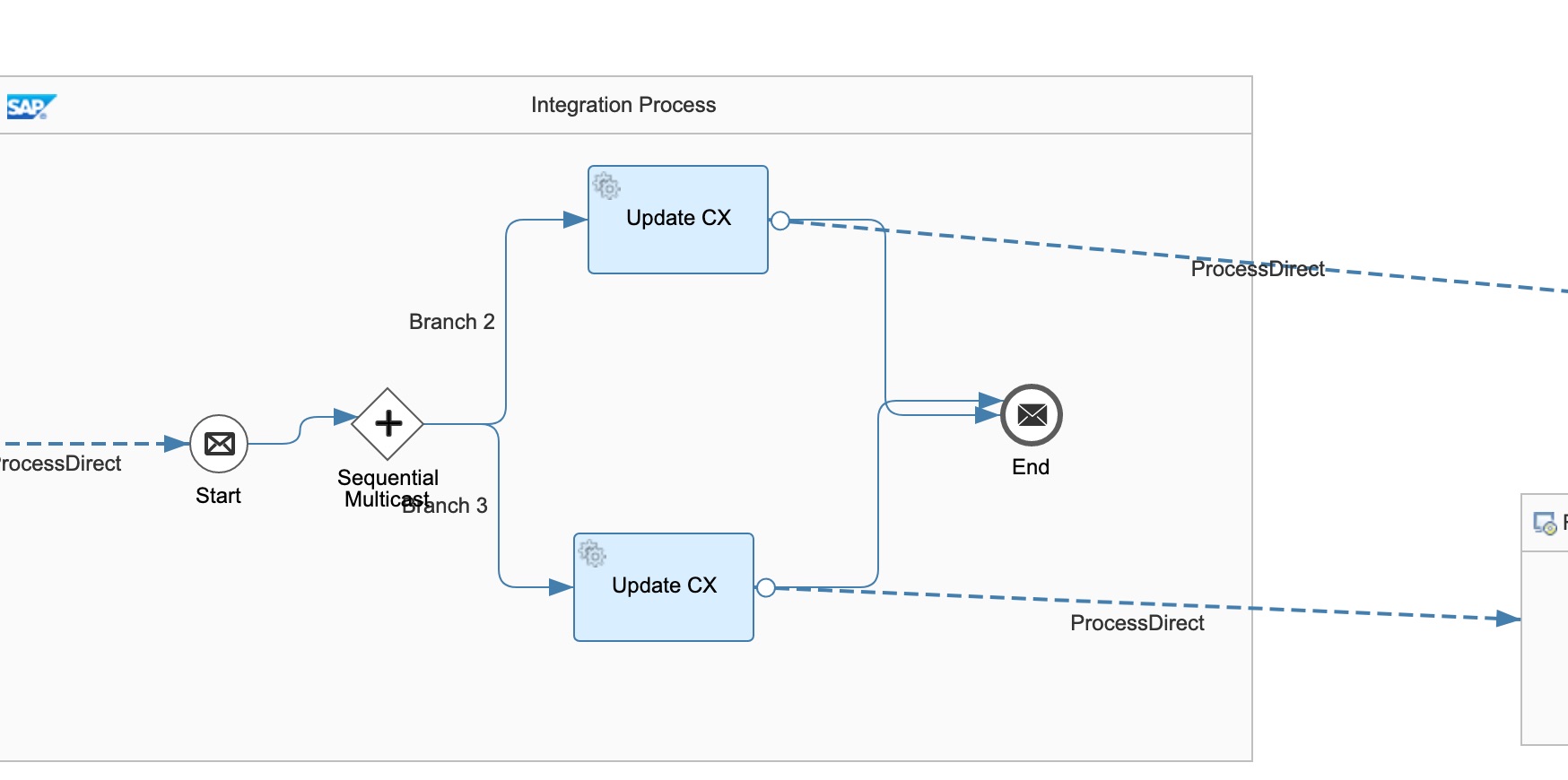
You should build your own integration flow to multicast the SAP S/4HANA response message to every integration flow which writes records to Pricefx tables. You should build this integration flow to either point it to the “end” if there is no other table to be updated, or multicast to multiple tables with one branch per Pricefx table.
A sample “Multicast Customer response from SAP S/4HANA to processing flows” is provided in the “SAP S/4HANA Customer Master Integration with Pricefx” package. The customer updates would be written to two Customer Extension tables.
Step 4: Write Records to Pricefx Tables
This integration flow can be found in “Reusable Artifacts for SAP S/4HANA Integration with Pricefx” package. Configure the necessary information for writing to any Pricefx tables such as mappings, table names, etc.
The integration flow transforms the response from SAP S/4HANA and writes the records to Pricefx.
For explanation and configuration of this integration flow, see Reusable Artifacts for SAP S/4HANA Integration with Pricefx | Write Records to Pricefx Tables
Logging
All the logs are forwarded to Send Log to email by default. You can configure your own log handling process by configuring the parameters of Log receivers and Error receivers in the integration flows.