
This article describes how SAP Integration Suite can enable product master synchronization between S/4HANA and Pricefx using polling approach.
Steps:
Step 0: Pricefx Setup
-
Configure the product master table in Pricefx to store the necessary fields from SAP S/4HANA.
-
Optionally, configure any Product Extension tables in Pricefx to store the necessary fields from SAP S/4HANA.
-
Optionally, configure any Price Parameter tables in Pricefx to store the necessary fields from SAP S/4HANA.
Step 1: Build Integration Flow to Poll Updates from SAP S/4HANA
You can either add a branch to the existing timer process or create another timer process for synchronizing billing documents. See Set up Integration Flows - Polling | Step 1: Build an Integration Flow to Poll Updates from SAP S/4HANA.
Step 2: Get Latest Updated Products from SAP S/4HANA and Write to Product Master
This integration is duplicated and modified from “Get Latest Updated Entities from SAP S/4HANA and write to Pricefx” from “Sample Artifacts for SAP S/4HANA Integration with Pricefx“ package.
Major steps carried out by this integration flow include:
-
Initialize properties and SAP AIR key.
-
Update next polling schedule in Pricefx.
-
Get updated products by batches
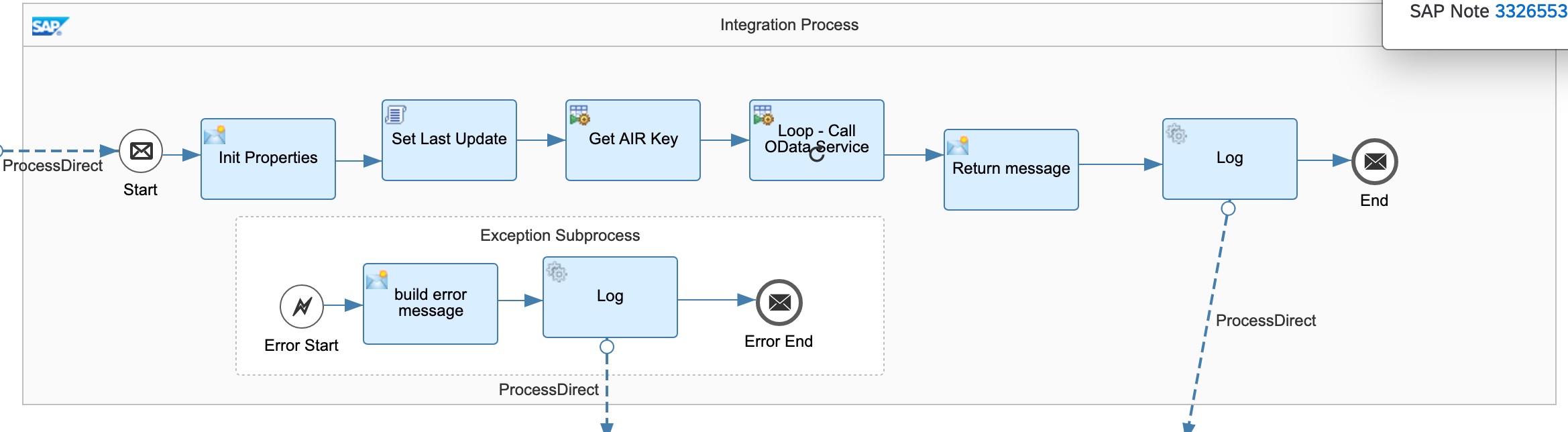
Below parameters can be configured but default values are provided:
-
Sender – The process direct incoming path of this integration flow.
-
Main receiver – The integration flow which writes product updates to Pricefx
-
Error receiver – The integration flow which writes error to error handler
-
Log receiver - The integration flow which writes error to log
-
AIR and SAP connection properties receiver – The integration flow which retrieves and SAP connection properties and AIR from Pricefx.
-
Transaction handling
-
Message header properties
-
OData connection properties
Step 3: Write Product Updates From SAP S4HANA To Pricefx, Multicast product response to all product entities in Pricefx
The updates are then published to another process which multicasts the updates to product master and other tables. You should build your own multicast process according to your needs.
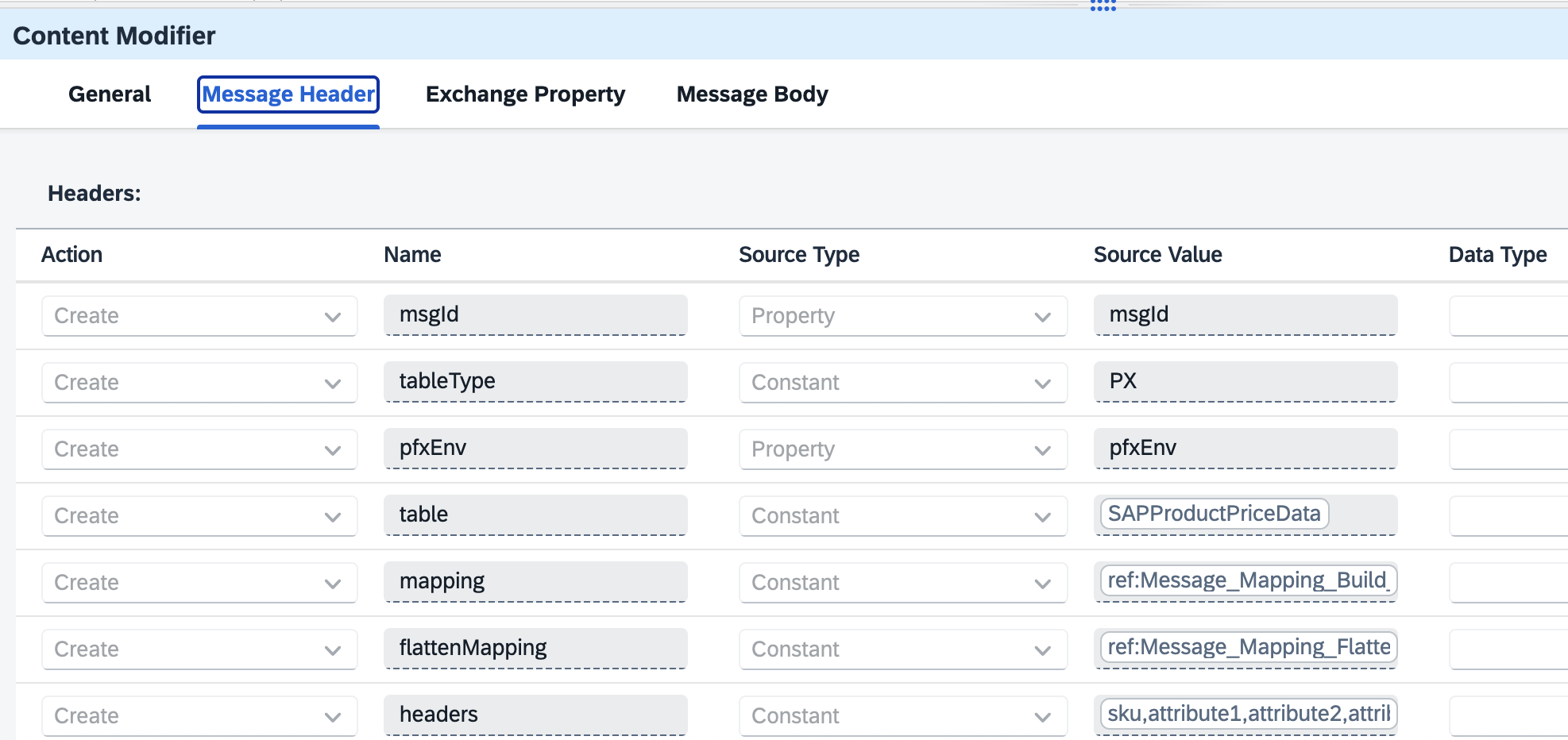
The multicast invokes the reusable process - Write Records to Pricefx Tables. Set the required mappings, table names, environment, table type as headers.
See Sample package
Step 4: Write Records to Pricefx Tables
Set up Integration Flows - Polling | Step 4: Write Records to Pricefx Tables