
Modal layout in Salesforce can be illustrated this way:
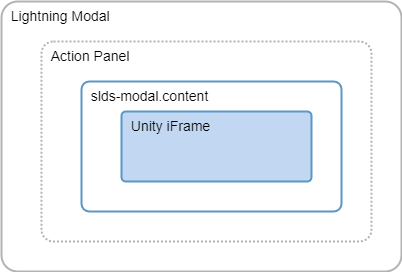
Details:
-
Lightning Modal can be styled using slds-modal_container class:
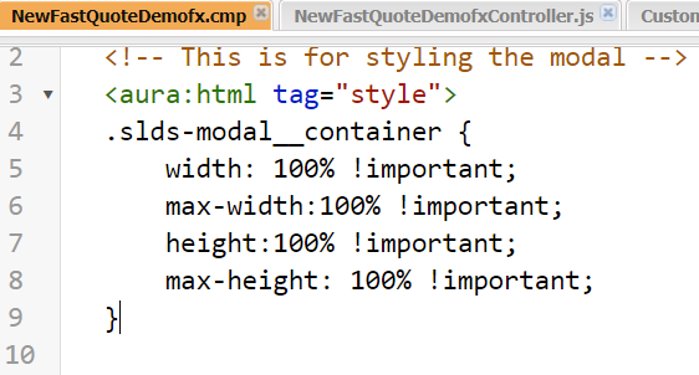
-
model__content 's height:
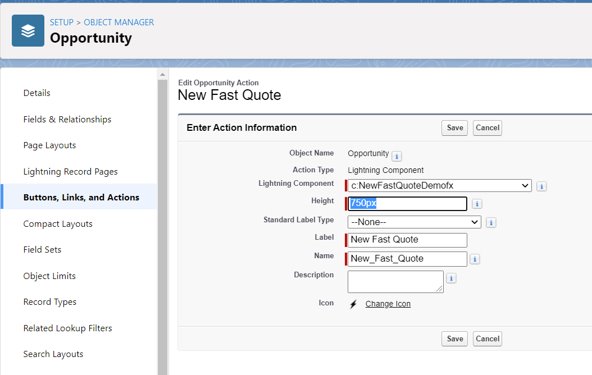
For example:
HTML
<aura:component implements="force:lightningQuickActionWithoutHeader">
    <!-- This is for styling the modal -->
    <aura:html tag="style">
    .slds-modal__container {
        width: 80% !important;
    	max-width:100% !important;
        height:100% !important;
        max-height: 100% !important;
    }

	</aura:html>

    <force:canvasApp developerName="application_name" width="100%"/>
</aura:component>