Define Lightning Component Wrapping Canvas App
First, define a Lightning Component that wraps Unity Canvas App:
-
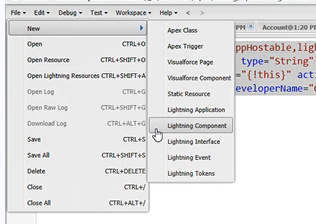
Go to Developer Console > File > New > Lightning Component.
-
In Component (you can switch to the component by Ctrl+Shift+1):

<aura:component implements="force:appHostable,lightning:isUrlAddressable" access="global">
    <aura:attribute name="recordId" type="String" access="global" />
    <aura:handler name="init" value="{!this}" action="{!c.doInit}" />
    <force:canvasApp width="100%" developerName="Quote_Configurator_All"/>
</aura:component>
Alternatively, in the most current version of Salesforce try this code:<aura:component implements="force:appHostable,lightning:isUrlAddressable" access="global"> <lightning:workspaceAPI aura:id="workspace"/> <aura:handler name="init" value="{!this}" action="{!c.doInit}" /> <force:canvasApp width="100%" developerName="Quote_Configurator_All"/> </aura:component>In the above code:
<force:isUrlAddressable> – Enables direct navigation to a Lightning component via URL.
<force:appHostable> – Allows it to be used as a custom tab in Lightning Experience or Salesforce mobile app.
<developerName=”Quote_Configurator_All”> – Name of the canvasApps. In this case, we are using Quote_Configurator_All.
<width=”100%”> – Sets the full width of the canvas application inside the Lightning component. -
In Controller leave it as is:
({
    doInit : function(component, event, helper){
    }
})
Define Lightning Component Tab Using Lightning Component
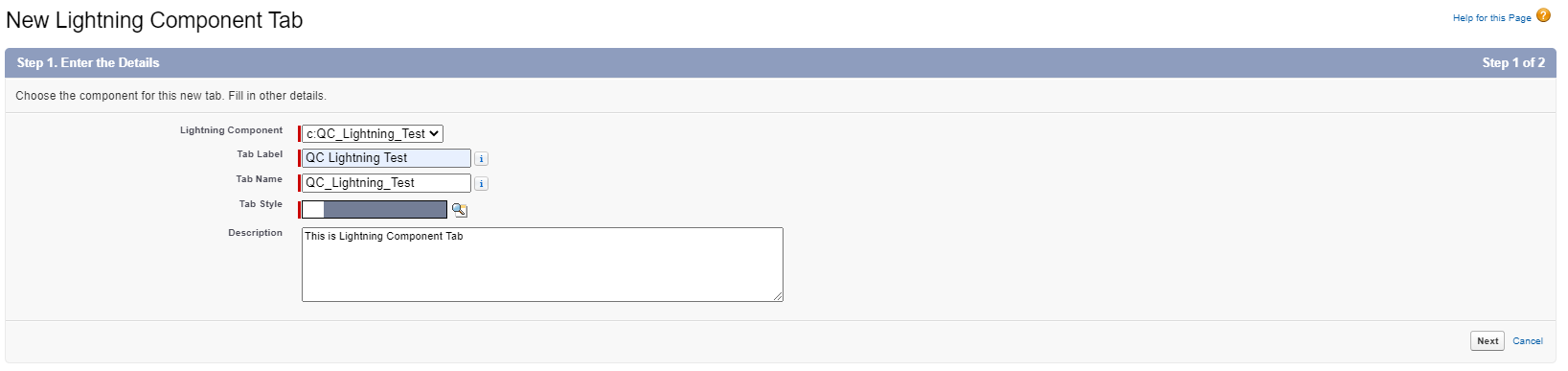
Go to Setup > Quick Find > Lightning Component Tabs > New.
In Lightning, we can go into quote detail based on the typedId by adding the parameter c__typedId to the URL.
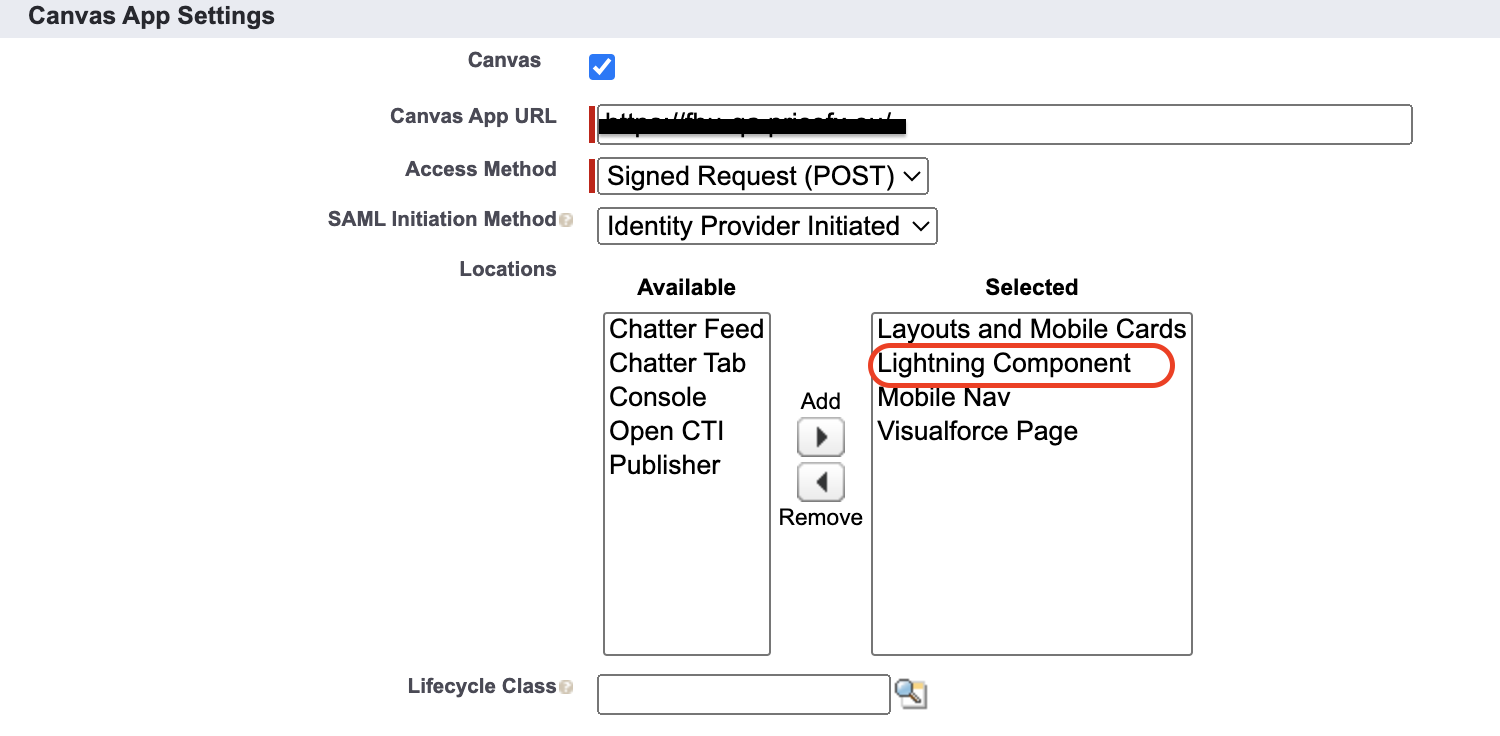
Check your Canvas App settings to enable Lightning Component:
Example:
This is the URL of the Lighting component:
https://mycompany.lightning.force.com/lightning/cmp/c__QC_Lightning_Test?c__targetPageState=P-55756&c__targetPage=quotes
-
QC_Lightning_Test – Before the name of the Lightning Component Tab, we need to add c__ prefix for custom component.
-
P-55756 – uniqueName/typedId of entity
-
quotes – entity, currently we support quotes/contracts/rebate-agreements
But if you would like to use the Lighting Component Tab, then you need to use:
https://mycompany.lightning.force.com/lightning/n/QC_Lightning_Test?c__targetPageState=P-55756&c__targetPage=quotes
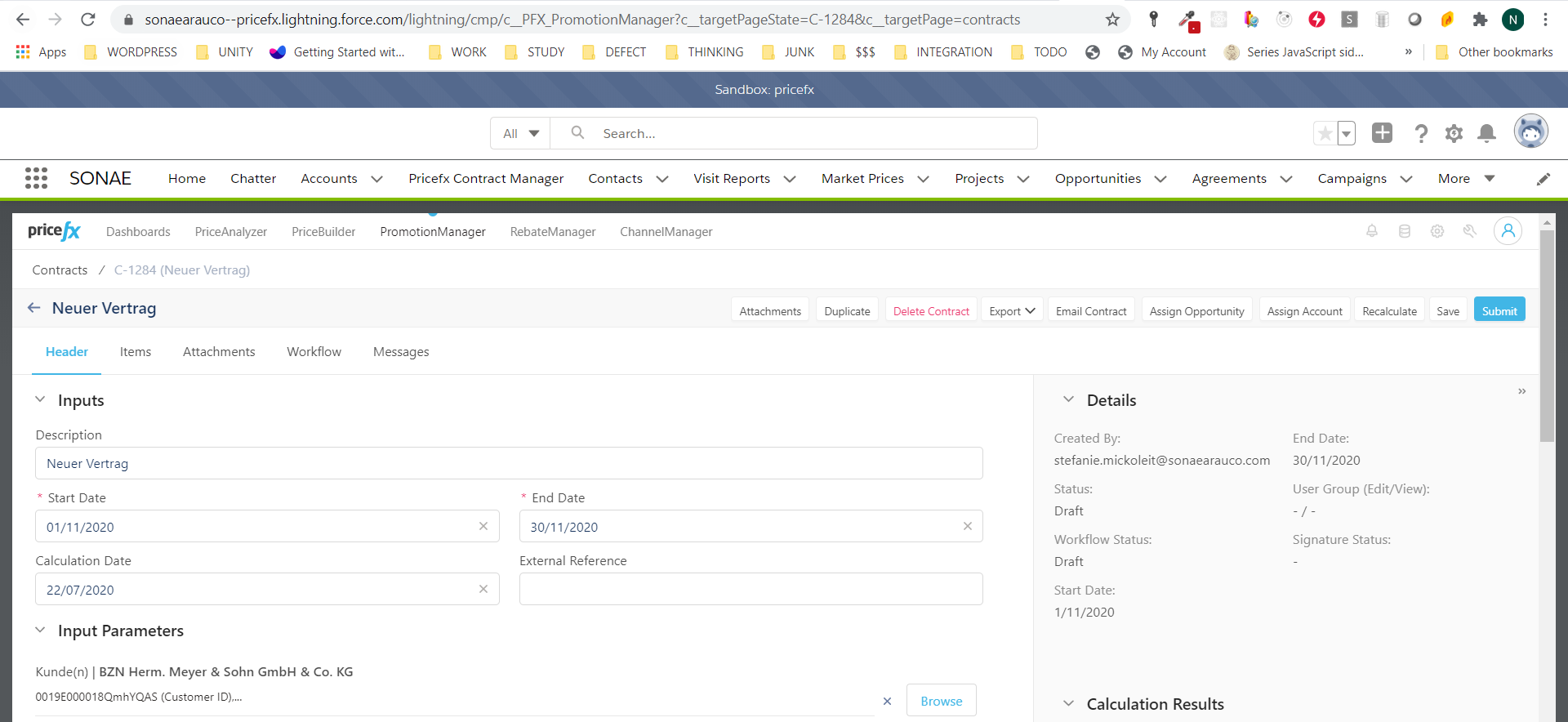
The result looks like this: