
To be able to show a VisualForce page TAB with connected application, you need to make several settings on your iPhone.
-
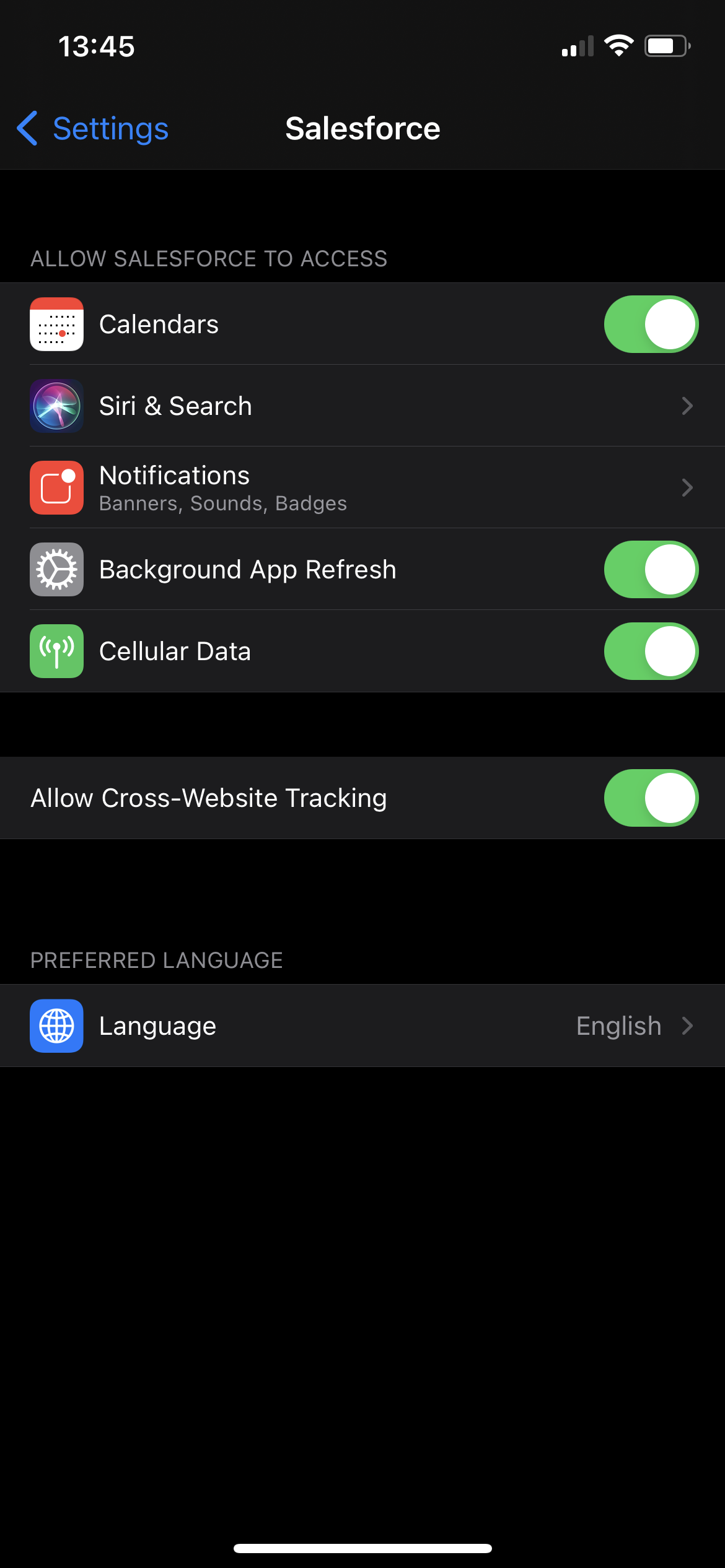
Go to iPhone > Settings > Salesforce and turn on the “Allow Cross-Website Tracking” option.
-
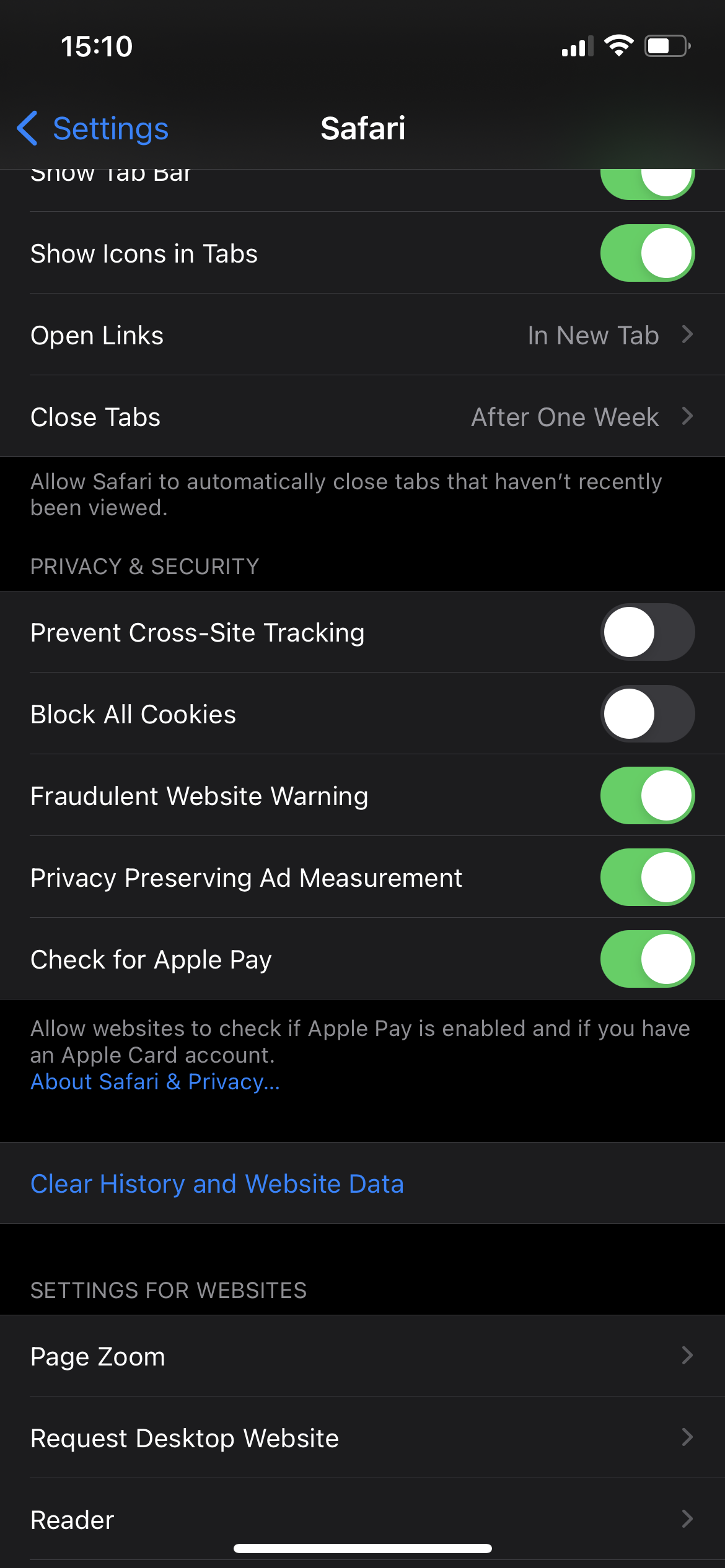
If you want to access Salesforce from Safari, check the following Safari settings:
-
iPhone > Settings > Safari > Prevent Cross-Site Tracking is OFF
-
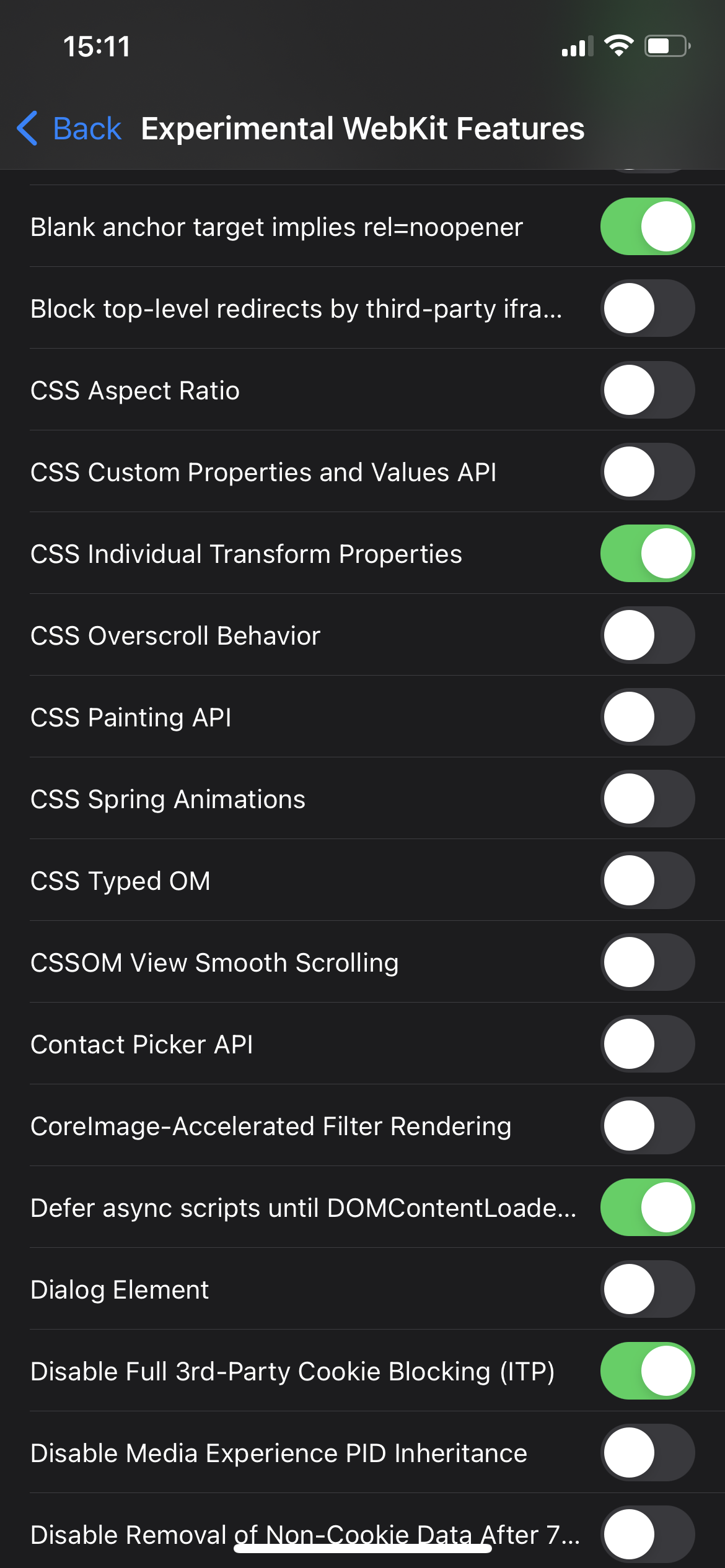
iPhone > Settings > Safari > Prevent Cross-Site Tracking > Advanced > Experimental Features >
-
Block top-level redirects by third party iframe is OFF
-
Disable Full 3rd-party Cookie Blocking is ON
-
-