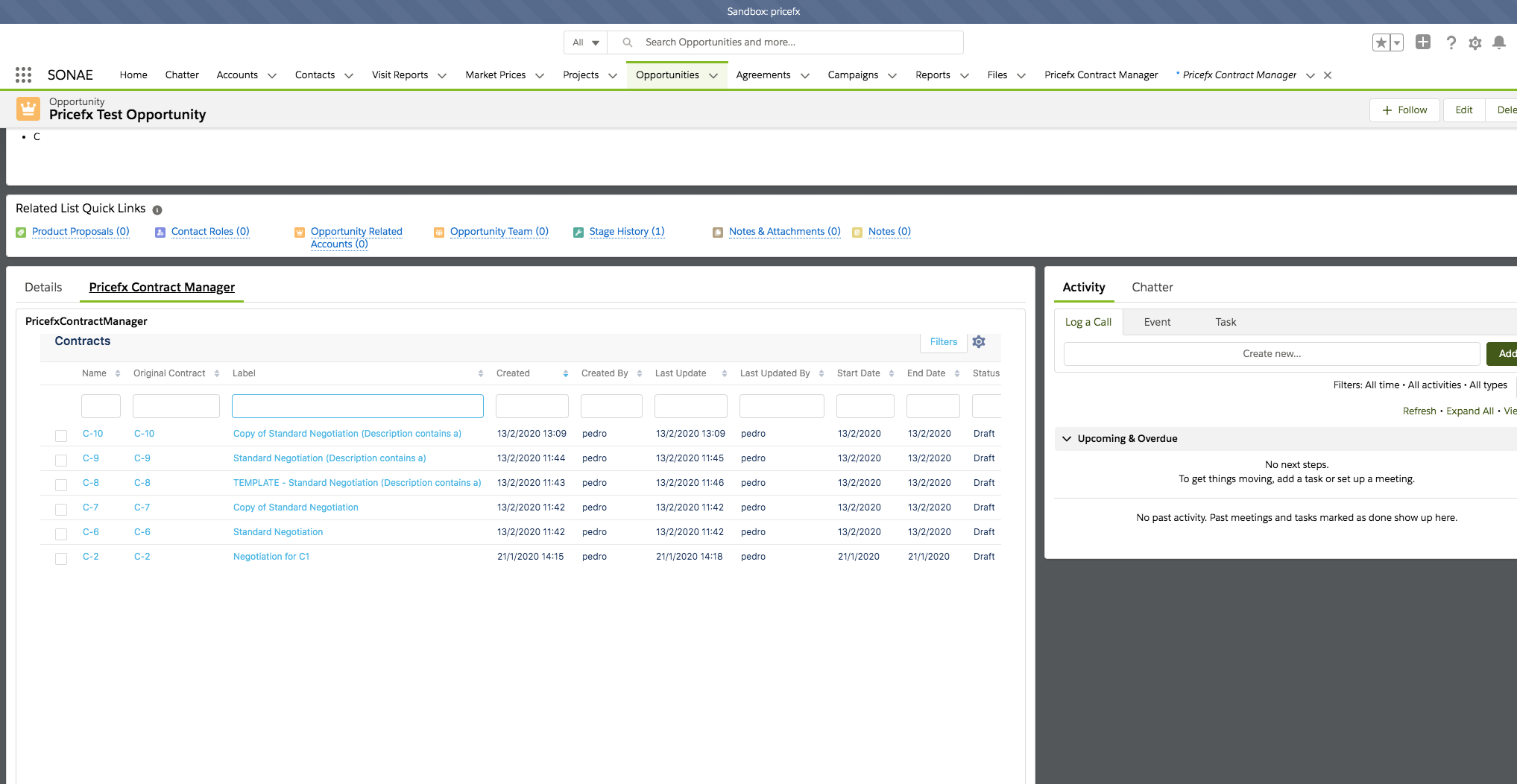
In Salesforce Lightning UI you can use “App Lightning Builder”. It is possible to add our application as VisualForce page. The VisualForce Page must be enabled for the Lightning.
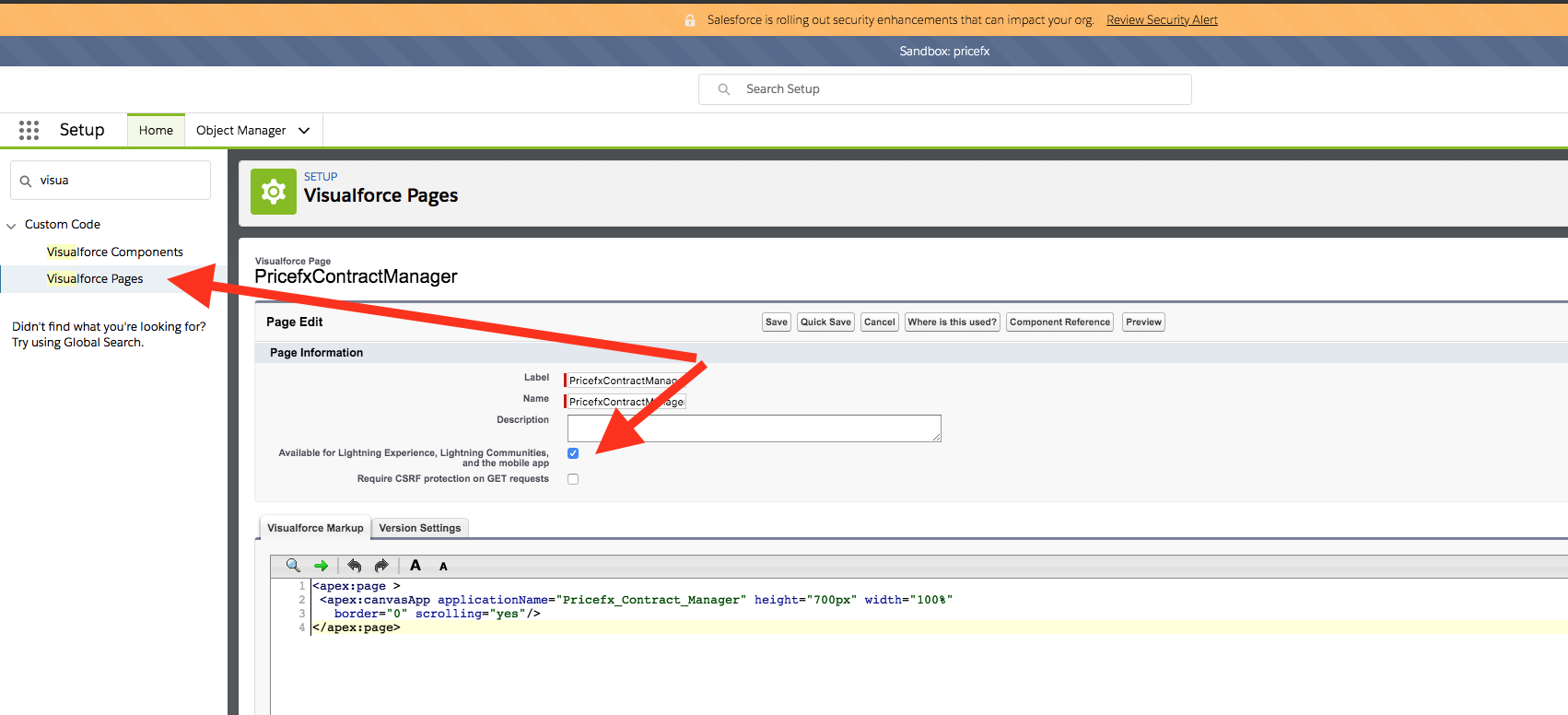
Take the following steps:
-
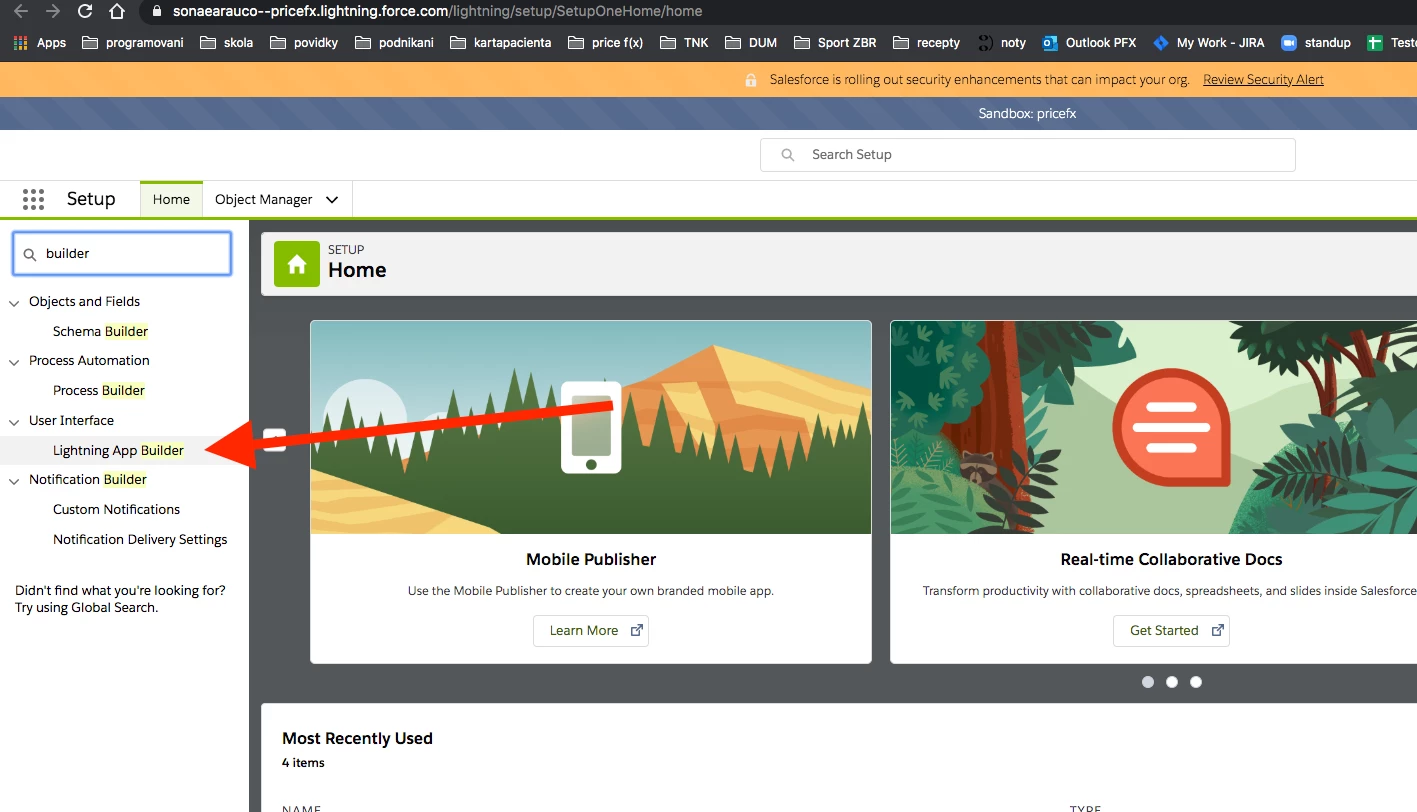
Go to Salesforce Setup and find “Lightning App Builder”.
-
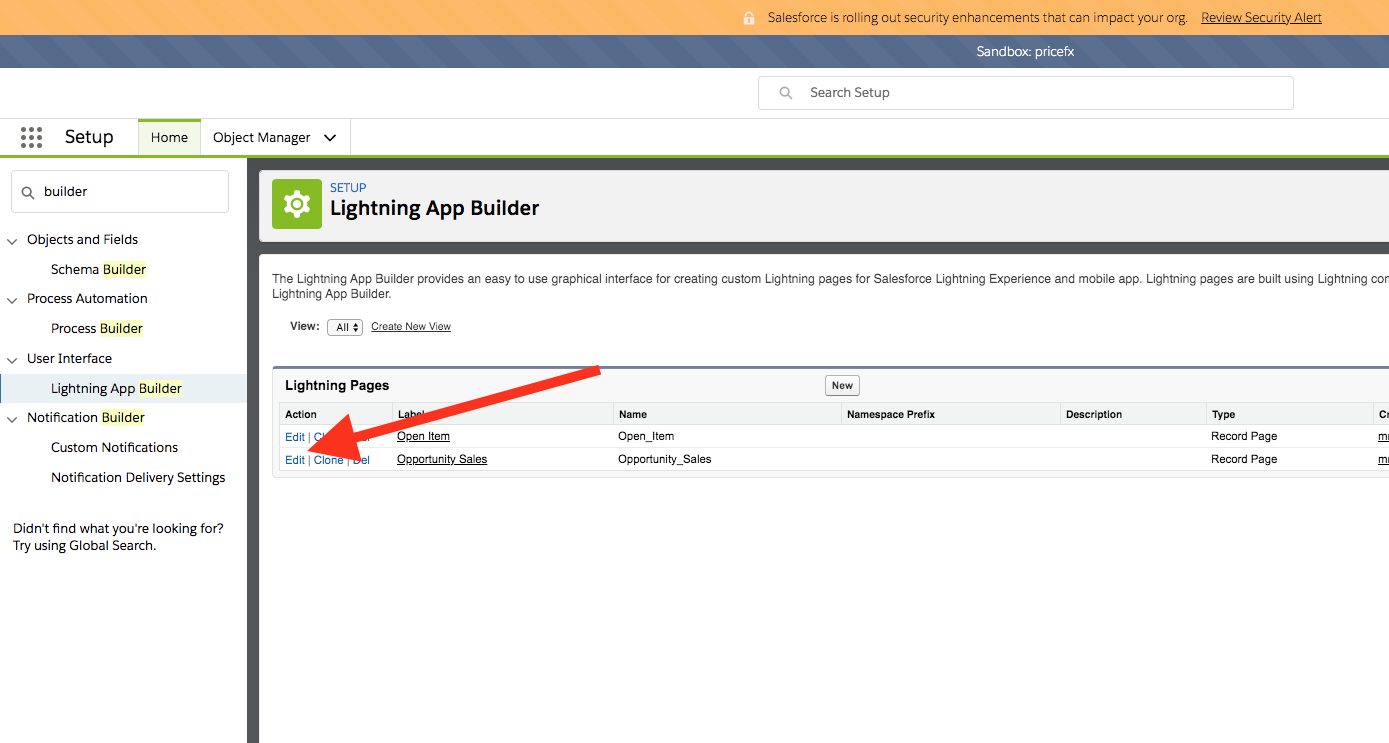
Find the Page record you want to change and click Edit.
-
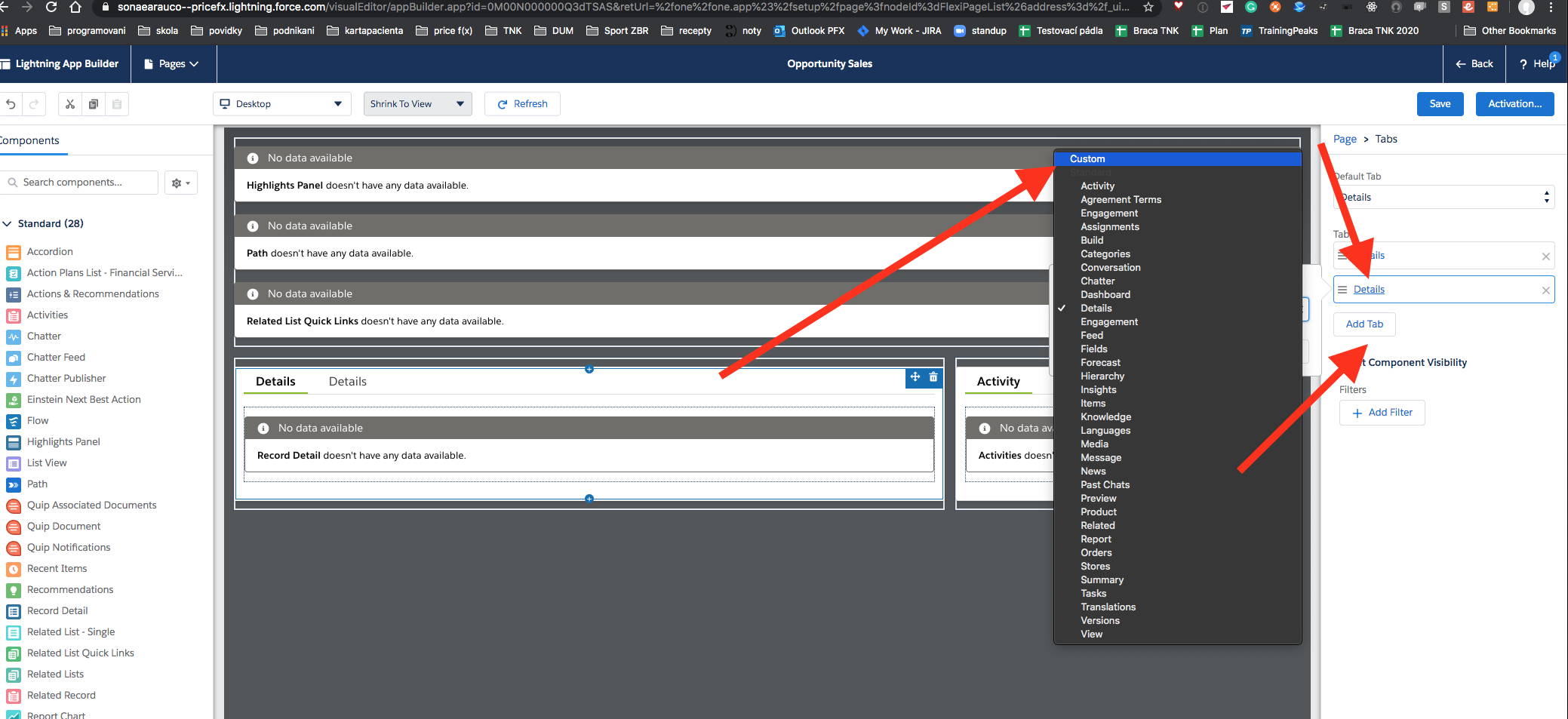
In the main component add a new Tab and rename it to “Pricefx Contract Manager” (only an example).
-
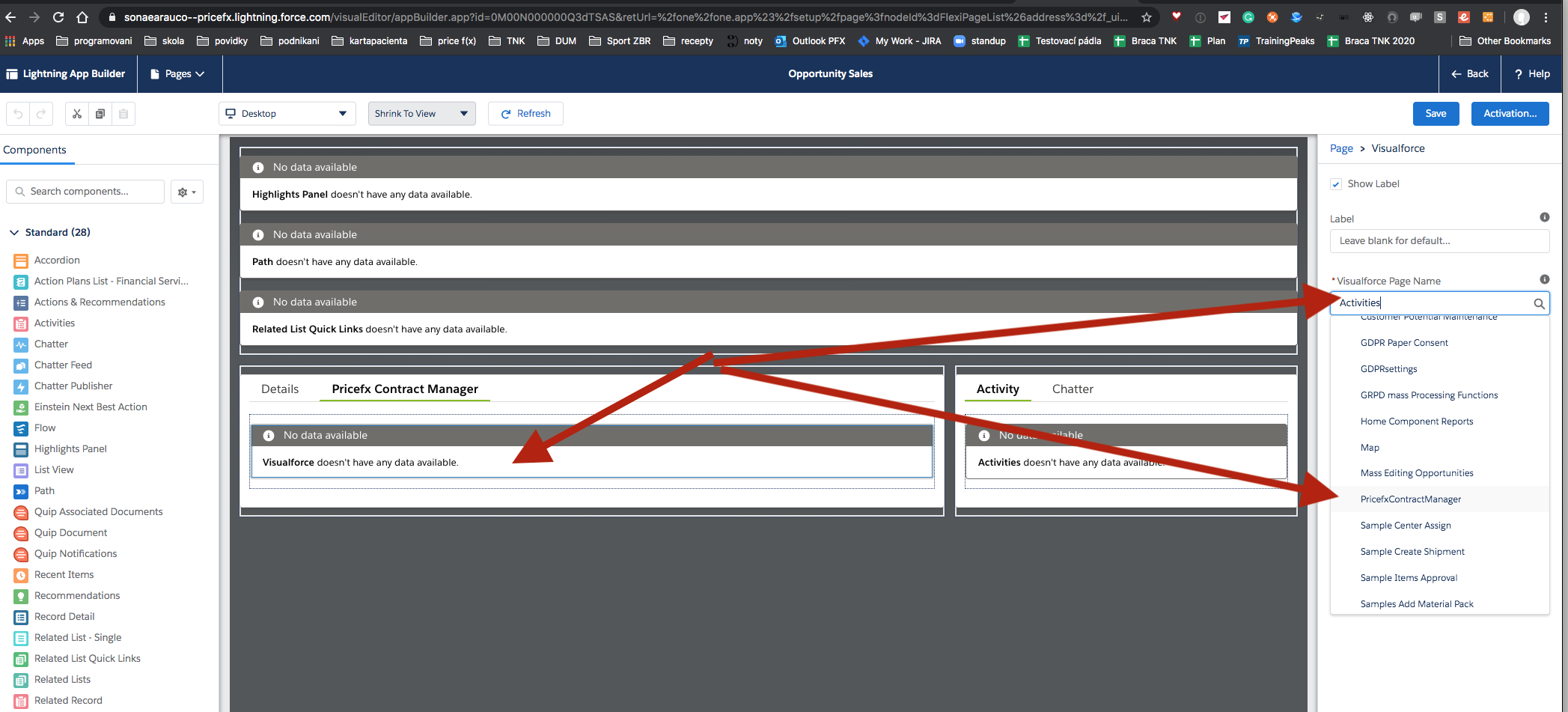
Add a VisualForce page to this new Tab and change the content you created earlier to the Pricefx VisualForce page. Click the content, click the right menu and a drop-down list opens. Select Pricefx VisualForce page.
-
Go to Opportunities and verify that Pricefx Unity application has been added.