
All the integration flows from this page have to be deployed.
Convert JSON Array to XML
While Pricefx Adapter accepts and returns only JSON format, SAP OData adapter accepts and returns XML and most of the built-in SAP IS actions (such as Gather or Split) only work with XML. This utility helps you convert JSON array returned from Pricefx Adapter to XML for further processing.
Configuration
-
Sender - The process direct incoming path of this integration flow.
-
Error Receiver - The integration flow that writes error to error handler
-
Transaction handling
Sample Request Message
[
    {
        "name" : "abc",
        "value" : "1000"
    },
    {
        "name" : "def",
        "value" : "2000"
    }
]
Sample Response Message
<records>
    <record>
        <name>abc</name>
        <value>1000</value>
    </record>
    <record>
        <name>def</name>
        <value>2000</value>
    </record>
</records>
Convert XML to JSON Array
While Pricefx Adapter accepts and returns only JSON format, SAP OData adapter accepts and returns XML and most of the built-in SAP IS actions (such as Gather or Split) only work with XML. This utility helps you convert XML to JSON array accepted by Pricefx Adapter.
Configuration
-
Sender - The process direct incoming path of this integration flow.
-
Error Receiver - The integration flow that writes error to error handler
-
Transaction handling
Sample Request Message
<records>
    <record>
        <name>abc</name>
        <value>1000</value>
    </record>
    <record>
        <name>def</name>
        <value>2000</value>
    </record>
</records>
Sample Response Message
[
    {
        "name": "abc",
        "value": "1000"
    },
    {
        "name": "def",
        "value": "2000"
    }
]
Common Groovy Library for SAP S/4HANA Integration with Pricefx
This script package contains Groovy scripts used in other integration flows.
Get AIR key from Pricefx and SAP Connection Properties
This integration flow retrieves SAP S/4HANA connection properties as well as the Application Interface Register (AIR) from Pricefx as a XML message.
AIR key
It is SAP requirement to append AIR of partner application to the header in any communications with SAP S/4HANA. This property is defined in Advanced Configuration Options in Pricefx. Define the Advanced Configuration Options as shown below:
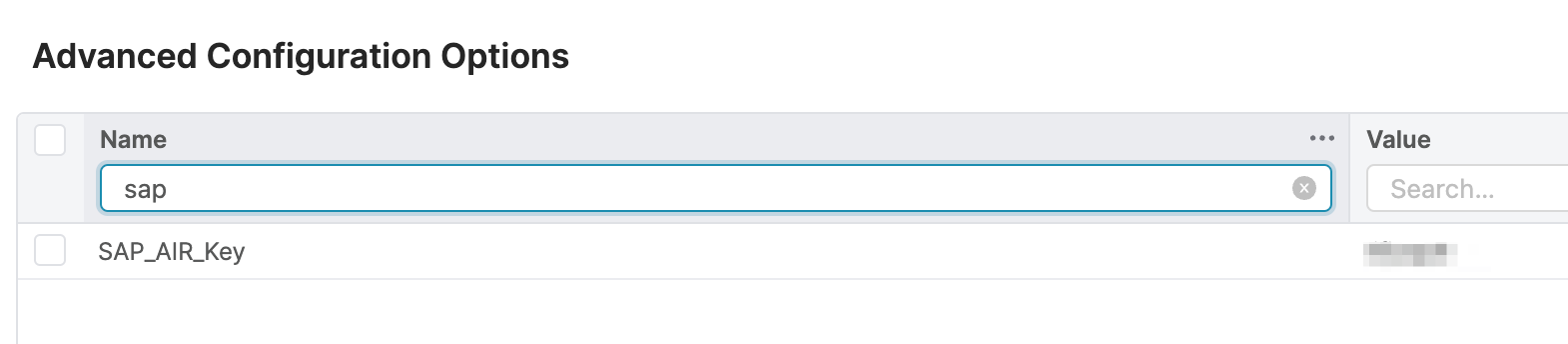
The value of SAP API Key is r4h8psk9.
SAP Connection Properties
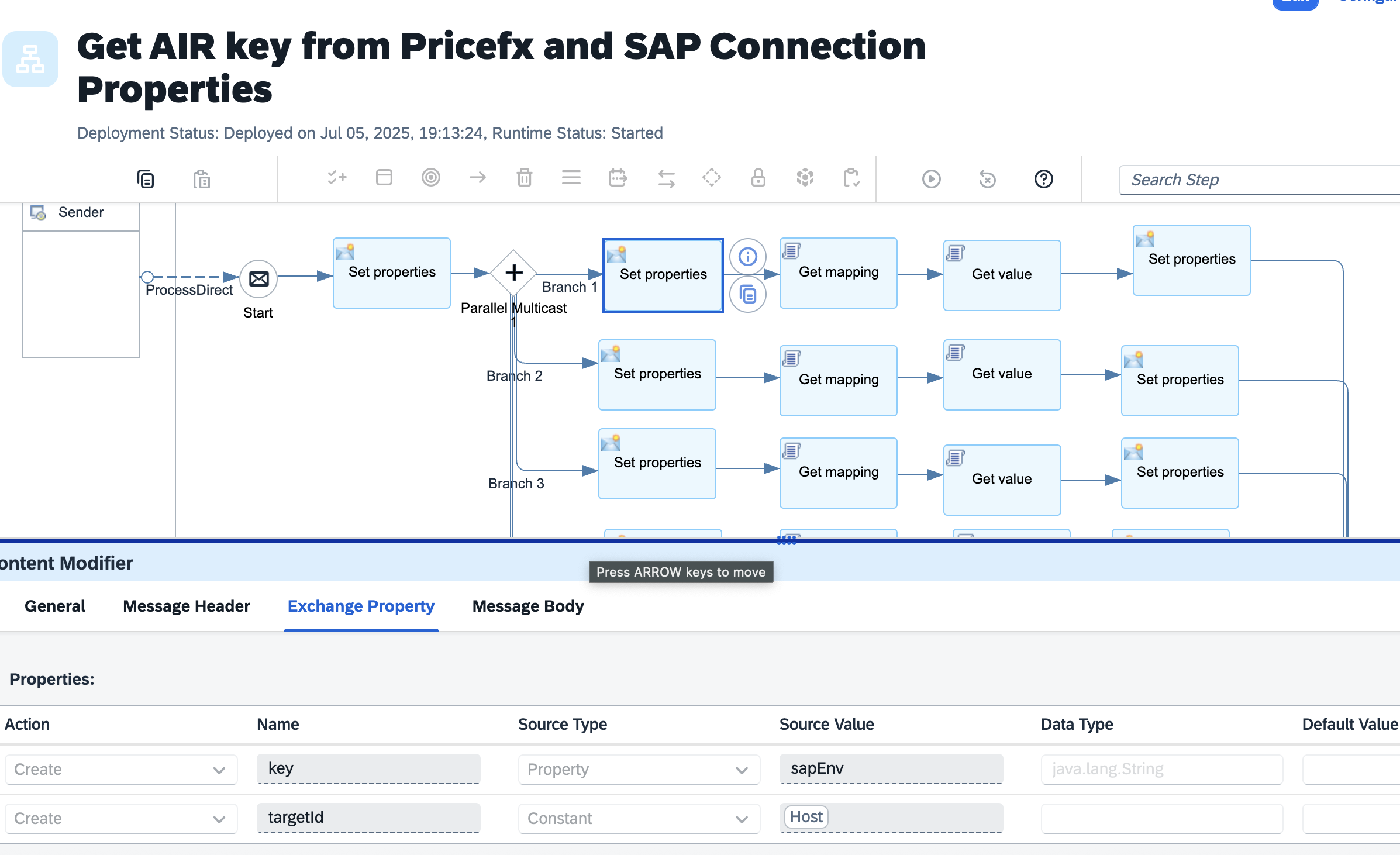
The OData host, credentials, access token, cookie token properties are stored in Value Mapping so that they can be dynamically assigned to the integration flows by Environment. The Environment key is passed to this process as header. The properties are retrieved from the mapping.
Required Headers
-
sapEnv - Environment key to get SAP S/4HANA connection properties from value mapping
Configuration
-
Sender - The process direct incoming path of this integration flow.
-
Error Receiver - The integration flow that writes error to error handler
-
Transaction handling
-
Pricefx partition and connection properties
-
Name of the Advanced Configuration Option of the AIR
Sample Response Message
<sapConnection>
  <AirKey>r4h8psk9</AirKey>
  <Location></Location>
  <AccessToken>access-token-s4hrac</AccessToken>
  <CookieToken>cookie-token-s4hrac</CookieToken>
  <Host>http://pxhost:44300</Host>
  <Credential>rac-security</Credential>
</sapConnection>
Send Log to Email
This integration flow forwards the incoming message to the email adapter.
Configuration
-
Sender - The process direct incoming path of this integration flow.
-
Email connection properties