
When you open the Quotes page in the Quoting module, a table displays showing the list of all Quotes you are entitled to see.
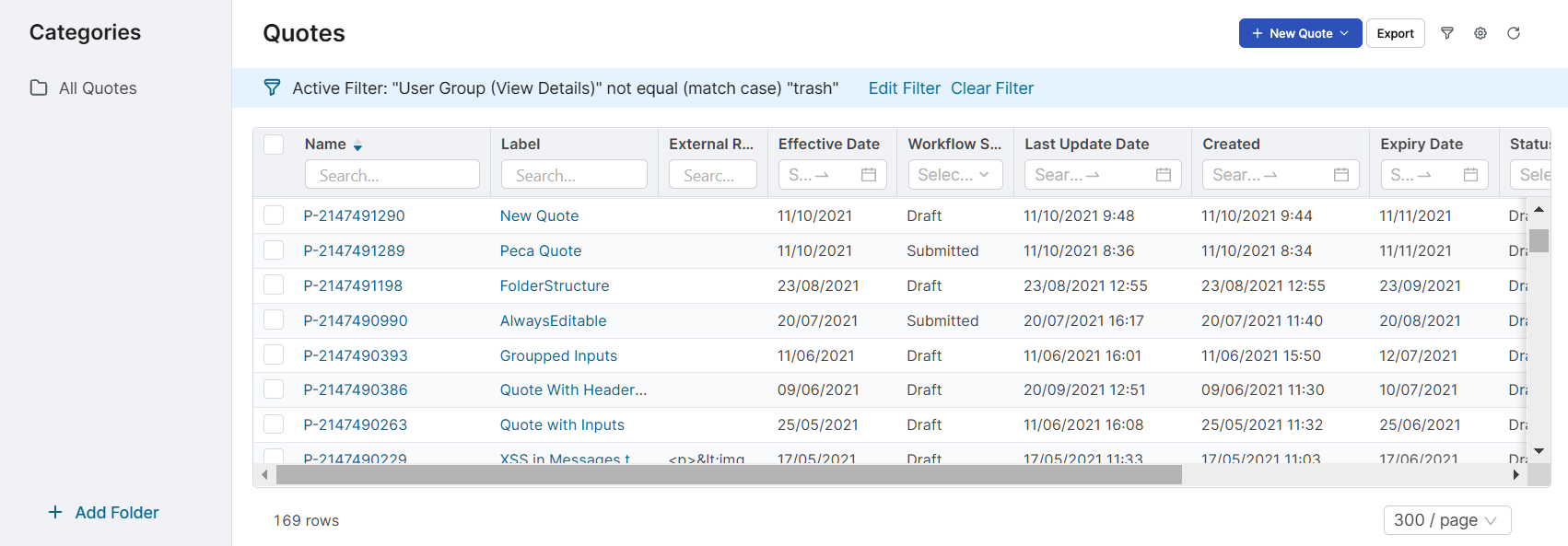
Click on the Name or Label to display the Quote's details.
A lot of important information about the Quote is available here – this list can be also exported:
-
Created By – The name of the sales person who created the Quote.
-
Customer – Indicates for which customer this Quote is created.
-
Status – Indicates in which state the document is (Draft, Offer, Deal, Lost, ...).
-
Lost Reason – The reason for deal loss. The sales manager can also export the list of Quotes with a specific loss reason.
-
Lost Reason Comment – An additional comment about the deal loss.
You can customize the structure and content of the Quotes table to suite your needs. You can:
-
Organize Quotes into folders in the Categories tree
-
Sort the table
-
Use a simple filter
-
Add/remove fields (columns)
-
Create advanced filters
-
Save your customized layout and filters as a preference
Watch this video tutorial explaining how to set up a new preference.
See the Common Table Actions section for details.
Familiarize yourself also with the available Quote actions.