
Pricefx offers calculation grids as a powerful tool within its comprehensive pricing software solution. Calculation grids provide you with a flexible and efficient way to perform complex pricing calculations, enabling your business to optimize pricing strategies and make informed decisions.
Calculation Grids are intended for working with a large amount of row-like data (items) that are not tied to SKUs and therefore cannot be processed in Price Lists, Live Price Grids or Quotes. With Calculation Grids you are able to modify, execute and store data like supplier costs, promotions, etc.
Key facts about Calculation Grids:
-
A configuration wizard that helps you with the setup.
-
Table keys can come from data, a calculation logic or can be configured manually.
-
Table rows (line items) are generated by a dedicated calculation logic.
Additionally, Pricefx's calculation grids integrate seamlessly with other capabilities within the system, such as Price Optimization, and Analytics. This integration enhances the overall pricing capabilities and empowers businesses to make data-driven decisions that drive profitability and competitive advantage.
Mass Edits
While you may be familiar with Price grids that already exists in Price Setting, this feature, unlike price grids that is calculating SKUs, Calculation Grids is calculating columns that can be a mix of keys. We do not have any defined in this example, you can use competitors and turnover indicators or any other rankings that are relevant to you and your business. You can add up to six (6) keys.
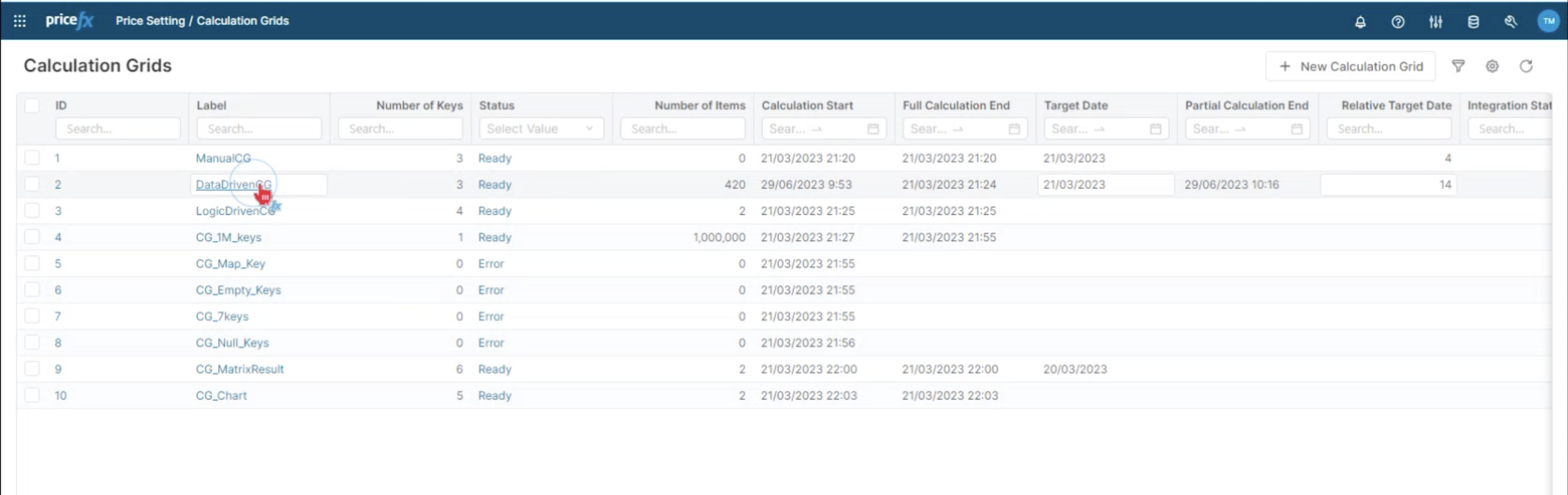
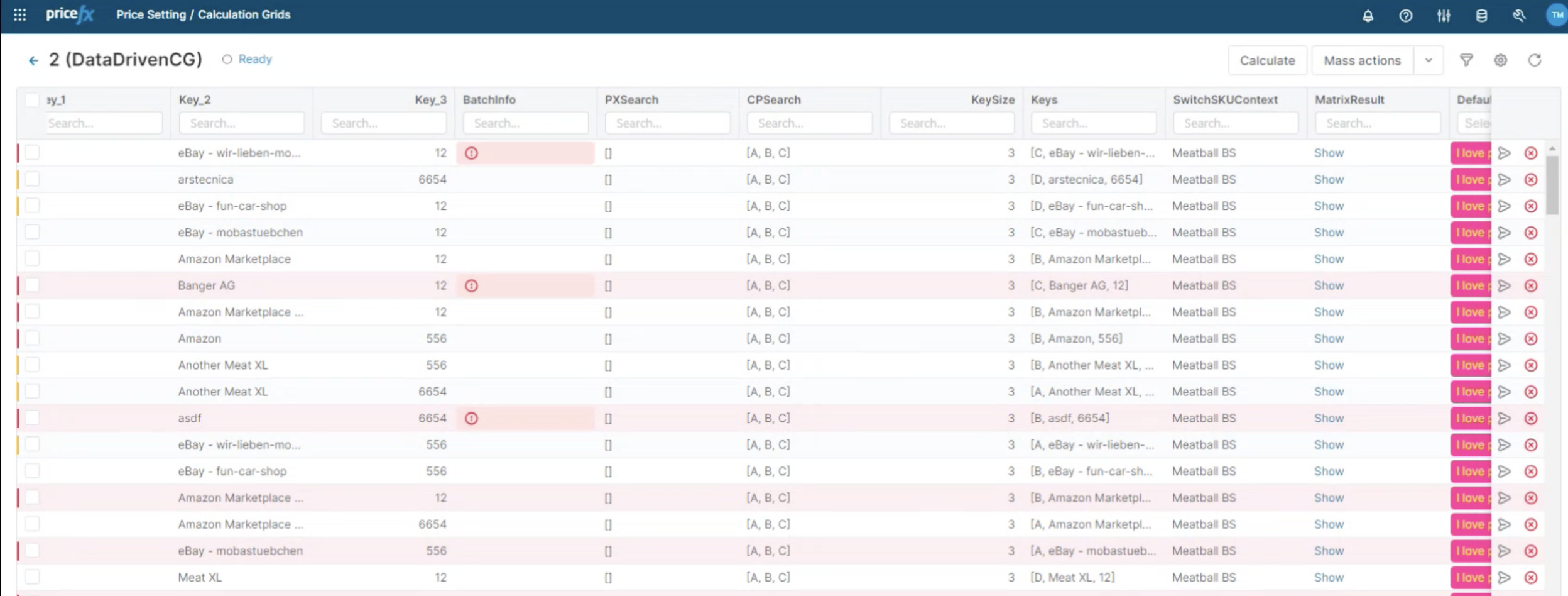
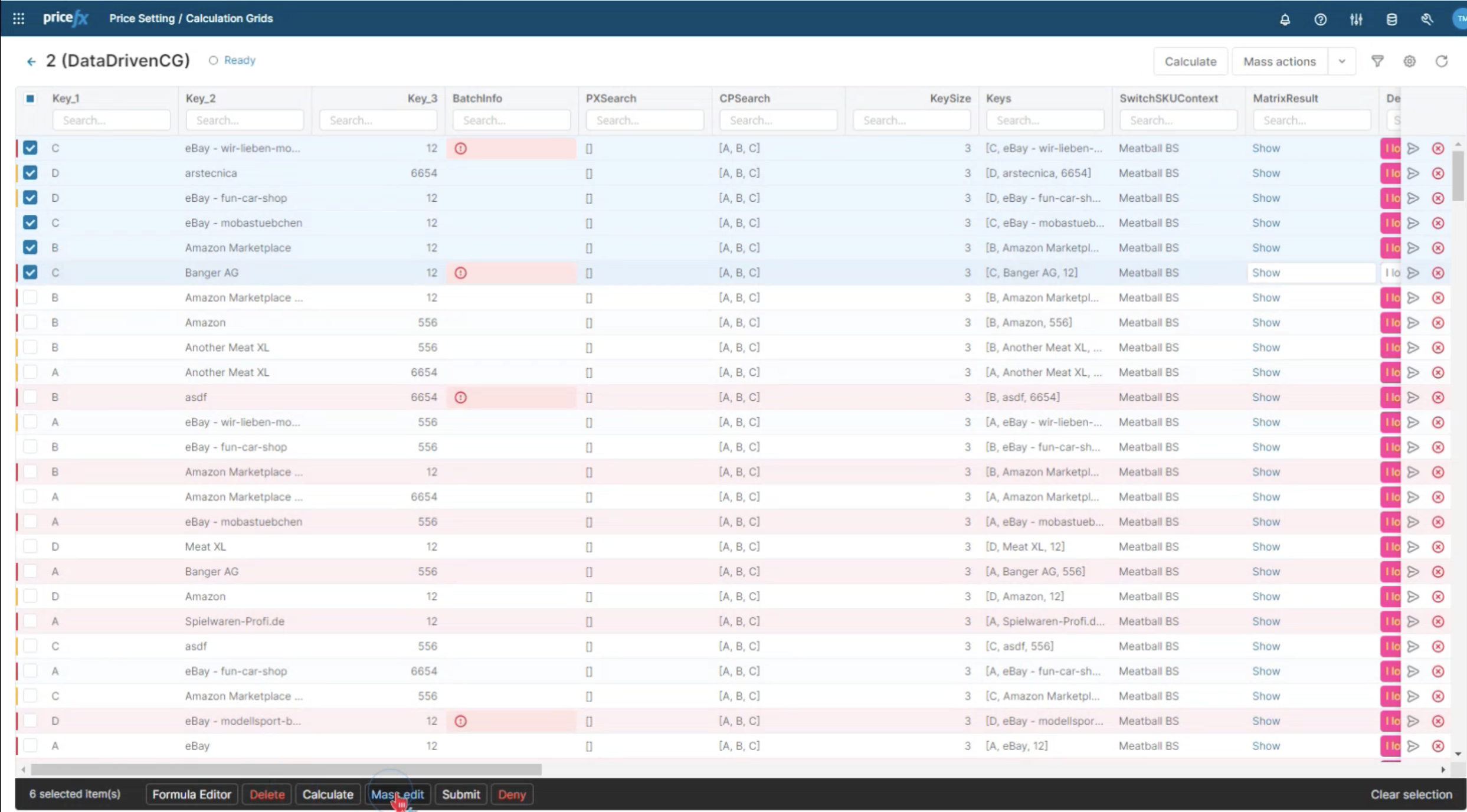
The option of mass edits within the Calculation Grids is available just as in the LPG.
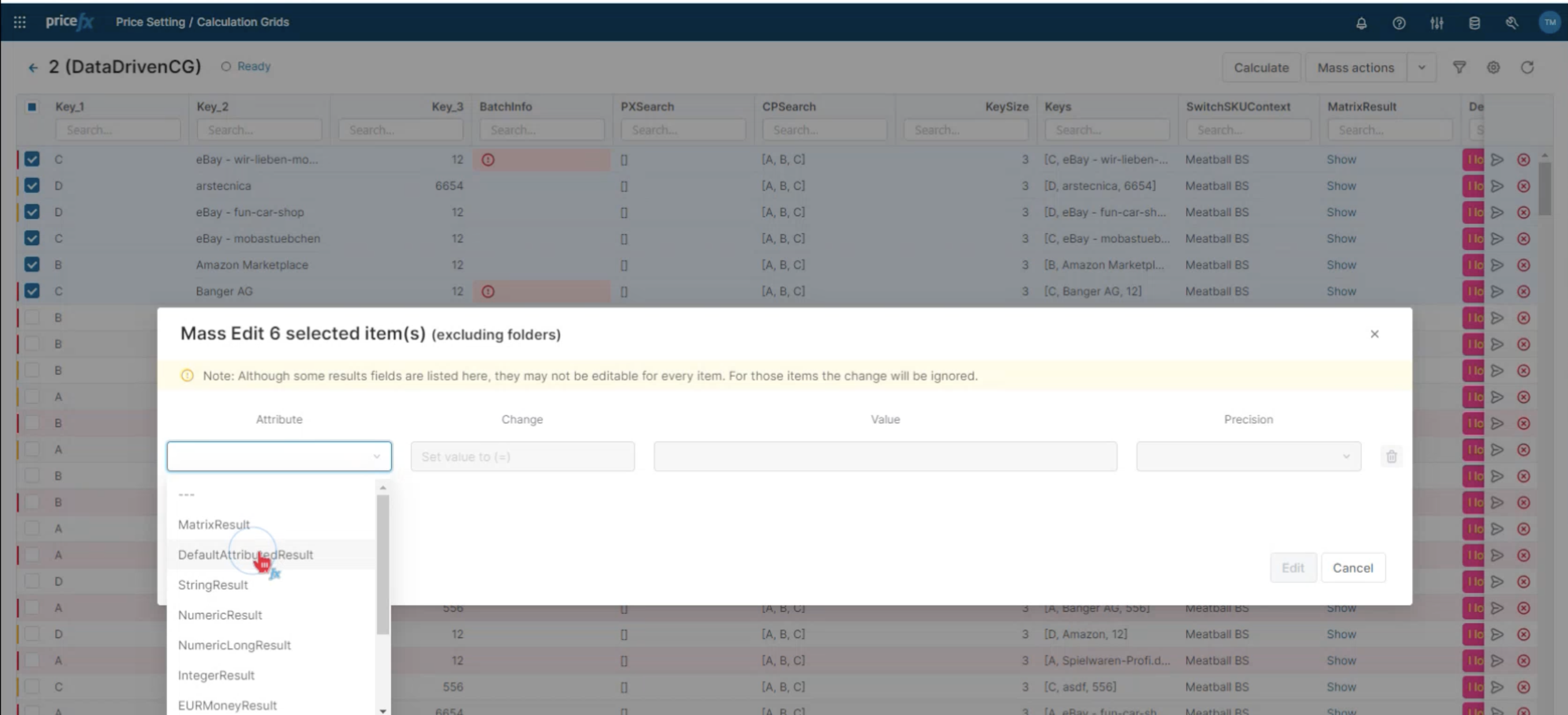
Just like in LPG, all the columns that were marked to be overridden, the logic can be changed to suit your purpose.
-
Select the items you want to edit by checking the boxes in front of them.
-
Click OK to mass edit the items.
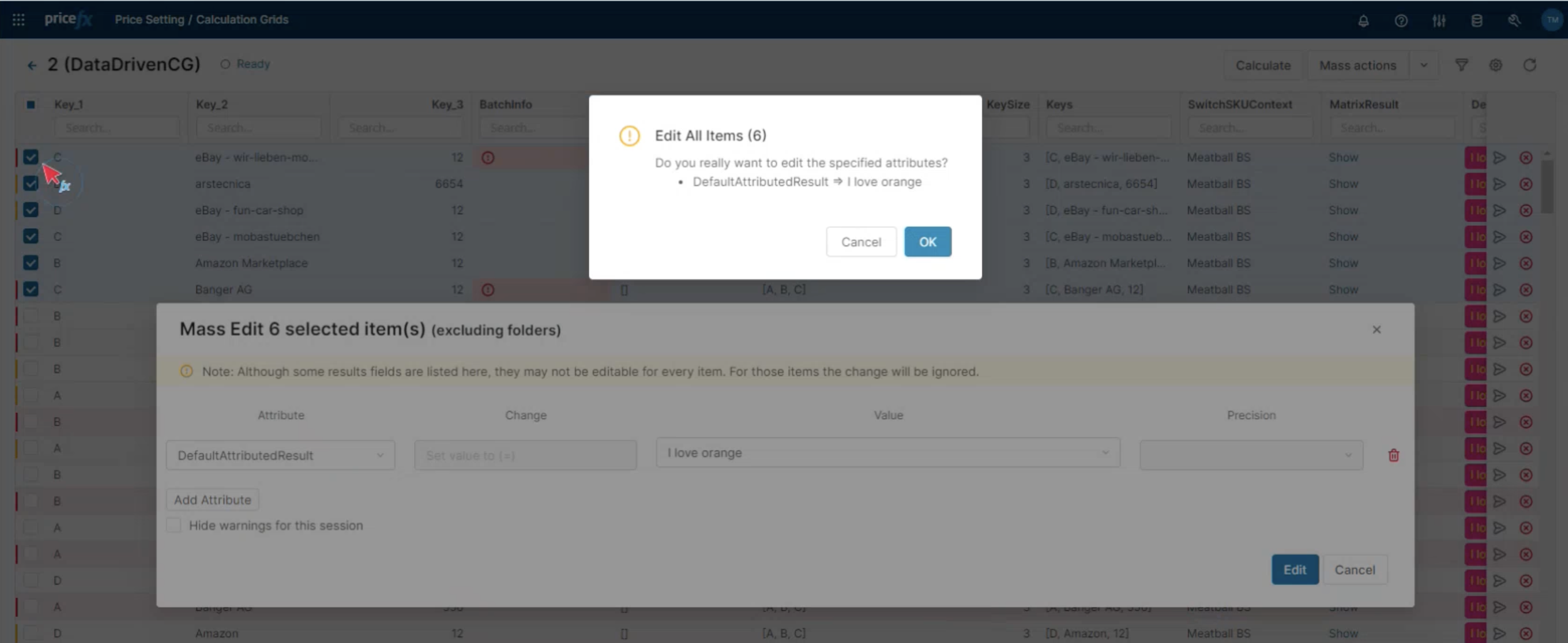
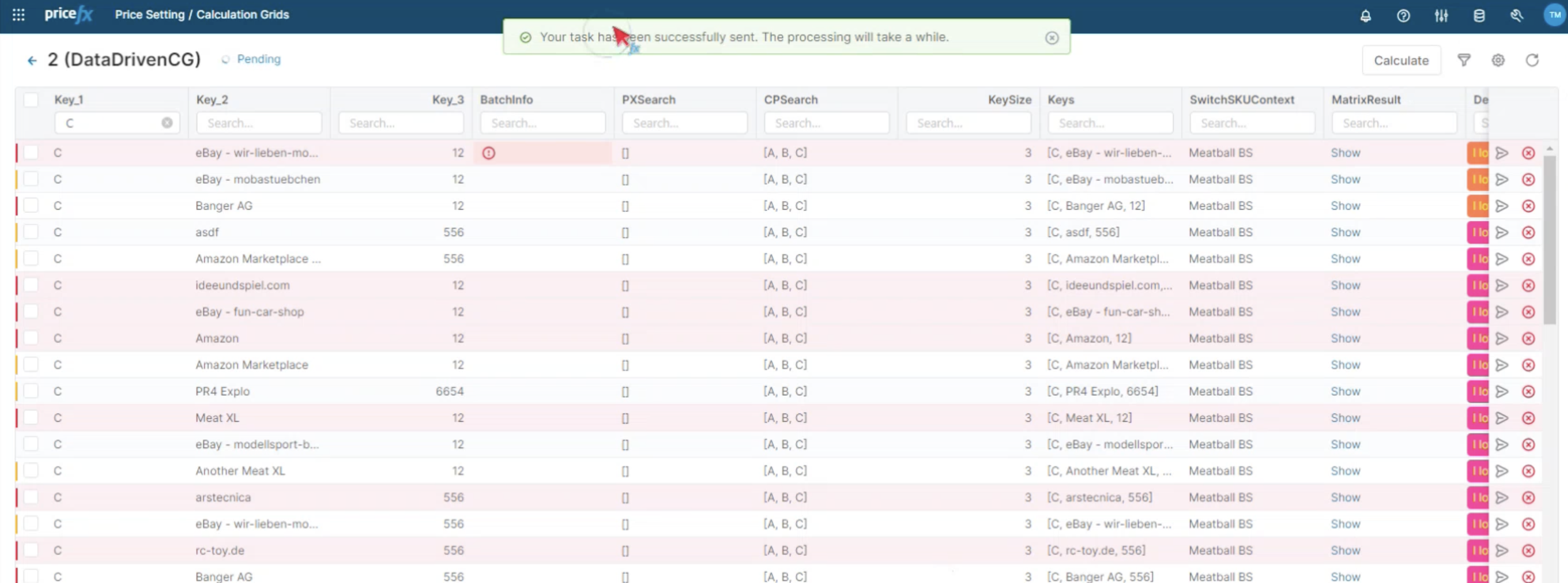
Once the action has been performed, you will get a notification of the current status.
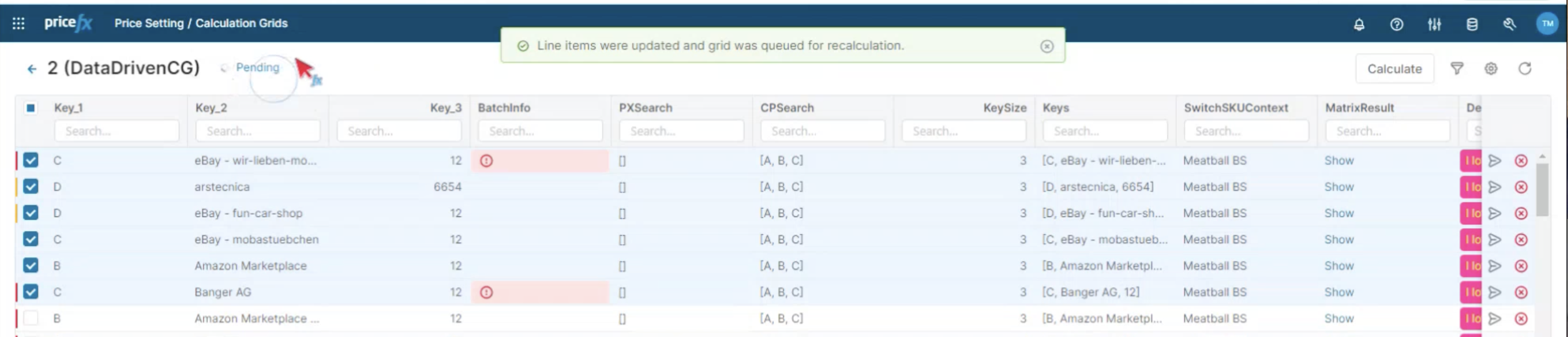
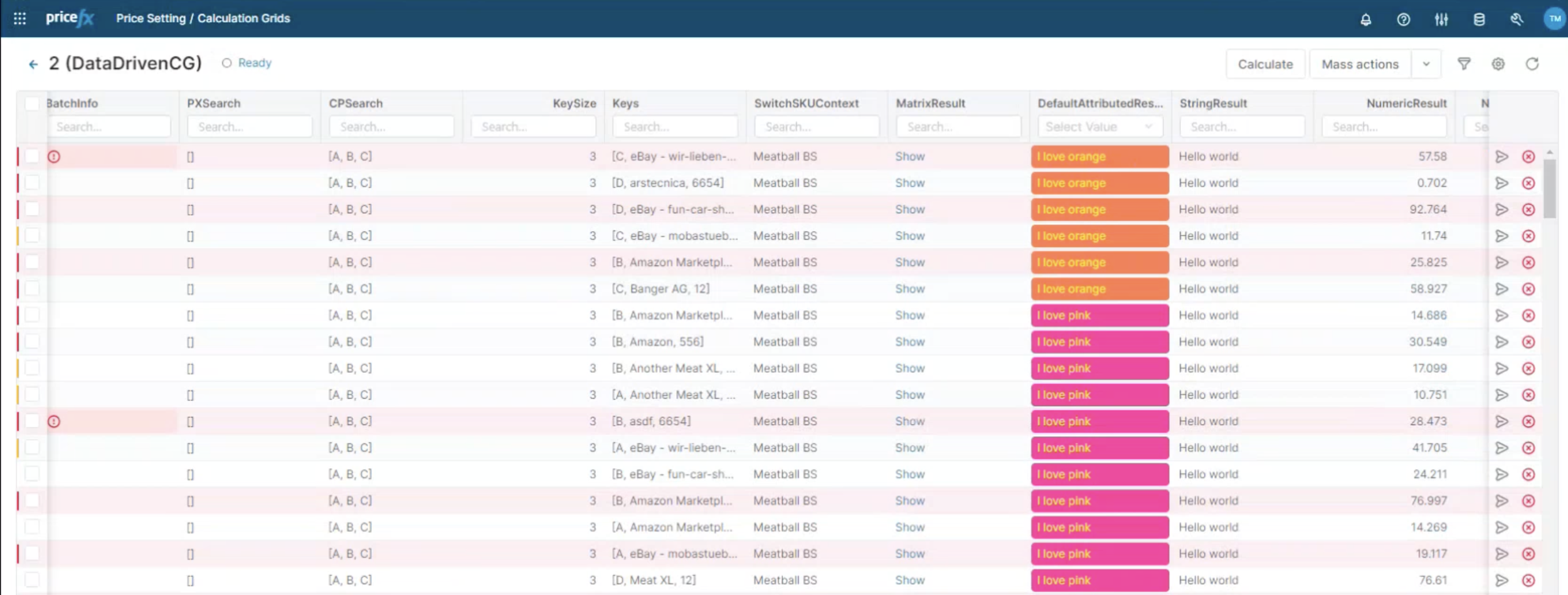
The status is updating every 5 seconds and it is reloading the content of the grid to track when the job is complete. Now you can see the edited items.
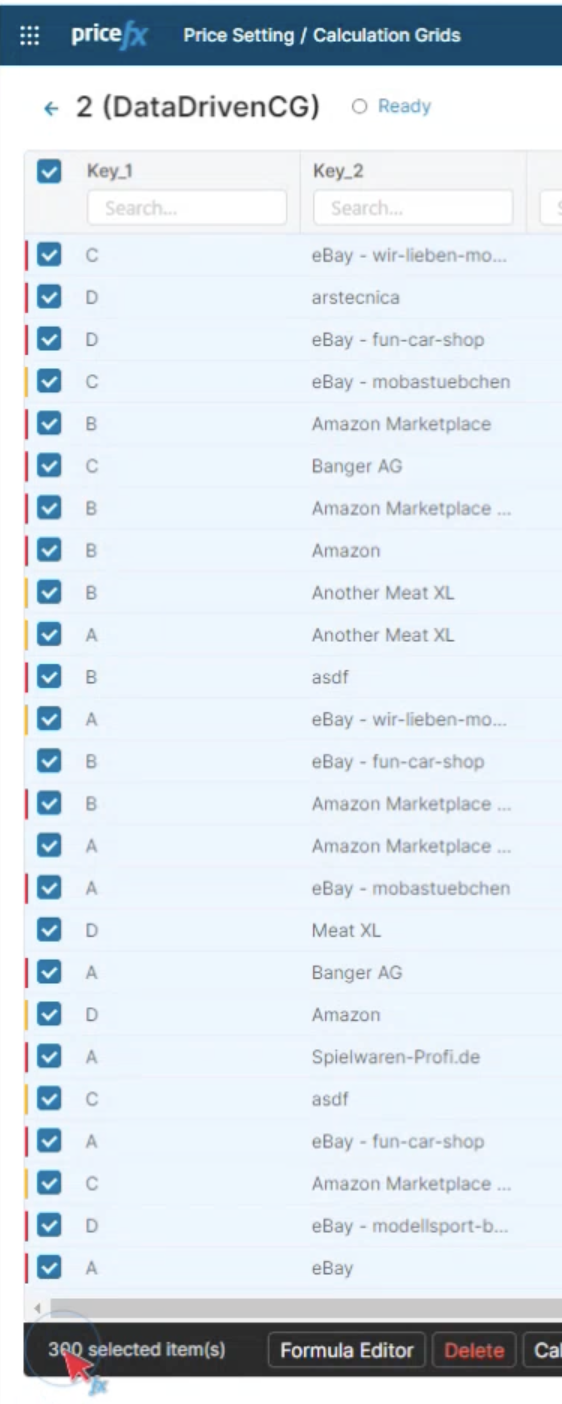
You can go one by one but thanks to pagination you can get multiple items with one click. In this case you can select up to 300 items.
The mass edits work on the whole grid. However, if you want a specific portfolio, use the filter function which works on selection, followed by Mass Actions, where you can select the command you want. (see below)
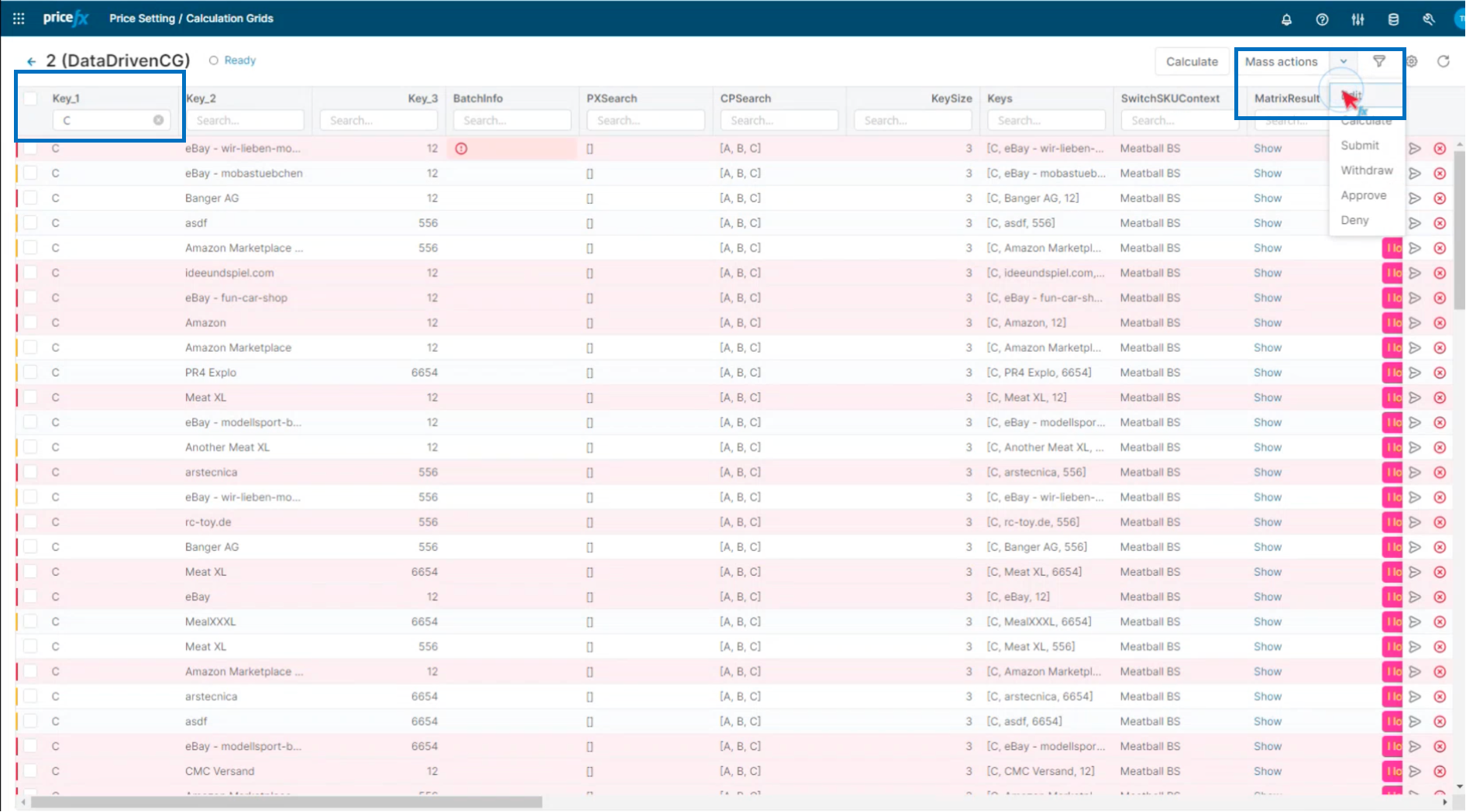
-
Select attribute and value
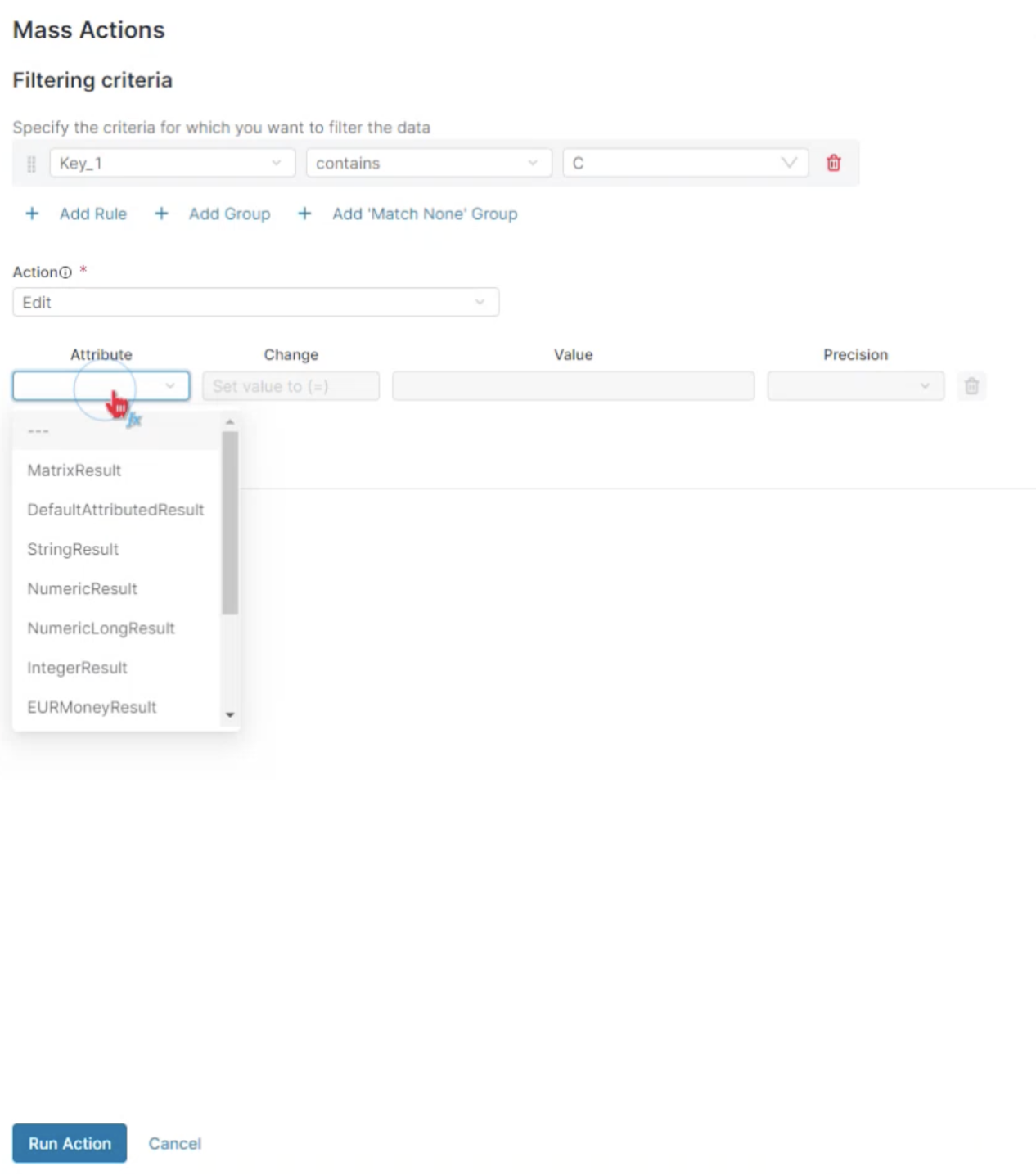
-
Select value
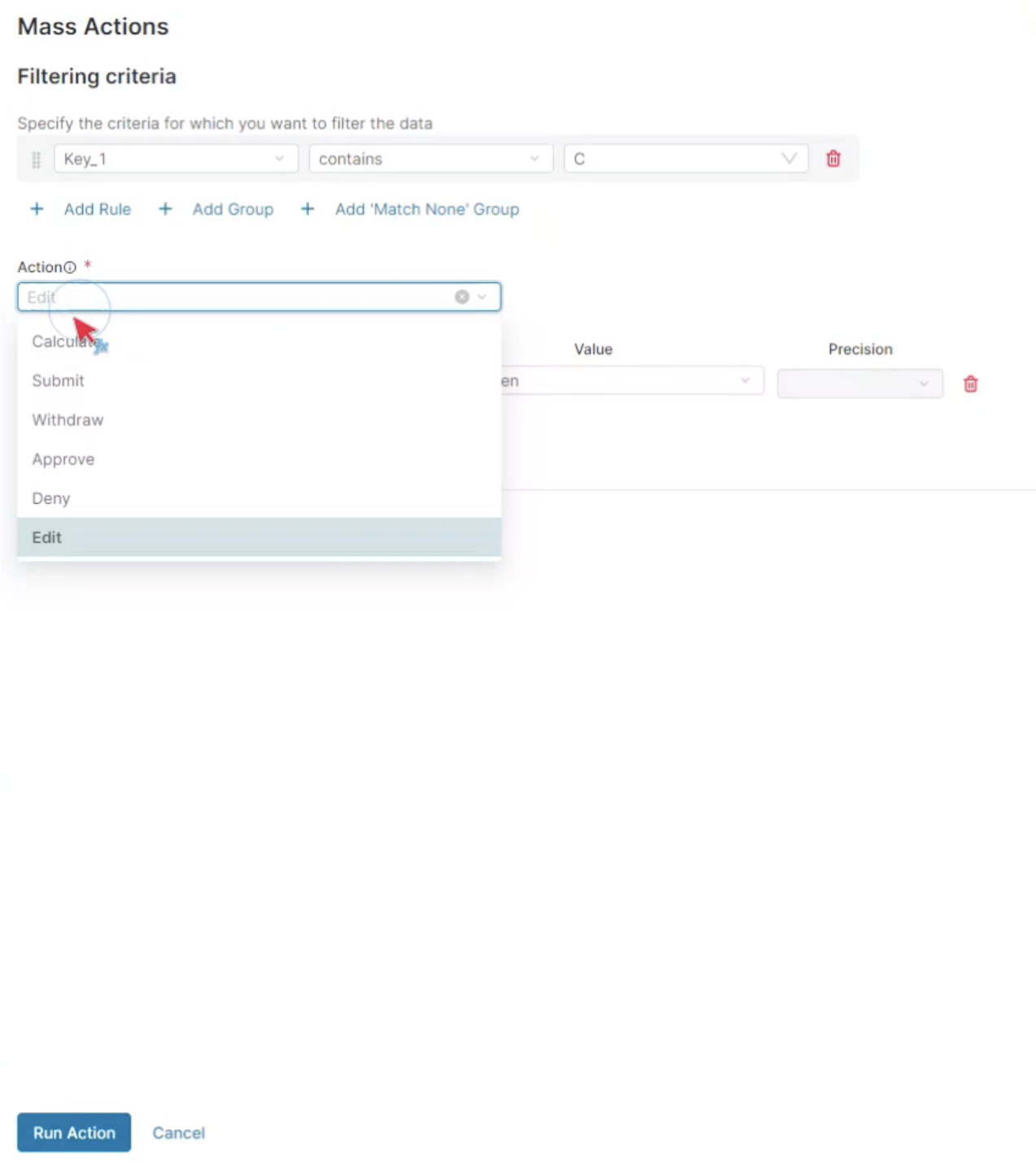
-
Run action
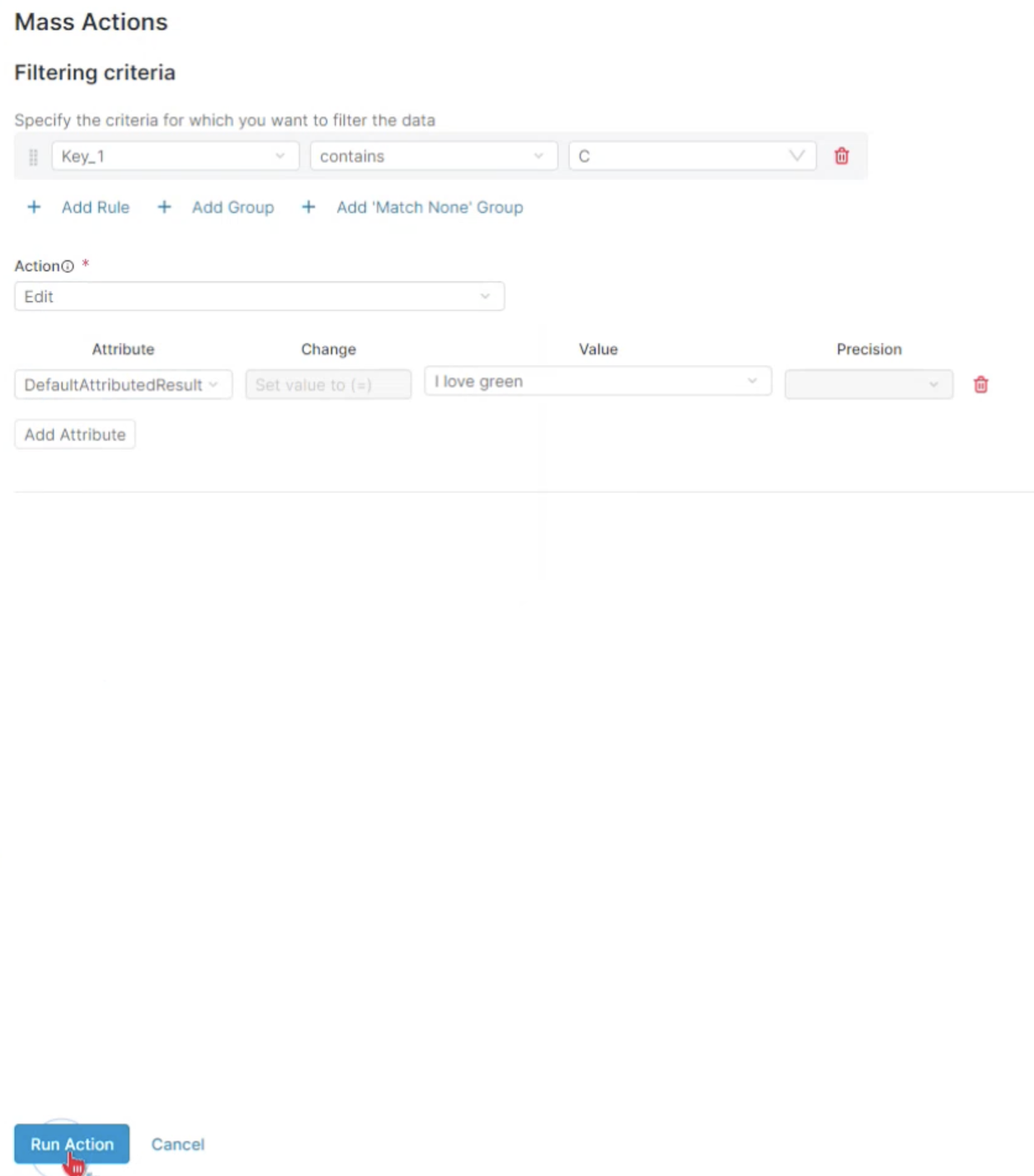
Just as before, you will get notified of the status in a message and you can track the progress in the pending status. When complete, this will change to ready.
Calculation Grids Logic
In recent releases, approval workflow and line-item level functionality to the calculation grid were introduced, along with some logical features.
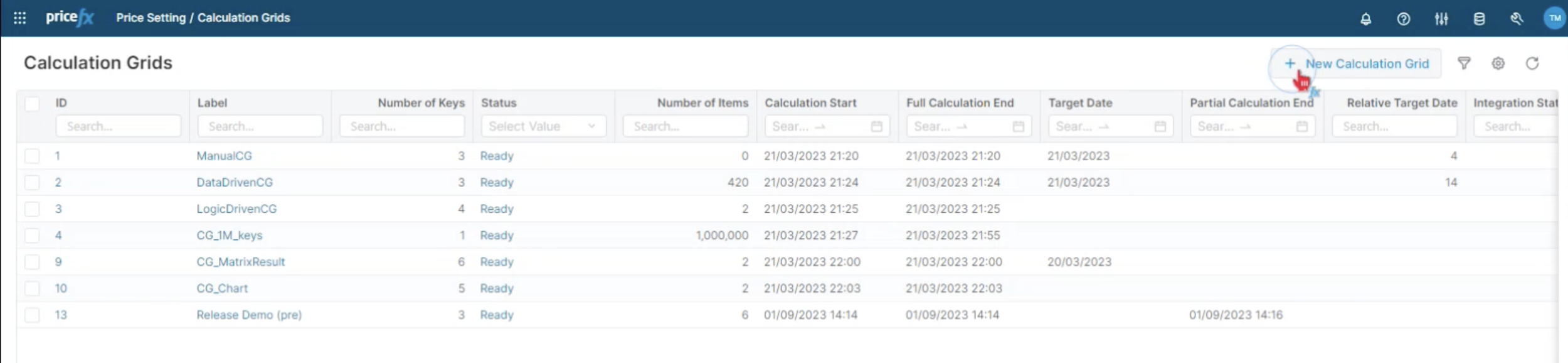
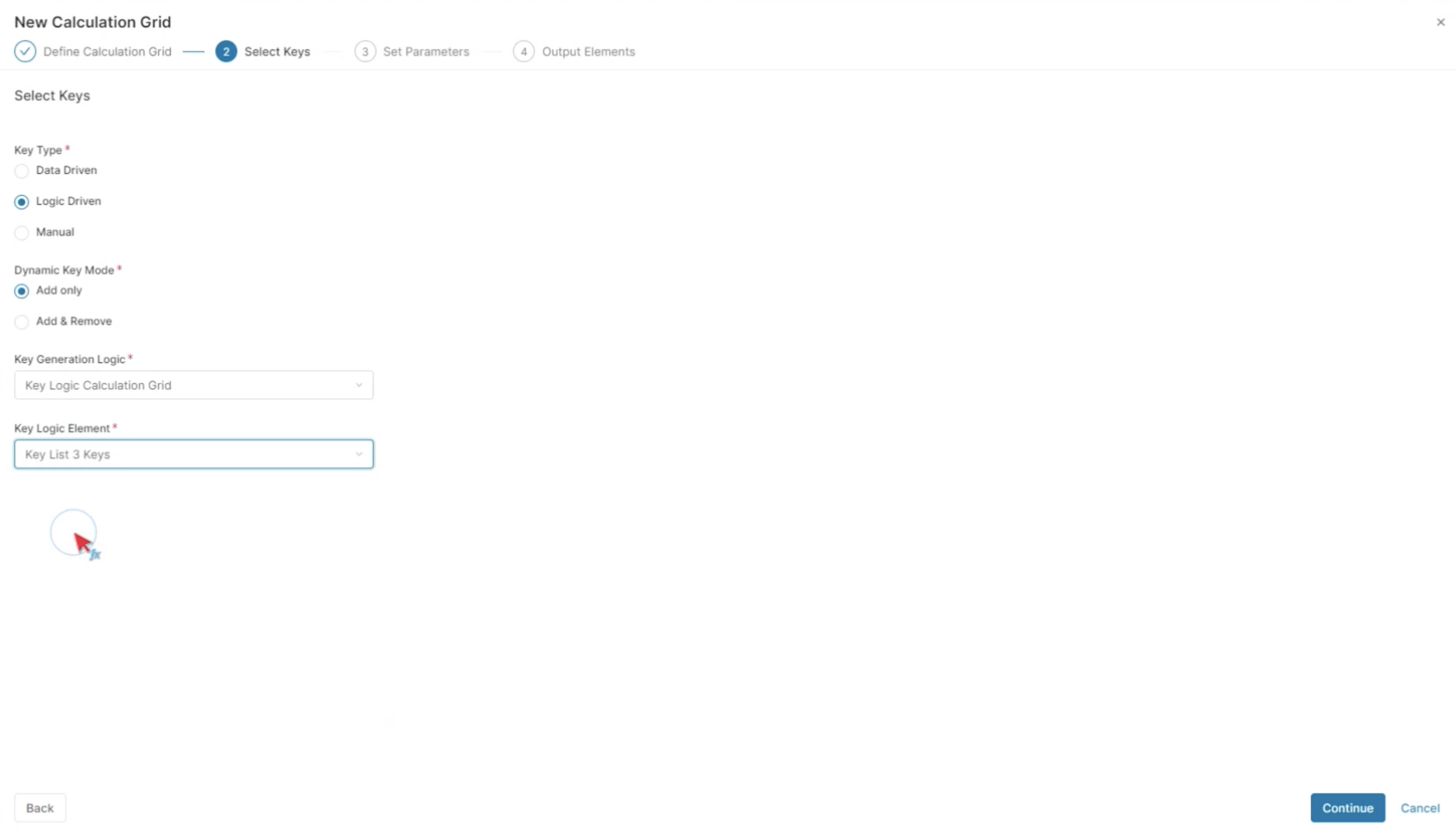
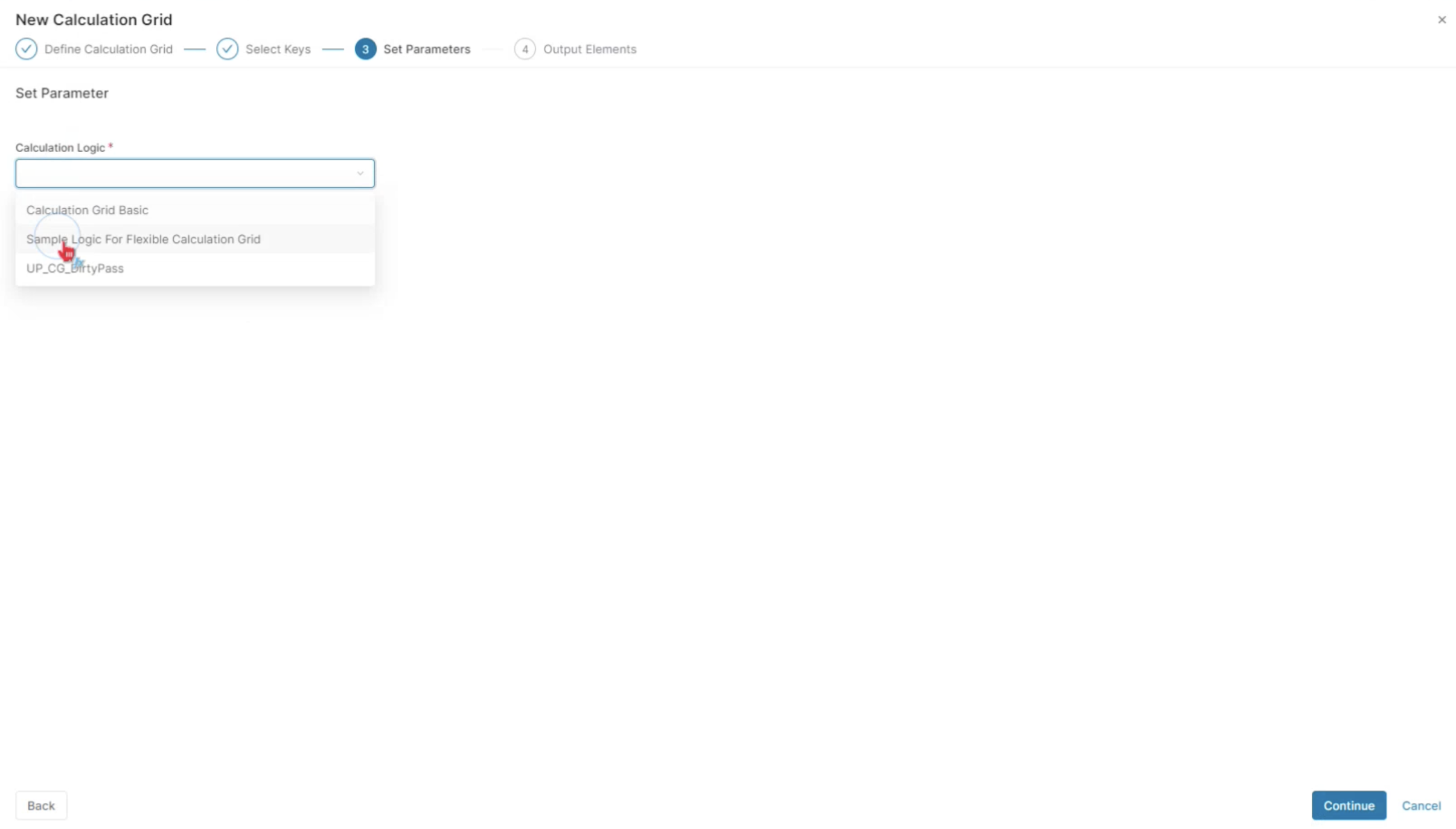
For this example, a logic-driven calculation with three keys and a simple calculation logic is created. In the last step, it is necessary to specify the output elements.

Here's where the change comes in - the approval trigger.
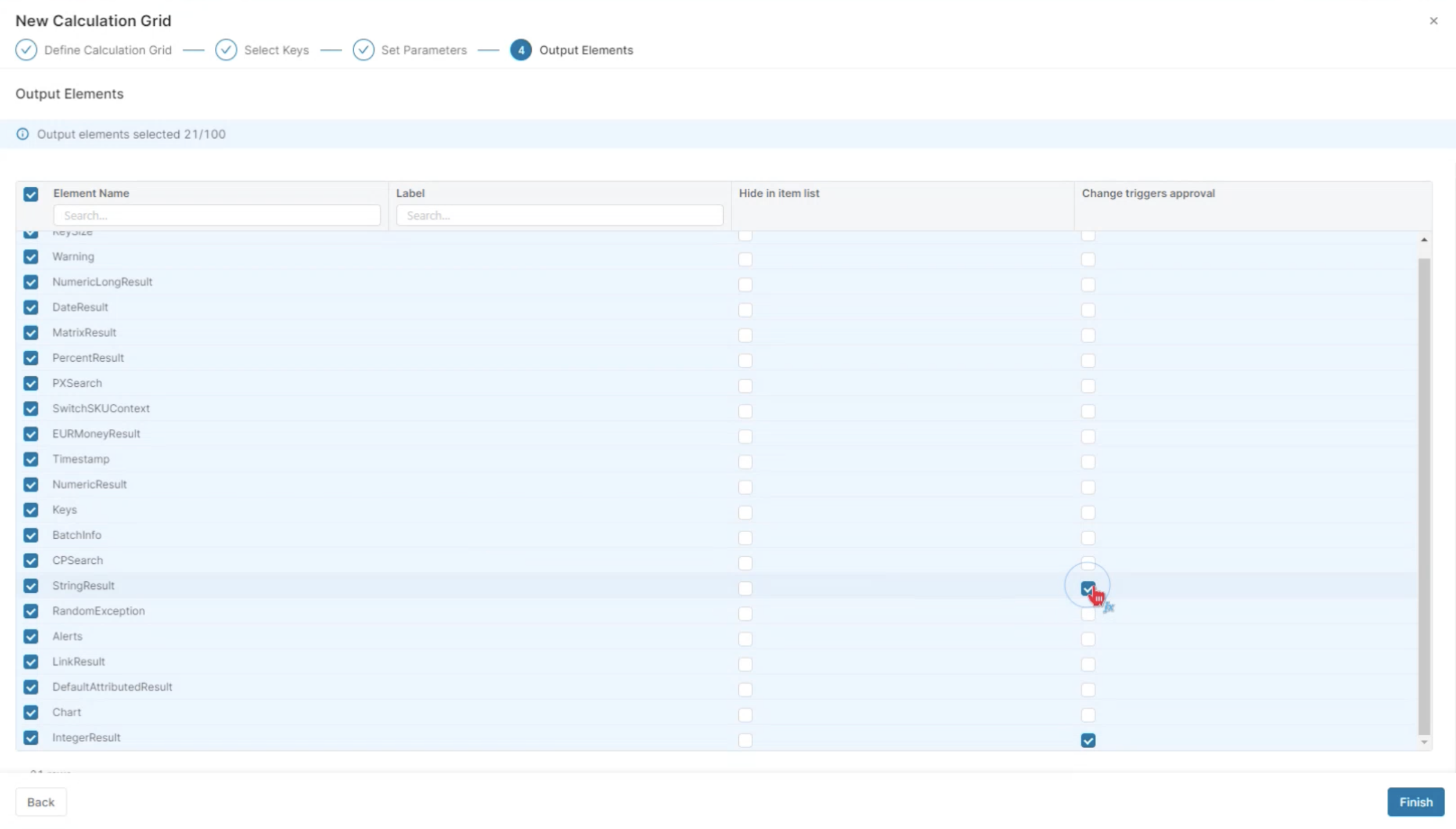
This is a new feature in the user interface, and it functions exactly like it does in the Live Price Grid. In LPG, whenever the result price changes, the approval on the explicit line item is reset to draft. By setting the change trigger, you can control when the approval state is reset.
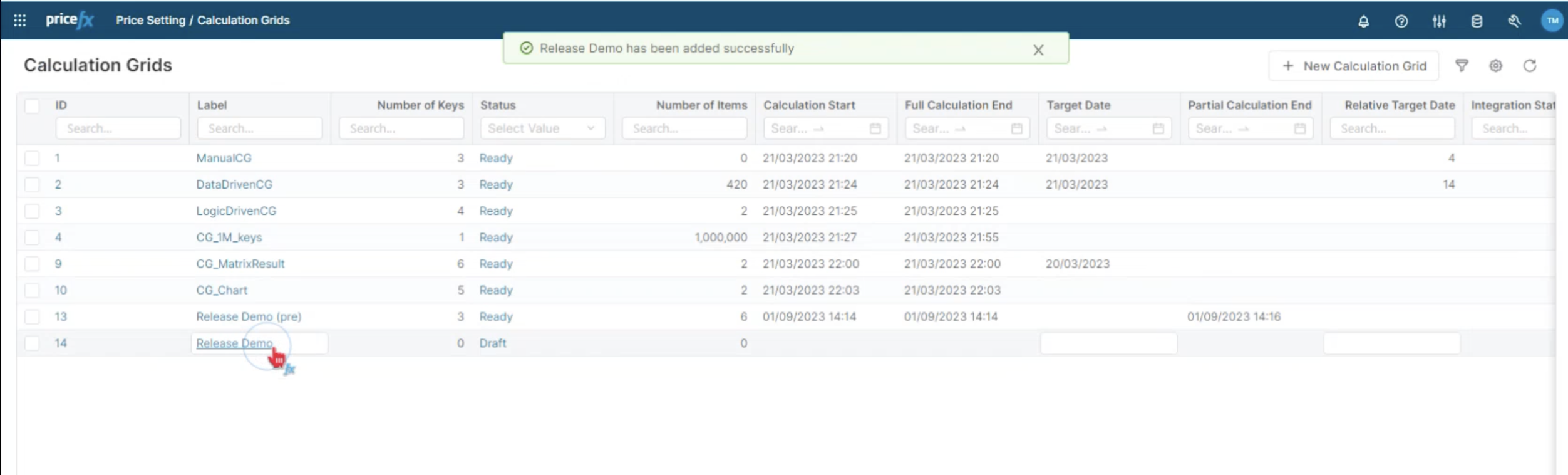
Here is a set up calculation grid with the three keys and some calculation results. You will notice that approved some grids have already been approved, while others are still in the submission stage. After submitting the grid you will see it as approved.
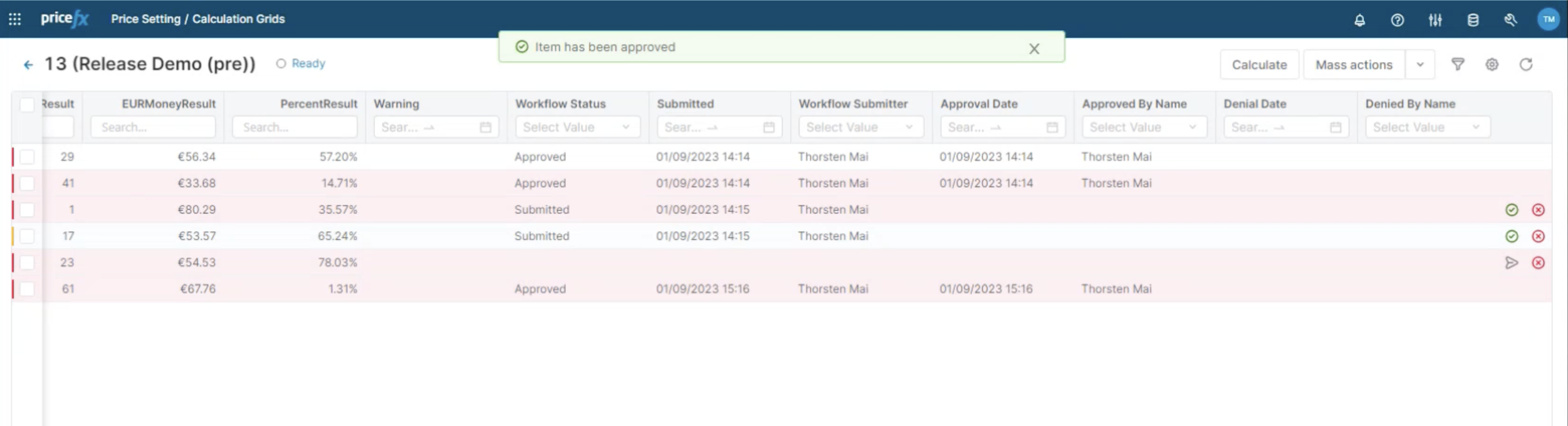
⚠️ Remember, there is a set change trigger for approval on the integer result. So whenever there is a change in this field, whether through manual override or recalculation, the item is reset to draft state.
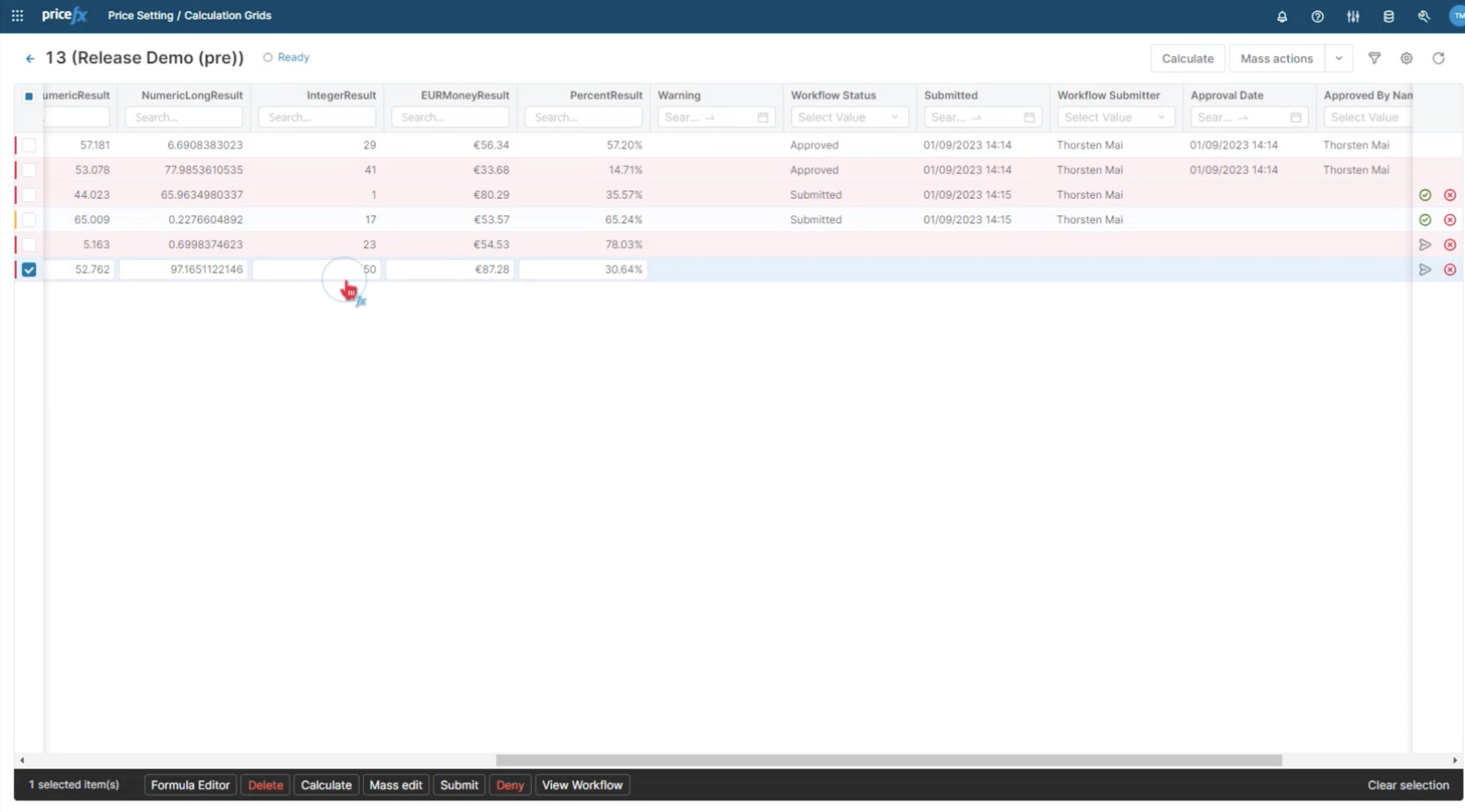
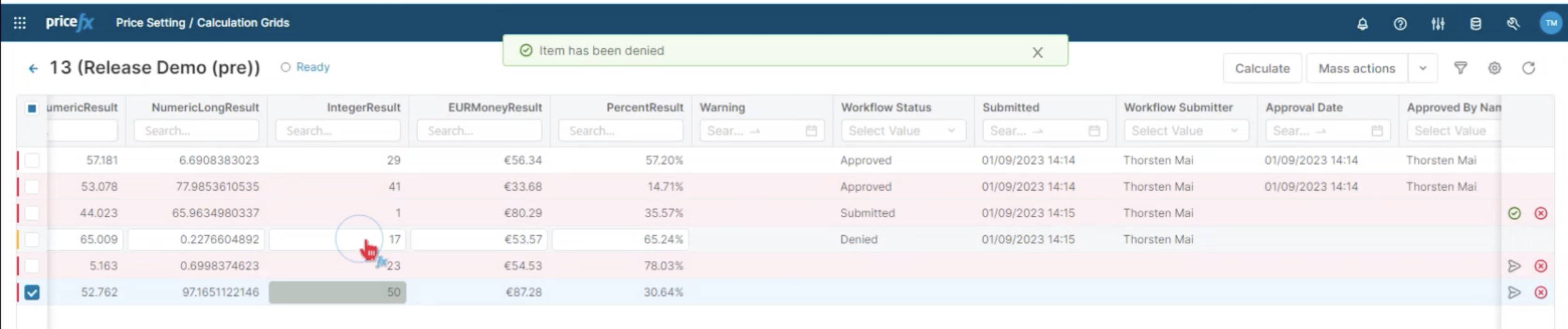
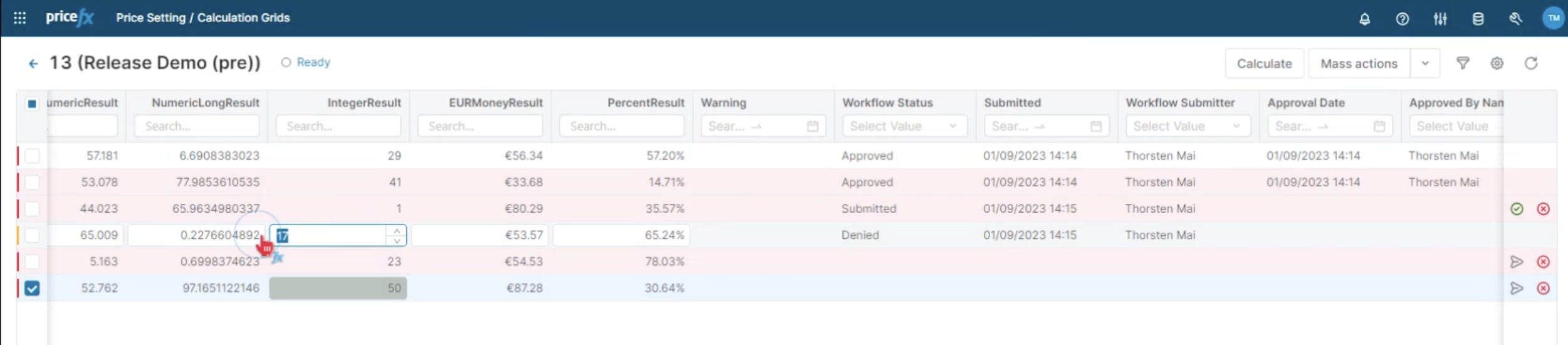
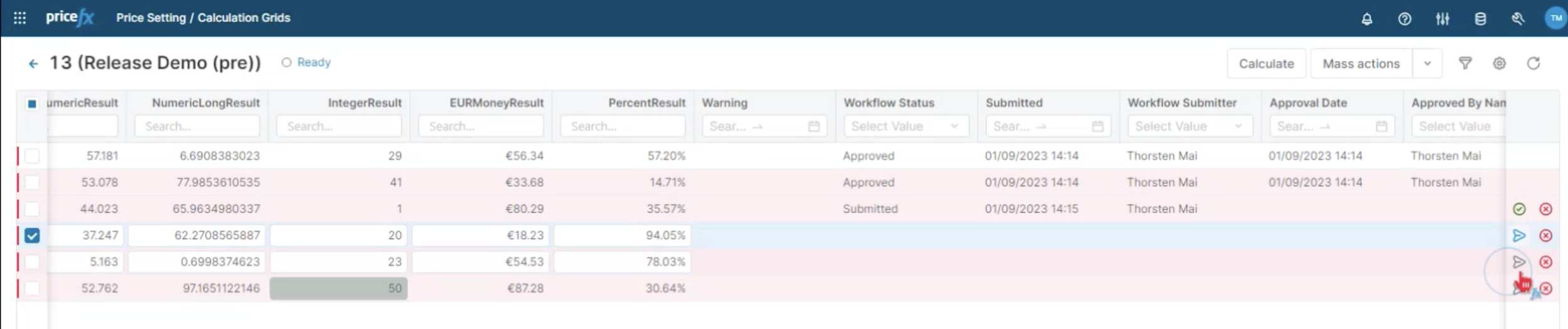
This allows for a seamless workflow where you can submit and go through the approval process again if needed.
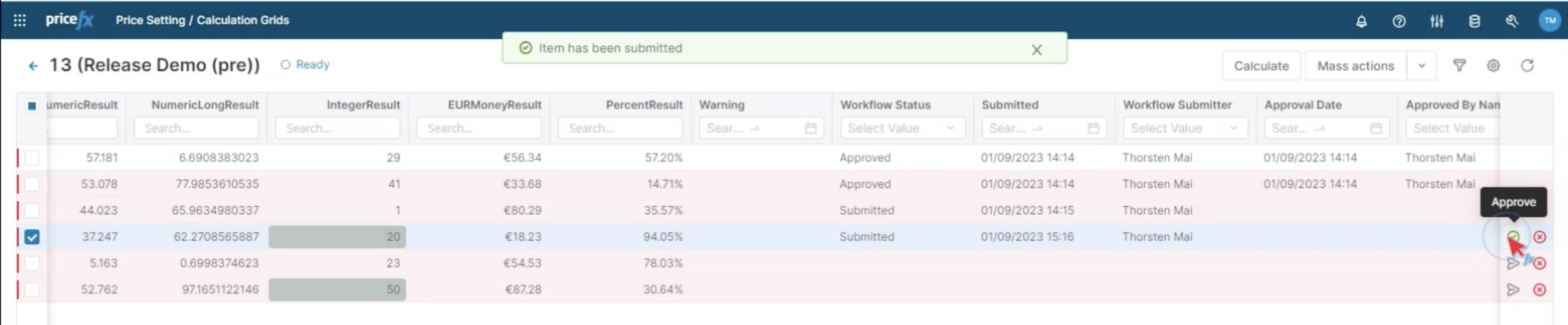
This feature is useful as it makes the approval workflow at the line-item level fully functional. You have the flexibility to define what you consider as the end result and whenever that changes, the approval status is reset to draft.
This mirrors the same cycle as in the Live Price Grid.