
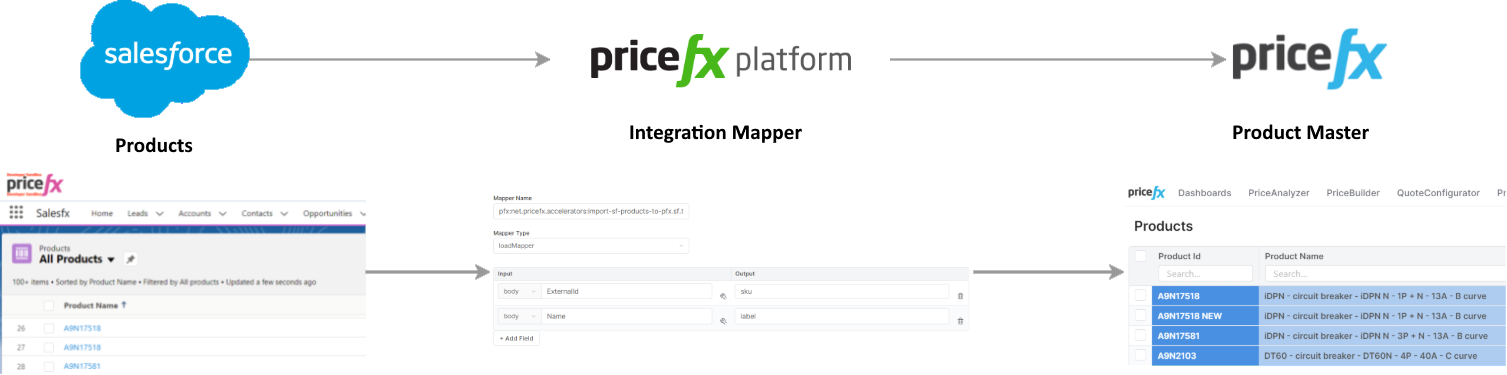
This template fetches Products from Salesforce via REST API and imports them to Pricefx using a customer defined mapper.
Connection PlatformManager and Salesforce
For details on creating a connection see How to Create Salesforce Connection.
Installation
Go to PlatformManager > Marketplace, find Synchronize Products from Salesforce to Pricefx, select Deploy and then select a target integration instance and template version.
Configuration Steps
-
Choose the Salesforce REST connection to be used.
-
Configure Integration Template parameters:
-
Cron expression for triggering synchronization – Defines when this Integration Template should run. Example value: "0+0+*+*+*+?+*".
-
Salesforce API version – Version of the target Salesforce API. You should enter only the number, skip the usual "v" in the path. Example value: "48.0".
-
-
Define a mapper to map Products from Salesforce to Pricefx.
Troubleshooting Tips
For details see How Data Synchronization Works – Accounts, Products, Price Books.