
Sequence Control Table
It is possible to configure which simulations are run according to a schedule. To set it up, go to Price Parameters > SequenceControlTable:

Legend:
-
The order in which simulations are run.
-
The label of the simulation (in DataLoad).
-
The target of the simulation (in DataLoad).
Calculation Flows
It is possible to configure the time period to check status and run simulations. To set it up, go to Price Configuration > Calculation Flows > Simulation Sequencer:
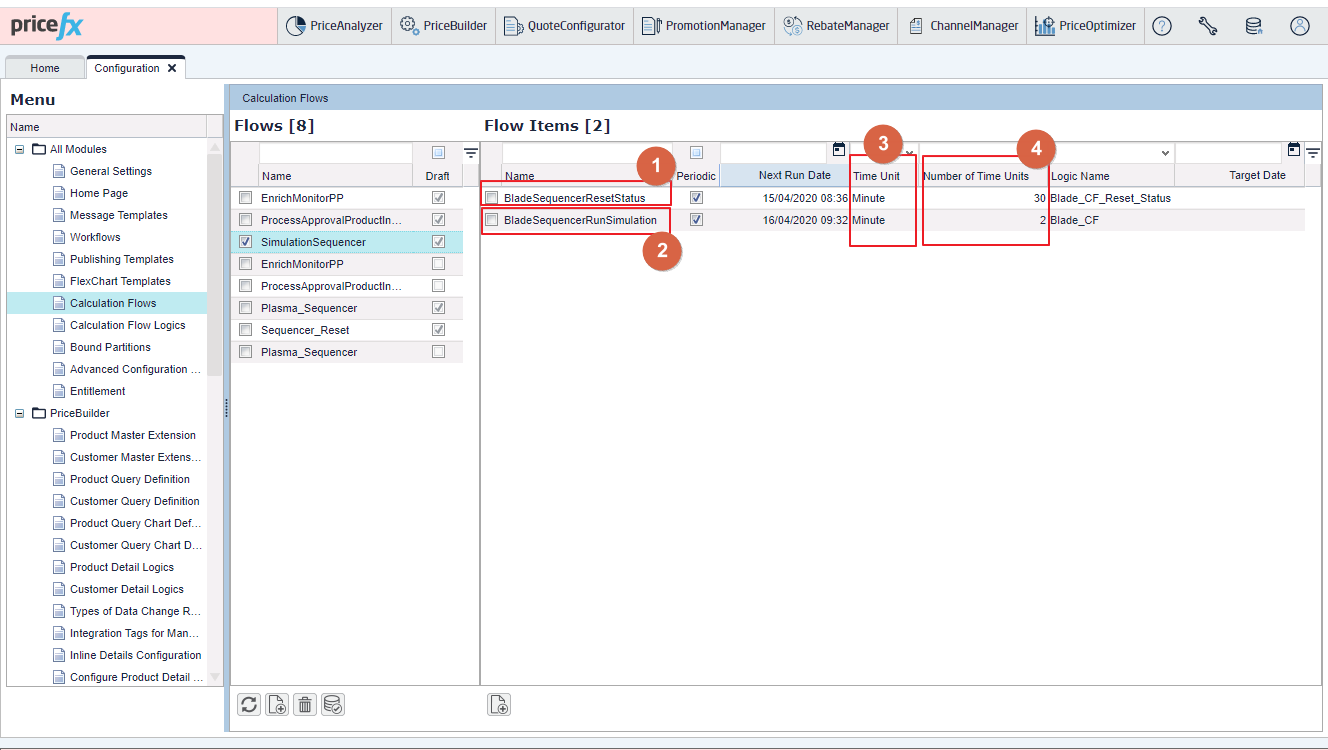
Legend:
-
This logic is used to set a schedule for running the simulation.
-
This logic is used to check and run the simulation every minute.
-
Config time unit type. Options are: minute, hour and day.
-
Config time unit value. An integer value.