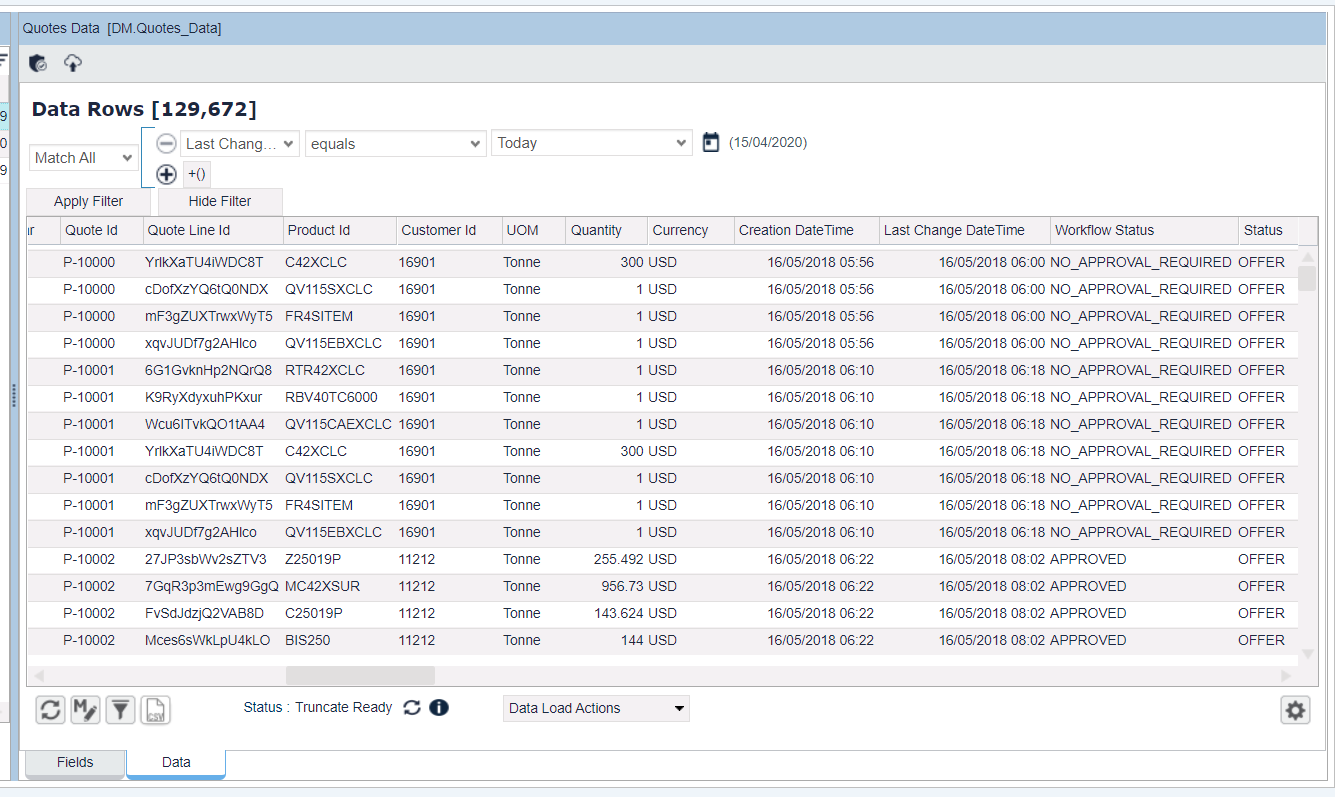
Quote Data Extractor is a logic to extract data from quotes. It produces a map for each quote line item and returns the extracted list.
Extraction levels:
-
Q – quote data
-
QLI – quote line item data
-
QLI_INPUT – quote line item input data
-
QLI_OUTPUT – quote line item output data
-
W – quote workflow data
Further in this section:
Mapping Configurations
Map which defines configurations to extract:
def mapping = [
	quoteId:[expression:"uniqueName",level:"Q"],
	....
]
Then it produces a result as a map for each line item:
[quoteId:"extracted Quote Id",
 ...
]
Extract Configurations
String or Map which define what to get from which level. If a level is not specified, the extractor will search for all levels by the configured order ["Q","QLI","QLI_INPUT","QLI_OUTPUT", "W"] and will return the first found.
-
Expression – Specifies the key to get data in a map-like structure (Q, QLI, W).Predefined keys for the workflow level: ApprovedDateTime – Date time of the last approved stepSubmittedDateTime – Submitted date timeDeniedDateTime – Denied Date timeDenyStep – Name of the Denied stepApprovedSteps – List of Approved stepsDeniedSteps – List of Denied stepsApprovalSteps – List of approval stepsNumberOfApprovalSteps – Number of approval stepsApprovalProcessing – Shows if the workflow is processed or not (boolean)Predefined keys for the quote level: ConveretedToDealDateTime – When a quote was converted to dealMarkedAsLostDateTime – When a quote was marked as lostRevokedDateTime – When a quote was revokedNeedApproval: Shows if a quote needs an approval or not (boolean)
-
Level – Specifies the search level.
def mapping = [
	quoteId:[expression:"uniqueName",level:"Q"], //get uniqueName in Quote :[uniqueName:"name", version:123,...]
	....
]
-
Dot expression (.) – Specifies the sub key to find in a multiple level map structure.
def mapping = [
	submitDateTime:[expression:"activeStep.stepHistory.date",level:"W"], /* get date from Workflow :[
						activeStep:[
							stepHistory:[date:"01-01-2014"],
							...
						],
						...
					] */
	....
]
-
Multiple keys searching – Specifies multiple keys to try, the first found is returned.
def mapping = [
	quantity:[[expression:"quantity",level:"QLI_INPUT"],[expression:"Quote Quantity",level:"QLI_INPUT"]], //get quantity or "Quote Quantity" from Quote lineitem input
	....
]
-
Default value – Specifies the default value if the result not found.
def mapping = [
	quantity:[[expression:"quantity",level:"QLI_INPUT"],[expression:"Quote Quantity",level:"QLI_INPUT",default:"20"]], //get quantity or "Quote Quantity" from Quote lineitem input, if nothing found default is 20
	....
]
-
Brackets expression – Specifies a search formula (evaluated using the FormularEvaluator library) or an index to get data in a list structure or using the last/first keyword (to get teh last item / first item in a list).
def mapping = [
	submitDateTime1:[expression:"activeStep.stepHistory.history.[0].date",level:"W"], //get date of first history from workflow
	submitDateTime:[expression:"activeStep.stepHistory.history.[status=='INITIALIZED'].[0].date",level:"W"], /* get date from Workflow :[
						activeStep:[
								stepHistory:[
									[status:"INITIALIZED",date:"01-01-2014"],
									[status:"SUBMITTED",date:"01-01-2014"],
									...
								],
								...
							],
							...
						] where status is INITIALIZED */
	....
]
-
Constant type – Returns the defined value.
def mapping = [
	constantValue: [type:"constant", value:"value"], // return value of the constant type
	...
]
-
Calculation type – Returns the calculated value from an expression using the FormularEvaluator library. The calculation type is calculated after all data are extracted from the quotes.
def mapping = [
	approvalSteps:[expression:"steps",level: "W"], // get number of approval steps from workflow, return a list of step
	numberOfApprovalSteps:[type:"calculation",expression:"IF(IS_NULL(approvalSteps),0,SIZE(approvalSteps))"], // after extract all data, calculate number of approval step.
	...
]
-
String – You can specify mapping as a String. The extractor will use the string as a key to search for all levels, the first found is then returned.
def mapping = [
	quantity:"Quote Quantity",
	submitDateTime:"activeStep.stepHistory.history.[status=='INITIALIZED'].date",
	....
]
Mapping Configurations
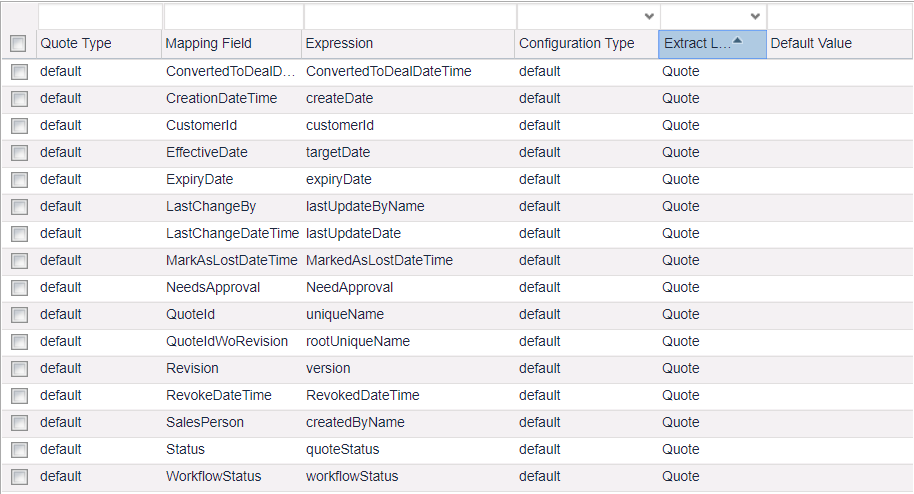
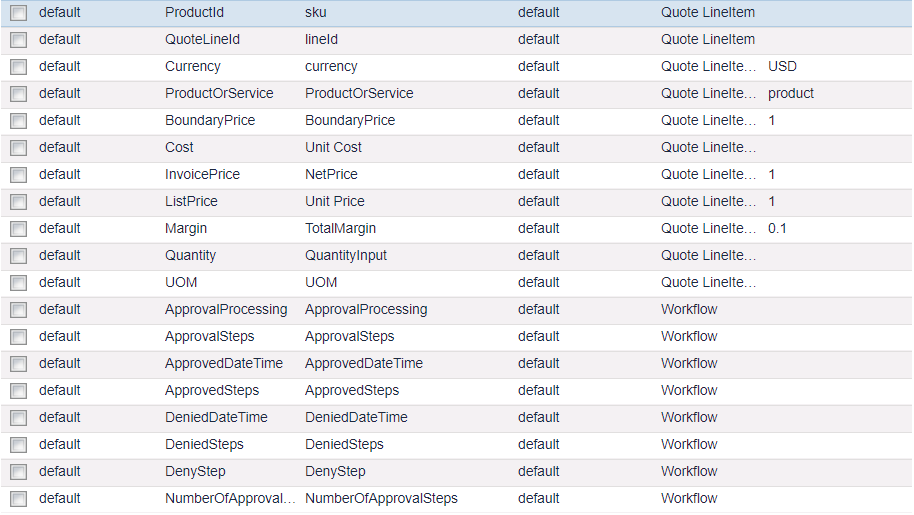
Mapping configurations are read from a price parameter "QuotesDataExtractorMappingConfiguration".
Set up and Run
-
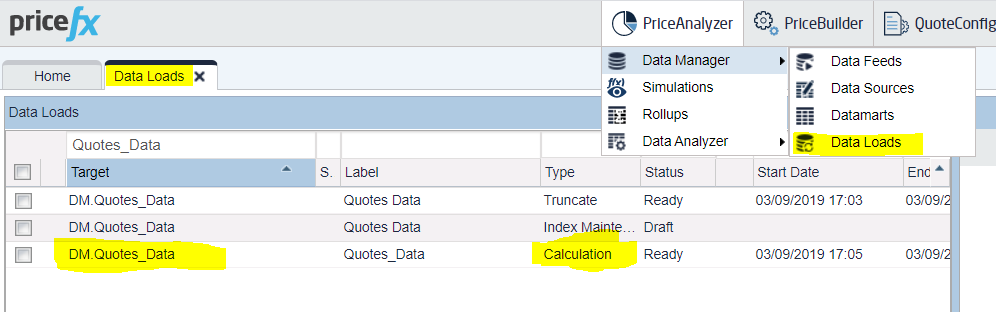
Create a Calculation Data Load.
Quote Data Extractor is used to extract data and load extracted data to a Datamart for further use. It is run by a Calculation Data Load.
-
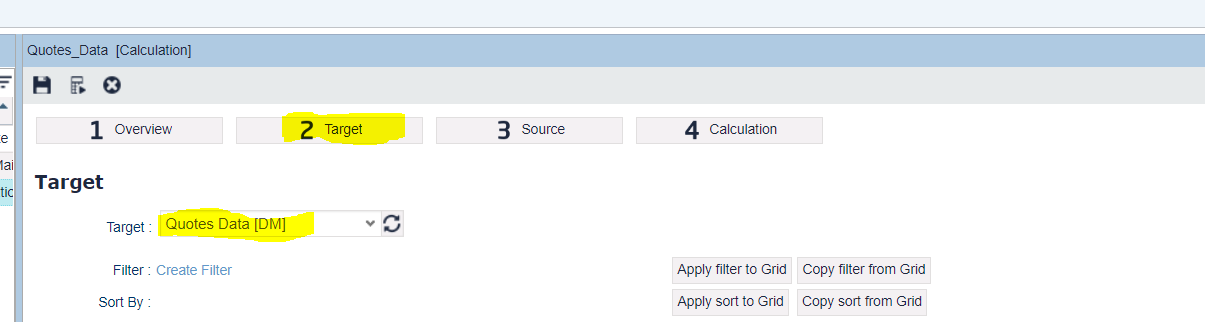
Select a target for the Data Load.
Target is the Datamart or Data Source into which you would like to load the quote data from the extractor into. There is a predefined Datamart named “Quotes_Data” created for that.
-
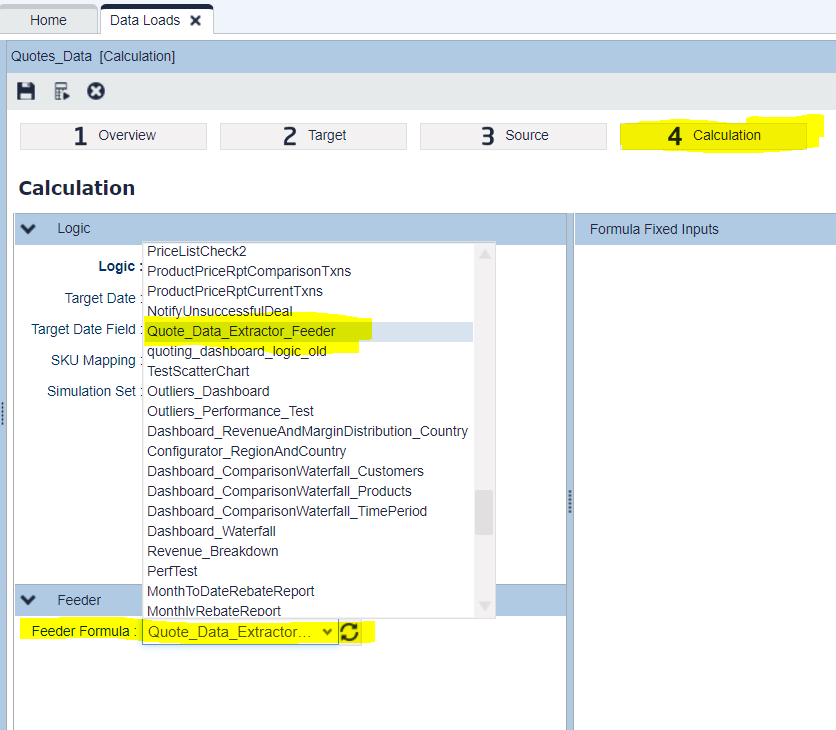
Select Feeder logic.
Feeder logic provides individual quote IDs for calculation logic to extract.
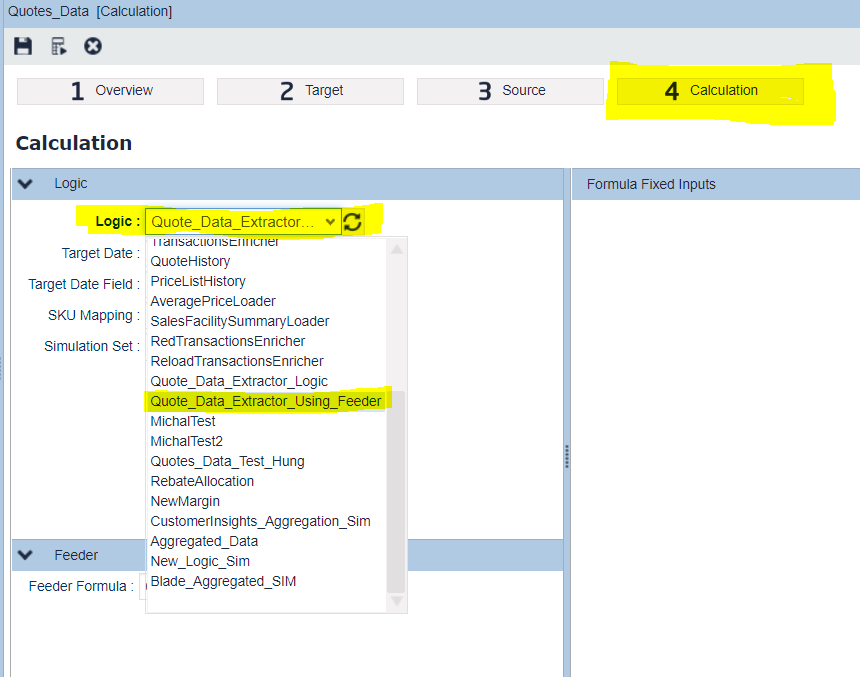
-
Select Calculation logic.
Query a quote by quote ID provided by the feeder, then extract and load to the target Datamart.
-
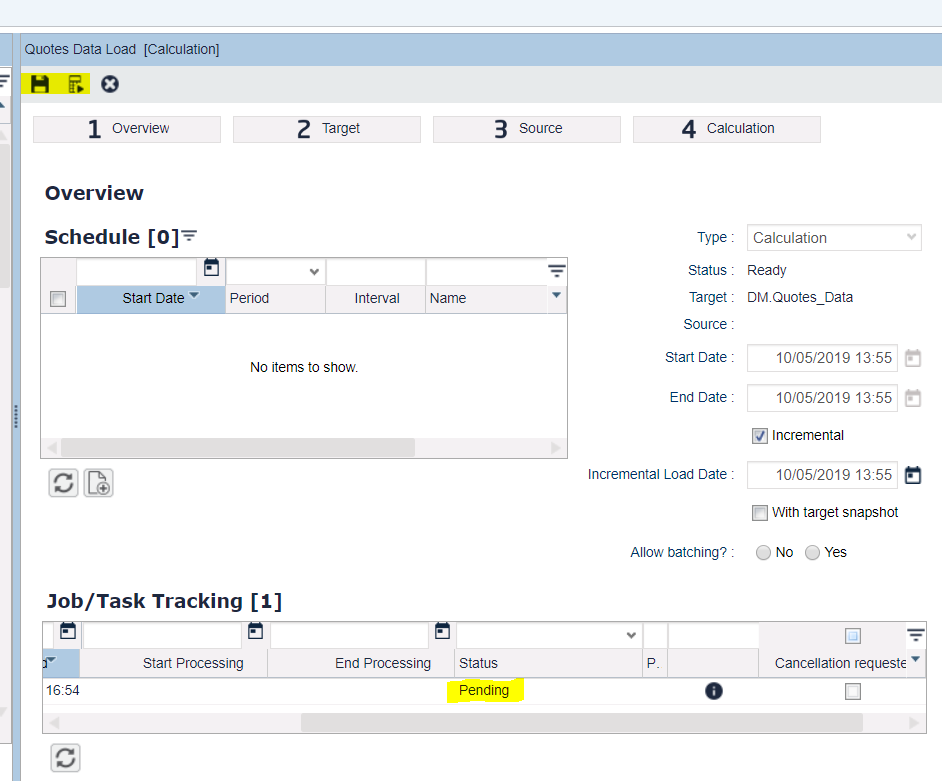
Save and run the logic.
After all settings are correct, save and run the Data Load.
-
Check the results.
After a successful Data Load run (the processing can take a while) open the target Datamart and compare the results with data in the quote.