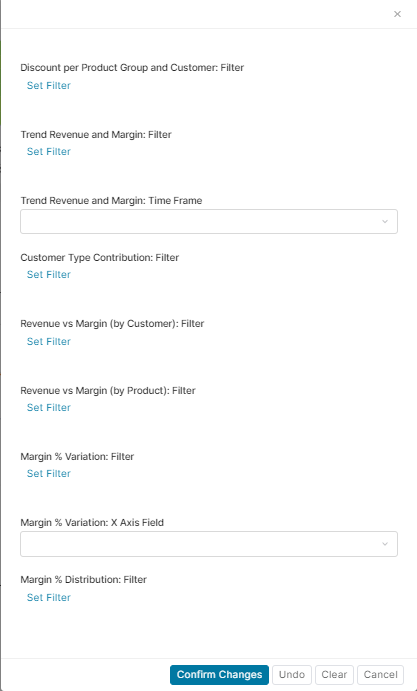
Data shown to a user will differ, depending on what has been set in InputConfigurator:
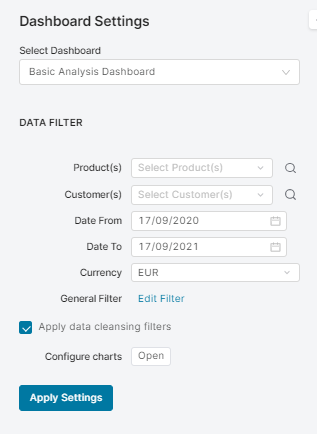
-
Product(s) – Only transactions regarding products from this list will be taken into consideration. Empty means all.
-
Customer(s) – Only transactions regarding customers from this list will be taken into consideration. Empty means all.
-
Date From – Transaction before this date will be ignored.
-
Date To – Transaction after this date will be ignored.
-
Currency – In which currency values should be displayed. Remember that Datamart has already converted prices to the Datamart’s currency.
-
General Filter – Allows user to put any Filter on transactions.
-
Apply data cleansing filters – Creates four additional filters which are used to remove incorrect data.
-
Configure charts – Opens another configurator (with config per portlet). The string before semicolon “:” refers to the portlet name, the string after it refers to what is being set (Filter, Time Frame or Field).