
The JWT token can be obtained from the project team or Pricefx Support.
-
Create Secure Parameter Security Material in SAP Cloud Integration. The value of the secure parameter is Base64 encoded string of {partition}/{username}:{password}.

-
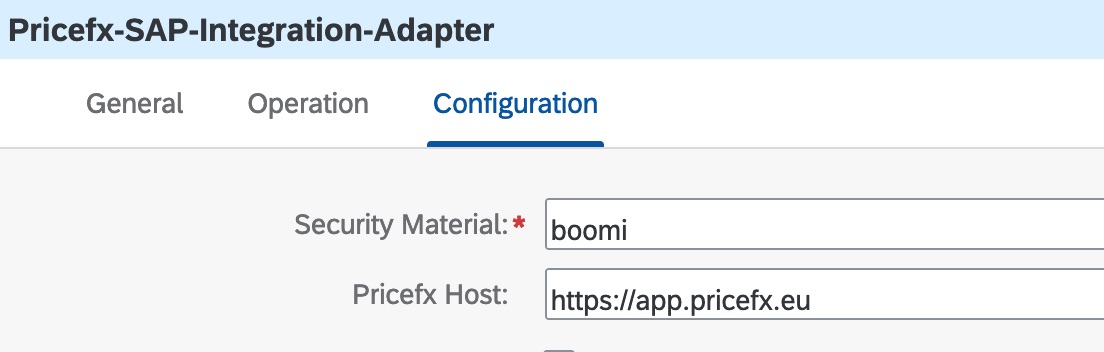
Configure the security material and host in the adapter.
-
For non-expiring JWT token:
-
Store the JWT token in another secure parameter.
-
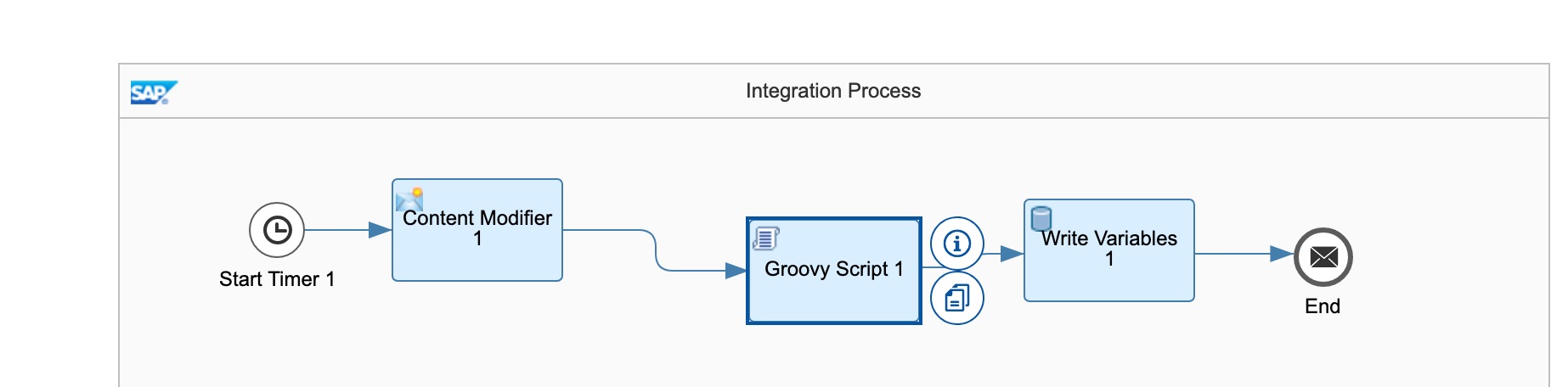
Build a flow to run only once to initialize the global variable. See Access secure parameters in scripts.
-
Extract it with a Groovy script. For more information see https://help.sap.com/docs/cloud-integration/sap-cloud-integration/access-secure-parameters-in-scripts.
def Message processData(Message message) { def apikey_alias = message.getProperty("secureParameter") def secureStorageService = ITApiFactory.getService(SecureStoreService.class, null) try{ def secureParameter = secureStorageService.getUserCredential(apikey_alias) def jwtToken = secureParameter.getPassword().toString() message.setProperty("jwtToken", jwtToken) } catch(Exception e){ throw new SecureStoreException("Secure Parameter not available") } return message; } -
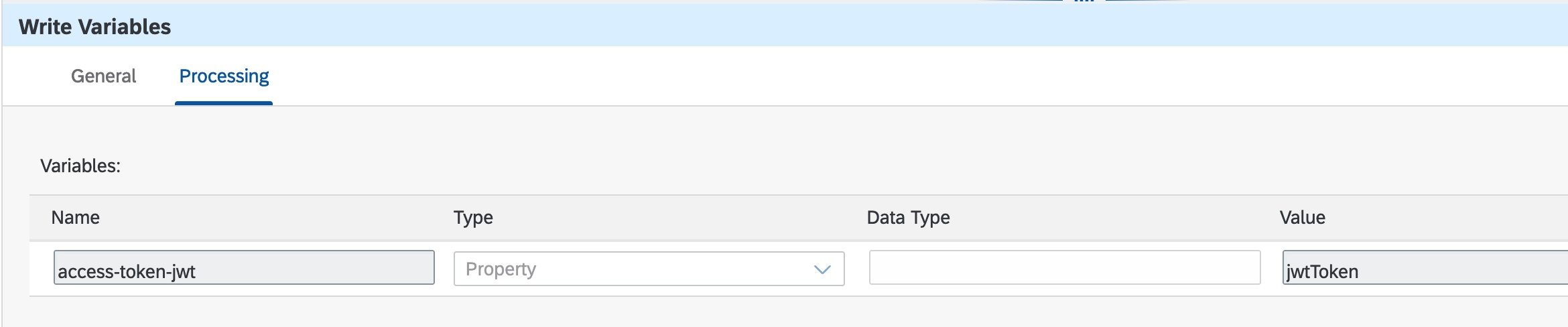
Store this property in a global variable.
-
Set exchange properties – access-token in the content modifier to this global variable.

-
-
For refreshable JWT token:
-
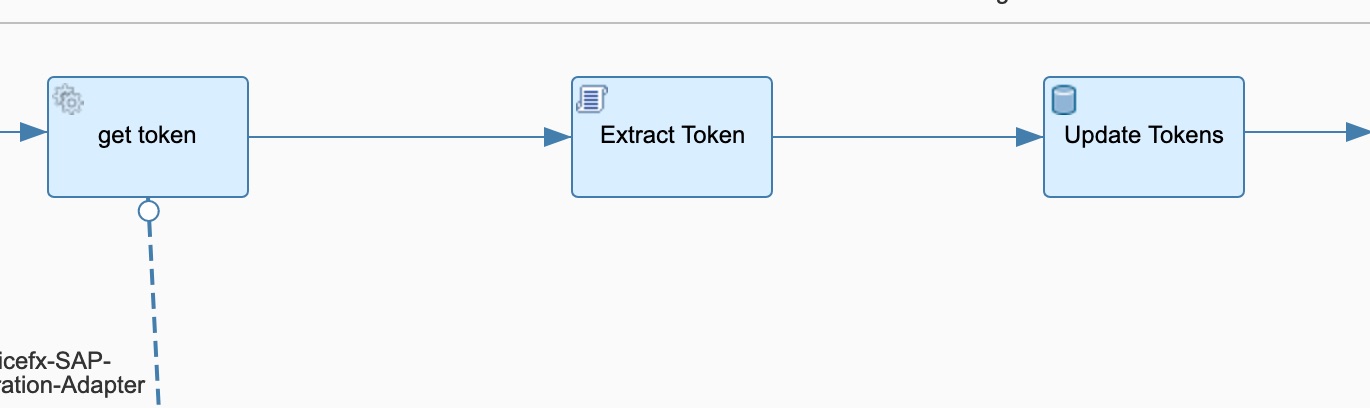
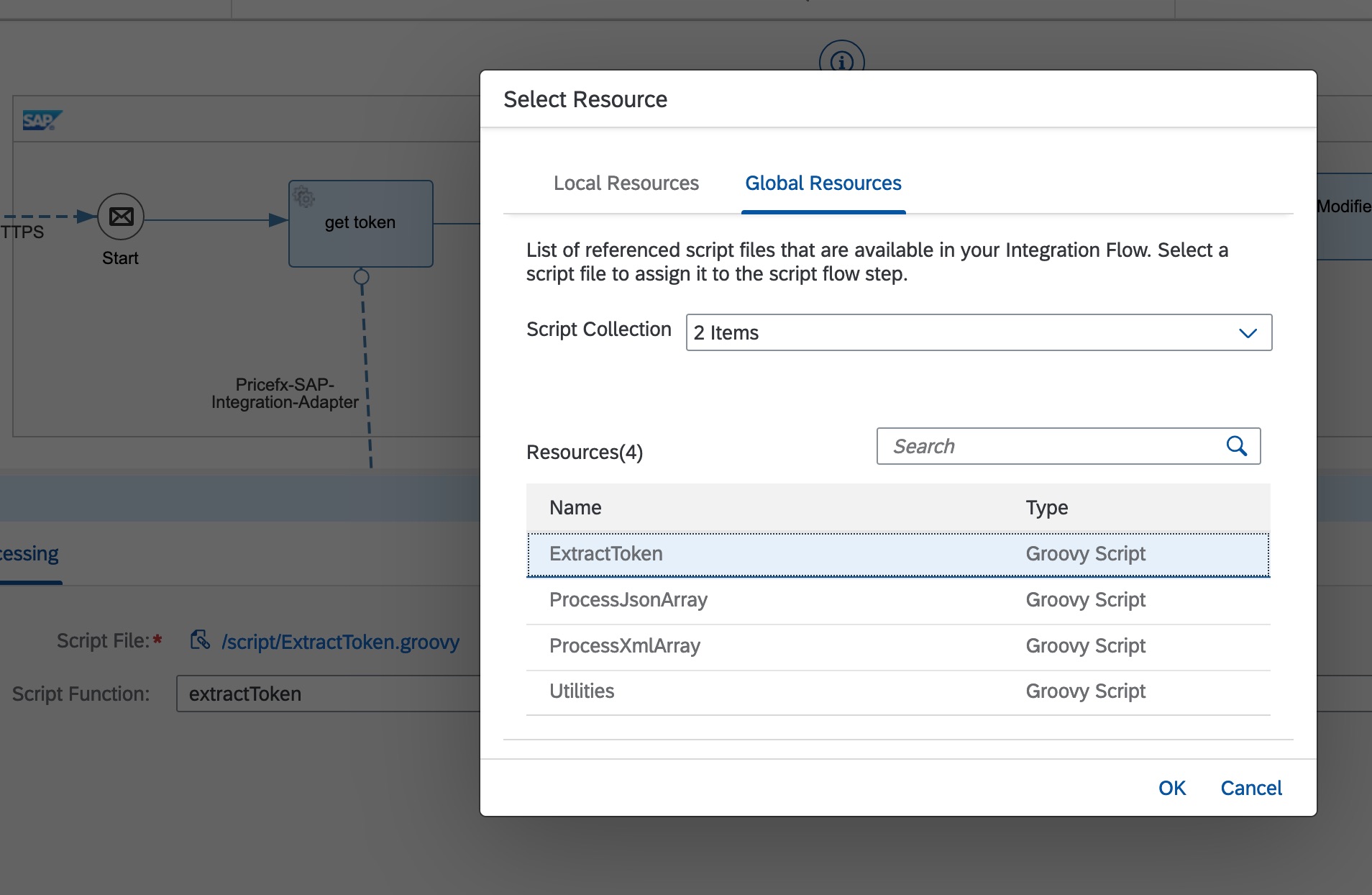
Build a timer flow to refresh it periodically by calling the “Get Token” operation via the Pricefx Integration Adapter.
-
Extract it with Groovy script extractToken in ExtractToken.groovy in Common Groovy Library. See Other Utilities | Common Groovy Library for SAP S/4HANA Integration with Pricefx.
-
Store this property in a global variable.

-
Set exchange properties – access-token in the content modifier to this global variable.
-