
This article describes how SAP Integration Suite can enable billing document synchronization between S/4HANA and Pricefx. In Pricefx, billing documents are stored as transaction data in a Data Source in Analytics.
As billing documents update is not time sensitive and is usually done by batches, polling approach is selected.
Steps:
Step 0: Pricefx Setup
-
Set up polling schedule for billing document: Set up Integration Flows - Polling | Step 0: Set up Polling Schedule in Pricefx Price Parameter
-
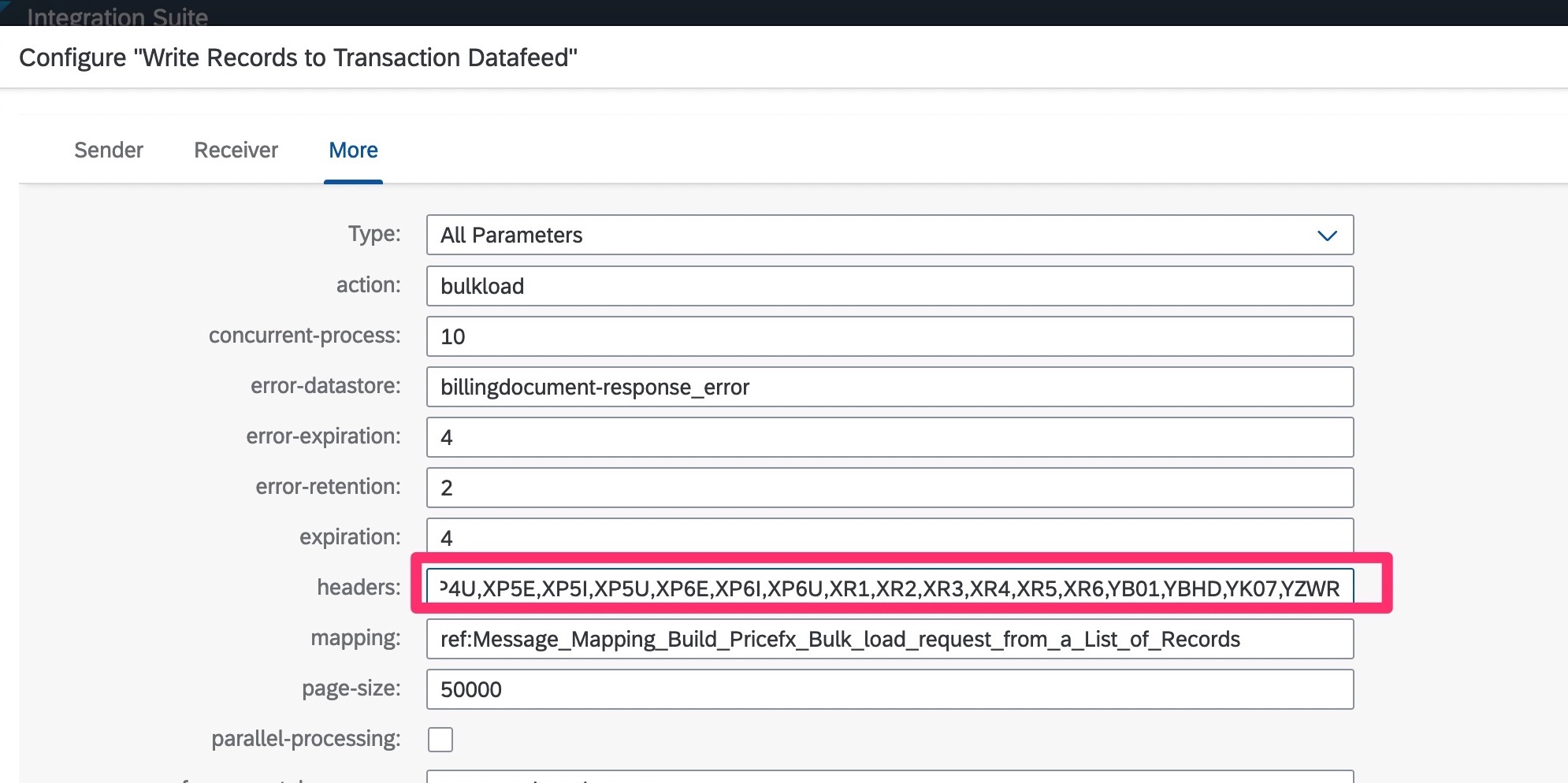
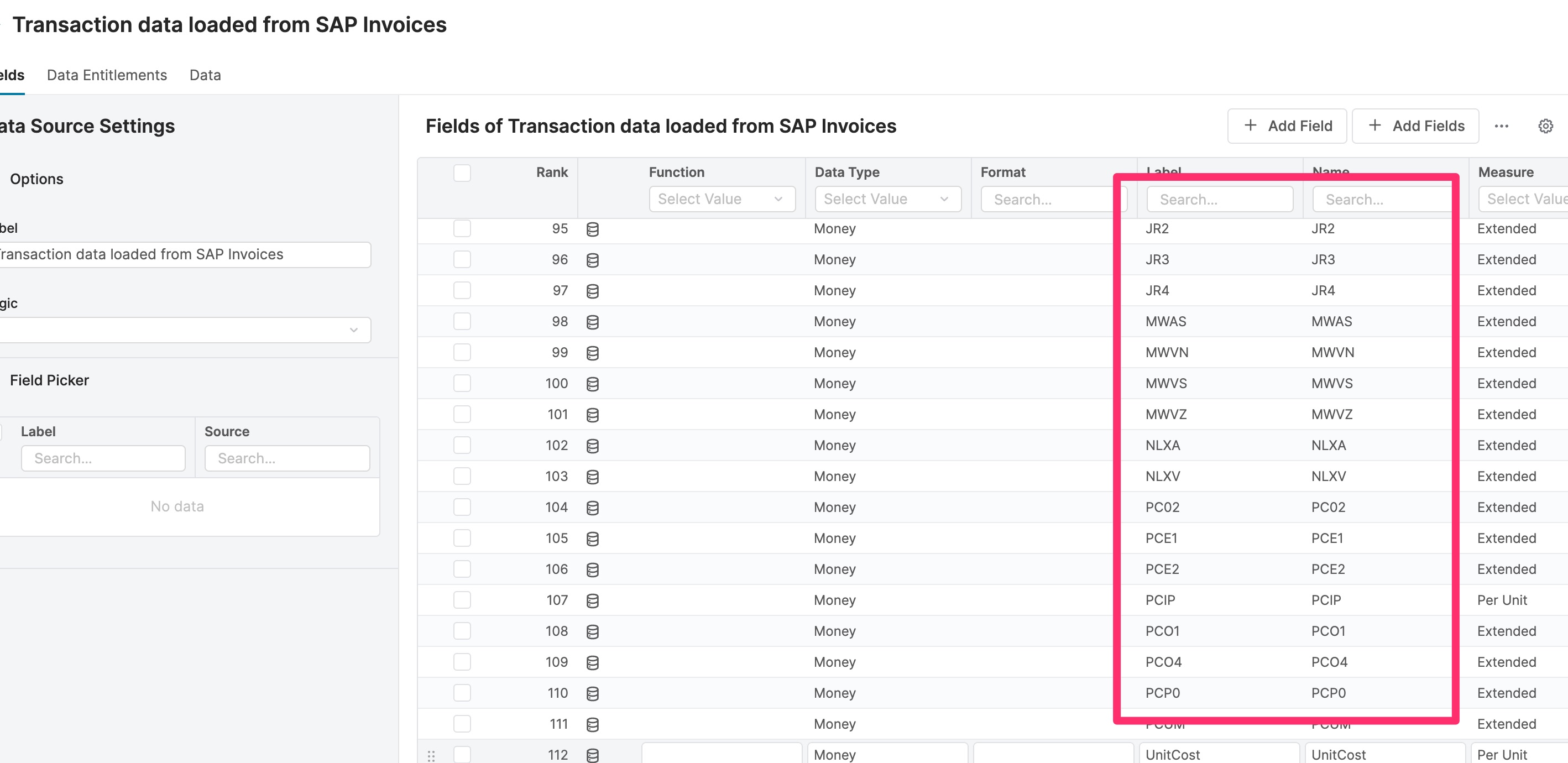
Set up Data Feed and Data Source. As the volume of transaction data is bigger than other master data, and is mainly to be used in Analytics, it is more appropriate to store it in the Analytics module in Pricefx. In the sample, many Price Condition types are defined. You should only define those you need in your scenario. Values of these “headers” fields are the same as the columns in the Data Feed.
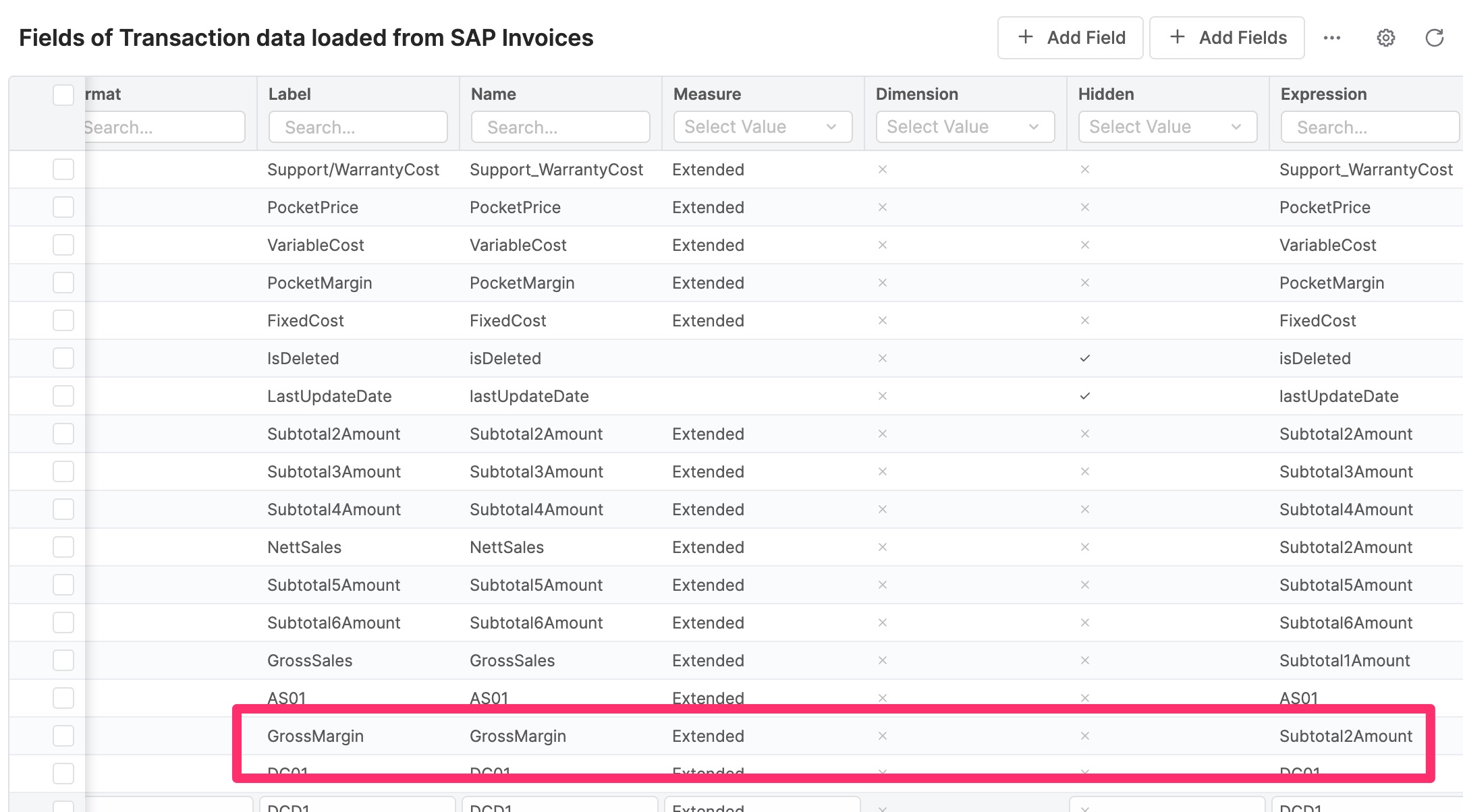
You can make use of “expression” in the Data Source to manipulate some data. For more details on setting up Analytics, refer to Pricefx documentation or discuss with Pricefx project implementation team.
-
Flush data logic to flush the data from the Data Feed to Data Source (optional). To reduce business logic in integration layer, load data operation is able to only upload all data to Data Feed without validation and transformation. The business logic can be put into the flush data calculation logic in Pricefx layer if required. Without this logic, the default flush data operation in Pricefx will copy all data from the Data Feed to Data Source and then truncate the Data Feed.
Step 1: Build Integration Flow to Poll Updates from SAP S/4HANA
You can either add a branch to existing timer process or create another timer process for synchronizing billing documents. See Set up Integration Flows - Polling | Step 1: Build an Integration Flow to Poll Updates from SAP S/4HANA .
Step 2: Get Latest Updated Billing Documents from SAP S/4HANA and write to Transactions Data Feed in Pricefx
This integration is duplicated and modified from “Get Latest Updated Entities from SAP S/4HANA and write to Pricefx” from “Sample Artifacts for SAP S/4HANA Integration with Pricefx“ package.
Set up Integration Flows - Polling | Step 2: Get Latest Updated Entities from SAP S/4HANA
Major steps carried out by this integration flow include:
-
Retrieve SAP connection properties and SAP AIR key.
-
Update next polling schedule in Pricefx.
-
Get updated billing documents by batches and write to Data Feed in Pricefx. See Set up Integration Flows - Polling | Step 4: Write Records to Pricefx Tables .
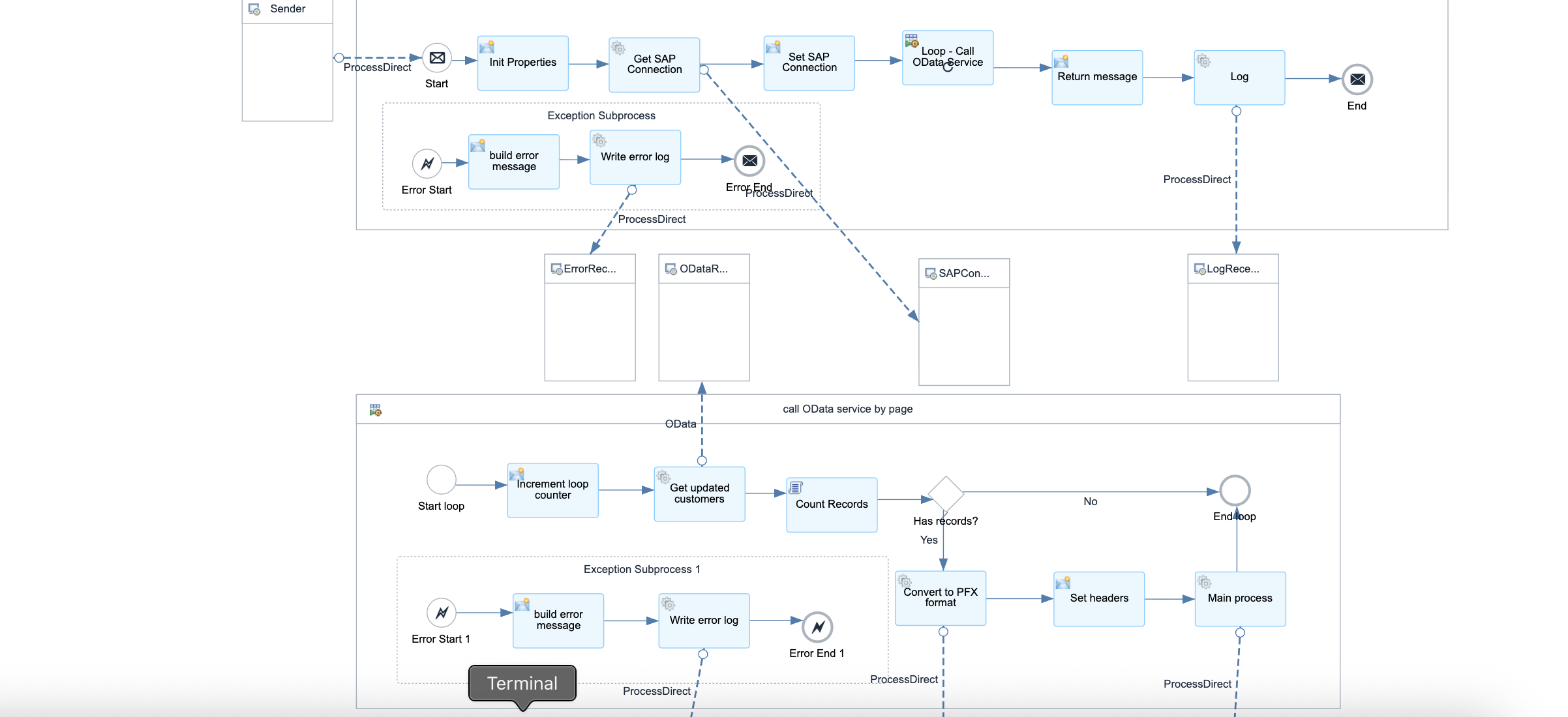
Below parameters can be configured but default values are provided:
-
Sender – The process direct incoming path of this integration flow.
-
Main receiver – The integration flow which writes billing documents to Pricefx Datafeed
-
Billing document transform receiver – The integration flow which transforms billing documents to Pricefx Datafeed load data request
-
Error receiver – The integration flow which writes error to error handler
-
Log receiver - The integration flow which writes error to log
-
AIR and SAP connection properties receiver – The integration flow which retrieves and SAP connection properties and AIR from Pricefx.
-
Transaction handling
-
Write to Data feed properties
-
OData connection properties
-
Message header properties
Step 3: Write Records to Pricefx Tables
Set up Integration Flows - Polling | Step 4: Write Records to Pricefx Tables