
How to run Cypress test on the specific project for specific client’s partition.
Setup project URL
-
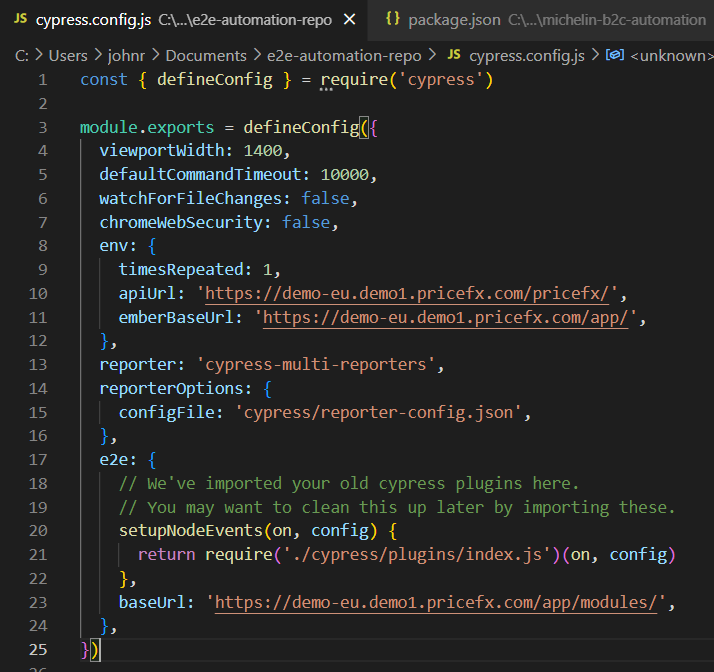
change URL for your project in cypress.config.js
-
baseUrl
-
URL for a react version of the price fx application with “modules“ at the end
-
example for a demo partition:
baseUrl: 'https://demo-eu.demo1.pricefx.com/app/modules/',
-
-
apiUrl
-
URL for api commands
-
example for a demo partiton:
apiUrl: 'https://demo-eu.demo1.pricefx.com/pricefx/',
-
-
emberBaseUrl
-
URL for ember version
-
example for a demo partition:
emberBaseUrl: 'https://demo-eu.demo1.pricefx.com/app/',
-
Setup local credentials
-
needed for using cypress and login to specific partition
-
update file \cypress\fixtures\testUsersUtils.js
-
change placeholders for your real credentials
-
example:
-
username: testUser
-
partition: michelin-dev
-
password: askjdkj29292?
-
-
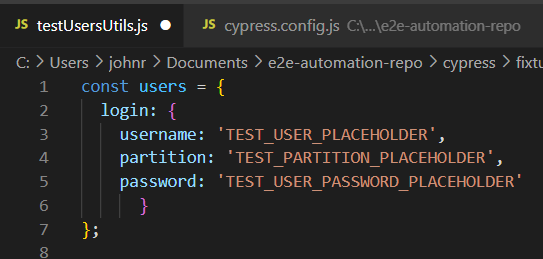
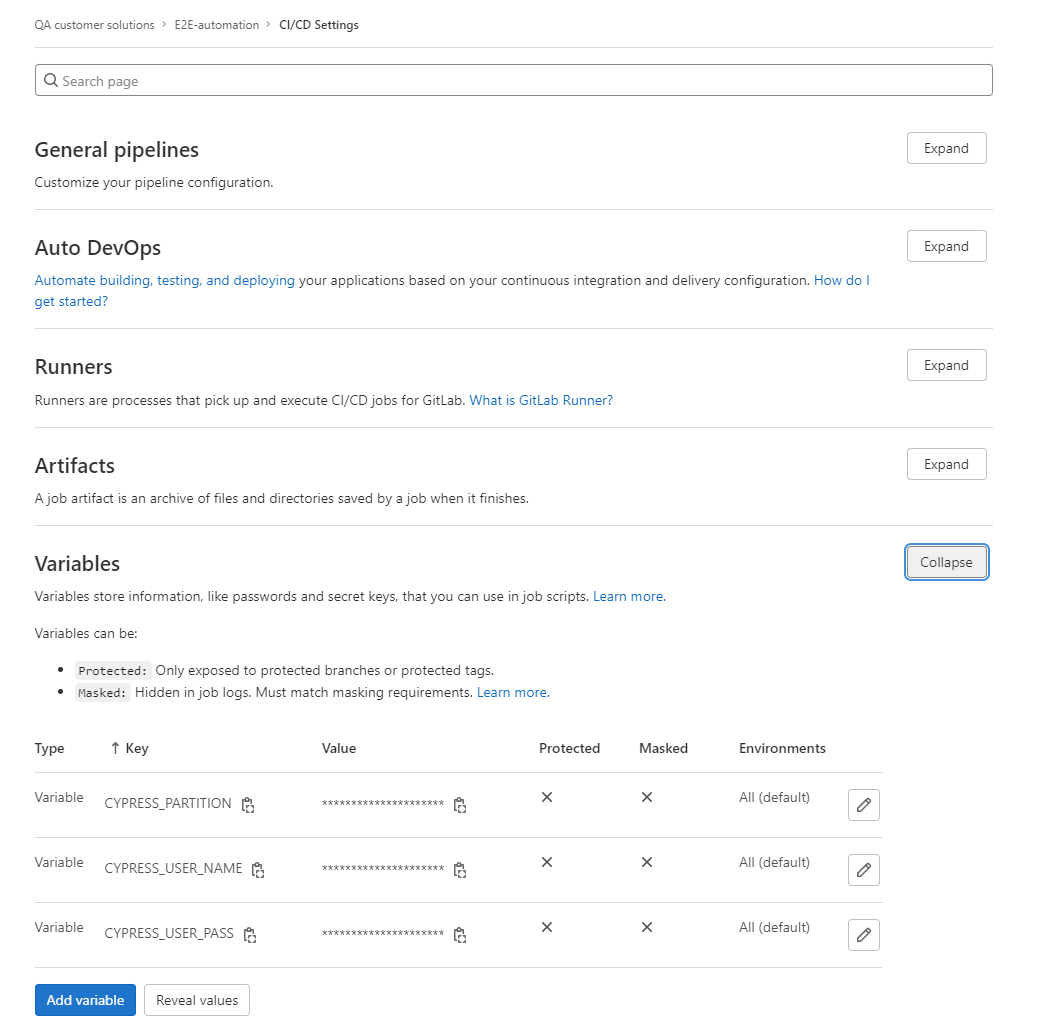
⚠️ do not deploy real credentials to the git (there are masked variables linked to placeholders)
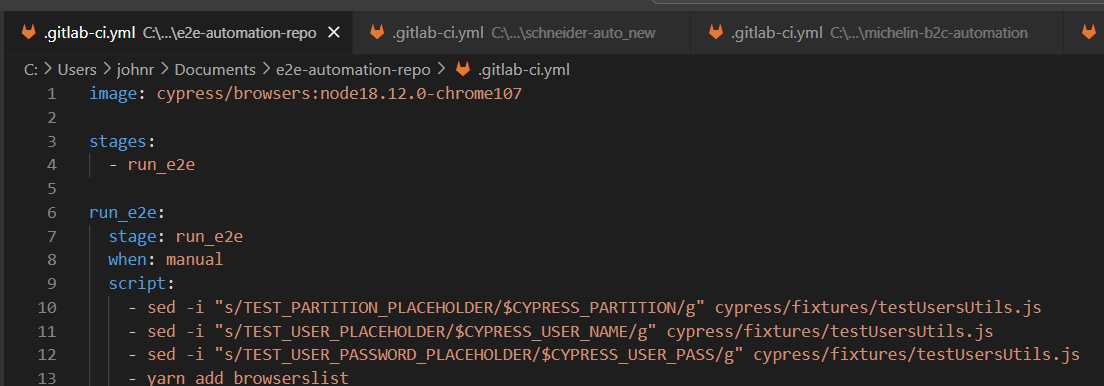
explanation where are credentials in Git
-
placeholders refer to the file gitlab-ci.yml and real values are stored in Git lab settings (CI/CD Settings)
Create workspace for your tests
-
start on your local computer (starting point is already cloned repository e2e-automation)
-
work according projects rules
-
after approval from solution architect or project manager
-
you can create a new branch in project repository
-
schedule automation pipeline for cypress tests according defined rules (every night, week, release, merge…..)
-
Data management
-
the most harder part of test automation
-
make sure no one will change data for the test run
-
prepare data before the test run
-
clean data after the test run as much as possible