
Precondition
-
url setting: e2e-automation-repo\cypress.config.js
-
info is here:New Project Initialization
-
-
credentials setting: e2e-automation-repo\cypress\fixtures\testUsersUtils.js
-
info is here: New Project Initialization
-
-
be aware of concept of automation testing in Cypress and read official documentation
Hello world test for PriceFx application
-
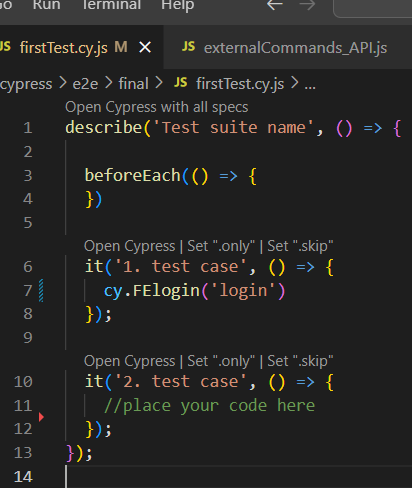
open firstTest.cy.js on your local PC in the cloned repo
-
path: e2e-automation-repo\cypress\e2e\final
-
-
use FElogin command like this: cy.FElogin('login')
-
this command is found in this file: e2e-automation-repo\cypress\support\commands.js
-
-
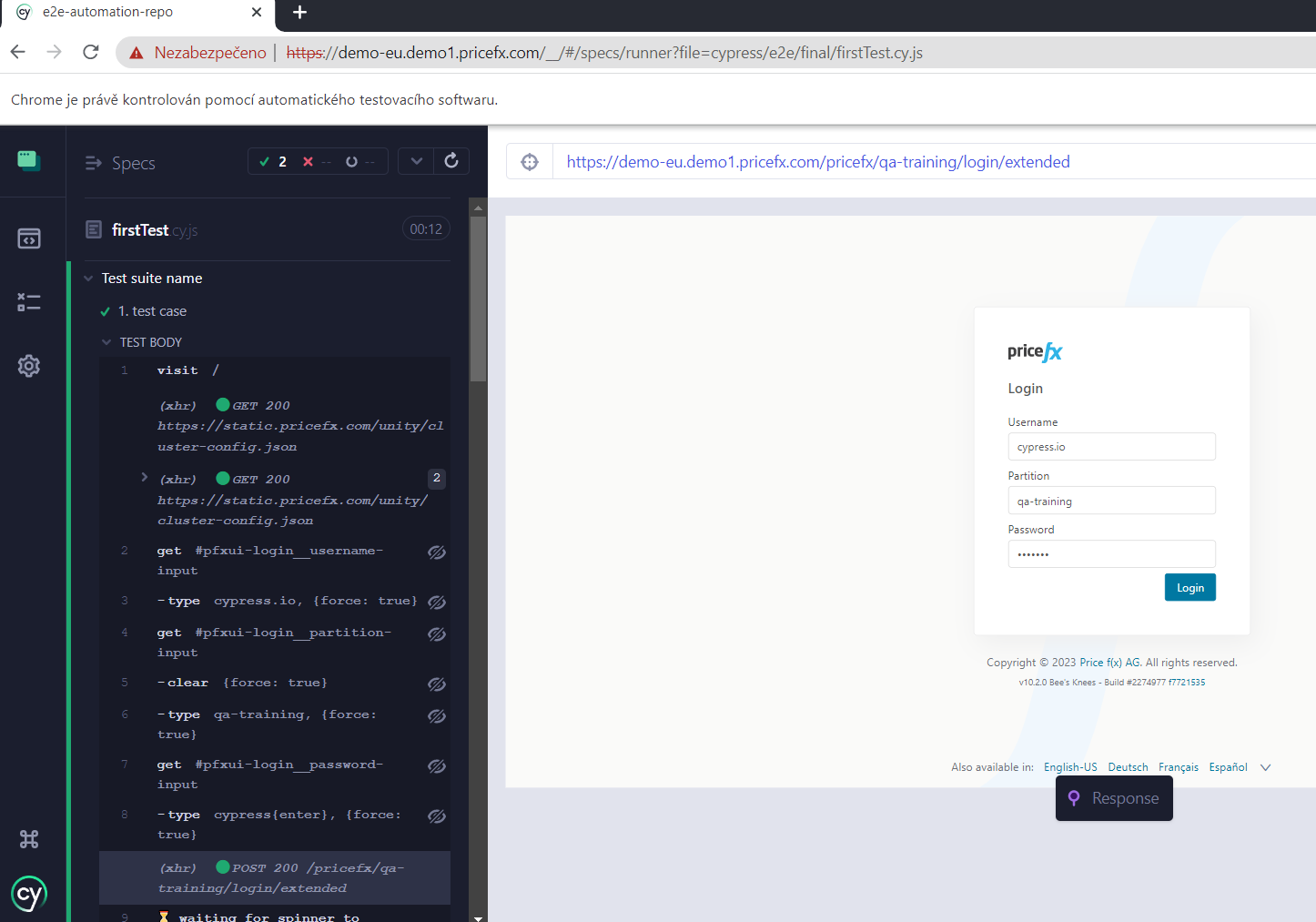
save and run your test
-
you should be logged in Price Fx application
-
now you can write your test.
-
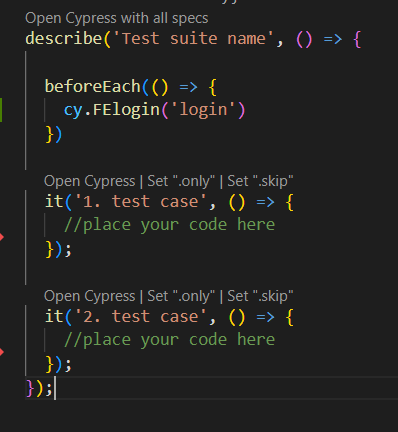
command FElogin is needed to use in every test “it”, or you can add this FElogin command into beforeEach section and then it is not needed to use it in every “it”
Tips & tricks
-
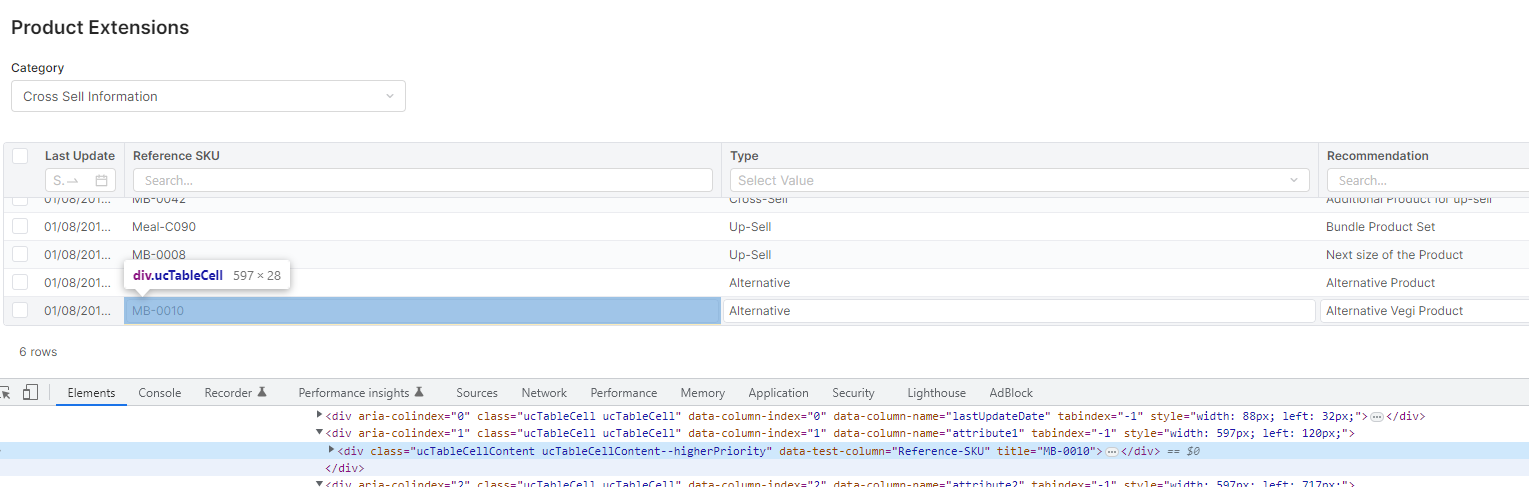
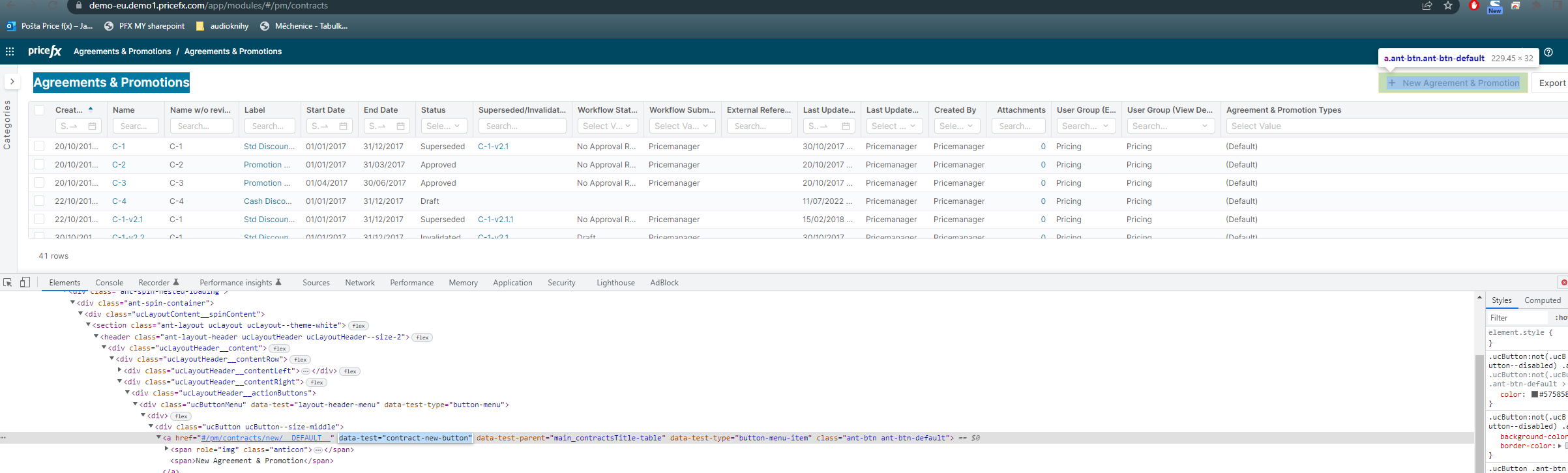
for creating a test without commands, use primary elements with data-attributes in html code
-
data-test-column -
data-column-name -
data-test -
data-test-parent -
…..
-
Example task for you:
//login
//go to Agreements & Promotions page
//click on button "New agreement & promotion"
solution
    //go to Agreements & Promotions page
    cy.visit('#/pm/contracts')
    cy.waitForSpinner()

    //click on button New agreement & promotion
    cy.get('[data-test="contract-new-button"]').click()
    cy.waitForSpinner()
-
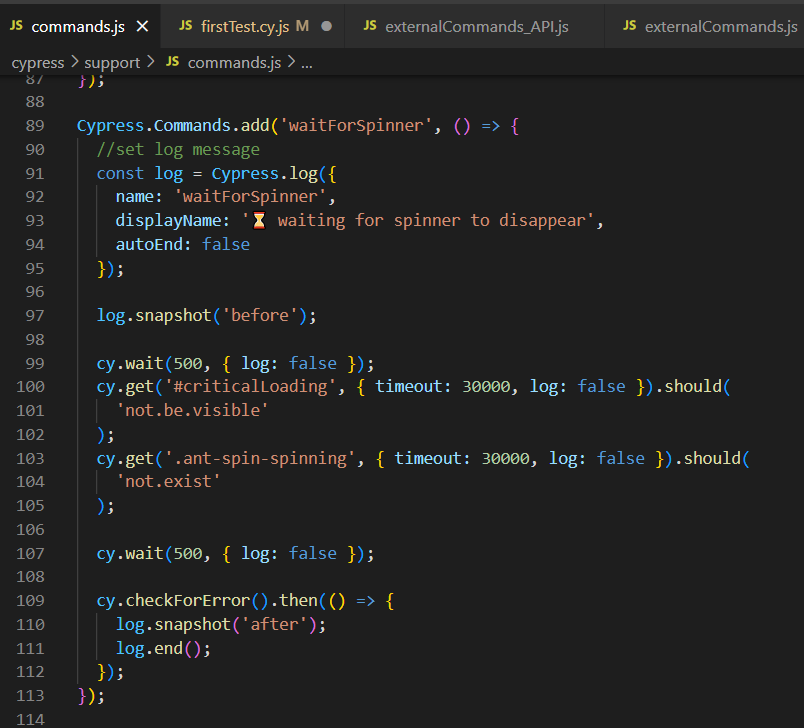
for waiting use prepared command: cy.waitForSpinner()
-
command is located in e2e-automation-repo\cypress\support\commands.js file
-
command waits, till running circle disappears and page is loaded
-
-
-
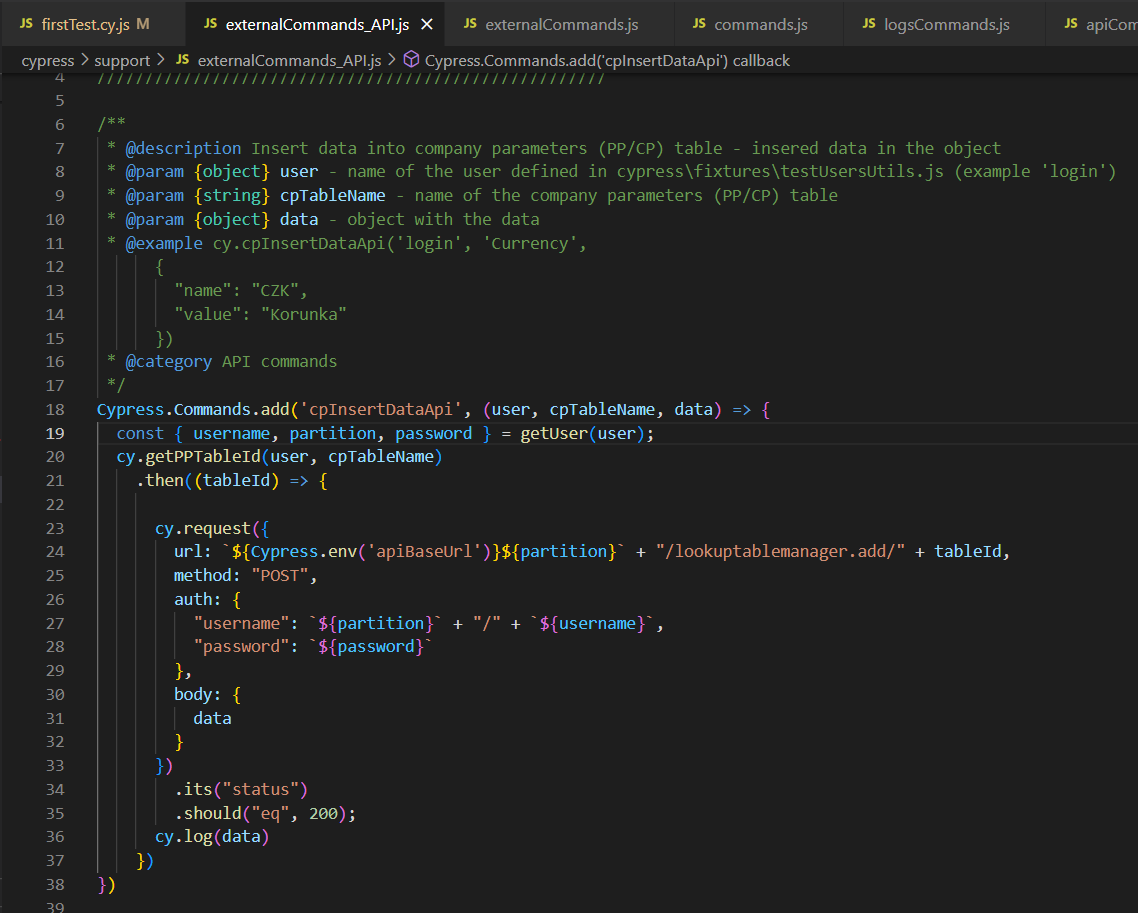
for data manipulation use API commands
-
in the file: e2e-automation-repo\cypress\support\externalCommands_API.js
-
you can find prepared API commands with.
-
read comments in the code for better understanding
externalCommandsAPI.js file 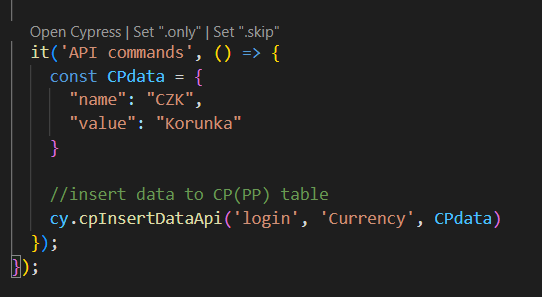
Cypress test for with using API command for inserting data into CP table
-
-
for common action use prepared FE commands
-
in the support folder, there are plenty of prepared commands for easier cypress implementation
-
before you will start to do some test, make a little research, if we haven’t had it already prepared as a command
-
Happy testing with Cypress.